
flutter_feature_hint 0.0.6  flutter_feature_hint: ^0.0.6 copied to clipboard
Create interactive feature tutorials with gesture-driven overlays. Users must perform actual gestures on your UI to dismiss hints - perfect for onboarding.
flutter_feature_hint #
A beautiful Flutter package for creating smooth, auto-playing feature hint overlays with animated gestures. Perfect for onboarding, feature discovery, and user education.
✨ Features #
- 🎯 Full-Screen Overlays: Cover the entire screen while highlighting the target widget
- 🎬 Auto-Playing Animations: No user interaction required - animations play automatically
- ✨ Animated Gestures: Visual demonstrations of swipe, tap, and long-press actions
- 🎨 Highly Customizable: Control colors, duration, message widgets, icon sizes, and positioning
- 🚀 Smooth Fade Animations: Professional fade in/out transitions
- 📱 Responsive Design: Works with widgets of any size, from tiny buttons to entire lists
- 🎯 Precise Positioning: Animation icon automatically positions over the wrapped widget
- 🔧 Zero Dependencies: Uses only Flutter's built-in widgets and animations
📸 Demo #
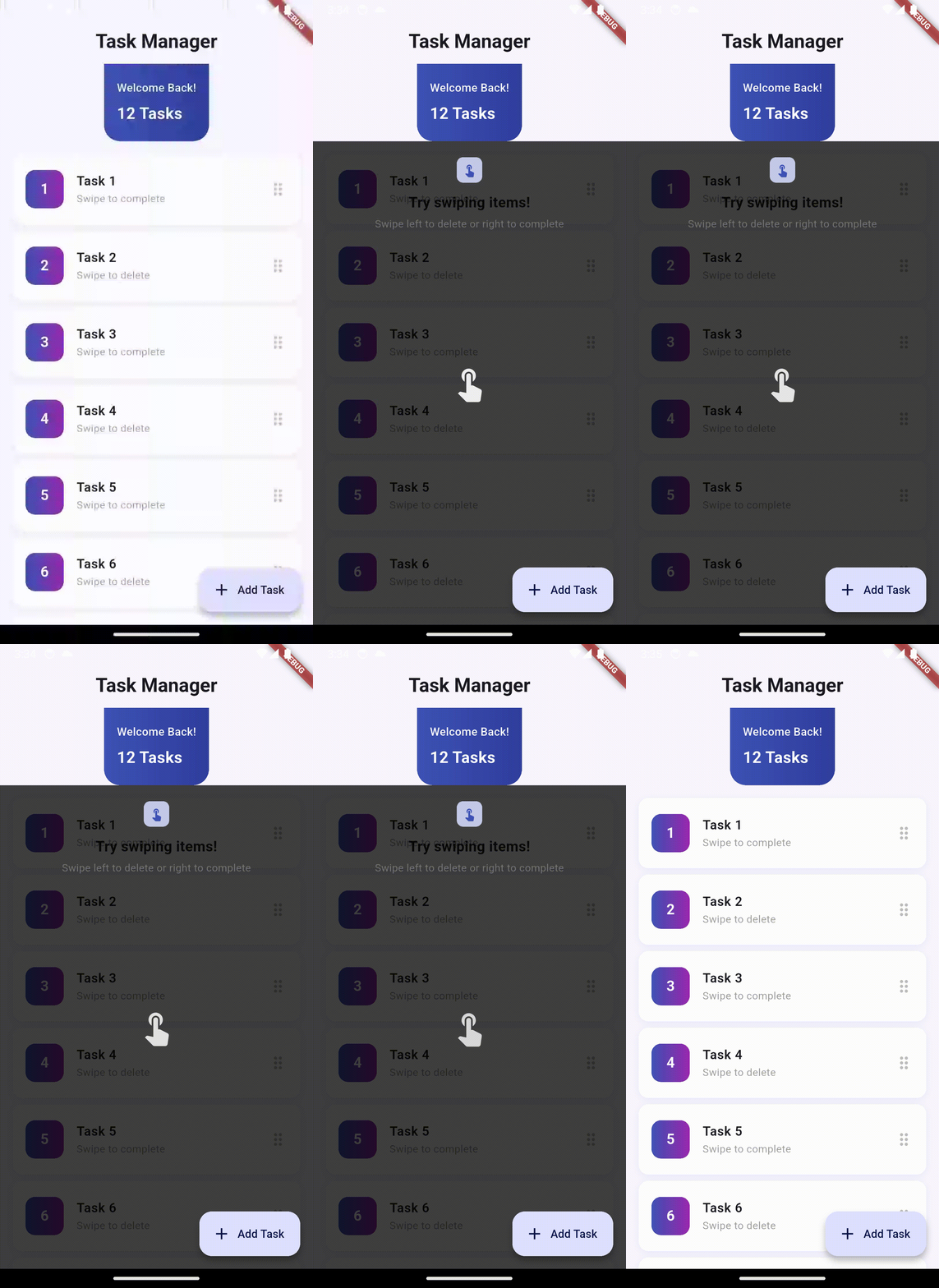
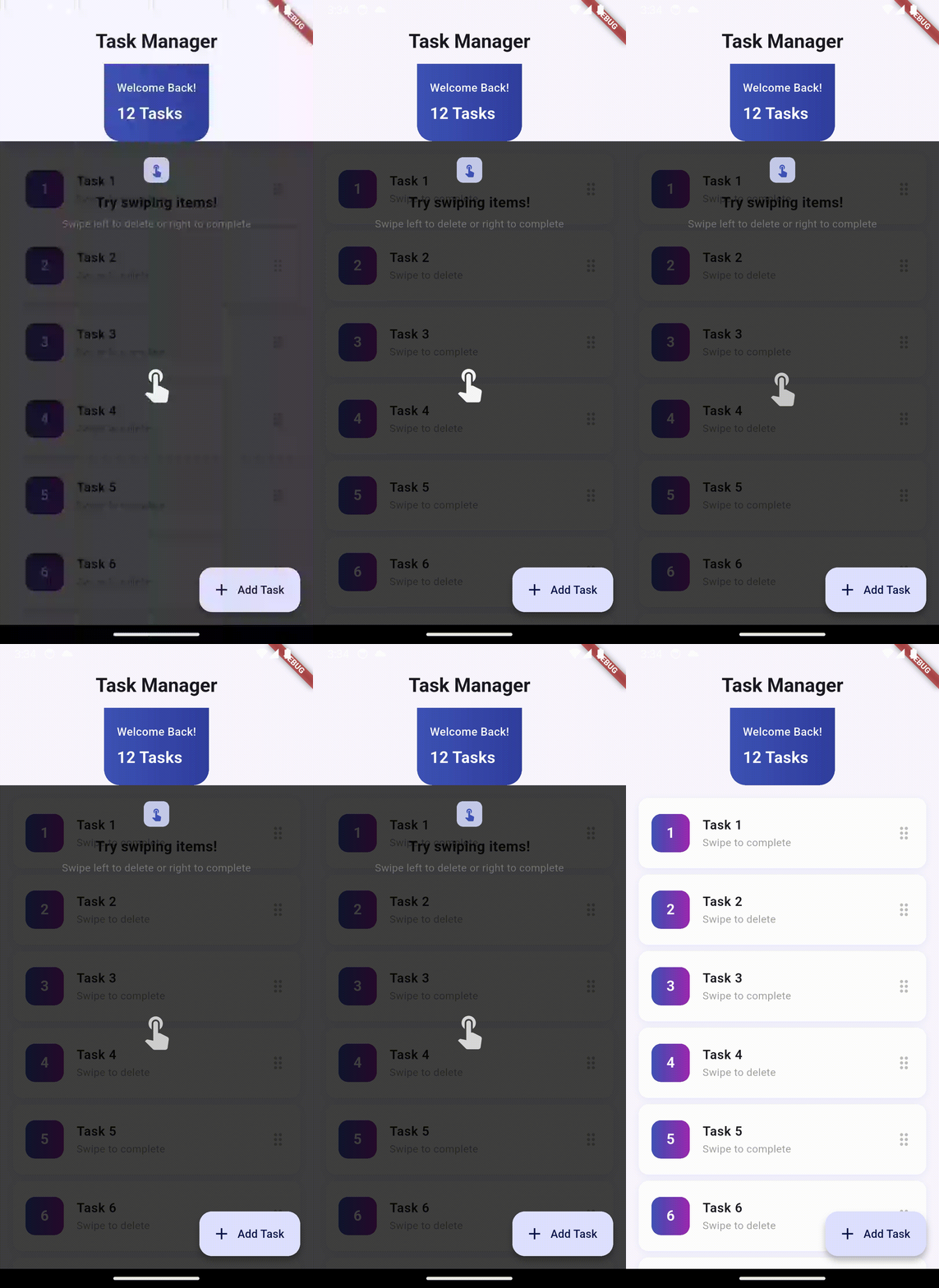
The example app demonstrates a beautiful task manager UI with:
- Dismissible list items with swipe animations
- Modern gradient design with Material 3
- Feature hint overlay showing swipe gestures
- Smooth transitions and feedback
Gesture Demonstrations #
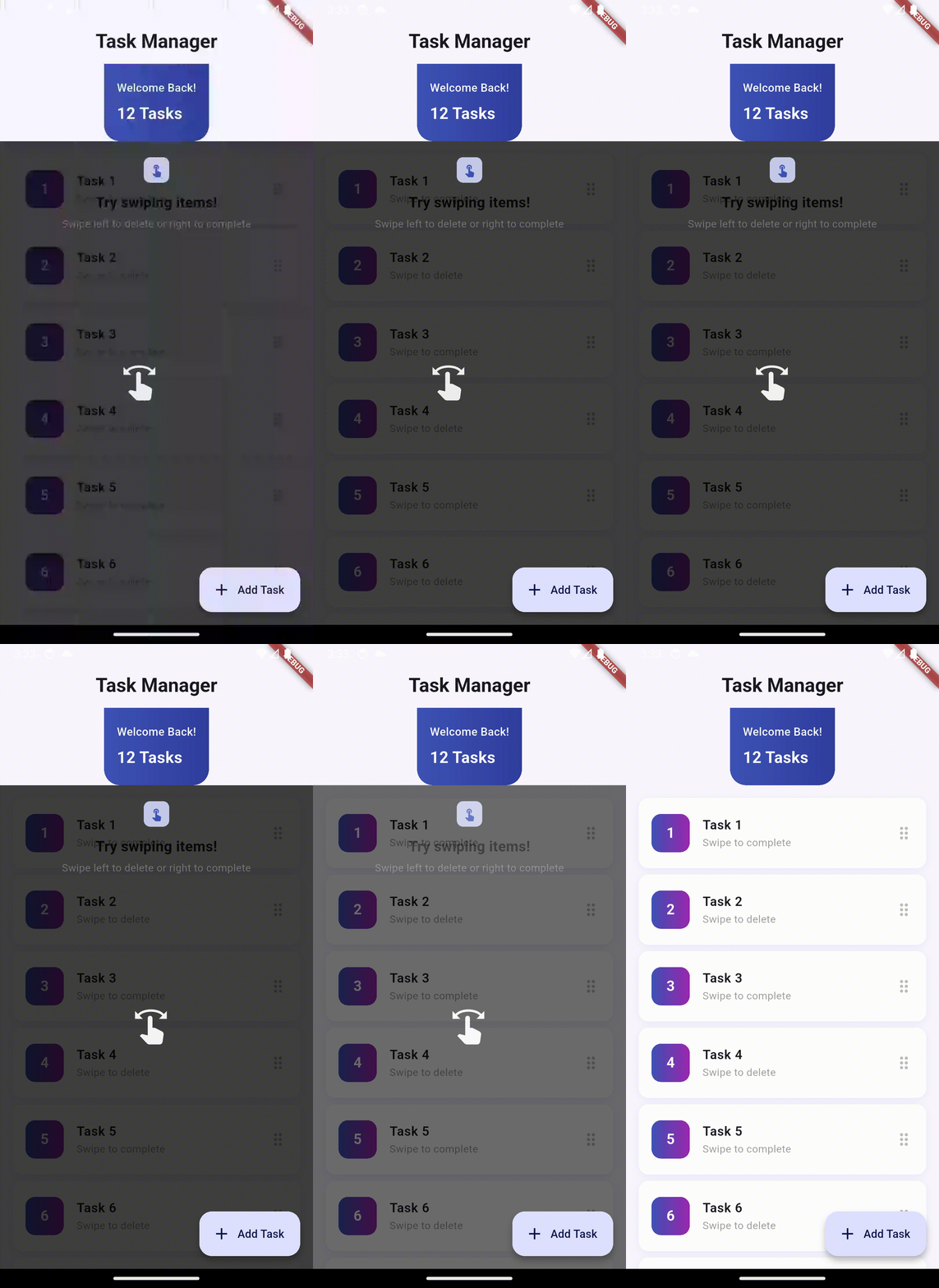
Swipe Left |
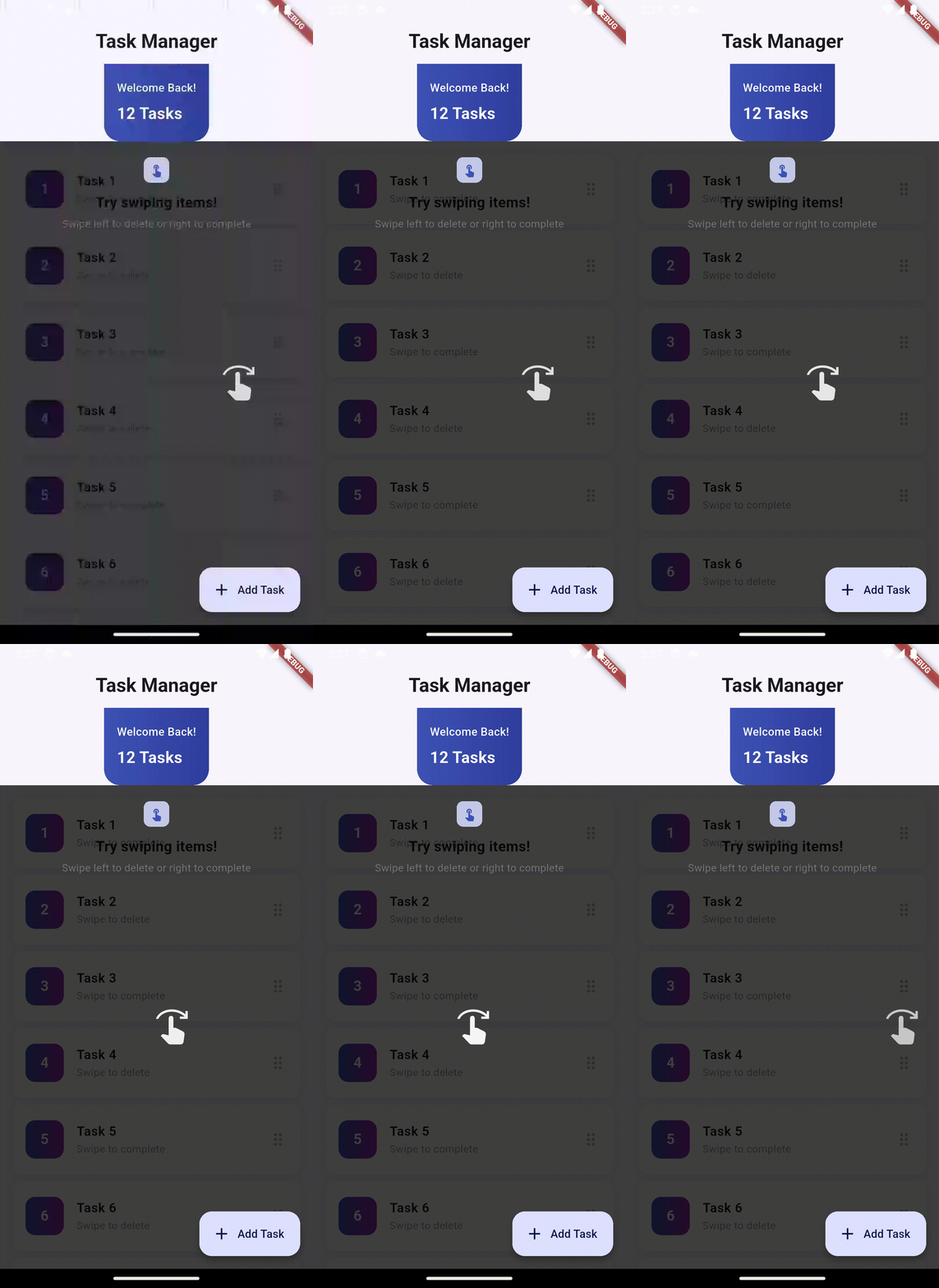
Swipe Right |
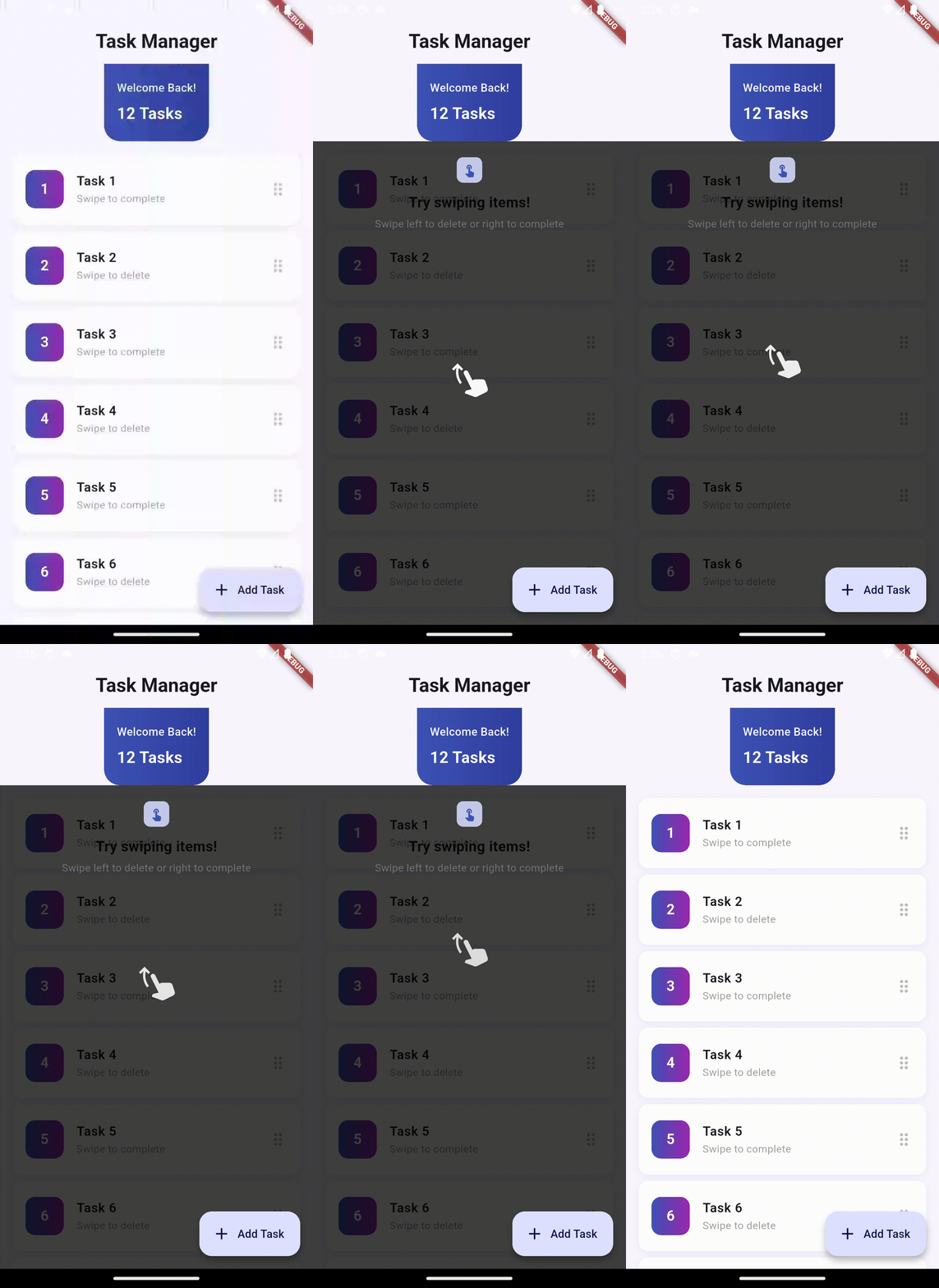
Swipe Up |
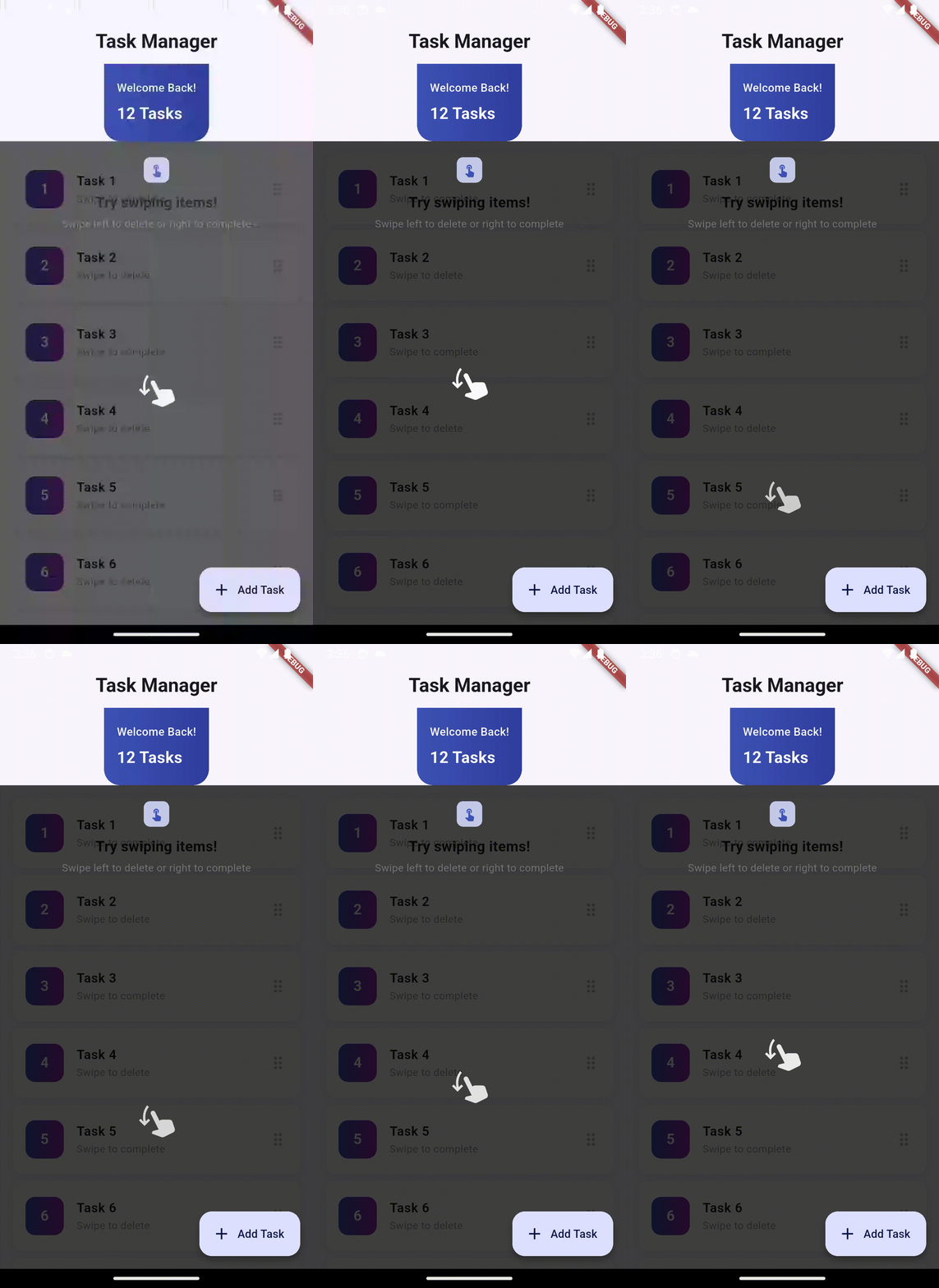
Swipe Down |
Tap |
Long Press |
🚀 Installation #
Add this to your pubspec.yaml:
dependencies:
  flutter_feature_hint: ^0.0.2
Then run:
flutter pub get
📖 Usage #
Basic Example #
import 'package:flutter_feature_hint/flutter_feature_hint.dart';

FeatureHintOverlay(
  message: const Text('Swipe left to delete'),
  gesture: GestureType.swipeLeft,
  duration: const Duration(seconds: 5),
  child: YourWidget(),
)
With Custom Styling #
FeatureHintOverlay(
  message: Container(
    padding: const EdgeInsets.symmetric(horizontal: 12),
    child: Column(
      mainAxisSize: MainAxisSize.min,
      children: [
        Container(
          width: 32,
          height: 32,
          decoration: BoxDecoration(
            color: Colors.indigo[100],
            borderRadius: BorderRadius.circular(8),
          ),
          child: Icon(
            Icons.touch_app,
            size: 18,
            color: Colors.indigo,
          ),
        ),
        const SizedBox(height: 12),
        const Text(
          "Try swiping items!",
          style: TextStyle(
            fontSize: 18,
            fontWeight: FontWeight.bold,
            color: Colors.black87,
          ),
        ),
        const SizedBox(height: 4),
        Text(
          "Swipe left to delete or right to complete",
          style: TextStyle(
            fontSize: 13,
            color: Colors.grey[600],
          ),
        ),
      ],
    ),
  ),
  gesture: GestureType.swipeLeft,
  duration: const Duration(seconds: 6),
  iconSize: 48,
  iconColor: Colors.white,
  overlayColor: const Color(0xBF000000),
  child: YourListView(),
)
Available Gesture Types #
enum GestureType {
  swipeLeft,      // Horizontal swipe to the left
  swipeRight,     // Horizontal swipe to the right
  swipeUp,        // Vertical swipe upward
  swipeDown,      // Vertical swipe downward
  tap,            // Single tap gesture
  longPress,      // Long press gesture
}
Parameters #
message(Widget, required): Custom widget to display as the hint messagegesture(GestureType, required): The gesture type to animatechild(Widget, required): The widget to wrap with the overlayduration(Duration, default: 4 seconds): How long to show the overlayshouldPlay(bool, default: true): Whether to show the overlayonCompleted(VoidCallback?): Callback when the overlay animation completesshowHandAnimation(bool, default: true): Whether to show the gesture animationoverlayColor(Color, default: semi-transparent black): Background color of the overlaymessageAlignment(AlignmentGeometry, default: topCenter): Position of the message boxcustomIcon(IconData?): Custom icon to animate instead of the hand gestureiconSize(double, default: 60.0): Size of the animated iconiconColor(Color, default: white): Color of the animated icon
With Callback #
FeatureHintOverlay(
  message: const Text('Learn this gesture!'),
  gesture: GestureType.tap,
  child: YourWidget(),
  onCompleted: () {
    print('Hint animation completed!');
    // Update UI state, navigate, etc.
  },
)
Conditional Display #
FeatureHintOverlay(
  message: const Text('First time? Swipe left!'),
  gesture: GestureType.swipeLeft,
  shouldPlay: isFirstTime, // Only show on first visit
  child: YourListView(),
)
🎨 Customization Guide #
Change Message Position #
FeatureHintOverlay(
  messageAlignment: Alignment.bottomCenter, // Top, bottom, center, etc.
  // ... other parameters
)
Use Custom Icon #
FeatureHintOverlay(
  customIcon: Icons.favorite,
  iconColor: Colors.red,
  iconSize: 80,
  // ... other parameters
)
Customize Overlay Appearance #
FeatureHintOverlay(
  overlayColor: const Color(0xAA000000), // Semi-transparent dark
  messageAlignment: Alignment.center,
  // ... other parameters
)
🏗️ Architecture #
The package is built with:
- FeatureHintOverlay: Main widget that wraps your UI with the overlay
- AnimatedHandGesture: Handles gesture-specific animations (swipes, taps, etc.)
- GestureType: Enum defining supported gesture animations
How It Works #
- Initialization: When
FeatureHintOverlayis rendered, it wraps your widget in aStack - Overlay Creation: After the first frame is laid out, a full-screen overlay is displayed with a fade animation
- Animation: The gesture animation icon is positioned exactly over your wrapped widget
- Auto-Dismiss: After the specified duration, the overlay fades out automatically
- Callback: The
onCompletedcallback is triggered when the animation finishes
🐛 Troubleshooting #
Animation Not Visible #
- Ensure
shouldPlayis set totrue - Check that
showHandAnimationis notfalse - Verify the overlay duration is long enough to see the animation
Icon Not Positioned Correctly #
- Ensure the wrapped widget has been fully laid out (happens automatically)
- The icon should appear centered on your wrapped widget
- If the widget is off-screen, the icon will also be off-screen
Message Box Not Showing #
- Verify the
messageparameter is a valid Widget - Check that
messageAlignmentis set to a visible position - Ensure the overlay color is not completely opaque, blocking the message
📝 License #
This project is licensed under the MIT License - see the LICENSE file for details.
🤝 Contributing #
Contributions are welcome! Feel free to open issues or submit pull requests.
☕ Love This Package? #
If you found flutter_feature_hint helpful and it saved you time, consider supporting the development! Your support helps me create more amazing packages for the Flutter community.

Help fuel more open-source magic! 🚀
📚 Example App #
Check out the example/ directory for a complete working example with a beautiful task manager UI demonstrating:
- Multiple feature hints
- Custom message styling
- Integration with dismissible list items
- Modern Material 3 design
🎯 Use Cases #
- Onboarding: Guide users through your app's features
- Feature Discovery: Highlight new features to existing users
- Tutorial Mode: Show gesture-based interactions visually
- First-Time UX: Educate users without interrupting their experience
- A/B Testing: Test different onboarding approaches
📊 Requirements #
- Flutter: ^3.0.0
- Dart: ^2.17.0
🔄 Version History #
See CHANGELOG.md for a list of all changes and new features.
Built with ❤️ for Flutter developers
Metadata
Publisher
unverified uploader
Weekly Downloads
Metadata
Create interactive feature tutorials with gesture-driven overlays. Users must perform actual gestures on your UI to dismiss hints - perfect for onboarding.
Repository (GitHub)
View/report issues
License
 unknown (license)

