
fifty_ui 0.7.1  fifty_ui: ^0.7.1 copied to clipboard
 fifty.dev
FDL v2 styled Flutter components for the fifty.dev ecosystem. Buttons, cards, inputs, and more.
Fifty UI #


38 FDL-styled widgets ready to drop in. Dark-first, adaptive, accessible.
A complete Flutter component library -- buttons, inputs, cards, navigation, feedback, and composable effects -- all themed consistently with Fifty Design Language v2. Every widget reads from your colorScheme and FiftyThemeExtension, so changing your brand in fifty_tokens updates every component automatically. Part of Fifty Flutter Kit.
| Gallery | Buttons | Inputs | Display |
|---|---|---|---|
 |
 |
 |
 |
Why fifty_ui #
- 38 FDL-styled widgets ready to drop in -- Buttons, inputs, cards, navigation, feedback, and effects all themed consistently with Fifty Design Language v2.
- Dark-first, adaptive by design -- All widgets read from Theme.of(context).colorScheme and FiftyThemeExtension; pass a custom colorScheme to FiftyTheme.dark() and every widget adapts.
- Composable effects -- KineticEffect, GlitchEffect, GlowContainer, and HalftoneOverlay are standalone wrappers; combine with any widget, not just fifty_ui components.
- WCAG 2.1 AA -- Accessible contrast ratios, reduced motion support, and required tooltips on all icon buttons baked in.
Installation #
dependencies:
  fifty_ui: ^0.7.1
For Contributors #
dependencies:
  fifty_ui:
    path: ../fifty_ui
Dependencies: fifty_tokens, fifty_theme
Quick Start #
import 'package:fifty_theme/fifty_theme.dart';
import 'package:fifty_ui/fifty_ui.dart';

void main() {
  runApp(
    MaterialApp(
      theme: FiftyTheme.dark(),
      home: MyApp(),
    ),
  );
}

// Use components directly
FiftyButton(
  label: 'DEPLOY',
  onPressed: () => handleDeploy(),
  variant: FiftyButtonVariant.primary,
  icon: Icons.rocket_launch,
  isGlitch: true,
  shape: FiftyButtonShape.sharp,
)
Architecture #
fifty_ui
├── buttons/
│   ├── FiftyButton          — Primary action button (5 variants)
│   ├── FiftyIconButton      — Circular icon button with tooltip
│   └── FiftyLabeledIconButton — Icon button with inline label
├── inputs/
│   ├── FiftyTextField       — Terminal command-line text input
│   ├── FiftySwitch          — Kinetic toggle with snap animation
│   ├── FiftySlider          — Brutalist range selector (square thumb)
│   ├── FiftyDropdown        — Terminal-styled dropdown selector
│   ├── FiftyCheckbox        — Multi-select boolean control
│   ├── FiftyRadio           — Single-select option control
│   └── FiftyRadioCard       — Card-style radio selection
├── controls/
│   ├── FiftySegmentedControl — Pill-style segmented control
│   └── FiftyNavPill         — Navigation pill indicator
├── containers/
│   └── FiftyCard            — Bento-style container with hover effects
├── display/
│   ├── FiftyStatCard        — KPI metric card with trend indicators
│   ├── FiftyListTile        — Transaction and settings list item
│   ├── FiftyProgressCard    — Goal progress card with gradient fill
│   ├── FiftyBadge           — Status indicator pill with glow
│   ├── FiftyChip            — Tag/label with optional delete
│   ├── FiftyDivider         — Themed horizontal or vertical divider
│   ├── FiftyDataSlate       — Terminal key-value display panel
│   ├── FiftyAvatar          — Circular avatar with fallback initials
│   ├── FiftyProgressBar     — Linear progress with crimson fill
│   ├── FiftyLoadingIndicator — Text-based loading (no spinners)
│   ├── FiftyInfoRow         — Labeled info display row
│   ├── FiftySectionHeader   — Section heading with optional action
│   ├── FiftySettingsRow     — Settings list row with value display
│   └── FiftyStatusIndicator — Dot-based status icon
├── feedback/
│   ├── FiftySnackbar        — Toast notification with variants
│   ├── FiftyDialog          — Modal dialog with animated border glow
│   └── FiftyTooltip         — Hover-triggered tooltip wrapper
├── organisms/
│   ├── FiftyHero            — Dramatic headline with Manrope font
│   └── FiftyNavBar          — Floating glassmorphism nav bar
├── molecules/
│   └── FiftyCodeBlock       — Terminal code display with syntax highlight
└── utils/
    ├── KineticEffect        — Hover/press scale animation wrapper
    ├── GlitchEffect         — RGB chromatic aberration effect
    ├── GlowContainer        — Reusable glow animation wrapper
    ├── HalftonePainter      — CustomPainter for halftone dot patterns
    ├── HalftoneOverlay      — Widget wrapper for halftone textures
    └── FiftyCursor          — Custom cursor styling utilities
Core Components #
| Component | Category | Description |
|---|---|---|
FiftyButton |
Buttons | Primary action button with 5 variants |
FiftyTextField |
Inputs | Terminal-style text input with 48px height |
FiftyCard |
Containers | Bento card with kinetic hover effects |
FiftyNavBar |
Navigation | Floating glassmorphism navigation bar |
FiftySnackbar |
Feedback | Toast notification with semantic variants |
FiftyDialog |
Feedback | Modal dialog with border glow animation |
Customization #
All widgets resolve colors from Theme.of(context).colorScheme and FiftyThemeExtension -- not directly from FiftyColors.* or FiftyShadows.*. This means widgets automatically adapt when you pass a custom colorScheme to FiftyTheme.dark(colorScheme: ...).
Structural tokens (FiftySpacing, FiftyRadii, FiftyTypography) are accessed directly since they are not color-dependent.
Brand-Level Customization #
Change your brand in fifty_tokens and every fifty_ui widget follows:
FiftyTokens.configure(
  colors: FiftyPreset.fdlV2.colors.copyWith(
    primary: Color(0xFF586994),
    onPrimary: Color(0xFFFFFFFF),
  ),
);

// Every FiftyButton, FiftyCard, FiftyNavBar, etc. now uses your brand color
GetMaterialApp(
  theme: FiftyTheme.dark(),
  darkTheme: FiftyTheme.dark(),
  home: MyApp(),
);
ColorScheme-Level Customization #
Pass a full ColorScheme to override Material roles directly:
FiftyTheme.dark(
  colorScheme: ColorScheme.dark(
    primary: Color(0xFF1A73E8),
    secondary: Color(0xFF34A853),
  ),
);
Theme Access Pattern #
All components access theme via FiftyThemeExtension:
final theme = Theme.of(context);
final fifty = theme.extension<FiftyThemeExtension>()!;

// Access FDL tokens
fifty.focusGlow      // Crimson box shadow
fifty.fast           // 150ms duration
fifty.compiling      // 300ms duration
fifty.standardCurve  // easeOutExpo
fifty.success        // Success green
Note: Token values are now getters, not compile-time constants. Expressions using FiftySpacing.* cannot appear inside const constructors. Use SizedBox(height: FiftySpacing.sm) instead of const SizedBox(height: FiftySpacing.sm).
API Reference #
Buttons #
| Widget | Description |
|---|---|
FiftyButton |
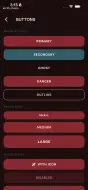
Primary action button. Variants: primary, secondary, outline, ghost, danger. Supports glitch effect, loading state, leading/trailing icons, and expanded width. |
FiftyIconButton |
Circular icon button. Requires tooltip for accessibility. |
FiftyLabeledIconButton |
Icon button with an inline text label. |
FiftyButton Properties:
| Property | Type | Default | Description |
|---|---|---|---|
label |
String | required | Button text (rendered uppercase) |
onPressed |
VoidCallback? | null | Tap callback |
variant |
FiftyButtonVariant | primary | Visual style |
size |
FiftyButtonSize | medium | Height: small(32), medium(40), large(48) |
shape |
FiftyButtonShape | sharp | Border radius: sharp(4px), pill(100px) |
isGlitch |
bool | false | RGB split effect on hover |
loading |
bool | false | Show animated dots instead of label |
icon |
IconData? | null | Leading icon |
trailingIcon |
IconData? | null | Trailing icon (e.g., arrow) |
expanded |
bool | false | Fill available width |
Inputs #
| Widget | Description |
|---|---|
FiftyTextField |
Text input styled as a terminal command line. Supports multiple border styles, prefix styles (chevron, comment), and cursor types (line, block, underscore). |
FiftySwitch |
Kinetic toggle switch with 150ms snap animation. Sizes: small, medium, large. |
FiftySlider |
Brutalist range selector with square thumb and crimson active track. Supports discrete divisions and custom label formatting. |
FiftyDropdown |
Terminal-styled dropdown with animated chevron and slide-down menu. Generic type support. |
FiftyCheckbox |
Multi-select boolean control with FDL v2 styling. |
FiftyRadio |
Single-select option control with FDL v2 styling. |
FiftyRadioCard |
Card-style radio with icon, kinetic hover animation, and crimson glow on selection. |
FiftyTextField Properties:
| Property | Type | Default | Description |
|---|---|---|---|
shape |
FiftyTextFieldShape | standard | Shape: standard (xl radius), rounded (pill) |
borderStyle |
FiftyBorderStyle | full | Border rendering: full, bottom, none |
prefixStyle |
FiftyPrefixStyle? | null | Prefix character: chevron(">"), comment("//"), custom, none |
customPrefix |
String? | null | Custom prefix when prefixStyle is custom |
cursorStyle |
FiftyCursorStyle | line | Cursor type: line, block, underscore |
terminalStyle |
bool | false | Legacy: enables chevron prefix + bottom border |
FiftySwitch Sizes:
| Size | Dimensions | Thumb Size |
|---|---|---|
small |
36x20 | 16 |
medium |
48x24 | 20 |
large |
60x32 | 28 |
FiftySlider Properties:
| Property | Type | Default | Description |
|---|---|---|---|
value |
double | required | Current slider value |
onChanged |
ValueChanged | required | Value change callback |
min |
double | 0.0 | Minimum value |
max |
double | 1.0 | Maximum value |
divisions |
int? | null | Discrete steps (null = continuous) |
label |
String? | null | Label above slider |
showLabel |
bool | false | Show value label above thumb |
labelBuilder |
String Function(double)? | null | Custom value formatter |
FiftyDropdown Properties:
| Property | Type | Default | Description |
|---|---|---|---|
items |
List<FiftyDropdownItem | required | Selectable items |
value |
T? | null | Currently selected value |
onChanged |
ValueChanged<T?>? | required | Selection callback |
label |
String? | null | Label above dropdown |
hint |
String? | null | Placeholder when no selection |
enabled |
bool | true | Enable/disable interaction |
Controls #
| Widget | Description |
|---|---|
FiftySegmentedControl |
Pill-style segmented control for toggling between options. New in v2. |
FiftyNavPill |
Navigation pill indicator for use inside custom nav layouts. |
Containers #
| Widget | Description |
|---|---|
FiftyCard |
Bento-style data container with optional halftone texture, scanline hover effect, selected state with crimson border and glow, and kinetic scale on hover. |
FiftyCard Properties:
| Property | Type | Default | Description |
|---|---|---|---|
hasTexture |
bool | false | Halftone dot pattern overlay |
hoverScale |
double | 1.02 | Scale factor on hover (1.0 to disable) |
scanlineOnHover |
bool | true | Sweeping scanline effect on hover |
selected |
bool | false | Crimson border + glow state |
onTap |
VoidCallback? | null | Tap callback |
Display #
| Widget | Description |
|---|---|
FiftyStatCard |
KPI metric card with trend indicator arrows (up/down/neutral), icon container, and optional highlight variant. |
FiftyListTile |
List item for transactions and settings. Supports two-line trailing text, colored leading icon container, and optional divider. |
FiftyProgressCard |
Goal progress card with gradient fill progress bar, percentage display, and icon container. |
FiftyBadge |
Status indicator pill with optional glow animation. Variants: primary, success, warning, error, neutral. Factory constructors: .tech(), .status(), .ai(). |
FiftyChip |
Tag/label component with optional delete action. |
FiftyDivider |
Themed horizontal or vertical divider. |
FiftyDataSlate |
Terminal-style key-value display panel for system info. |
FiftyAvatar |
Circular avatar with image or fallback initials. |
FiftyProgressBar |
Linear progress indicator with crimson fill and optional label. |
FiftyLoadingIndicator |
Text-based loading indicator. Styles: dots, pulse, static, sequence. No spinners per FDL. |
FiftyInfoRow |
Labeled info display row for detail views. |
FiftySectionHeader |
Section heading with optional trailing action widget. |
FiftySettingsRow |
Settings list row with key-value display. |
FiftyStatusIndicator |
Dot-based status icon with semantic color variants. |
FiftyStatCard Properties:
| Property | Type | Default | Description |
|---|---|---|---|
label |
String | required | Metric label text |
value |
String | required | Metric value (formatted) |
icon |
IconData | required | Icon in circular container |
trend |
FiftyStatTrend? | null | Trend direction: up, down, neutral |
trendValue |
String? | null | Trend percentage (e.g., "12%") |
iconColor |
Color? | null | Custom icon color |
highlight |
bool | false | Use primary background variant |
FiftyListTile Properties:
| Property | Type | Default | Description |
|---|---|---|---|
title |
String | required | Primary text |
subtitle |
String? | null | Secondary text |
leading |
Widget? | null | Custom leading widget |
leadingIcon |
IconData? | null | Icon (alternative to leading) |
leadingIconColor |
Color? | null | Icon color |
leadingIconBackgroundColor |
Color? | null | Icon background color |
trailing |
Widget? | null | Custom trailing widget |
trailingText |
String? | null | Trailing text (e.g., amount) |
trailingSubtext |
String? | null | Trailing subtext (e.g., date) |
trailingTextColor |
Color? | null | Custom trailing text color |
onTap |
VoidCallback? | null | Tap callback |
showDivider |
bool | false | Show bottom divider |
FiftyLoadingIndicator Styles:
| Style | Description |
|---|---|
dots |
Animated dots sequence: "." -> ".." -> "..." |
pulse |
Text opacity pulsing effect |
static |
No animation (for reduced motion) |
sequence |
Cycles through custom text sequences |
Feedback #
| Widget | Description |
|---|---|
FiftySnackbar |
Toast notification. Call via FiftySnackbar.show(context, message: ..., variant: ...). Variants: success, error, warning, info. |
FiftyDialog |
Modal dialog with animated border glow. Display via showFiftyDialog(context, builder: ...). |
FiftyTooltip |
Hover-triggered tooltip wrapper widget. |
Navigation #
| Widget | Description |
|---|---|
FiftyNavBar |
Floating "Dynamic Island" style navigation bar with glassmorphism (20px blur + 50% black opacity). Supports pill and standard border radius styles. Active item has crimson underbar indicator. |
Effects and Utils #
| Widget/Class | Description |
|---|---|
KineticEffect |
Hover/press scale animation wrapper. Configurable hoverScale (default 1.02) and pressScale (default 0.95). |
GlitchEffect |
RGB chromatic aberration effect. Configurable intensity, offset, triggerOnHover, triggerOnMount. |
GlowContainer |
Reusable crimson glow animation wrapper. |
HalftonePainter |
CustomPainter for halftone dot patterns. |
HalftoneOverlay |
Widget wrapper that applies halftone texture over a child. |
FiftyCursor |
Custom cursor styling utilities. |
Usage Patterns #
Button Variants #
// Primary with glitch effect
FiftyButton(
  label: 'DEPLOY',
  onPressed: () => handleDeploy(),
  variant: FiftyButtonVariant.primary,
  isGlitch: true,
  shape: FiftyButtonShape.sharp,
)

// Secondary (slate-grey filled)
FiftyButton(
  label: 'DOWNLOAD',
  onPressed: () => handleDownload(),
  variant: FiftyButtonVariant.secondary,
  icon: Icons.download,
)

// Outline (burgundy border)
FiftyButton(
  label: 'LOG IN',
  onPressed: () => handleLogin(),
  variant: FiftyButtonVariant.outline,
)

// With trailing icon
FiftyButton(
  label: 'GET STARTED',
  onPressed: () => handleStart(),
  variant: FiftyButtonVariant.primary,
  trailingIcon: Icons.arrow_forward,
)

// Loading state (animated dots, not spinner)
FiftyButton(
  label: 'PROCESSING',
  onPressed: null,
  loading: true,
)
Terminal Input Styles #
// Standard with full border
FiftyTextField(
  controller: _emailController,
  label: 'Email',
  hint: 'Enter your email',
  prefix: Icon(Icons.email),
)

// Rounded/pill shape (for search inputs)
FiftyTextField(
  controller: _searchController,
  hint: 'Search...',
  prefixIcon: Icons.search,
  shape: FiftyTextFieldShape.rounded,
)

// Terminal style (bottom border + chevron prefix)
FiftyTextField(
  controller: _commandController,
  borderStyle: FiftyBorderStyle.bottom,
  prefixStyle: FiftyPrefixStyle.chevron,
  cursorStyle: FiftyCursorStyle.block,
  hint: 'Enter command',
)

// Comment prefix style
FiftyTextField(
  controller: _noteController,
  prefixStyle: FiftyPrefixStyle.comment, // Shows "//"
)
Radio Card Selection #
Row(
  children: [
    Expanded(
      child: FiftyRadioCard<ThemeMode>(
        value: ThemeMode.light,
        groupValue: _themeMode,
        onChanged: (v) => setState(() => _themeMode = v),
        icon: Icons.light_mode,
        label: 'Light',
      ),
    ),
    SizedBox(width: FiftySpacing.md),
    Expanded(
      child: FiftyRadioCard<ThemeMode>(
        value: ThemeMode.dark,
        groupValue: _themeMode,
        onChanged: (v) => setState(() => _themeMode = v),
        icon: Icons.dark_mode,
        label: 'Dark',
      ),
    ),
  ],
)
Slider with Custom Formatter #
// Discrete divisions with custom formatter
FiftySlider(
  value: _level,
  onChanged: (value) => setState(() => _level = value),
  min: 1,
  max: 10,
  divisions: 9,
  showLabel: true,
  labelBuilder: (value) => 'Level ${value.round()}',
)
Dropdown with Icons #
FiftyDropdown<String>(
  value: _status,
  onChanged: (value) => setState(() => _status = value),
  items: [
    FiftyDropdownItem(value: 'active', label: 'Active', icon: Icons.check_circle),
    FiftyDropdownItem(value: 'paused', label: 'Paused', icon: Icons.pause_circle),
    FiftyDropdownItem(value: 'stopped', label: 'Stopped', icon: Icons.stop_circle),
  ],
)
KPI Dashboard with Stat Cards #
FiftyStatCard(
  label: 'Total Views',
  value: '45.2k',
  icon: Icons.visibility,
  trend: FiftyStatTrend.up,
  trendValue: '12%',
)

// Highlight variant (primary background)
FiftyStatCard(
  label: 'Revenue',
  value: '\$12.5k',
  icon: Icons.account_balance_wallet,
  highlight: true,
)
Transaction List Item #
FiftyListTile(
  leadingIcon: Icons.subscriptions,
  leadingIconColor: Colors.blue,
  leadingIconBackgroundColor: Colors.blue.withValues(alpha: 0.1),
  title: 'Subscription',
  subtitle: 'Adobe Creative Cloud',
  trailingText: '-\$54.00',
  trailingSubtext: 'Today',
  onTap: () => navigateToDetail(),
)
Progress Card with Custom Gradient #
FiftyProgressCard(
  title: 'Storage Used',
  progress: 0.82,
  icon: Icons.storage,
  progressGradient: LinearGradient(
    colors: [FiftyColors.hunterGreen, FiftyColors.slateGrey],
  ),
)
Badges #
FiftyBadge(label: 'LIVE', variant: FiftyBadgeVariant.success, showGlow: true)

// Factory constructors
FiftyBadge.tech('FLUTTER')  // HyperChrome border, no glow
FiftyBadge.status('ONLINE') // Success green with glow
FiftyBadge.ai('IGRIS')      // IgrisGreen with glow
Sequence Loading Indicator #
FiftyLoadingIndicator(
  style: FiftyLoadingStyle.sequence,
  sequences: [
    '> INITIALIZING...',
    '> LOADING ASSETS...',
    '> ESTABLISHING LINK...',
    '> COMPILING...',
  ],
)
Modal Dialog #
showFiftyDialog(
  context: context,
  builder: (context) => FiftyDialog(
    title: 'CONFIRM',
    content: Text('Proceed with action?'),
    actions: [
      FiftyButton(
        label: 'CANCEL',
        variant: FiftyButtonVariant.ghost,
        onPressed: () => Navigator.pop(context),
      ),
      FiftyButton(
        label: 'CONFIRM',
        onPressed: () => handleConfirm(context),
      ),
    ],
  ),
);
Floating Navigation Bar #
FiftyNavBar(
  items: [
    FiftyNavItem(label: 'Home', icon: Icons.home),
    FiftyNavItem(label: 'Search', icon: Icons.search),
    FiftyNavItem(label: 'Profile', icon: Icons.person),
  ],
  selectedIndex: _currentIndex,
  onItemSelected: (index) => setState(() => _currentIndex = index),
  style: FiftyNavBarStyle.pill,
)
Headline Typography #
FiftyHero(
  text: 'Welcome to Fifty',
  size: FiftyHeroSize.display,
  glitchOnMount: true,
  gradient: LinearGradient(
    colors: [FiftyColors.crimsonPulse, FiftyColors.terminalWhite],
  ),
)

// Hero section with subtitle
FiftyHeroSection(
  title: 'The Future of AI',
  subtitle: 'Powered by Fifty.ai',
  glitchOnMount: true,
)
Code Block #
FiftyCodeBlock(
  code: '''
void main() {
  print('Hello, Fifty!');
}
''',
  language: 'dart',
  showLineNumbers: true,
  copyButton: true,
)
Composable Effects #
// Kinetic hover/press
KineticEffect(
  onTap: () => handleTap(),
  hoverScale: 1.02,
  pressScale: 0.95,
  child: MyCard(),
)

// RGB glitch on hover
GlitchEffect(
  triggerOnHover: true,
  intensity: 0.8,
  offset: 3.0,
  child: Text('GLITCH'),
)
Platform Support #
| Platform | Support | Notes |
|---|---|---|
| Android | Yes | Optimized for OLED displays |
| iOS | Yes | Full gesture and animation support |
| macOS | Yes | Hover states active on desktop |
| Linux | Yes | Hover states active on desktop |
| Windows | Yes | Hover states active on desktop |
| Web | Yes | Hover states active via mouse |
All hover-dependent features (KineticEffect, GlitchEffect, scanline on FiftyCard) activate on desktop and web platforms where mouse input is available.
Fifty Design Language Integration #
This package is part of Fifty Flutter Kit:
- FDL v2 - Implements the full design language: burgundy primary palette, mode-aware colors, Manrope typography, fast motion (150ms / 300ms FDL timing tokens), and refined feedback (focus glow states, scanlines, RGB glitch effects)
- fifty_tokens dependency - All spacing, color, radius, and duration values are sourced from
fifty_tokensfor consistency across the kit - fifty_theme dependency - Components read
FiftyThemeExtensionfrom the widget tree for focus glow, animation curves, and semantic colors - Dark-first with light mode - All components respond to
ThemeModeautomatically; dark mode uses voidBlack backgrounds, light mode adapts contrast appropriately - No spinners - Loading states use text-based animations (animated dots, pulse, sequence) per FDL specification
Version #
Current: 0.7.1
License #
MIT License - see LICENSE for details.
Part of Fifty Flutter Kit.
Metadata

Documentation
Publisher
Weekly Downloads
Metadata
FDL v2 styled Flutter components for the fifty.dev ecosystem. Buttons, cards, inputs, and more.
Homepage
Repository (GitHub)
View/report issues
Topics
#flutter #ui #components #design-system #widget
License
 MIT (license)
Dependencies
fifty_theme, fifty_tokens, flutter, flutter_animate