
callwave_flutter 0.3.1  callwave_flutter: ^0.3.1 copied to clipboard
 effdel.com
Flutter plugin for WhatsApp-style or Google Meet/Microsoft Teams-style VoIP call UX. Incoming/outgoing notifications, accept/decline/timeout, CallKit and Android full-screen intents.
callwave_flutter #
Public Flutter API for Callwave VoIP/video call UX.
Screenshots #
| Incoming call | Native plugin |
|---|---|
 |
 |
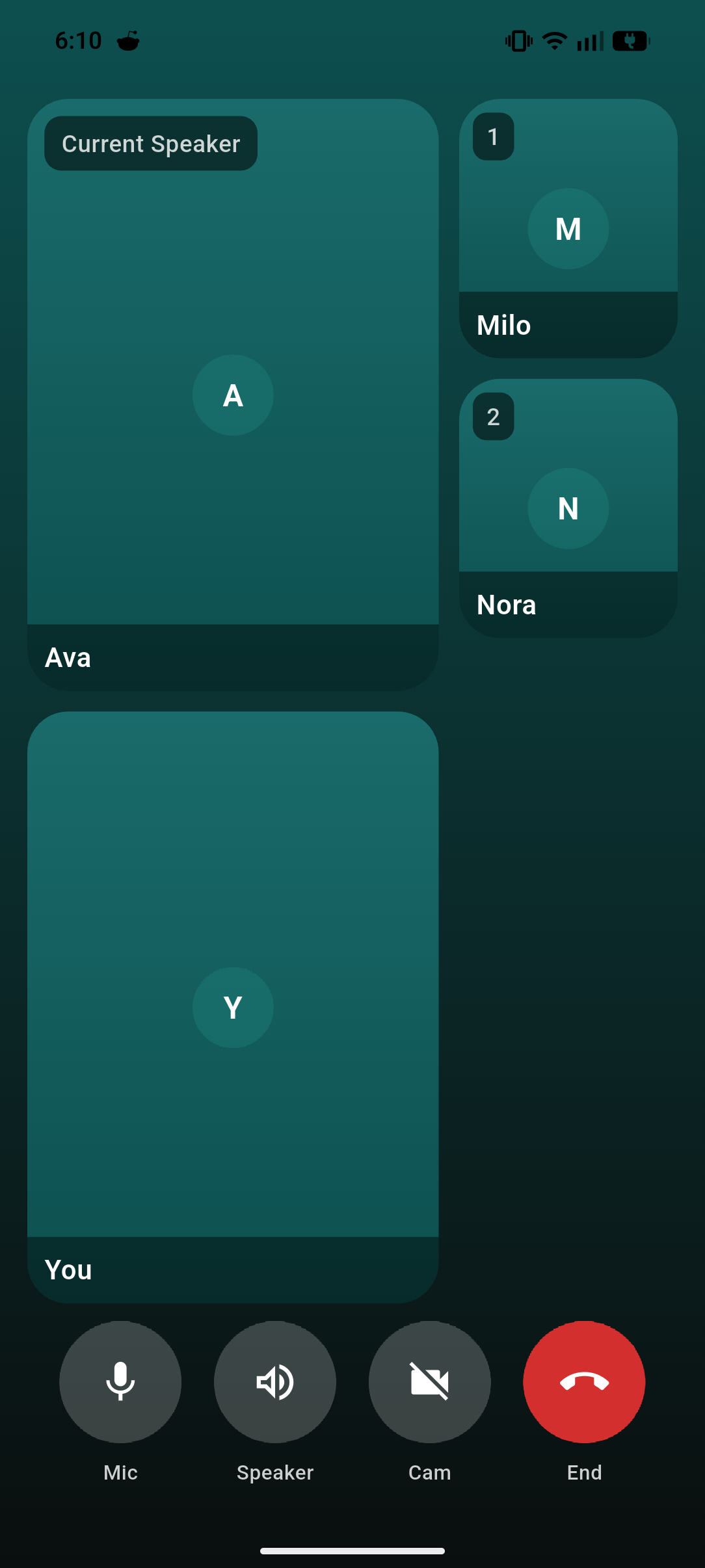
| Missed call | Video conference |
|---|---|
 |
 |
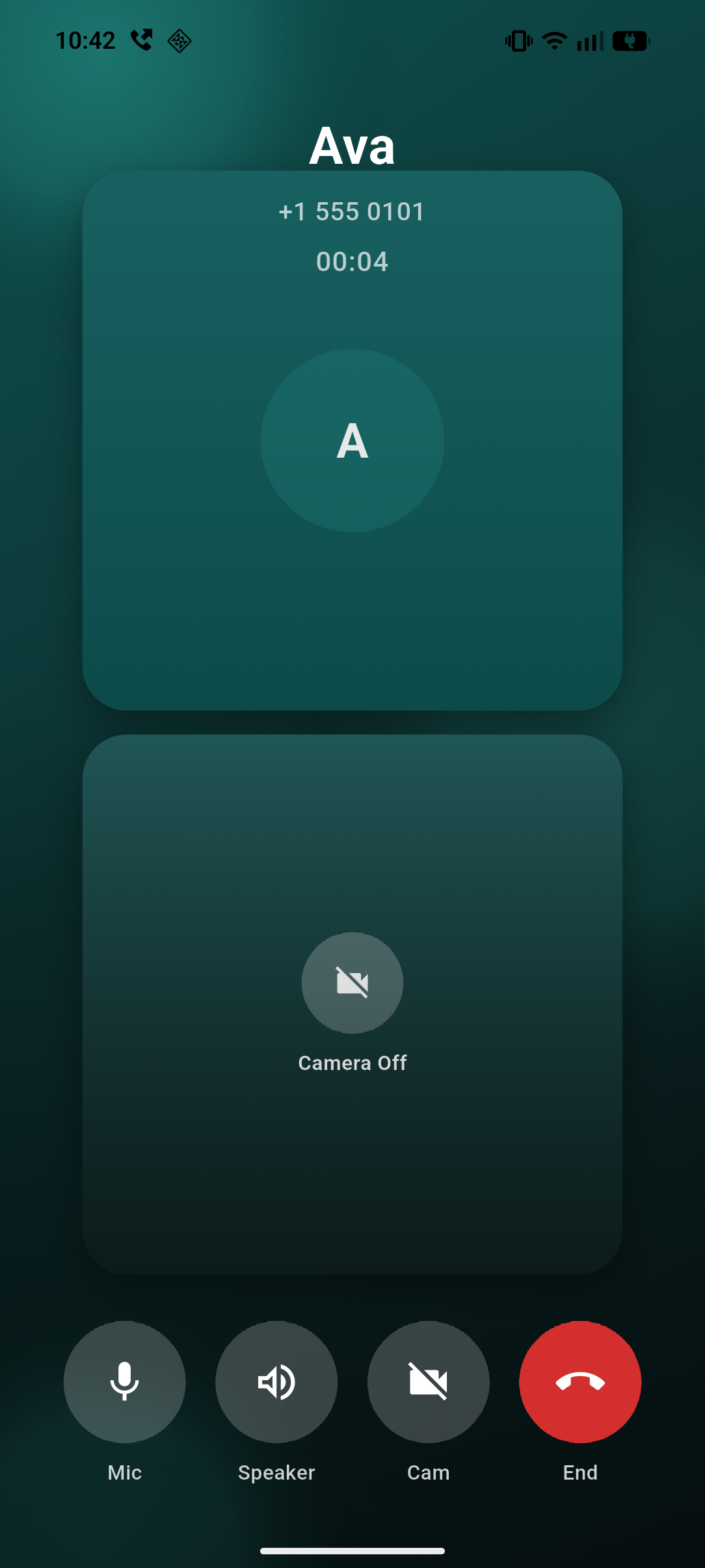
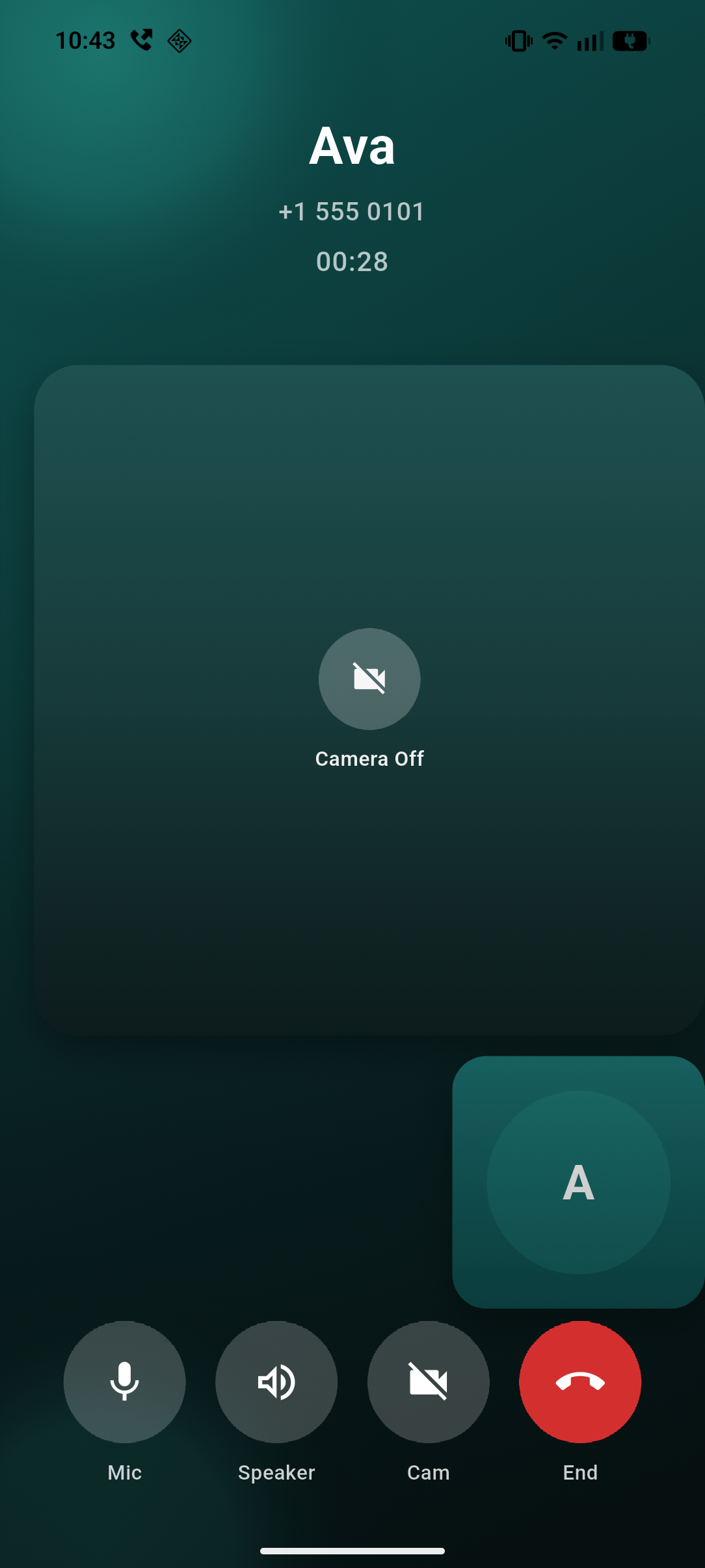
| 1-to-1 audio | 1-to-1 video |
|---|---|
 |
 |
Why callwave_flutter? #
Plug-and-play call UI for WebRTC video and audio calls. Add WhatsApp-style incoming/outgoing call screens to your Flutter app in minutes—no reinventing the wheel.
- Works with any WebRTC backend — LiveKit, Agora, Twilio, Daily, Video SDK, Cloudflare Calls (Real-time), or your own. Implement
CallwaveEngine, wire your SDK in a few callbacks, and you're done. - Native UX out of the box — Full-screen incoming call UI on Android plus native ongoing-call notifications for active calls, and CallKit on iOS. Handles accept, decline, timeout, missed, and callback flows.
- Cold-start ready — Event buffering and startup route resolution so calls work even when the app launches from a push notification.
- Conference support — Built-in multi-participant UI with customizable tiles and controls.
If you're building video or voice calls with WebRTC, callwave_flutter gives you the call UX layer so you can focus on your media and signaling.
Platform status: Android has custom native incoming call UI (
FullScreenCallActivity) plus native ongoing-call notifications for active incoming-accepted and outgoing calls. iOS uses CallKit system UI for incoming and outgoing calls (Apple's native UI; no custom UI from the plugin). In-app call screen (CallScreen) is shared Flutter UI on both platforms.
Core Flow #
- Register your engine.
- Resolve startup route (
homevscall) beforerunApp. - Wrap your app with
CallwaveScope.
class MyCallwaveEngine extends CallwaveEngine {
  @override
  Future<void> onAnswerCall(CallSession session) async {
    final roomToken = session.callData.extra?['roomToken'];
    await mySdk.join(roomToken);
    session.reportConnected();
  }

  @override
  Future<void> onStartCall(CallSession session) async {
    await mySdk.start(session.callId);
    session.reportConnected();
  }

  @override
  Future<void> onEndCall(CallSession session) async {
    await mySdk.leave();
  }

  @override
  Future<void> onDeclineCall(CallSession session) async {}

  @override
  Future<void> onMuteChanged(CallSession session, bool muted) async {}

  @override
  Future<void> onSpeakerChanged(CallSession session, bool speakerOn) async {}

  @override
  Future<void> onCameraChanged(CallSession session, bool enabled) async {}

  @override
  Future<void> onCameraSwitch(CallSession session) async {}

  @override
  Future<void> onDispose(CallSession session) async {}
}

Future<void> main() async {
  WidgetsFlutterBinding.ensureInitialized();

  final navKey = GlobalKey<NavigatorState>();
  CallwaveFlutter.instance.configure(
    CallwaveConfiguration(
      engine: MyCallwaveEngine(),
      incomingCallHandling: const IncomingCallHandling.realtime(),
    ),
  );
  final startup = await CallwaveFlutter.instance.prepareStartupRouteDecision();

  runApp(
    MaterialApp(
      navigatorKey: navKey,
      initialRoute: startup.shouldOpenCall ? '/call' : '/home',
      routes: <String, WidgetBuilder>{
        '/home': (_) => const HomeScreen(),
        '/call': (_) => StartupCallRoute(callId: startup.callId),
      },
      builder: (_, child) => CallwaveScope(
        navigatorKey: navKey,
        preRoutedCallIds: startup.callId == null
            ? const <String>{}
            : <String>{startup.callId!},
        child: child!,
      ),
    ),
  );
}
setEngine(engine) still works and keeps the same realtime behavior for apps
that do not need extra configuration.
Calling configure(...) or setEngine(...) again resets the singleton's
tracked sessions. Treat it as startup/setup configuration, not something to
switch while a call is already active.
Incoming Call Models #
callwave_flutter now supports two explicit incoming-call behaviors.
1. Realtime #
Use this for WhatsApp-style signaling where the caller can cancel the ring
before answer and native accepted should immediately continue into the
in-app call flow.
CallwaveFlutter.instance.configure(
  CallwaveConfiguration(
    engine: MyCallwaveEngine(),
    incomingCallHandling: const IncomingCallHandling.realtime(),
  ),
);
Flow:
- Native accept arrives.
- The package confirms the accepted call.
- Session moves to
connecting. onAnswerCall()runs andCallwaveScopecan open the call UI.
2. Validated #
Use this for push-driven ringing where the user may accept after the call is already cancelled, ended, or expired on the backend.
CallwaveFlutter.instance.configure(
  CallwaveConfiguration(
    engine: MyCallwaveEngine(),
    incomingCallHandling: IncomingCallHandling.validated(
      validator: (session) async {
        final isStillActive = await api.validateIncomingAccept(session.callId);
        if (isStillActive) {
          return const CallAcceptDecision.allow();
        }
        return const CallAcceptDecision.reject(
          reason: CallAcceptRejectReason.cancelled,
        );
      },
    ),
    backgroundIncomingCallDeclineValidator: (request) async {
      final didReport = await api.reportDeclinedCall(request.callId);
      if (didReport) {
        return const CallDeclineDecision.reported();
      }
      return const CallDeclineDecision.failed(
        reason: CallDeclineFailureReason.failed,
      );
    },
  ),
);
Flow:
- Native accept arrives.
- Session moves to
validatingand stays off the full call screen. - If validation allows, the package confirms the accepted call, moves the
session to
connecting, and runsonAnswerCall(). - If validation rejects, the package emits missed-call handling with
CallEventExtraKeys.outcomeReasonand does not open the call screen. - On Android, background validated rejects stay off the foreground; terminated validated rejects run through a transient native bridge and can resolve directly to missed-call handling when a background validator is registered.
- In the example app, the
Validated AllowandValidated Rejectmodes are mainly demonstrated as terminated/cold-start scenarios because that is where their startup-handoff behavior is most visible. - When the user declines from native UI while Flutter is not alive, a registered
backgroundIncomingCallDeclineValidatorruns in a headless isolate. If it fails, throws, or times out, the plugin falls back to missed-call handling.
Cold Start #
prepareStartupRouteDecision() restores active sessions and returns a route
decision:
- Open call route when a session is
connecting,connected, orreconnecting. - Open call route for
ringingonly when the native layer explicitly launched the app for that incoming call (for example, tapping the Android incoming call body or reopening a still-ringing CallKit call on iOS). - Stay on home route when sessions are only ordinary
ringing,idle,validating, or none exist.
If your app does not use startup routing in main, CallwaveScope still
auto-pushes CallScreen as fallback once a live session becomes routable. On
startup hydration it keeps ordinary restored ringing sessions on home unless
the native event explicitly requested the incoming call UI.
On Android, keep these intent actions on your host Activity so the plugin can
reopen the correct screen:
<intent-filter>
    <action android:name="com.callwave.flutter.methodchannel.ACTION_ACCEPT_AND_OPEN" />
    <action android:name="com.callwave.flutter.methodchannel.ACTION_OPEN_INCOMING" />
    <action android:name="com.callwave.flutter.methodchannel.ACTION_OPEN_ONGOING" />
    <category android:name="android.intent.category.DEFAULT" />
</intent-filter>
CallScreen #
CallScreen is session-driven: pass a CallSession, not raw CallData.
CallScreen(session: session, onCallEnded: () => navigator.pop());
For standalone usage outside CallwaveScope, you can pass theme directly:
CallScreen(
  session: session,
  theme: const CallwaveThemeData(),
)
Sessions come from CallwaveFlutter.sessions or CallwaveFlutter.getSession.
CallwaveScope pushes CallScreen automatically when sessions are created.
Conference UI (Current Style) #
CallScreen automatically switches to conference mode when
session.participantCount > 1.
- Keeps the current Callwave visual style (same gradient/action-button language).
- Uses a plain bottom control row in
SafeArea(no rounded dock container). - Default video conference controls:
Mic,Speaker,Cam,End. - Default audio conference controls:
Mic,Speaker,End. - One-to-one audio keeps the classic avatar layout; connected one-to-one video uses square split/PiP surfaces with conference-style controls.
Conference State API #
Use CallSession.updateConferenceState to provide participants and speaker data.
session.updateConferenceState(
  ConferenceState(
    participants: const [
      CallParticipant(participantId: 'p-1', displayName: 'Ava'),
      CallParticipant(participantId: 'p-2', displayName: 'Milo'),
      CallParticipant(participantId: 'local', displayName: 'You', isLocal: true),
    ],
    activeSpeakerId: 'p-1',
    updatedAtMs: DateTime.now().millisecondsSinceEpoch,
  ),
);
Race-safety rules:
- Older
updatedAtMssnapshots are ignored. - Updates are ignored once the session is ended/failed.
- Duplicate
participantIdentries are deduped (latest entry wins).
Optional Builders #
CallwaveScope provides conference customization hooks:
CallwaveScope(
  navigatorKey: navKey,
  participantTileBuilder: (context, session, participant, isPrimary) {
    // Inject your RTC view for this participant.
    return ColoredBox(
      color: isPrimary ? const Color(0xFF0D4F4F) : const Color(0xFF1A6B6B),
      child: Center(child: Text(participant.displayName)),
    );
  },
  conferenceControlsBuilder: (context, session) {
    // Optional: override the default Mic/Speaker/Cam/End row.
    return const SizedBox.shrink();
  },
  child: child!,
)
You can also replace the entire conference surface with
conferenceScreenBuilder.
Android Missed Call Text #
Set [CallData.extra] with [CallDataExtraKeys.androidMissedCallNotificationText] to customize the Android missed-call notification body.
final call = CallData(
  callId: 'call-42',
  callerName: 'Dan',
  handle: '+1 555 0101',
  extra: const <String, dynamic>{
    CallDataExtraKeys.androidMissedCallNotificationText:
        'You missed a call from Dan.',
  },
);
If you do not provide it, Android falls back to the default
callerName (handle) text. iOS ignores this key.
One-to-One Split-to-PiP Builders #
For one-to-one connected video, you can inject remote/local RTC widgets:
CallwaveScope(
  navigatorKey: navKey,
  oneToOneRemoteVideoBuilder: (context, session) {
    return rtcRemoteView(session.callId);
  },
  oneToOneLocalVideoBuilder: (context, session) {
    return rtcLocalView(session.callId);
  },
  child: child!,
)
Behavior:
- Connected one-to-one starts in a centered
50/50split with square tiles (remote top, local bottom). - Tap a tile to enter large-square + square PiP mode.
- Tap PiP to swap; tap primary to return to split.
- Built-in framing is
BoxFit.cover-style (crop allowed, no stretch) with a matte stage background. - If builders are omitted, fallback remote/local surfaces are shown.
To preserve remote/local camera geometry for custom RTC widgets, wrap them in
VideoViewport:
oneToOneLocalVideoBuilder: (context, session) {
  return VideoViewport(
    aspectRatio: 9 / 16,
    fit: BoxFit.cover,
    child: rtcLocalView(session.callId),
  );
},
Notes #
- Native accept/decline/end remains authoritative.
CallSessionis the single source of truth for UI state.- Accepted events may include
CallEventExtraKeys.acceptanceStatewithpendingValidationorconfirmed. - Missed/rejected validation flows surface
CallEventExtraKeys.outcomeReason. CallwaveScopeauto-pushes one call screen percallIdand does not auto-pop.CallwaveScope.navigatorKeymust be the same key used by your app'sMaterialApp.CallwaveEnginemust be set before session operations (includingrestoreActiveSessions).
Metadata
Publisher
Weekly Downloads
Metadata
Flutter plugin for WhatsApp-style or Google Meet/Microsoft Teams-style VoIP call UX. Incoming/outgoing notifications, accept/decline/timeout, CallKit and Android full-screen intents.
Repository (GitHub)
View/report issues
Documentation
License
 BSD-3-Clause (license)
Dependencies
callwave_flutter_method_channel, callwave_flutter_platform_interface, flutter
More
Packages that depend on callwave_flutter
Packages that implement callwave_flutter

