
particles_network
Transform your Flutter app's UI with a high-performance particle network animation that responds to touch and adapts seamlessly to any screen size.
Particles Network
High-performance, GPU-accelerated particle systems for Flutter with advanced physics.



GitHub • Pub.dev • Live Demo • Documentation
Table of Contents
- Features
- Demo
- Live Demo
- Use Cases
- Performance Benchmarks
- Quick Start
- Installation
- Platform Support
- Configuration Options
- Gravity Simulation Guide
- Advanced Usage
- Architecture & Performance
- Examples
- Troubleshooting
- FAQ
- Migration Guide
- Credits & Acknowledgments
- Contributing
- License
Features
-
Advanced Physics Engine
- Integrated Gravity System: Support for Global and Point gravity
- Interactive Forces: Create attraction points or repulsion fields
- Mass-based Simulation: Larger particles respond differently to forces
- Ultra-High Performance
- GPU-accelerated rendering via Fragment Shaders for smooth performance
- Advanced QuadTree spatial partitioning for O(log n) neighbor searches
- Compressed QuadTree structure for optimal memory usage
-
Rich Customization
- Control particle count, speed, size, and colors
- Full Gravity Control: Adjust strength, direction, and type
- Adjust connection distance and line thickness
- Enable or disable touch interactions
Demo
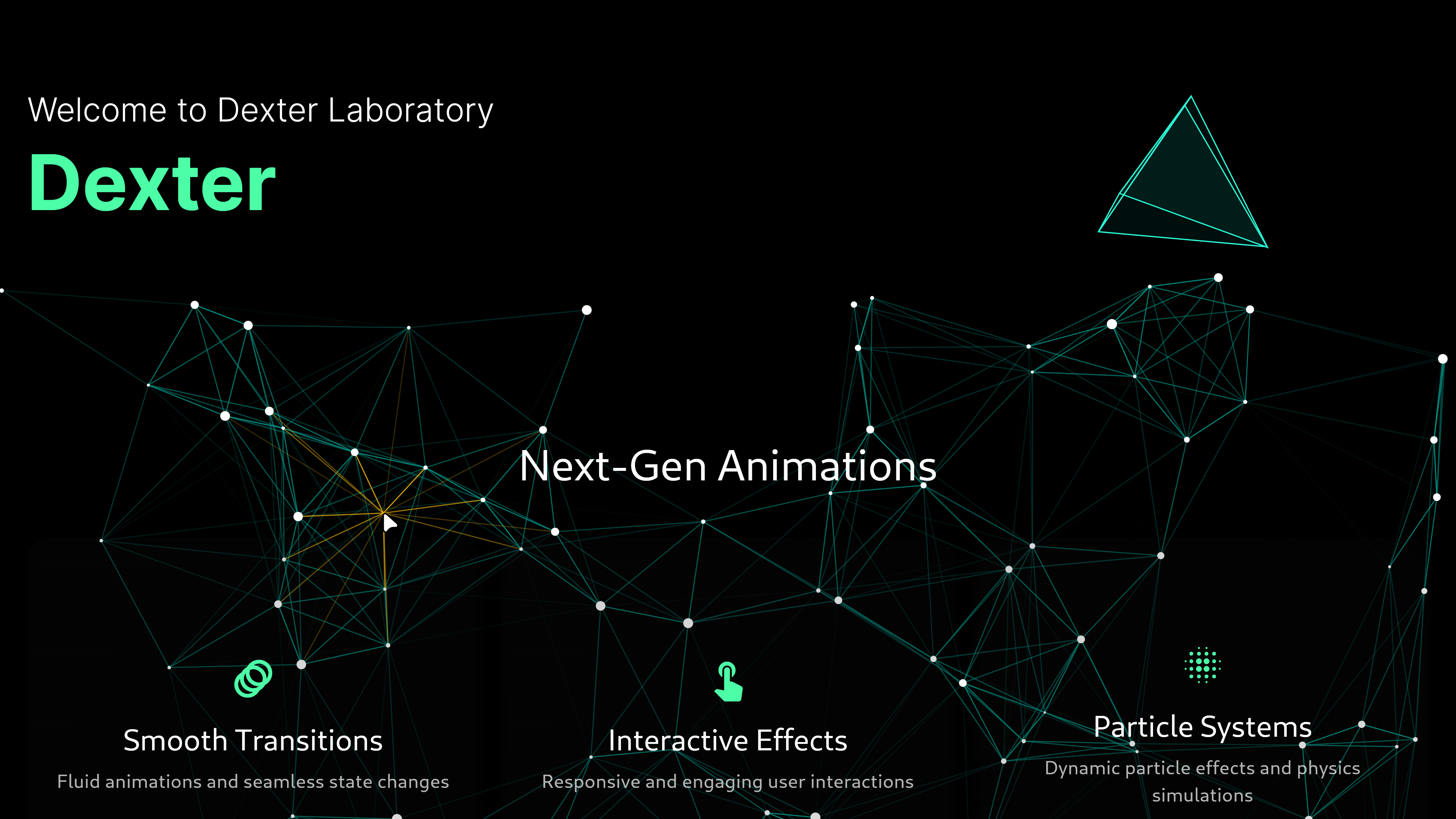
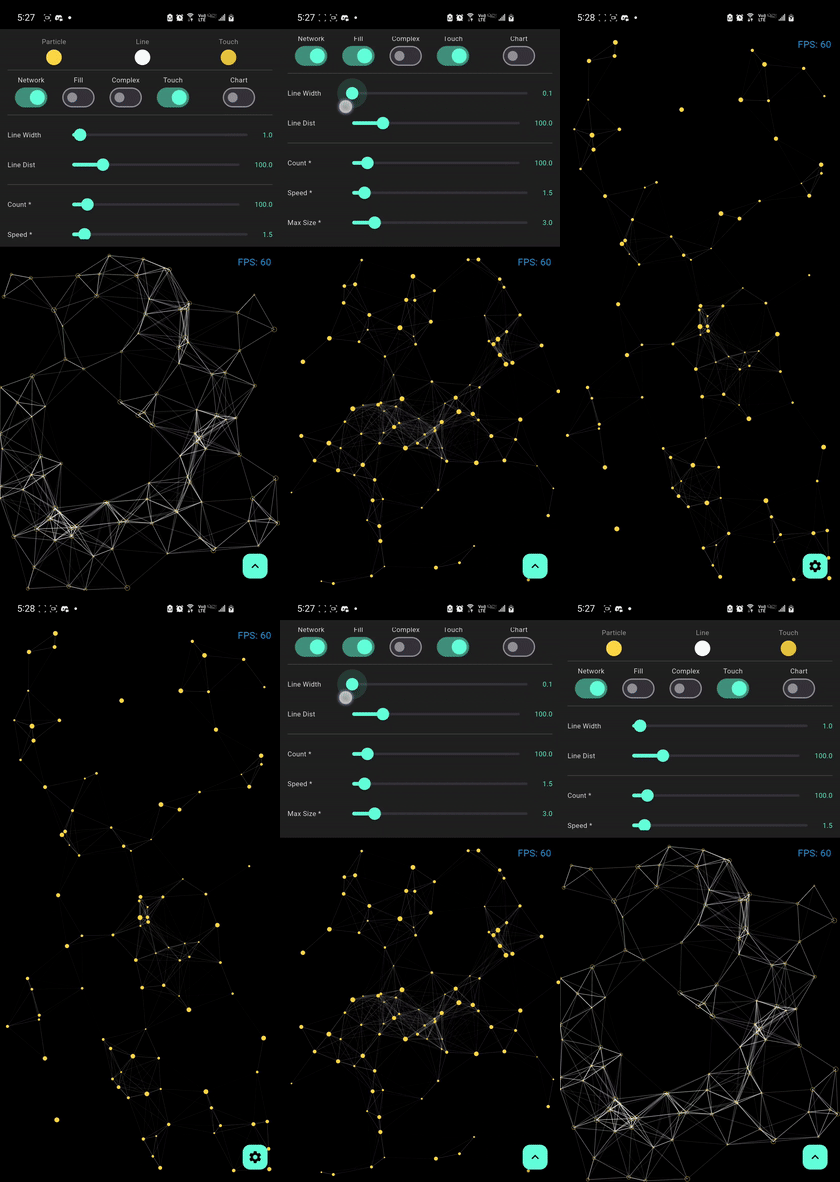
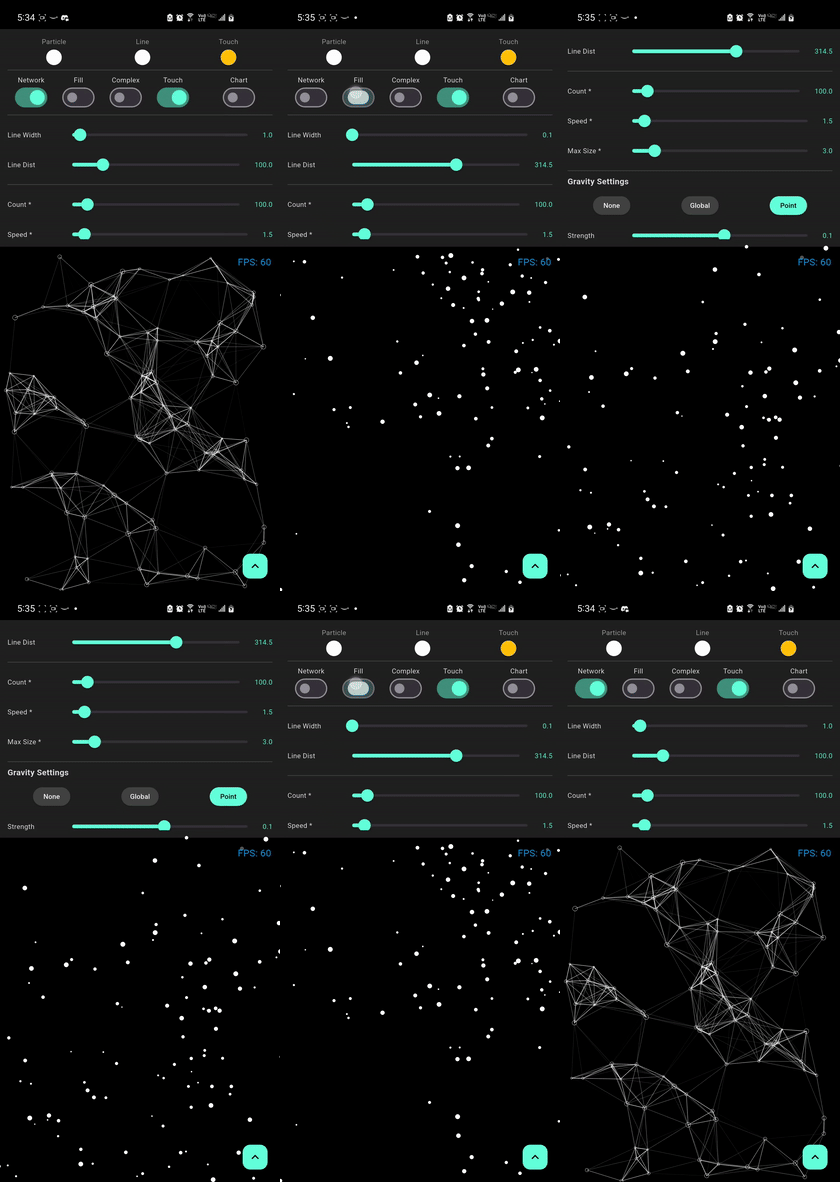
Particle Effects
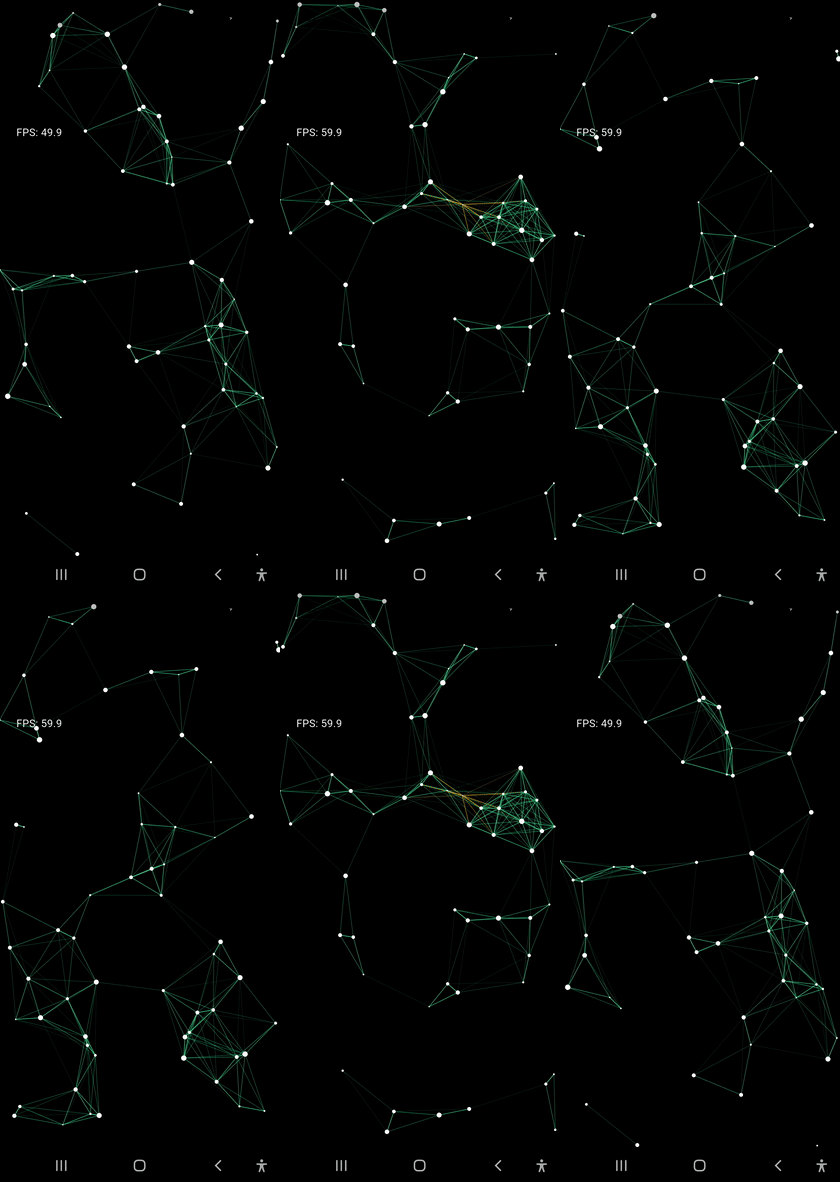
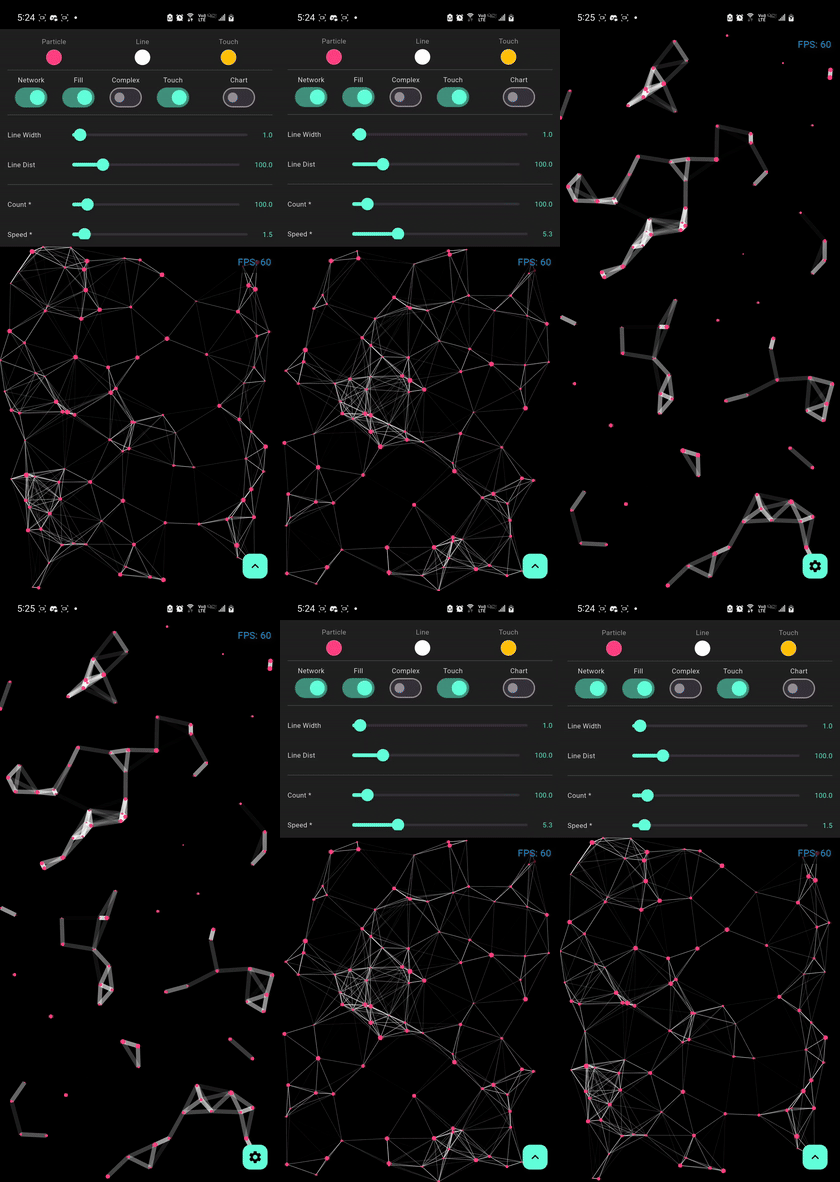
| Default Network | Bold Lines | Gravity Effect |
 |
 |
 |
| Mass Gravity Effect | Complex Optimized | Particle no stroke |
 |
 |
 |
Live Demo
Experience the performance and fluid animations directly in your browser:

Tip
For the best experience on web, our demo uses CanvasKit rendering to ensure smooth 60 FPS performance for the particle physics and shaders.
Use Cases
Perfect for creating stunning visual effects in:
- Landing Pages - Create memorable first impressions
- Game Backgrounds - Add dynamic ambiance to game menus
- App Onboarding - Engage users with interactive tutorials
- Portfolio Sites - Showcase your creativity
- Marketing Pages - Capture attention with motion
- Data Visualization - Animated backgrounds for dashboards
- Event Websites - Create excitement and energy
Note
Performance may vary based on device specifications, screen resolution, and other running applications. These benchmarks use default settings with drawNetwork: true and fill: true.
Quick Start
import 'package:flutter/material.dart';
import 'package:particles_network/particles_network.dart';

void main() {
  runApp(const MyApp());
}

class MyApp extends StatelessWidget {
  const MyApp({super.key});

  @override
  Widget build(BuildContext context) {
    return MaterialApp(
      home: Scaffold(
        backgroundColor: Colors.black,
        body: ParticleNetwork(
          particleCount: 100,
          maxSpeed: 1.5,
          maxSize: 1.5,
          lineWidth: 1.0,
          lineDistance: 100,
          particleColor: Colors.white,
          lineColor: Colors.teal,
          touchColor: Colors.amber,
          touchActivation: true,
          isComplex: false,
          fill: true,
          drawNetwork: true,
          gravityType: GravityType.none,
          gravityStrength: 0.1,
          gravityDirection: const Offset(0, 1),
          gravityCenter: null,
        ),
      ),
    );
  }
}
Installation
Add the package to your pubspec.yaml:
dependencies:
  particles_network: ^1.9.3
Then run:
flutter pub get
Platform-Specific Setup
Web (Recommended)
For optimal performance on web, use CanvasKit renderer:
# Development
flutter run -d chrome --wasm
# Production build
flutter build web --wasm
Mobile (Android/iOS)
No additional setup required! The package works out of the box.
Desktop (Windows/macOS/Linux)
No additional setup required! The package works out of the box.
Platform Support
| Platform | Support | Performance | Notes |
|---|---|---|---|
| Android | ✅ Full | Excellent | Hardware acceleration enabled |
| iOS | ✅ Full | Excellent | Optimized for Metal rendering |
| Web | ✅ Full | Very Good | Best with CanvasKit renderer |
| Windows | ✅ Full | Excellent | DirectX acceleration |
| macOS | ✅ Full | Excellent | Metal acceleration |
| Linux | ✅ Full | Very Good | OpenGL acceleration |
Minimum Requirements:
- Flutter SDK:
>=3.10.0 - Dart SDK:
^3.0.0
Configuration Options
| Property | Type | Default | Description |
|---|---|---|---|
particleCount |
int |
60 |
Number of particles in the system |
maxSpeed |
double |
0.5 |
Maximum initial velocity of particles |
maxSize |
double |
1.5 |
Maximum particle radius |
lineWidth |
double |
0.5 |
Thickness of connection lines |
lineDistance |
double |
100 |
Max distance for a connection to form |
particleColor |
Color |
Colors.white |
Color of the particles |
lineColor |
Color |
Colors.teal |
Color of the connections |
touchColor |
Color |
Colors.amber |
Highlight color on touch/proximity |
touchActivation |
bool |
true |
Enables interactive touch effects |
isComplex |
bool |
false |
Optimized mode for 500+ particles |
fill |
bool |
true |
Whether to fill or outline particles |
drawNetwork |
bool |
true |
Enables/Disables connection lines |
gravityType |
GravityType |
none |
Type of physics simulation (none, global, point) |
gravityStrength |
double |
0.1 |
Intensity of the force ($F = ma$ applied) |
gravityDirection |
Offset |
(0, 1) |
Direction vector for GravityType.global |
gravityCenter |
Offset? |
center |
Center coordinates for GravityType.point |
Gravity Simulation Guide
The library now features a realistic physics engine that simulates mass and forces.
1. Global Gravity
Simulates a constant force field across the entire viewport (like natural Earth gravity).
- Usage: Set
gravityType: GravityType.global. - Direction: Use
gravityDirectionto control where the particles "fall".Offset(0, 1)is down,Offset(1, 0)is right.
ParticleNetwork(
  gravityType: GravityType.global,
  gravityStrength: 0.5,
  gravityDirection: Offset(0, 1), // Standard downward fall
)
2. Point Gravity (Attractors & Repellers)
Simulates a force emanating from or towards a specific point in space.
- Attraction (Black Hole): Use a positive
gravityStrength. Particles will accelerate towards thegravityCenter. - Repulsion (Shield): Use a negative
gravityStrength. Particles will be pushed away from thegravityCenter.
ParticleNetwork(
  gravityType: GravityType.point,
  gravityStrength: -1.5, // Repulsion effect
  gravityCenter: Offset(width / 2, height / 2),
)
Note
Physical properties like Mass are automatically calculated based on the particle's size. Larger particles will feel heavier and respond more realistically to the applied forces.
Advanced Usage
Theme Integration
AnimatedBuilder(
  animation: Theme.of(context),
  builder: (context, _) => ParticleNetwork(
    particleColor: Theme.of(context).primaryColor,
    lineColor: Theme.of(context).colorScheme.secondary,
    // other configs...
  ),
)
Background Usage
Stack(
  children: [
    ParticleNetwork(/* configuration */),
    YourAppContent(),
  ],
)
Performance Tips
- Reduce
particleCountandlineDistancefor weaker devices - Use
isComplex: truefor high-density scenes - Use
fill: falsefor better performance and lighter visuals
Simplified API
The package now exports core types directly from the main entry point, making it easier to use without managing multiple imports:
import 'package:particles_network/particles_network.dart';

// Access directly:
// GravityType, GravityConfig, Particle
Architecture & Performance
This package combines advanced CPU-side spatial partitioning with GPU-side rendering using Fragment Shaders to achieve optimal performance even with a large number of particles.
GPU-Accelerated Rendering
The particle network uses Fragment Shaders for rendering, which offloads the drawing work to the GPU. This allows for:
- Smooth 60 FPS performance even with 500+ particles
- Efficient rendering of complex visual effects
- Reduced CPU usage for better battery life
Tip
For web deployments, use CanvasKit rendering mode for the best shader performance. Add --web-renderer canvaskit to your build command.
Spatial Partitioning
The package uses an advanced Compressed QuadTree spatial data structure for efficient particle management.
final quadTree = CompressedQuadTreeNode(
  Rectangle(0, 0, screenWidth, screenHeight),
);

particles.forEach((particle) =>
  quadTree.insert(QuadTreeParticle(
    particle.id,
    particle.x,
    particle.y
  ))
);

final nearbyParticles = quadTree.queryCircle(
  touchX,
  touchY,
  searchRadius
);
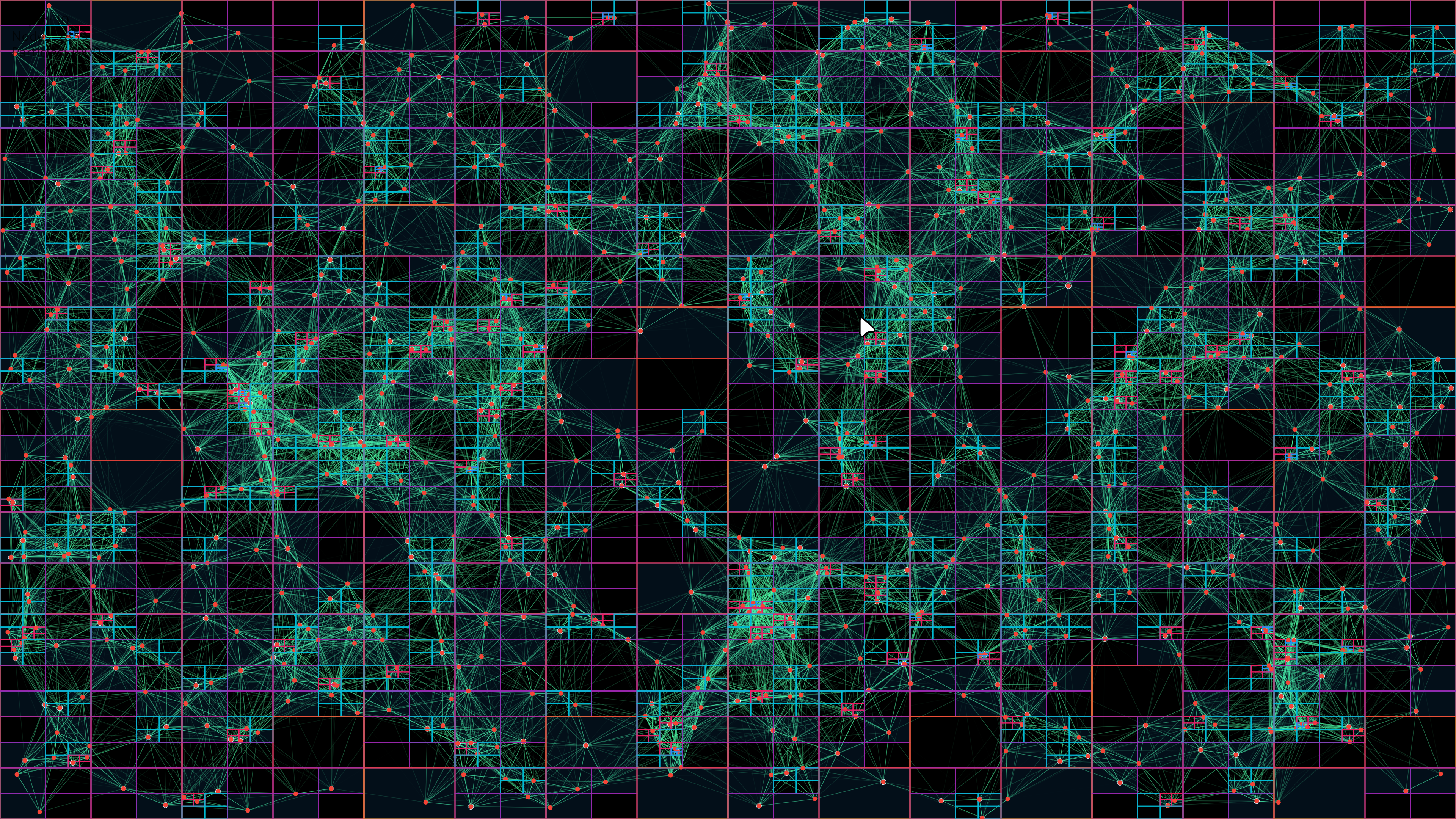
Key Benefits:
- O(log n) insertion and query complexity
- Path compression to reduce memory for clustered particles
- Smart node consolidation and rebalancing
- Memory-efficient structure with typed arrays and sparse representation
Examples
1. Simple Background Animation
import 'package:flutter/material.dart';
import 'package:particles_network/particles_network.dart';

class HomePage extends StatelessWidget {
  @override
  Widget build(BuildContext context) {
    return Scaffold(
      body: Stack(
        children: [
          // Particle background
          ParticleNetwork(
            particleCount: 80,
            maxSpeed: 1.0,
            particleColor: Colors.blue.shade200,
            lineColor: Colors.blue.shade100,
            touchActivation: false,
          ),
          // Your content
          Center(
            child: Text(
              'Welcome',
              style: TextStyle(fontSize: 48, color: Colors.white),
            ),
          ),
        ],
      ),
    );
  }
}
2. Interactive Touch Effect
ParticleNetwork(
  particleCount: 120,
  maxSpeed: 2.0,
  lineDistance: 150,
  touchActivation: true,
  touchColor: Colors.amber,
  particleColor: Colors.white,
  lineColor: Colors.teal,
)
3. Gravity Simulation - Falling Particles
ParticleNetwork(
  particleCount: 100,
  gravityType: GravityType.global,
  gravityStrength: 0.5,
  gravityDirection: Offset(0, 1), // Downward
  particleColor: Colors.white,
  lineColor: Colors.blue,
)
4. Black Hole Effect
ParticleNetwork(
  particleCount: 150,
  gravityType: GravityType.point,
  gravityStrength: 1.2, // Positive = attraction
  gravityCenter: Offset(screenWidth / 2, screenHeight / 2),
  particleColor: Colors.purple,
  lineColor: Colors.purpleAccent,
)
5. Repulsion Field
ParticleNetwork(
  particleCount: 100,
  gravityType: GravityType.point,
  gravityStrength: -1.5, // Negative = repulsion
  gravityCenter: Offset(screenWidth / 2, screenHeight / 2),
  particleColor: Colors.red,
  lineColor: Colors.orange,
)
6. High-Density Optimized Scene
ParticleNetwork(
  particleCount: 800,
  isComplex: true, // Enable optimization for 500+ particles
  maxSpeed: 0.8,
  lineDistance: 80,
  fill: false, // Outline mode for better performance
  particleColor: Colors.cyan,
  lineColor: Colors.cyanAccent,
)
7. Dynamic Theme-Aware Particles
class ThemedParticles extends StatelessWidget {
  @override
  Widget build(BuildContext context) {
    final isDark = Theme.of(context).brightness == Brightness.dark;

    return ParticleNetwork(
      particleCount: 100,
      particleColor: isDark ? Colors.white : Colors.black,
      lineColor: isDark ? Colors.teal : Colors.blue,
      touchColor: Theme.of(context).colorScheme.primary,
    );
  }
}
Troubleshooting
Issue: Low FPS on Web
Solution: Use CanvasKit renderer for better shader performance:
flutter run -d chrome --web-renderer canvaskit
flutter build web --web-renderer canvaskit
Issue: Particles Not Visible
Possible Causes:
- Color Mismatch: Ensure
particleColorcontrasts with the background - Size Too Small: Increase
maxSizeparameter (default is 1.5) - Count Too Low: Increase
particleCountfor more visibility
Solution:
ParticleNetwork(
  particleCount: 100, // Increase if needed
  maxSize: 3.0,       // Make particles larger
  particleColor: Colors.white, // Ensure contrast
  // ...
)
Issue: Touch Interaction Not Working
Solution: Ensure touchActivation is set to true:
ParticleNetwork(
  touchActivation: true,
  touchColor: Colors.amber, // Visible highlight color
  // ...
)
Issue: Performance Degradation with Many Particles
Solution: Enable complex mode and optimize settings:
ParticleNetwork(
  particleCount: 500,
  isComplex: true,        // Enable optimization
  fill: false,            // Use outline mode
  lineDistance: 80,       // Reduce connection distance
  drawNetwork: true,      // Can disable if needed
  // ...
)
Issue: Gravity Not Working
Solution: Ensure gravity type is set correctly:
// For global gravity
ParticleNetwork(
  gravityType: GravityType.global,  // Must be set
  gravityStrength: 0.5,              // Non-zero value
  gravityDirection: Offset(0, 1),    // Direction vector
)

// For point gravity
ParticleNetwork(
  gravityType: GravityType.point,    // Must be set
  gravityStrength: 1.0,              // Non-zero value
  gravityCenter: Offset(200, 200),   // Valid coordinates
)
FAQ
Q: What's the recommended particle count?
A: It depends on your target platform:
- Mobile: 60-150 particles for smooth 60 FPS
- Web (CanvasKit): 100-300 particles
- Desktop: 200-500 particles
- High-end devices with
isComplex: true: 500-1000 particles
Q: Can I use this as a background widget?
A: Yes! Simply wrap it in a Stack:
Stack(
  children: [
    ParticleNetwork(/* config */),
    YourContent(),
  ],
)
Q: Does this work on all platforms?
A: Yes! The package supports:
- ✅ Android
- ✅ iOS
- ✅ Web (best with CanvasKit)
- ✅ Windows
- ✅ macOS
- ✅ Linux
Q: How do I create a "snow falling" effect?
A: Use global gravity with downward direction:
ParticleNetwork(
  gravityType: GravityType.global,
  gravityStrength: 0.3,
  gravityDirection: Offset(0, 1),
  particleColor: Colors.white,
  maxSpeed: 0.5,
)
Q: Can I disable the connection lines?
A: Yes, set drawNetwork: false:
ParticleNetwork(
  drawNetwork: false,
  // ...
)
Q: What's the difference between fill: true and fill: false?
A:
fill: true- Particles are filled circles (default, more visible)fill: false- Particles are outlined circles (better performance, lighter look)
Q: How do I make particles respond to mouse/touch?
A: Enable touch activation:
ParticleNetwork(
  touchActivation: true,
  touchColor: Colors.amber, // Highlight color
  lineDistance: 150,        // Interaction radius
)
Note: Some properties like particleCount, maxSpeed, and maxSize require a widget rebuild to take effect. You can force this by changing the widget's key.
Migration Guide
Migrating from 1.x to 1.9.x
New Features:
- Gravity system (global and point-based)
- GPU-accelerated rendering with Fragment Shaders
- Compressed QuadTree for better performance
- Simplified API exports
Breaking Changes: None! Version 1.9.x is fully backward compatible.
New Parameters:
ParticleNetwork(
  // New gravity parameters (optional)
  gravityType: GravityType.none,     // none, global, or point
  gravityStrength: 0.1,              // Force intensity
  gravityDirection: Offset(0, 1),    // For global gravity
  gravityCenter: null,               // For point gravity
  // All existing parameters still work
)
Recommended Updates:
-
Update your
pubspec.yaml:dependencies: particles_network: ^1.9.2 -
Run:
flutter pub get -
(Optional) Experiment with the new gravity features!
Credits & Acknowledgments
This package is built with:
- Flutter - Google's UI toolkit for building beautiful, natively compiled applications
- Fragment Shaders - GPU-accelerated rendering for optimal performance
- QuadTree Algorithm - Efficient spatial partitioning for particle management
Inspired by:
- Classic particle.js effects
- Modern web animation libraries
- Physics simulation principles
Special Thanks:
- The Flutter team for the amazing framework
- The open-source community for continuous feedback and contributions
- All developers who have starred, used, and contributed to this package
Contributing
We welcome contributions! See the contributing guide for more details.
Ways to Contribute:
- Report bugs via GitHub Issues
- Suggest features or improvements
- Improve documentation
- Submit pull requests
- Star the repository if you find it useful!
License
This package is released under the MIT License.
Libraries
- model/default_particle_factory
- model/grid_cell
- model/ip_article
- Interfaces and configuration for particle systems.
- model/particlemodel
- Particle data model and physics logic.
- model/rectangle
- Geometric primitives and collision detection.
- painter/connection_drawer
- painter/distance_calculator
- painter/line_batch_renderer
- painter/object_pool
- painter/optimized_network_painter
- Specialized painter for rendering a high-performance particle network.
- painter/particle_filter
- painter/performance_utils
- painter/touch_interaction_handler
- particles_network
- Main entry point for the particles_network package.
- quad_tree/compressed_quad_tree
- High-level management of the compressed quadtree.
- quad_tree/compressed_quad_tree_node
- Core data structures and logic for the compressed quadtree implementation.