
particles_network 1.9.3  particles_network: ^1.9.3 copied to clipboard
A performant and customizable interactive particle network widget for Flutter. Ideal for background animations, landing pages, and visual effects.
particles_network #
Transform your Flutter app's UI with a high-performance particle network animation that responds to touch and adapts seamlessly to any screen size.
Particles Network #
High-performance, GPU-accelerated particle systems for Flutter with advanced physics.



GitHub • Pub.dev • Live Demo • Documentation
Table of Contents #
- Features
- Demo
- Live Demo
- Use Cases
- Performance Benchmarks
- Quick Start
- Installation
- Platform Support
- Configuration Options
- Gravity Simulation Guide
- Advanced Usage
- Architecture & Performance
- Examples
- Troubleshooting
- FAQ
- Migration Guide
- Credits & Acknowledgments
- Contributing
- License
Features #
-
Advanced Physics Engine
- Integrated Gravity System: Support for Global and Point gravity
- Interactive Forces: Create attraction points or repulsion fields
- Mass-based Simulation: Larger particles respond differently to forces
- Ultra-High Performance
- GPU-accelerated rendering via Fragment Shaders for smooth performance
- Advanced QuadTree spatial partitioning for O(log n) neighbor searches
- Compressed QuadTree structure for optimal memory usage
-
Rich Customization
- Control particle count, speed, size, and colors
- Full Gravity Control: Adjust strength, direction, and type
- Adjust connection distance and line thickness
- Enable or disable touch interactions
Demo #
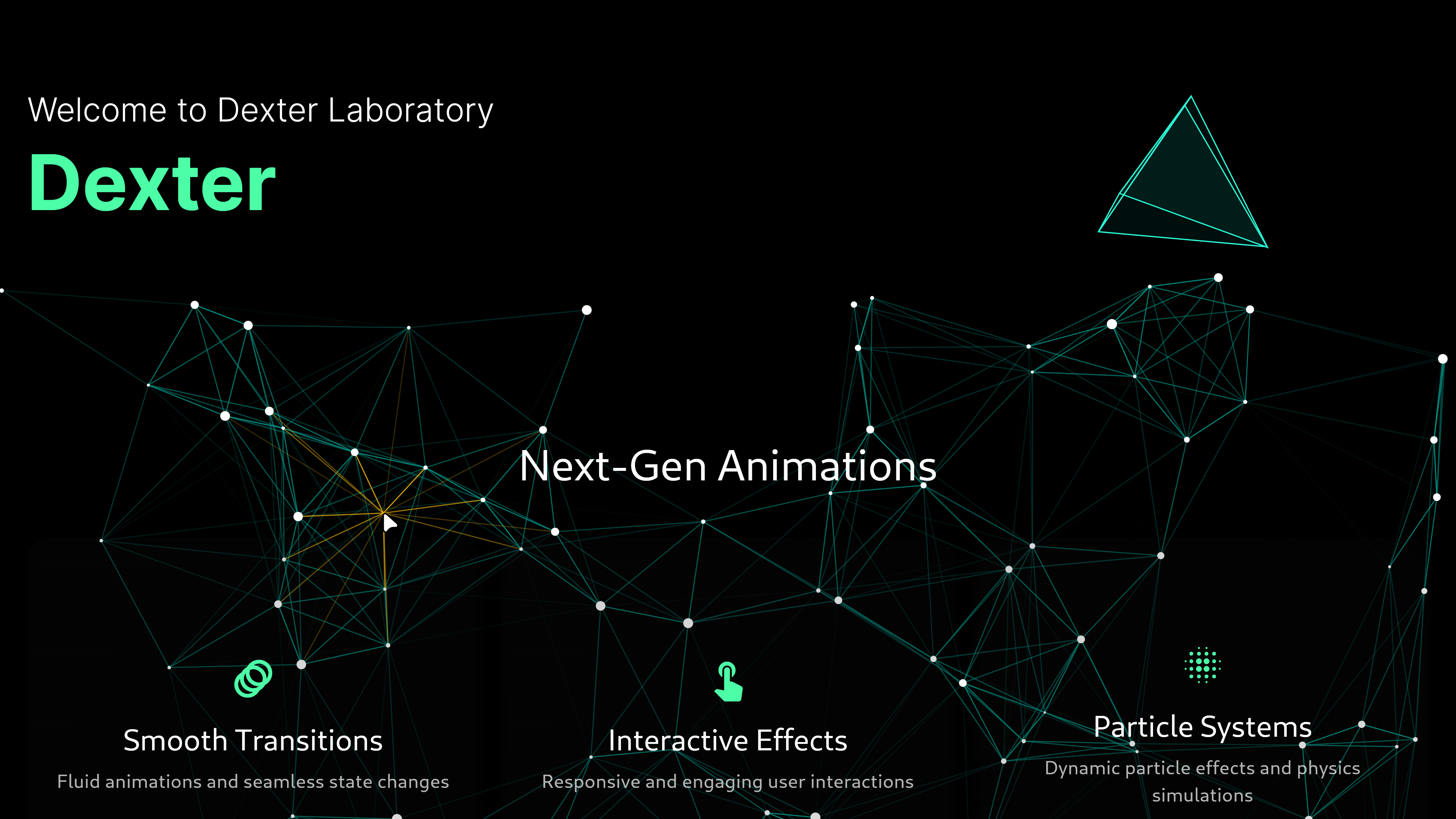
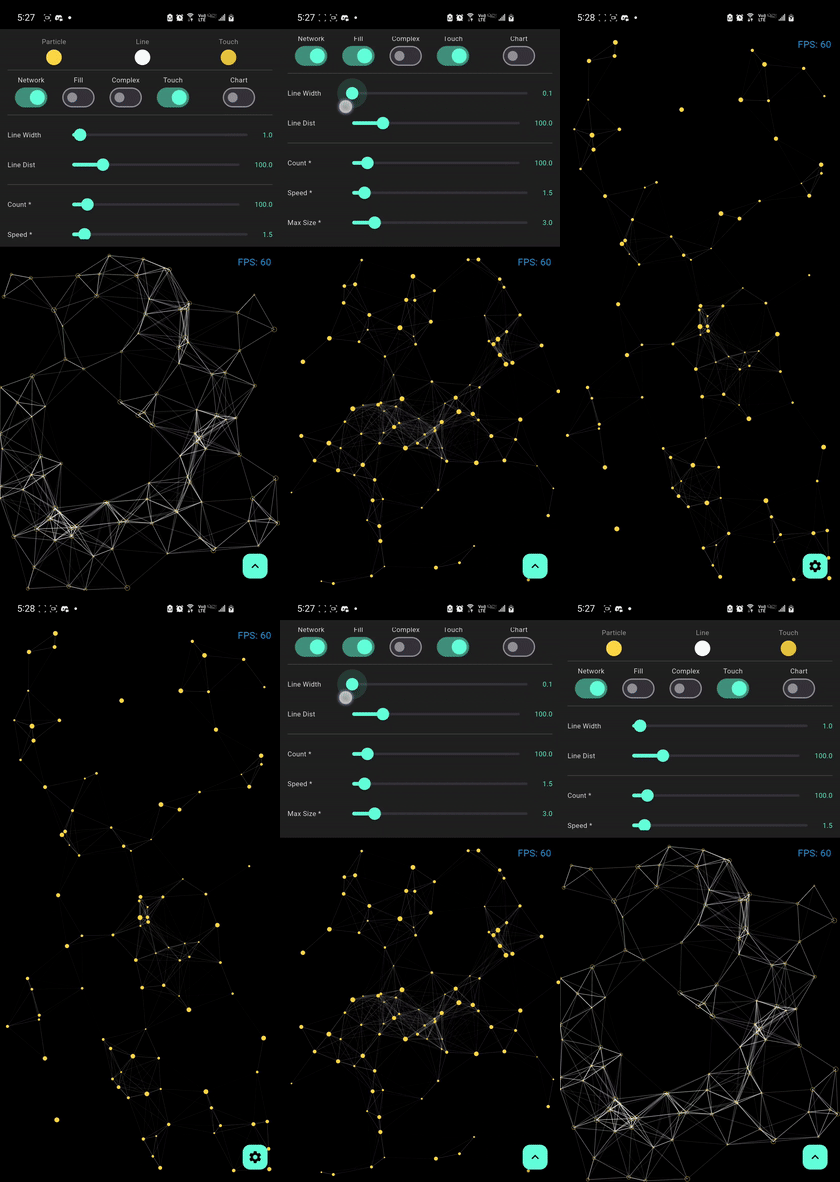
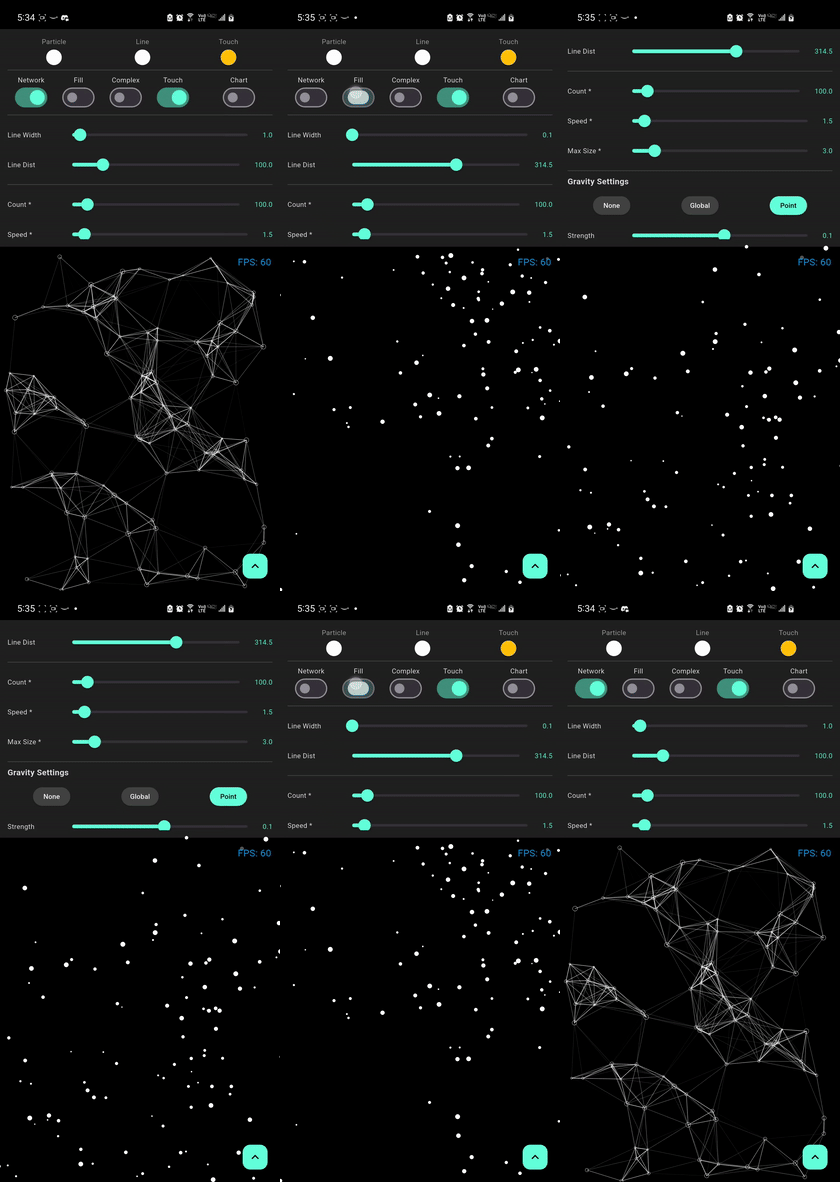
Particle Effects
| Default Network | Bold Lines | Gravity Effect |
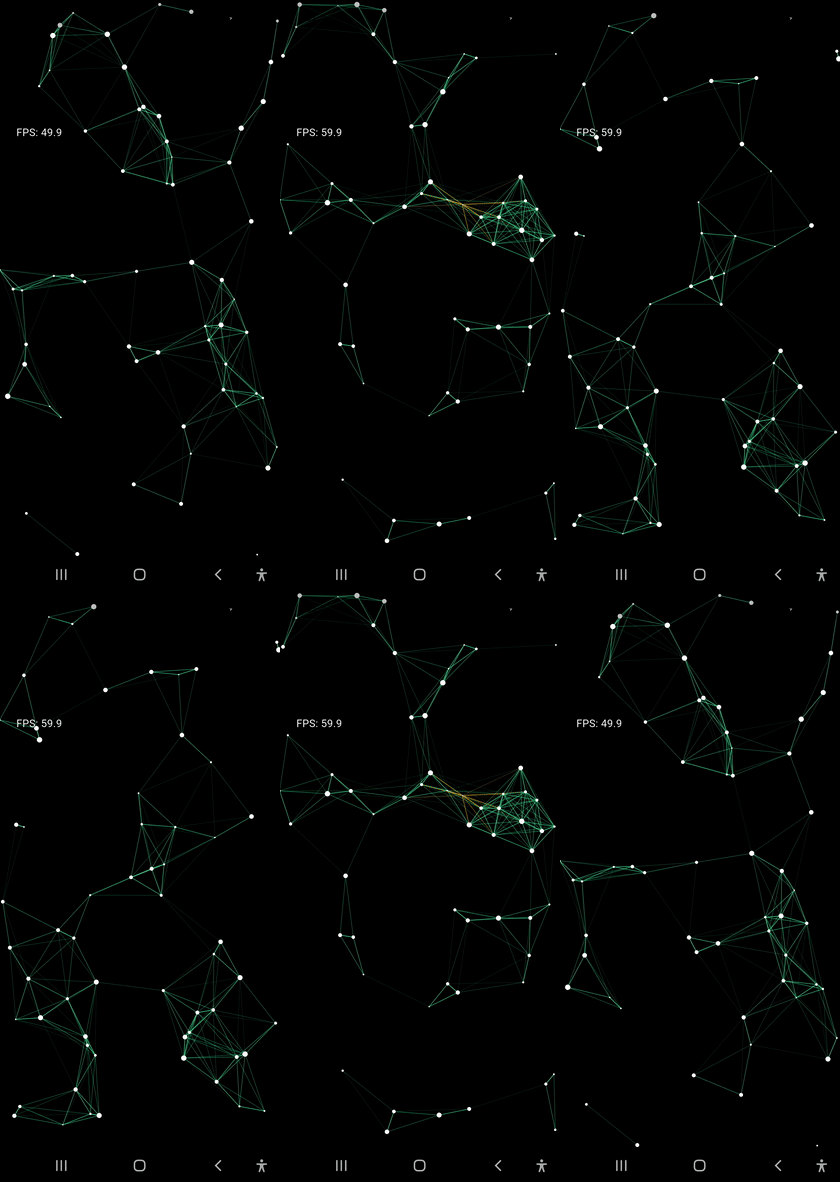 |
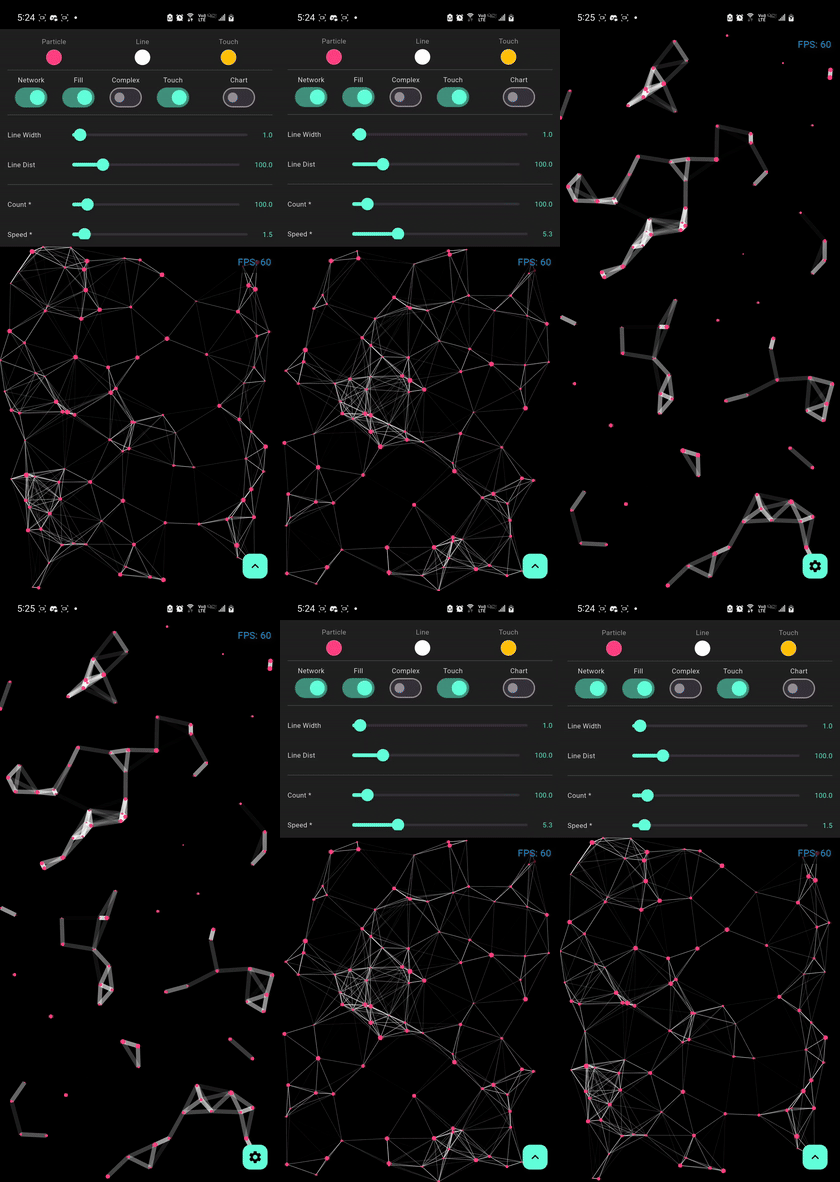 |
 |
| Mass Gravity Effect | Complex Optimized | Particle no stroke |
 |
 |
 |
Live Demo #
Experience the performance and fluid animations directly in your browser:

Tip
For the best experience on web, our demo uses CanvasKit rendering to ensure smooth 60 FPS performance for the particle physics and shaders.
Use Cases #
Perfect for creating stunning visual effects in:
- Landing Pages - Create memorable first impressions
- Game Backgrounds - Add dynamic ambiance to game menus
- App Onboarding - Engage users with interactive tutorials
- Portfolio Sites - Showcase your creativity
- Marketing Pages - Capture attention with motion
- Data Visualization - Animated backgrounds for dashboards
- Event Websites - Create excitement and energy
Note
Performance may vary based on device specifications, screen resolution, and other running applications. These benchmarks use default settings with drawNetwork: true and fill: true.
Quick Start #
import 'package:flutter/material.dart';
import 'package:particles_network/particles_network.dart';

void main() {
  runApp(const MyApp());
}

class MyApp extends StatelessWidget {
  const MyApp({super.key});

  @override
  Widget build(BuildContext context) {
    return MaterialApp(
      home: Scaffold(
        backgroundColor: Colors.black,
        body: ParticleNetwork(
          particleCount: 100,
          maxSpeed: 1.5,
          maxSize: 1.5,
          lineWidth: 1.0,
          lineDistance: 100,
          particleColor: Colors.white,
          lineColor: Colors.teal,
          touchColor: Colors.amber,
          touchActivation: true,
          isComplex: false,
          fill: true,
          drawNetwork: true,
          gravityType: GravityType.none,
          gravityStrength: 0.1,
          gravityDirection: const Offset(0, 1),
          gravityCenter: null,
        ),
      ),
    );
  }
}
Installation #
Add the package to your pubspec.yaml:
dependencies:
  particles_network: ^1.9.3
Then run:
flutter pub get
Platform-Specific Setup #
Web (Recommended)
For optimal performance on web, use CanvasKit renderer:
# Development
flutter run -d chrome --wasm
# Production build
flutter build web --wasm
Mobile (Android/iOS)
No additional setup required! The package works out of the box.
Desktop (Windows/macOS/Linux)
No additional setup required! The package works out of the box.
Platform Support #
| Platform | Support | Performance | Notes |
|---|---|---|---|
| Android | ✅ Full | Excellent | Hardware acceleration enabled |
| iOS | ✅ Full | Excellent | Optimized for Metal rendering |
| Web | ✅ Full | Very Good | Best with CanvasKit renderer |
| Windows | ✅ Full | Excellent | DirectX acceleration |
| macOS | ✅ Full | Excellent | Metal acceleration |
| Linux | ✅ Full | Very Good | OpenGL acceleration |
Minimum Requirements:
- Flutter SDK:
>=3.10.0 - Dart SDK:
^3.0.0
Configuration Options #
| Property | Type | Default | Description |
|---|---|---|---|
particleCount |
int |
60 |
Number of particles in the system |
maxSpeed |
double |
0.5 |
Maximum initial velocity of particles |
maxSize |
double |
1.5 |
Maximum particle radius |
lineWidth |
double |
0.5 |
Thickness of connection lines |
lineDistance |
double |
100 |
Max distance for a connection to form |
particleColor |
Color |
Colors.white |
Color of the particles |
lineColor |
Color |
Colors.teal |
Color of the connections |
touchColor |
Color |
Colors.amber |
Highlight color on touch/proximity |
touchActivation |
bool |
true |
Enables interactive touch effects |
isComplex |
bool |
false |
Optimized mode for 500+ particles |
fill |
bool |
true |
Whether to fill or outline particles |
drawNetwork |
bool |
true |
Enables/Disables connection lines |
gravityType |
GravityType |
none |
Type of physics simulation (none, global, point) |
gravityStrength |
double |
0.1 |
Intensity of the force ($F = ma$ applied) |
gravityDirection |
Offset |
(0, 1) |
Direction vector for GravityType.global |
gravityCenter |
Offset? |
center |
Center coordinates for GravityType.point |
Gravity Simulation Guide #
The library now features a realistic physics engine that simulates mass and forces.
1. Global Gravity #
Simulates a constant force field across the entire viewport (like natural Earth gravity).
- Usage: Set
gravityType: GravityType.global. - Direction: Use
gravityDirectionto control where the particles "fall".Offset(0, 1)is down,Offset(1, 0)is right.
ParticleNetwork(
  gravityType: GravityType.global,
  gravityStrength: 0.5,
  gravityDirection: Offset(0, 1), // Standard downward fall
)
2. Point Gravity (Attractors & Repellers) #
Simulates a force emanating from or towards a specific point in space.
- Attraction (Black Hole): Use a positive
gravityStrength. Particles will accelerate towards thegravityCenter. - Repulsion (Shield): Use a negative
gravityStrength. Particles will be pushed away from thegravityCenter.
ParticleNetwork(
  gravityType: GravityType.point,
  gravityStrength: -1.5, // Repulsion effect
  gravityCenter: Offset(width / 2, height / 2),
)
Note
Physical properties like Mass are automatically calculated based on the particle's size. Larger particles will feel heavier and respond more realistically to the applied forces.
Advanced Usage #
Theme Integration #
AnimatedBuilder(
  animation: Theme.of(context),
  builder: (context, _) => ParticleNetwork(
    particleColor: Theme.of(context).primaryColor,
    lineColor: Theme.of(context).colorScheme.secondary,
    // other configs...
  ),
)
Background Usage #
Stack(
  children: [
    ParticleNetwork(/* configuration */),
    YourAppContent(),
  ],
)
Performance Tips #
- Reduce
particleCountandlineDistancefor weaker devices - Use
isComplex: truefor high-density scenes - Use
fill: falsefor better performance and lighter visuals
Simplified API #
The package now exports core types directly from the main entry point, making it easier to use without managing multiple imports:
import 'package:particles_network/particles_network.dart';

// Access directly:
// GravityType, GravityConfig, Particle
Architecture & Performance #
This package combines advanced CPU-side spatial partitioning with GPU-side rendering using Fragment Shaders to achieve optimal performance even with a large number of particles.
GPU-Accelerated Rendering #
The particle network uses Fragment Shaders for rendering, which offloads the drawing work to the GPU. This allows for:
- Smooth 60 FPS performance even with 500+ particles
- Efficient rendering of complex visual effects
- Reduced CPU usage for better battery life
Tip
For web deployments, use CanvasKit rendering mode for the best shader performance. Add --web-renderer canvaskit to your build command.
Spatial Partitioning #
The package uses an advanced Compressed QuadTree spatial data structure for efficient particle management.
final quadTree = CompressedQuadTreeNode(
  Rectangle(0, 0, screenWidth, screenHeight),
);

particles.forEach((particle) =>
  quadTree.insert(QuadTreeParticle(
    particle.id,
    particle.x,
    particle.y
  ))
);

final nearbyParticles = quadTree.queryCircle(
  touchX,
  touchY,
  searchRadius
);
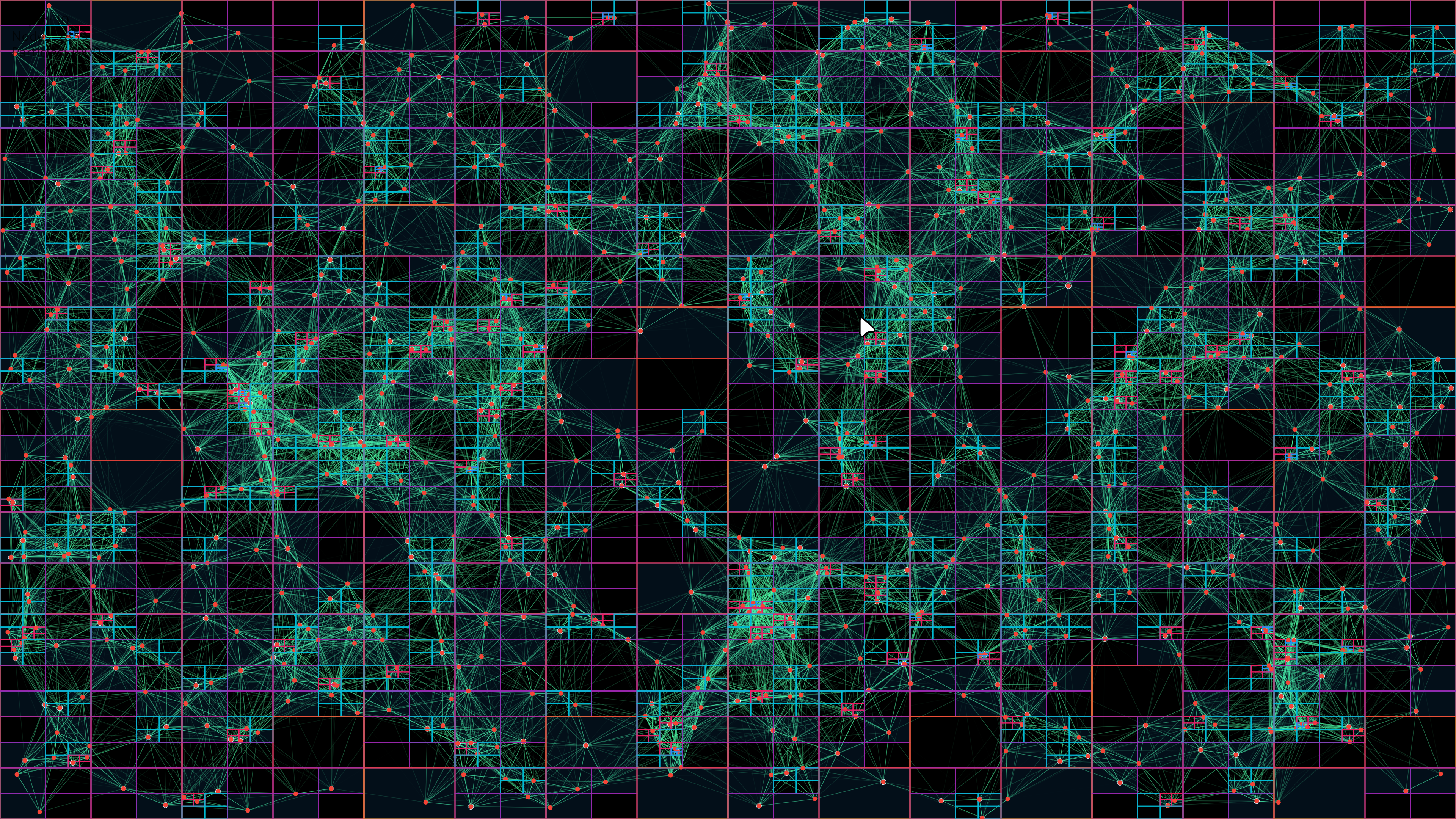
Key Benefits:
- O(log n) insertion and query complexity
- Path compression to reduce memory for clustered particles
- Smart node consolidation and rebalancing
- Memory-efficient structure with typed arrays and sparse representation
Examples #
1. Simple Background Animation #
import 'package:flutter/material.dart';
import 'package:particles_network/particles_network.dart';

class HomePage extends StatelessWidget {
  @override
  Widget build(BuildContext context) {
    return Scaffold(
      body: Stack(
        children: [
          // Particle background
          ParticleNetwork(
            particleCount: 80,
            maxSpeed: 1.0,
            particleColor: Colors.blue.shade200,
            lineColor: Colors.blue.shade100,
            touchActivation: false,
          ),
          // Your content
          Center(
            child: Text(
              'Welcome',
              style: TextStyle(fontSize: 48, color: Colors.white),
            ),
          ),
        ],
      ),
    );
  }
}
2. Interactive Touch Effect #
ParticleNetwork(
  particleCount: 120,
  maxSpeed: 2.0,
  lineDistance: 150,
  touchActivation: true,
  touchColor: Colors.amber,
  particleColor: Colors.white,
  lineColor: Colors.teal,
)
3. Gravity Simulation - Falling Particles #
ParticleNetwork(
  particleCount: 100,
  gravityType: GravityType.global,
  gravityStrength: 0.5,
  gravityDirection: Offset(0, 1), // Downward
  particleColor: Colors.white,
  lineColor: Colors.blue,
)
4. Black Hole Effect #
ParticleNetwork(
  particleCount: 150,
  gravityType: GravityType.point,
  gravityStrength: 1.2, // Positive = attraction
  gravityCenter: Offset(screenWidth / 2, screenHeight / 2),
  particleColor: Colors.purple,
  lineColor: Colors.purpleAccent,
)
5. Repulsion Field #
ParticleNetwork(
  particleCount: 100,
  gravityType: GravityType.point,
  gravityStrength: -1.5, // Negative = repulsion
  gravityCenter: Offset(screenWidth / 2, screenHeight / 2),
  particleColor: Colors.red,
  lineColor: Colors.orange,
)
6. High-Density Optimized Scene #
ParticleNetwork(
  particleCount: 800,
  isComplex: true, // Enable optimization for 500+ particles
  maxSpeed: 0.8,
  lineDistance: 80,
  fill: false, // Outline mode for better performance
  particleColor: Colors.cyan,
  lineColor: Colors.cyanAccent,
)
7. Dynamic Theme-Aware Particles #
class ThemedParticles extends StatelessWidget {
  @override
  Widget build(BuildContext context) {
    final isDark = Theme.of(context).brightness == Brightness.dark;

    return ParticleNetwork(
      particleCount: 100,
      particleColor: isDark ? Colors.white : Colors.black,
      lineColor: isDark ? Colors.teal : Colors.blue,
      touchColor: Theme.of(context).colorScheme.primary,
    );
  }
}
Troubleshooting #
Issue: Low FPS on Web #
Solution: Use CanvasKit renderer for better shader performance:
flutter run -d chrome --web-renderer canvaskit
flutter build web --web-renderer canvaskit
Issue: Particles Not Visible #
Possible Causes:
- Color Mismatch: Ensure
particleColorcontrasts with the background - Size Too Small: Increase
maxSizeparameter (default is 1.5) - Count Too Low: Increase
particleCountfor more visibility
Solution:
ParticleNetwork(
  particleCount: 100, // Increase if needed
  maxSize: 3.0,       // Make particles larger
  particleColor: Colors.white, // Ensure contrast
  // ...
)
Issue: Touch Interaction Not Working #
Solution: Ensure touchActivation is set to true:
ParticleNetwork(
  touchActivation: true,
  touchColor: Colors.amber, // Visible highlight color
  // ...
)
Issue: Performance Degradation with Many Particles #
Solution: Enable complex mode and optimize settings:
ParticleNetwork(
  particleCount: 500,
  isComplex: true,        // Enable optimization
  fill: false,            // Use outline mode
  lineDistance: 80,       // Reduce connection distance
  drawNetwork: true,      // Can disable if needed
  // ...
)
Issue: Gravity Not Working #
Solution: Ensure gravity type is set correctly:
// For global gravity
ParticleNetwork(
  gravityType: GravityType.global,  // Must be set
  gravityStrength: 0.5,              // Non-zero value
  gravityDirection: Offset(0, 1),    // Direction vector
)

// For point gravity
ParticleNetwork(
  gravityType: GravityType.point,    // Must be set
  gravityStrength: 1.0,              // Non-zero value
  gravityCenter: Offset(200, 200),   // Valid coordinates
)
FAQ #
Q: What's the recommended particle count? #
A: It depends on your target platform:
- Mobile: 60-150 particles for smooth 60 FPS
- Web (CanvasKit): 100-300 particles
- Desktop: 200-500 particles
- High-end devices with
isComplex: true: 500-1000 particles
Q: Can I use this as a background widget? #
A: Yes! Simply wrap it in a Stack:
Stack(
  children: [
    ParticleNetwork(/* config */),
    YourContent(),
  ],
)
Q: Does this work on all platforms? #
A: Yes! The package supports:
- ✅ Android
- ✅ iOS
- ✅ Web (best with CanvasKit)
- ✅ Windows
- ✅ macOS
- ✅ Linux
Q: How do I create a "snow falling" effect? #
A: Use global gravity with downward direction:
ParticleNetwork(
  gravityType: GravityType.global,
  gravityStrength: 0.3,
  gravityDirection: Offset(0, 1),
  particleColor: Colors.white,
  maxSpeed: 0.5,
)
Q: Can I disable the connection lines? #
A: Yes, set drawNetwork: false:
ParticleNetwork(
  drawNetwork: false,
  // ...
)
Q: What's the difference between fill: true and fill: false? #
A:
fill: true- Particles are filled circles (default, more visible)fill: false- Particles are outlined circles (better performance, lighter look)
Q: How do I make particles respond to mouse/touch? #
A: Enable touch activation:
ParticleNetwork(
  touchActivation: true,
  touchColor: Colors.amber, // Highlight color
  lineDistance: 150,        // Interaction radius
)
Note: Some properties like particleCount, maxSpeed, and maxSize require a widget rebuild to take effect. You can force this by changing the widget's key.
Migration Guide #
Migrating from 1.x to 1.9.x #
New Features:
- Gravity system (global and point-based)
- GPU-accelerated rendering with Fragment Shaders
- Compressed QuadTree for better performance
- Simplified API exports
Breaking Changes: None! Version 1.9.x is fully backward compatible.
New Parameters:
ParticleNetwork(
  // New gravity parameters (optional)
  gravityType: GravityType.none,     // none, global, or point
  gravityStrength: 0.1,              // Force intensity
  gravityDirection: Offset(0, 1),    // For global gravity
  gravityCenter: null,               // For point gravity
  // All existing parameters still work
)
Recommended Updates:
-
Update your
pubspec.yaml:dependencies: particles_network: ^1.9.2 -
Run:
flutter pub get -
(Optional) Experiment with the new gravity features!
Credits & Acknowledgments #
This package is built with:
- Flutter - Google's UI toolkit for building beautiful, natively compiled applications
- Fragment Shaders - GPU-accelerated rendering for optimal performance
- QuadTree Algorithm - Efficient spatial partitioning for particle management
Inspired by:
- Classic particle.js effects
- Modern web animation libraries
- Physics simulation principles
Special Thanks:
- The Flutter team for the amazing framework
- The open-source community for continuous feedback and contributions
- All developers who have starred, used, and contributed to this package
Contributing #
We welcome contributions! See the contributing guide for more details.
Ways to Contribute:
- Report bugs via GitHub Issues
- Suggest features or improvements
- Improve documentation
- Submit pull requests
- Star the repository if you find it useful!
License #
This package is released under the MIT License.
Metadata

Publisher
unverified uploader
Weekly Downloads
Metadata
A performant and customizable interactive particle network widget for Flutter. Ideal for background animations, landing pages, and visual effects.
Homepage
Repository (GitHub)
View/report issues
Documentation
License
 MIT (license)

