
callwave_flutter
Public Flutter API for Callwave VoIP/video call UX.
Screenshots
| Incoming call | Native plugin |
|---|---|
 |
 |
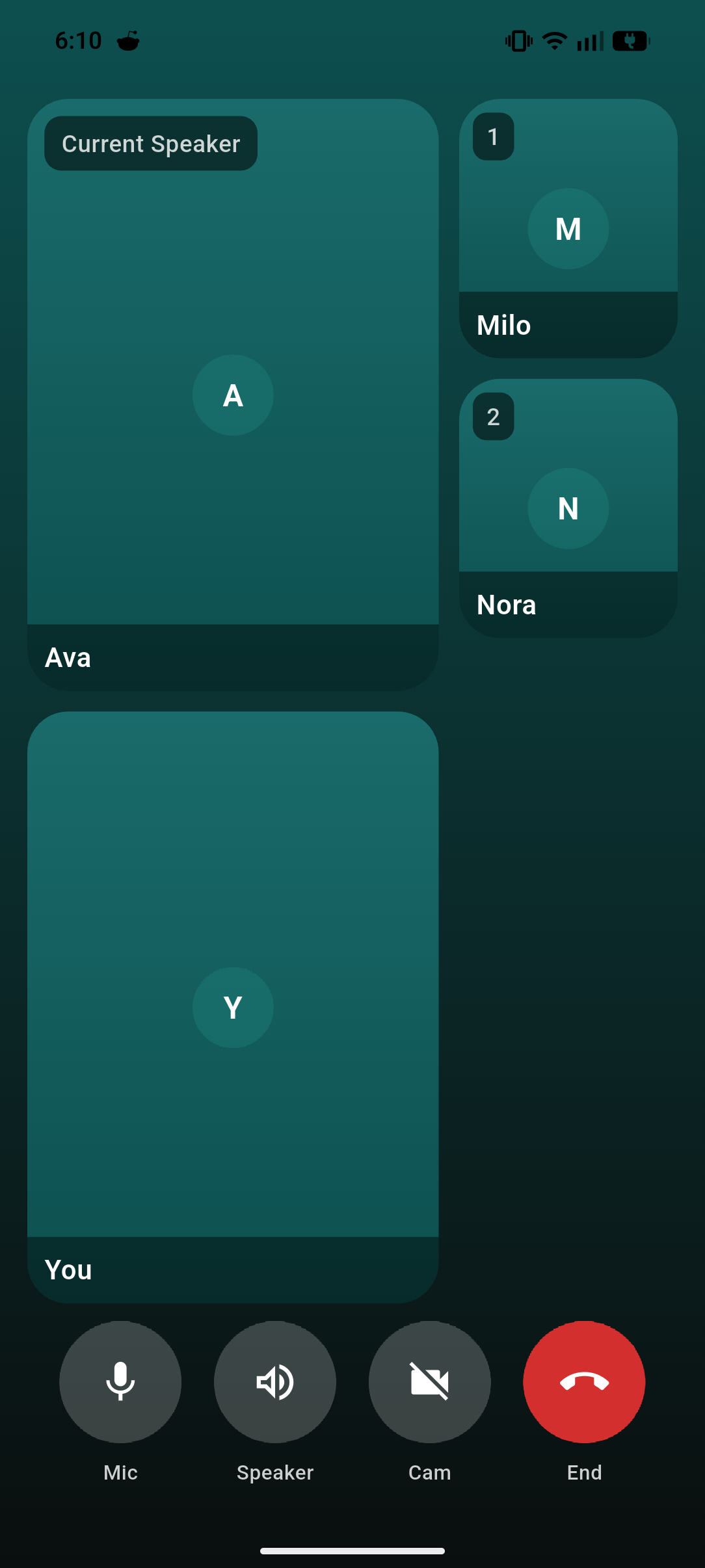
| Missed call | Video conference |
|---|---|
 |
 |
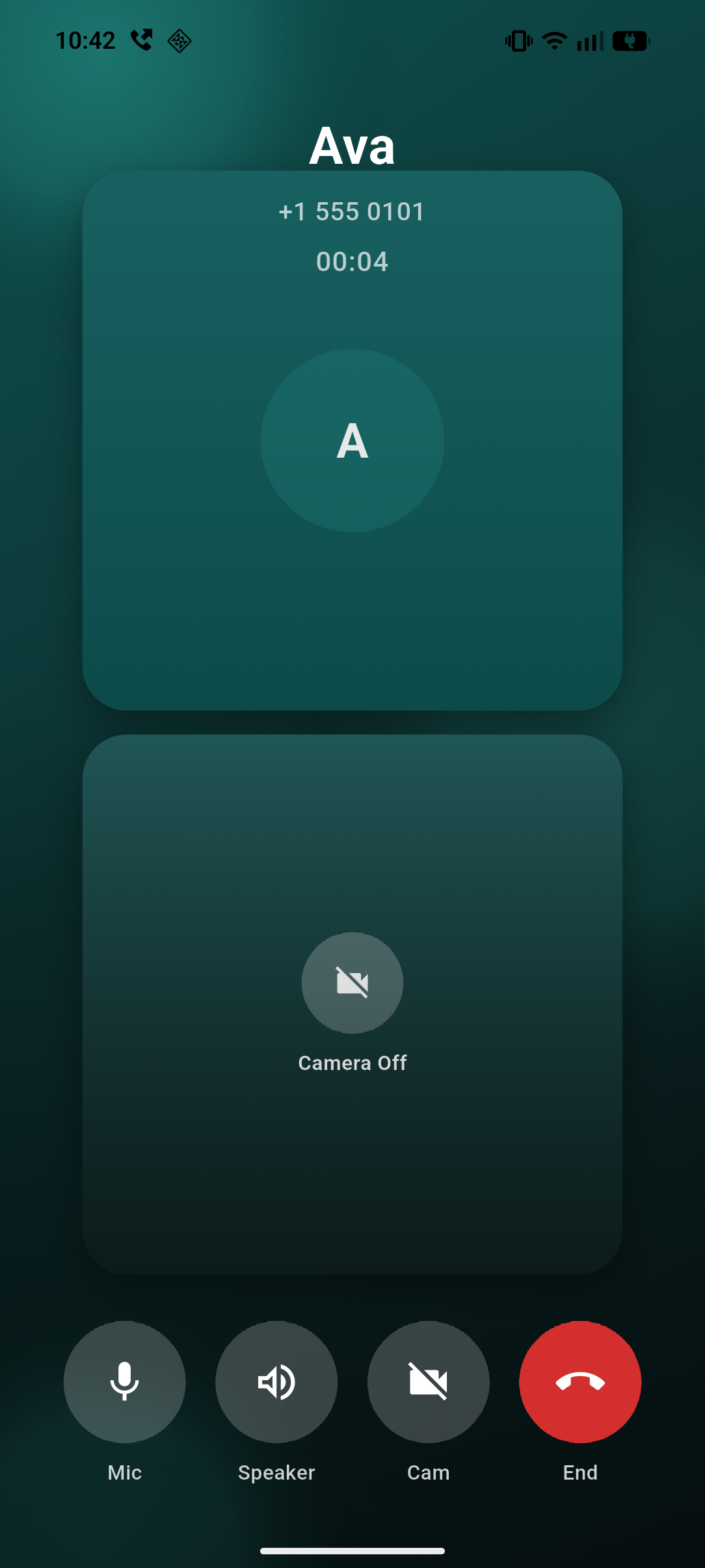
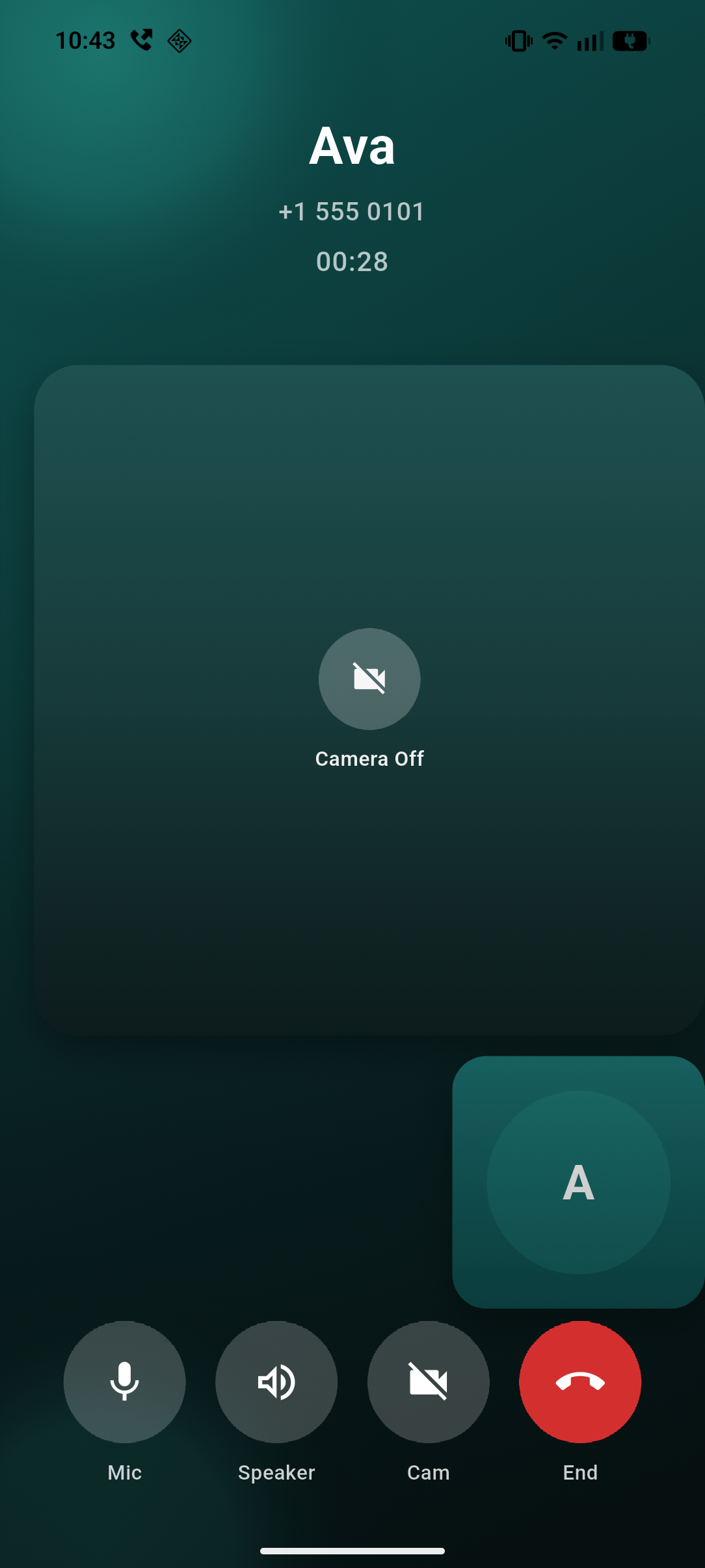
| 1-to-1 audio | 1-to-1 video |
|---|---|
 |
 |
Why callwave_flutter?
Plug-and-play call UI for WebRTC video and audio calls. Add WhatsApp-style incoming/outgoing call screens to your Flutter app in minutes—no reinventing the wheel.
- Works with any WebRTC backend — LiveKit, Agora, Twilio, Daily, Video SDK, Cloudflare Calls (Real-time), or your own. Implement
CallwaveEngine, wire your SDK in a few callbacks, and you're done. - Native UX out of the box — Full-screen incoming call UI on Android plus native ongoing-call notifications for active calls, and CallKit on iOS. Handles accept, decline, timeout, missed, and callback flows.
- Cold-start ready — Event buffering and startup route resolution so calls work even when the app launches from a push notification.
- Conference support — Built-in multi-participant UI with customizable tiles and controls.
If you're building video or voice calls with WebRTC, callwave_flutter gives you the call UX layer so you can focus on your media and signaling.
Platform status: Android has custom native incoming call UI (
FullScreenCallActivity) plus native ongoing-call notifications for active incoming-accepted and outgoing calls. iOS uses CallKit system UI for incoming and outgoing calls (Apple's native UI; no custom UI from the plugin). In-app call screen (CallScreen) is shared Flutter UI on both platforms.
Core Flow
- Register your engine.
- Resolve startup route (
homevscall) beforerunApp. - Wrap your app with
CallwaveScope.
class MyCallwaveEngine extends CallwaveEngine {
  @override
  Future<void> onAnswerCall(CallSession session) async {
    final roomToken = session.callData.extra?['roomToken'];
    await mySdk.join(roomToken);
    session.reportConnected();
  }

  @override
  Future<void> onStartCall(CallSession session) async {
    await mySdk.start(session.callId);
    session.reportConnected();
  }

  @override
  Future<void> onEndCall(CallSession session) async {
    await mySdk.leave();
  }

  @override
  Future<void> onDeclineCall(CallSession session) async {}

  @override
  Future<void> onMuteChanged(CallSession session, bool muted) async {}

  @override
  Future<void> onSpeakerChanged(CallSession session, bool speakerOn) async {}

  @override
  Future<void> onCameraChanged(CallSession session, bool enabled) async {}

  @override
  Future<void> onCameraSwitch(CallSession session) async {}

  @override
  Future<void> onDispose(CallSession session) async {}
}

Future<void> main() async {
  WidgetsFlutterBinding.ensureInitialized();

  final navKey = GlobalKey<NavigatorState>();
  CallwaveFlutter.instance.setEngine(MyCallwaveEngine());
  final startup = await CallwaveFlutter.instance.prepareStartupRouteDecision();

  runApp(
    MaterialApp(
      navigatorKey: navKey,
      initialRoute: startup.shouldOpenCall ? '/call' : '/home',
      routes: <String, WidgetBuilder>{
        '/home': (_) => const HomeScreen(),
        '/call': (_) => StartupCallRoute(callId: startup.callId),
      },
      builder: (_, child) => CallwaveScope(
        navigatorKey: navKey,
        preRoutedCallIds: startup.callId == null
            ? const <String>{}
            : <String>{startup.callId!},
        child: child!,
      ),
    ),
  );
}
Cold Start
prepareStartupRouteDecision() restores active sessions and returns a route
decision:
- Open call route when a session is
connecting,connected, orreconnecting. - Stay on home route when sessions are only
ringing/idle, or none exist.
If your app does not use startup routing in main, CallwaveScope still
auto-pushes CallScreen as fallback.
CallScreen
CallScreen is session-driven: pass a CallSession, not raw CallData.
CallScreen(session: session, onCallEnded: () => navigator.pop());
For standalone usage outside CallwaveScope, you can pass theme directly:
CallScreen(
  session: session,
  theme: const CallwaveThemeData(),
)
Sessions come from CallwaveFlutter.sessions or CallwaveFlutter.getSession.
CallwaveScope pushes CallScreen automatically when sessions are created.
Conference UI (Current Style)
CallScreen automatically switches to conference mode when
session.participantCount > 1.
- Keeps the current Callwave visual style (same gradient/action-button language).
- Uses a plain bottom control row in
SafeArea(no rounded dock container). - Default video conference controls:
Mic,Speaker,Cam,End. - Default audio conference controls:
Mic,Speaker,End. - One-to-one audio keeps the classic avatar layout; connected one-to-one video uses square split/PiP surfaces with conference-style controls.
Conference State API
Use CallSession.updateConferenceState to provide participants and speaker data.
session.updateConferenceState(
  ConferenceState(
    participants: const [
      CallParticipant(participantId: 'p-1', displayName: 'Ava'),
      CallParticipant(participantId: 'p-2', displayName: 'Milo'),
      CallParticipant(participantId: 'local', displayName: 'You', isLocal: true),
    ],
    activeSpeakerId: 'p-1',
    updatedAtMs: DateTime.now().millisecondsSinceEpoch,
  ),
);
Race-safety rules:
- Older
updatedAtMssnapshots are ignored. - Updates are ignored once the session is ended/failed.
- Duplicate
participantIdentries are deduped (latest entry wins).
Optional Builders
CallwaveScope provides conference customization hooks:
CallwaveScope(
  navigatorKey: navKey,
  participantTileBuilder: (context, session, participant, isPrimary) {
    // Inject your RTC view for this participant.
    return ColoredBox(
      color: isPrimary ? const Color(0xFF0D4F4F) : const Color(0xFF1A6B6B),
      child: Center(child: Text(participant.displayName)),
    );
  },
  conferenceControlsBuilder: (context, session) {
    // Optional: override the default Mic/Speaker/Cam/End row.
    return const SizedBox.shrink();
  },
  child: child!,
)
You can also replace the entire conference surface with
conferenceScreenBuilder.
Android Missed Call Text
Set CallData.extra with CallDataExtraKeys.androidMissedCallNotificationText to customize the Android missed-call notification body.
final call = CallData(
  callId: 'call-42',
  callerName: 'Dan',
  handle: '+1 555 0101',
  extra: const <String, dynamic>{
    CallDataExtraKeys.androidMissedCallNotificationText:
        'You missed a call from Dan.',
  },
);
If you do not provide it, Android falls back to the default
callerName (handle) text. iOS ignores this key.
One-to-One Split-to-PiP Builders
For one-to-one connected video, you can inject remote/local RTC widgets:
CallwaveScope(
  navigatorKey: navKey,
  oneToOneRemoteVideoBuilder: (context, session) {
    return rtcRemoteView(session.callId);
  },
  oneToOneLocalVideoBuilder: (context, session) {
    return rtcLocalView(session.callId);
  },
  child: child!,
)
Behavior:
- Connected one-to-one starts in a centered
50/50split with square tiles (remote top, local bottom). - Tap a tile to enter large-square + square PiP mode.
- Tap PiP to swap; tap primary to return to split.
- Built-in framing is
BoxFit.cover-style (crop allowed, no stretch) with a matte stage background. - If builders are omitted, fallback remote/local surfaces are shown.
To preserve remote/local camera geometry for custom RTC widgets, wrap them in
VideoViewport:
oneToOneLocalVideoBuilder: (context, session) {
  return VideoViewport(
    aspectRatio: 9 / 16,
    fit: BoxFit.cover,
    child: rtcLocalView(session.callId),
  );
},
Notes
- Native accept/decline/end remains authoritative.
CallSessionis the single source of truth for UI state.CallwaveScopeauto-pushes one call screen percallIdand does not auto-pop.CallwaveScope.navigatorKeymust be the same key used by your app'sMaterialApp.CallwaveEnginemust be set before session operations (includingrestoreActiveSessions).