
zego_zimkit 2.0.1  zego_zimkit: ^2.0.1 copied to clipboard
 zegocloud.com
A low-code plugin that provides a wrapper for IM widgets. Aims to simplify the development process by offering a user-friendly solution into applications.
ZIMKit for Flutter #
Baseline: ZIMKit Flutter v2.0.0 (verified against code on 2026-10-14)
ZIMKit is a Flutter UI kit for adding one-to-one and group chat to an app. It provides ready-to-use conversation and message screens, messaging APIs, and controls for adapting the UI to your app.

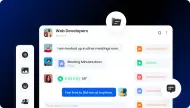
[ZIMKit chat preview]
Features #
- Conversation list: display conversations and unread counts; pin conversations and set notification status.
- One-to-one and group chat: open a chat page with text, image, voice, video, and file messages. Send custom and combined messages through the API.
- Message actions: configure the long-press menu for reply, forward, revoke, delete, multi-select, and emoji reactions. Available actions can vary by message type and permissions.
- Group details and member management: use the built-in
ZIMKitGroupDetailPageto view group information and members, invite users, and manage member roles. The host app provides the user picker; ZIMKit performs the invite. - Customizable composer and UI: configure input buttons, emoji choices, message actions, styles, and visible text. Handle voice/video call buttons in the host app and connect them to your calling kit.
- Authentication and events: connect with a user ID and an optional server-issued token, renew tokens, and listen for connection, message, and media transfer events.
Quick start #
Add zego_zimkit to your pubspec.yaml, then initialize the SDK and connect a user before showing chat UI:
import 'package:flutter/material.dart';
import 'package:zego_zimkit/zego_zimkit.dart';

Future<void> initializeZIMKit() async {
  WidgetsFlutterBinding.ensureInitialized();

  await ZIMKit().init(
    appID: yourAppID,
    appSign: yourAppSign,
  );

  final errorCode = await ZIMKit().connectUser(
    id: userID,
    name: userName,
    // For Token authentication, pass a token issued by your server.
    // token: tokenFromYourServer,
  );
  if (errorCode != 0) {
    throw StateError('ZIMKit user connection failed: $errorCode');
  }
}
Show the conversation list and open the selected conversation:
ZIMKitConversationListView(
  events: ZIMKitConversationListEvents(
    onPressed: (context, conversation, defaultAction) {
      Navigator.push(
        context,
        MaterialPageRoute(
          builder: (_) => ZIMKitMessageListPage(
            conversationID: conversation.id,
            conversationType: conversation.type,
          ),
        ),
      );
    },
  ),
)
Documentation #
- UI components
- Configuration options
- SDK APIs
- Events
Metadata

Documentation
Publisher
Weekly Downloads
Metadata
A low-code plugin that provides a wrapper for IM widgets. Aims to simplify the development process by offering a user-friendly solution into applications.
License
 MIT (license)
Dependencies
async, cached_network_image, chewie, cross_file, cupertino_icons, emoji_picker_flutter, encrypt, equatable, file_picker, flutter, flutter_logs_yoer, intl, path_provider, permission_handler, plugin_platform_interface, provider, shared_preferences, video_player, wechat_assets_picker, wechat_camera_picker, zego_plugin_adapter, zego_uikit_signaling_plugin, zego_zim, zego_zim_audio, zego_zpns
More
Packages that depend on zego_zimkit
Packages that implement zego_zimkit