
vidkit 0.1.1  vidkit: ^0.1.1 copied to clipboard
 thesanaullah.dev
Smart video player for Flutter with built-in caching, preloading, playlist support, and quality switching. No more buffering, no more re-downloading. Works reliably on all platforms.
🎬 VidKit #


Smart video player for Flutter with built-in caching. No more buffering. No more re-downloading.
VidKit solves the 6+ year old pain point of Flutter's video_player — no caching, no controls, no playlist support. Drop in one widget and get a production-ready video player with smart caching, playlist management, quality switching, and preloading.
📸 Screenshots #
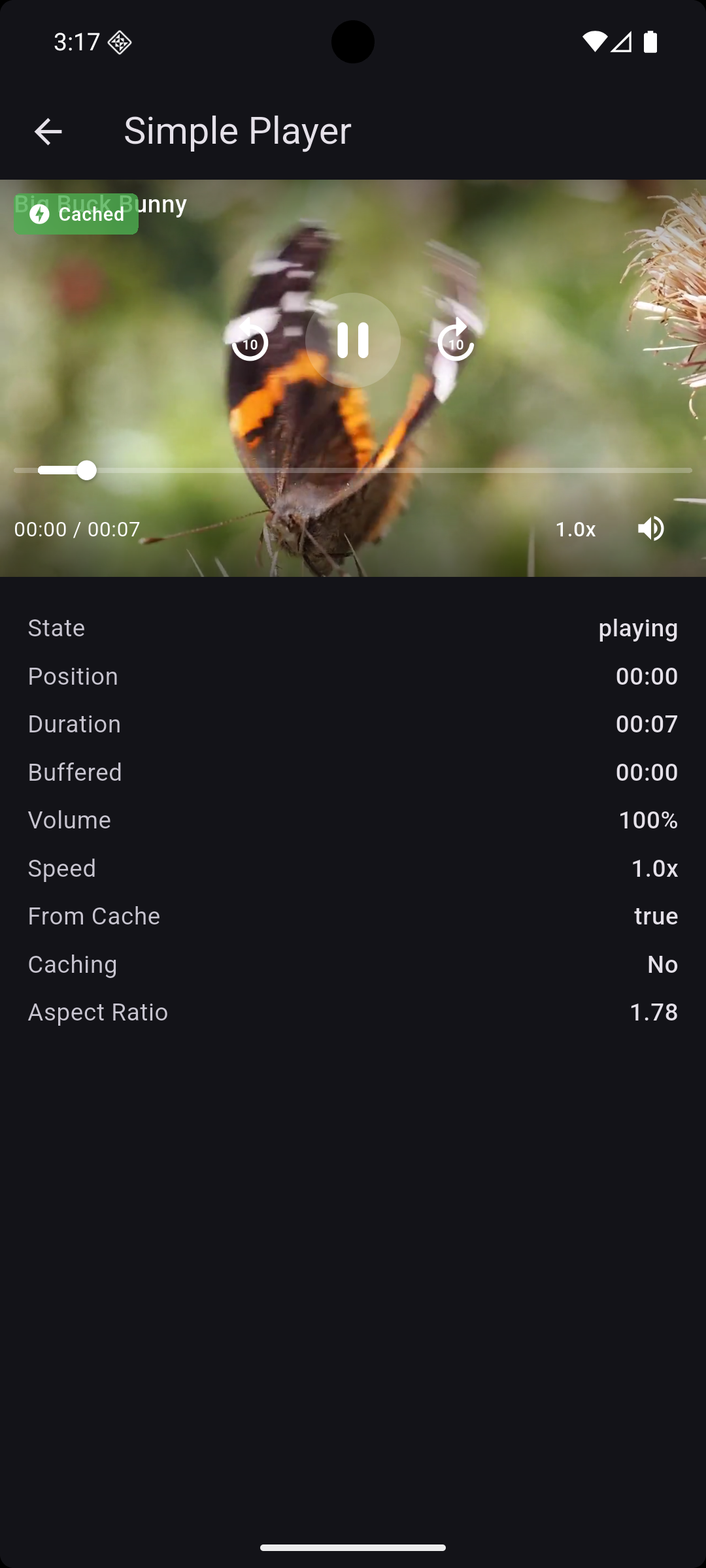
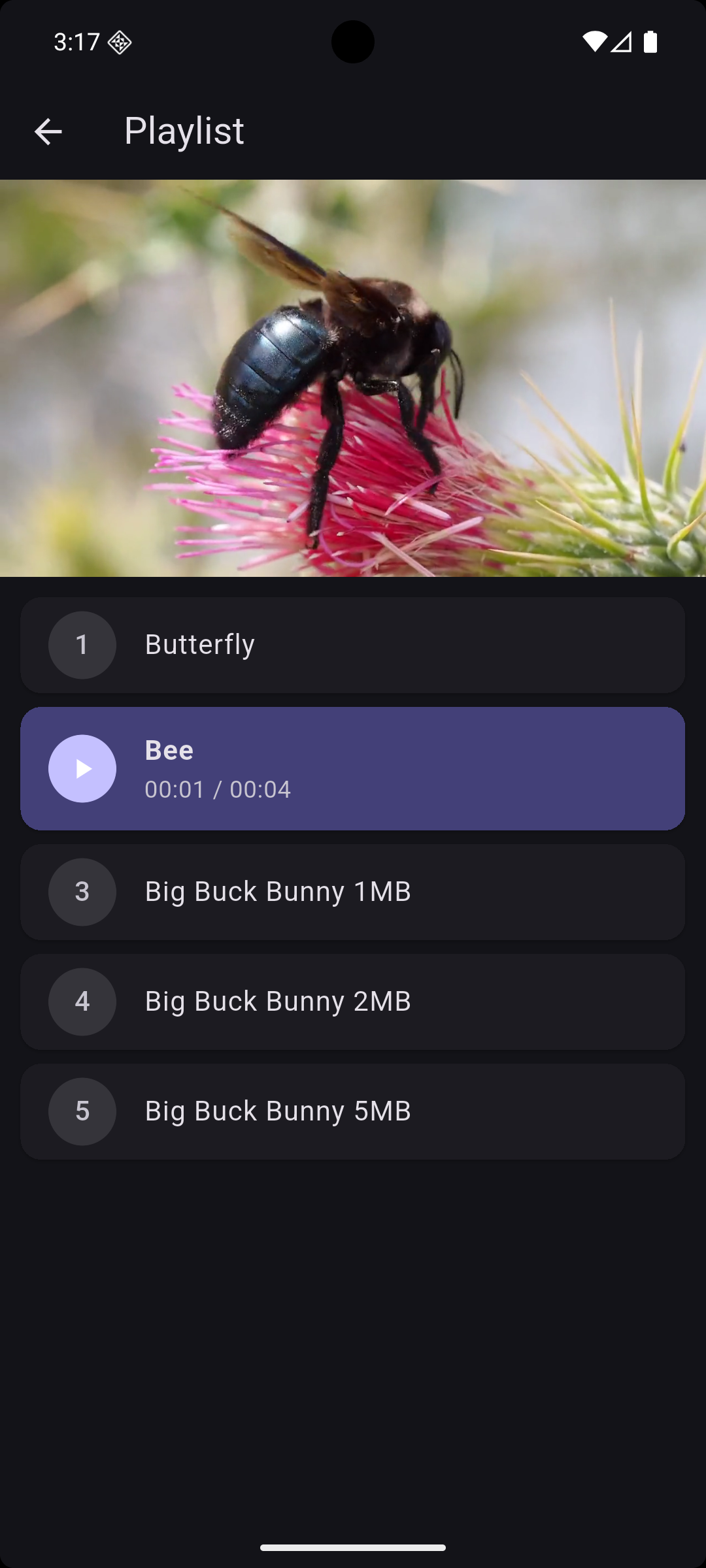
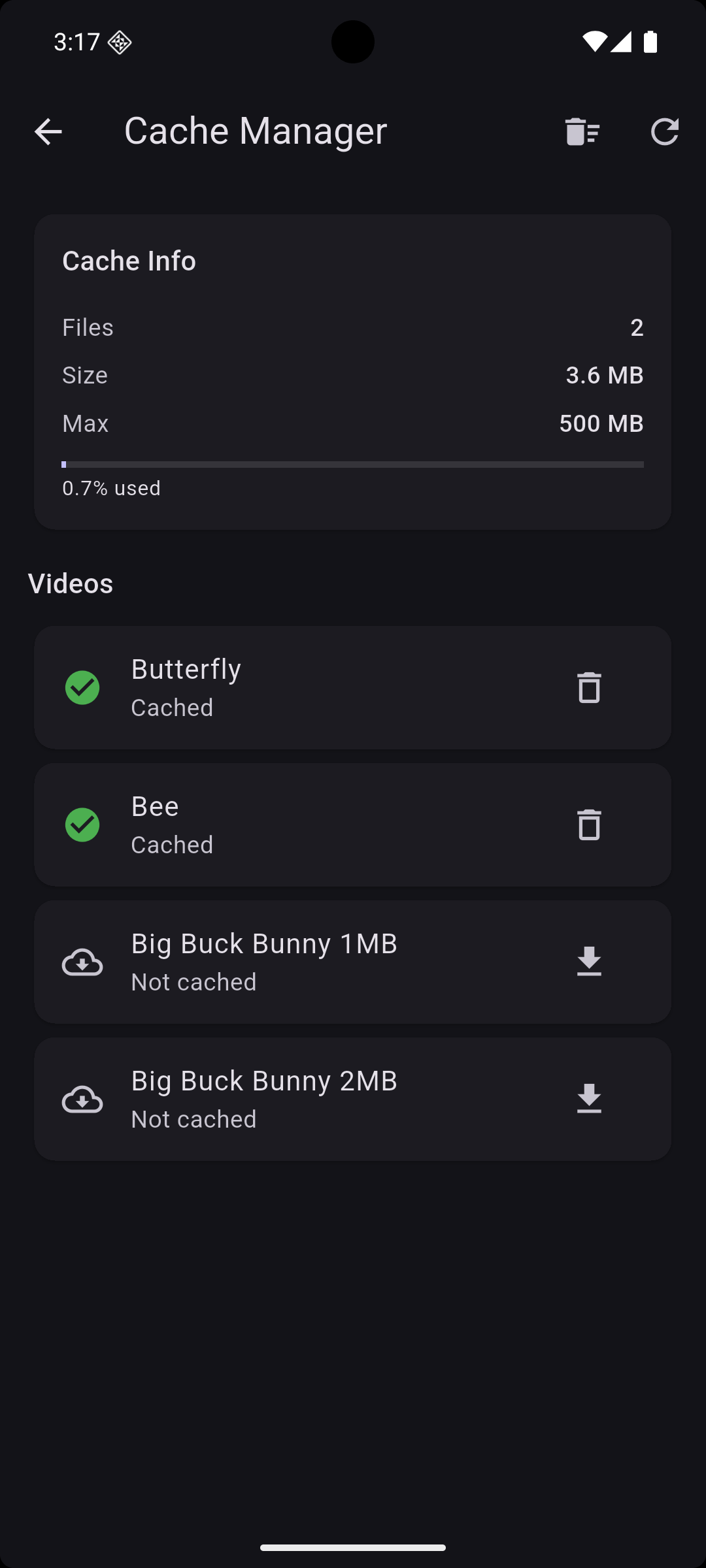
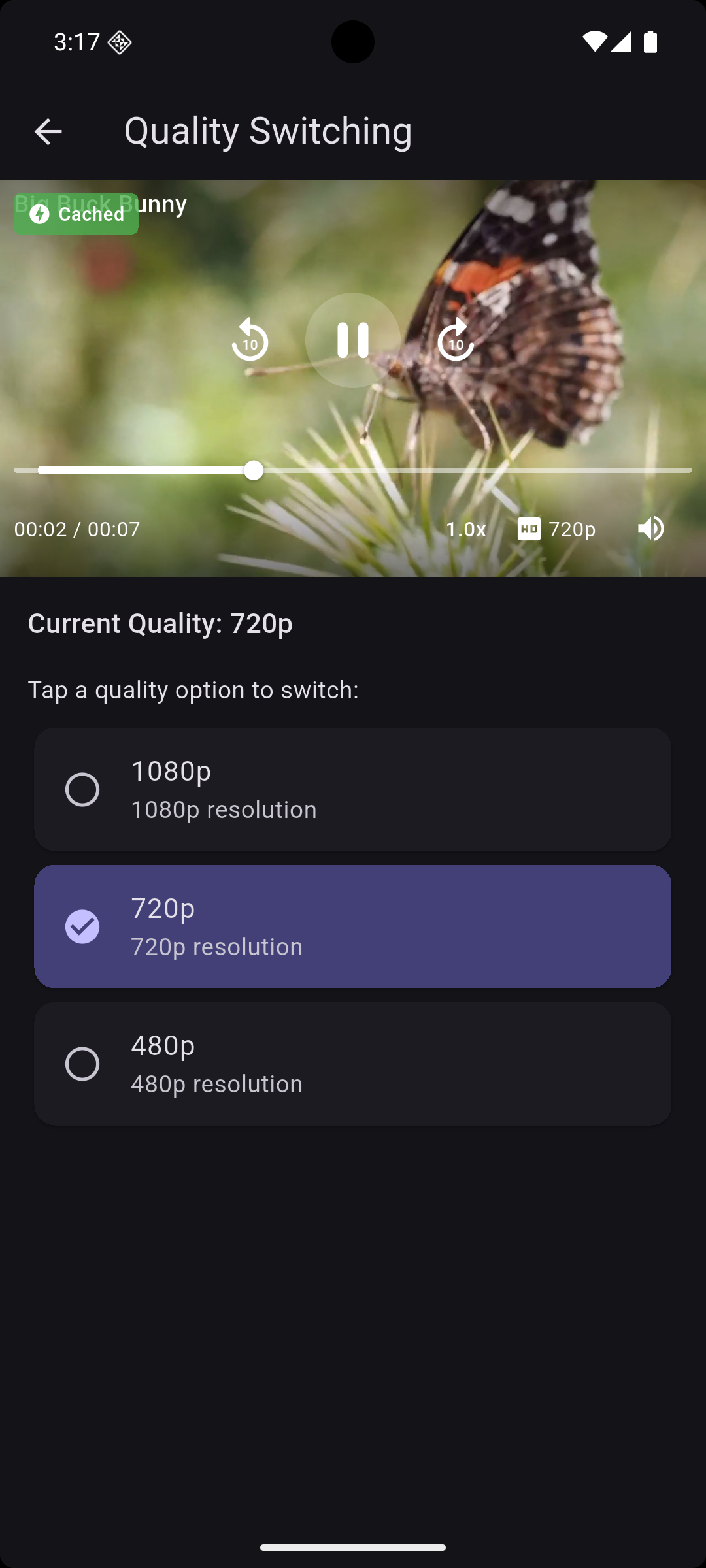

✨ Features #
- 📦 Smart Caching — Videos are cached automatically. Play once, instant replay forever
- 🧩 Advanced HLS Pre-cache — VOD + live snapshot caching with encrypted stream edge-case handling
- 🔄 Preloading — Next video in playlist is pre-cached in the background
- 🎵 Playlist Support — Next, previous, jump to, shuffle, add, remove
- 🎚️ Quality Switching — Switch between 1080p, 720p, 480p seamlessly
- 🎮 Built-in Controls — Play/pause, seek bar, speed, volume, fullscreen
- ⚡ Zero Config — Works out of the box with sensible defaults
- 💾 Cache Management — View cache size, pre-cache videos, clear cache
- 🔁 Double Tap to Seek — Seek forward/backward with double tap
- 📊 Buffered Progress — See how much is buffered on the seek bar
- 🏷️ Cache Indicator — Shows "Cached" badge when playing from cache
- 🌐 All Platforms — Android, iOS, Web, macOS, Windows, Linux
- 🎨 Fully Customizable — Custom controls, themes, error/loading widgets
🚀 Quick Start #
Installation #
dependencies:
  vidkit: ^0.1.1
Simplest Possible Usage #
import 'package:vidkit/vidkit.dart';

// Create controller
final controller = VidKitController(
  source: VideoSource.network('https://example.com/video.mp4'),
  config: VidKitConfig(autoPlay: true, enableCache: true),
);
await controller.initialize();

// Drop in the widget
VidKitPlayer(controller: controller)

// That's it! Cached. Controls. Done. 🎉
📖 Usage #
Single Video with Caching #
class MyVideoScreen extends StatefulWidget {
  @override
  State<MyVideoScreen> createState() => _MyVideoScreenState();
}

class _MyVideoScreenState extends State<MyVideoScreen> {
  late final VidKitController _controller;

  @override
  void initState() {
    super.initState();
    _controller = VidKitController(
      source: VideoSource.network(
        'https://example.com/video.mp4',
        title: 'My Video',
      ),
      config: const VidKitConfig(
        autoPlay: true,
        enableCache: true, // Videos cached automatically
      ),
    );
    _controller.initialize();
  }

  @override
  void dispose() {
    _controller.dispose();
    super.dispose();
  }

  @override
  Widget build(BuildContext context) {
    return Scaffold(
      body: VidKitPlayer(controller: _controller),
    );
  }
}
Playlist with Preloading #
final controller = VidKitController.playlist(
  sources: [
    VideoSource.network('https://example.com/video1.mp4', title: 'Episode 1'),
    VideoSource.network('https://example.com/video2.mp4', title: 'Episode 2'),
    VideoSource.network('https://example.com/video3.mp4', title: 'Episode 3'),
  ],
  config: VidKitConfig(
    autoPlay: true,
    enableCache: true,
    preloadNext: true, // Next video is cached in background
  ),
);
await controller.initialize();

// Playback controls
await controller.next();
await controller.previous();
await controller.jumpTo(2);
Quality Switching #
final controller = VidKitController(
  source: VideoSource.network(
    'https://example.com/video_1080p.mp4',
    title: 'My Video',
    qualities: [
      QualityOption(label: '1080p', url: 'https://example.com/video_1080p.mp4', height: 1080),
      QualityOption(label: '720p', url: 'https://example.com/video_720p.mp4', height: 720),
      QualityOption(label: '480p', url: 'https://example.com/video_480p.mp4', height: 480),
    ],
  ),
);

// Switch quality (maintains position and play state)
await controller.setQuality(
  QualityOption(label: '480p', url: 'https://example.com/video_480p.mp4', height: 480),
);
Cache Management #
final cache = VideoCacheManager();

// Check cache status
final info = await cache.info;
print('${info.totalSizeMB} MB used, ${info.fileCount} files');

// Check if specific video is cached
final isCached = await cache.isCached('https://example.com/video.mp4');

// Pre-cache a video
await cache.preCache('https://example.com/video.mp4');

// Pre-cache an HLS VOD stream (.m3u8)
await cache.preCache('https://example.com/master.m3u8');

// Cache with progress tracking
cache.cacheVideo('https://example.com/video.mp4').listen((progress) {
  print('${(progress * 100).toInt()}% downloaded');
});

// Remove specific video from cache
await cache.removeFromCache('https://example.com/video.mp4');

// Clear entire cache
await cache.clearCache();
HLS Pre-cache Notes #
- Supports VOD HLS (
.m3u8) and live/event snapshot caching - Downloads referenced child playlists, segments, init files, and key files
- Converts live snapshots to offline-friendly manifests (
#EXT-X-ENDLIST) - Preserves non-HTTP key URI schemes (for example
skd://) without failing cache build - HTTP headers are applied to HLS child requests as well
HLS Tuning Options #
final cache = VideoCacheManager(
  hlsOptions: const HlsCacheOptions(
    livePlaylistUpdates: 2,                 // extra live refresh cycles
    requestRetries: 2,                      // retry transient failures
    skipMissingLiveSegments: true,          // tolerate disappearing live segments
    finalizeLiveAsVod: true,                // append ENDLIST for offline snapshots
  ),
);
Playback Controls #
// Play / Pause
await controller.play();
await controller.pause();
await controller.togglePlayPause();

// Seeking
await controller.seekTo(Duration(seconds: 30));
await controller.seekForward();  // +10 seconds
await controller.seekBackward(); // -10 seconds
await controller.seekToFraction(0.5); // Seek to 50%

// Volume
await controller.setVolume(0.5);
await controller.toggleMute();

// Speed
await controller.setPlaybackSpeed(1.5);

// Looping
await controller.setLooping(true);
Listen to State Changes #
ValueListenableBuilder<VidKitValue>(
  valueListenable: controller,
  builder: (context, value, child) {
    return Column(
      children: [
        Text('State: ${value.state.name}'),
        Text('Position: ${value.position}'),
        Text('Duration: ${value.duration}'),
        Text('Buffered: ${value.buffered}'),
        Text('From Cache: ${value.isFromCache}'),
        Text('Cache Progress: ${(value.cacheProgress * 100).toInt()}%'),
        Text('Progress: ${(value.progress * 100).toInt()}%'),
      ],
    );
  },
)
Custom Controls #
VidKitPlayer(
  controller: controller,
  showControls: false, // Hide default controls
  controlsBuilder: (context, controller) {
    return YourCustomControlsWidget(controller: controller);
  },
)
Custom Loading & Error Widgets #
VidKitPlayer(
  controller: controller,
  loadingWidget: Center(child: MyCustomSpinner()),
  errorBuilder: (context, error) {
    return Center(child: Text('Oops: $error'));
  },
  placeholder: Center(child: Image.asset('assets/thumbnail.png')),
)
Asset & File Videos #
// From assets
final controller = VidKitController(
  source: VideoSource.asset('assets/videos/intro.mp4'),
);

// From local file
final controller = VidKitController(
  source: VideoSource.file('/path/to/video.mp4'),
);
Configuration #
const config = VidKitConfig(
  enableCache: true,           // Enable video caching
  maxCacheSize: 500 * 1024 * 1024, // 500 MB cache limit
  autoPlay: false,             // Auto-play when ready
  looping: false,              // Loop video
  volume: 1.0,                 // Initial volume (0.0 - 1.0)
  playbackSpeed: 1.0,          // Initial speed
  preloadNext: true,           // Pre-cache next playlist video
  connectionTimeout: Duration(seconds: 30),
  httpHeaders: {'Authorization': 'Bearer token'},
);
🆚 Why VidKit? #
| Feature | video_player | chewie | better_player | VidKit |
|---|---|---|---|---|
| Built-in caching | ❌ | ❌ | ⚠️ Buggy | ✅ |
| Playlist support | ❌ | ❌ | ✅ | ✅ |
| Quality switching | ❌ | ❌ | ✅ | ✅ |
| Preloading | ❌ | ❌ | ❌ | ✅ |
| Cache management | ❌ | ❌ | ❌ | ✅ |
| Built-in controls | ❌ | ✅ | ✅ | ✅ |
| Actively maintained | ✅ | ✅ | ❌ (2+ yrs) | ✅ |
| Double-tap seek | ❌ | ❌ | ✅ | ✅ |
| Speed control | ❌ | ✅ | ✅ | ✅ |
📊 Cache Strategy #
First Play:
  Network → Stream video → Cache in background → Play

Second Play:
  Cache hit → Play instantly from disk → Zero bandwidth

Playlist:
  Playing Video 2 → Pre-cache Video 3 in background
  User taps Next → Video 3 plays instantly from cache
☕ Support #
If this package saves you time, consider buying me a coffee!

🤝 Contributing #
Contributions are welcome! Please feel free to submit a Pull Request.
- Fork the repository
- Create your feature branch (
git checkout -b feature/amazing-feature) - Commit your changes (
git commit -m 'Add amazing feature') - Push to the branch (
git push origin feature/amazing-feature) - Open a Pull Request
📄 License #
MIT License - see LICENSE for details.
Made with ❤️ for the Flutter community
Metadata


Publisher
Weekly Downloads
Metadata
Smart video player for Flutter with built-in caching, preloading, playlist support, and quality switching. No more buffering, no more re-downloading. Works reliably on all platforms.
Repository (GitHub)
View/report issues
Topics
#video #video-player #cache #media #streaming
Documentation
License
 MIT (license)
Dependencies
crypto, flutter, http, path, path_provider, video_player

