
text_autosize 1.2.2  text_autosize: ^1.2.2 copied to clipboard
 developeryusuf.com
Automatically resize text to fit its bounds: shrink the font until the text fits the available width, height and maxLines. TextScaler-aware, API-compatible with auto_size_text.

text_autosize #
A Flutter widget that automatically resizes text to fit within its bounds.
The API follows the auto_size_text package by Simon Leier, and existing code
migrates by changing the import. On top of the familiar API, this package is
built against current Flutter releases and handles TextScaler correctly,
including nonlinear system font scaling.

Why this instead of what you already have #
Instead of FittedBox. It has no concept of font size, only fit,
alignment and clipBehavior (widgets/basic.dart:2091). Its
performLayout lays the child out with const BoxConstraints()
(rendering/proxy_box.dart:2922), so the text always measures itself
unconstrained, settles as one unwrapped line, and is then scaled down like a
picture. What you get is one shrunken line, not text reflowed at a smaller
size.

The two lines meet exactly where the factor was sampled, and nowhere else.
Fitting moves the text, so a factor taken at the size it started at is being
applied at a size it never described: here the label starts at 40 pt, settles
at 14, and one factor is out by seven points. That is text overflowing a box it
was just fitted to. Redraw the chart with
dart run tool/scaler_curve_figure.dart, and see it move under a slider in
example/lib/main.dart.
Instead of auto_size_text. TextScaler does not appear anywhere in its
lib/; it reads the deprecated scalar textScaleFactor instead, so nonlinear
system font scaling is out of reach by construction. WidgetSpan is absent
too, which is issue #61, open since June 2020 and still landing on
assert(dimensions != null) (widgets/widget_span.dart:163). The maintainer
wrote there on 2020-09-27: "unfortunately I failed with my attempt to support
WidgetSpans." The last release was October 2021.
Reach for it when
- A label has to fit a fixed box and your users may have large system font sizes set.
- Text mixes inline widgets such as icons or chips with words and still has to fit.
- Several labels need to settle on one shared size through
AutoSizeGroup.
Skip it when the text is allowed to wrap or scroll: a plain Text that can
grow is easier to reason about than any fitting algorithm, and it stays
readable when someone scales their fonts up.
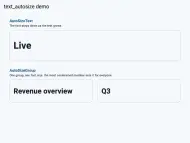
Demo #
Features #
- Shrinks text until it fits the available width, height and
maxLines. minFontSize,maxFontSizeandstepGranularitycontrol the search range.presetFontSizesrestricts the text to a fixed list of sizes.AutoSizeGroupkeeps several texts at the same size.AutoSizeText.richresizes a wholeTextSpantree proportionally.overflowReplacementswaps in another widget when nothing fits.textScaleraware: the fitted size accounts for the user's font scale.- Works inside
SelectionArea, since it builds a regularTextwidget.
Usage #
Requires Flutter 3.32 or later.
import 'package:text_autosize/text_autosize.dart';

AutoSizeText(
  'The text to display',
  style: TextStyle(fontSize: 20),
  maxLines: 2,
)
The widget behaves like Text, except that it lowers the font size until the
text fits the incoming constraints. It needs bounded constraints to resize
against, for example from a SizedBox or an Expanded.
maxLines and minFontSize #
AutoSizeText(
  'A single line that shrinks down to 10 before it ellipsizes',
  style: TextStyle(fontSize: 30),
  maxLines: 1,
  minFontSize: 10,
  overflow: TextOverflow.ellipsis,
)
Preset font sizes #
If only some sizes are allowed, pass them in descending order. The first size that fits is used:
AutoSizeText(
  'One of three sizes',
  presetFontSizes: [40, 20, 14],
  maxLines: 1,
)
Synchronizing several texts #
Give all texts the same AutoSizeGroup. Every member renders at the size of
the most constrained one:
final group = AutoSizeGroup();

AutoSizeText('Label one', group: group, maxLines: 1);
AutoSizeText('A much longer label two', group: group, maxLines: 1);
A group settles one frame after its members first appear, and does not oscillate: each member measures itself against its own constraints alone, so reporting a size can only pull the group's minimum down. The one frame is visible in the case where members build before a more constrained sibling has reported: they lay out at their own size, then rebuild at the group's. If you are asserting on a size in a test, or capturing a golden on the frame the widget appears, pump once more first. Removing the member that was setting the minimum lets the rest grow back.
Rich text #
AutoSizeText.rich(
  TextSpan(
    text: 'Mixed ',
    children: [
      TextSpan(text: 'sizes', style: TextStyle(fontSize: 40)),
    ],
  ),
  style: TextStyle(fontSize: 20),
  maxLines: 1,
)
All font sizes in the span tree are scaled by the same factor, which preserves the proportions of the spans.
Overflow replacement #
AutoSizeText(
  'A text that might not fit at minFontSize',
  minFontSize: 16,
  overflowReplacement: Text('Not enough room'),
)
Icons and badges inside the text #
AutoSizeText.rich takes a WidgetSpan. An inline icon shrinks with the
sentence around it, and it counts against the width while the size is being
chosen:
AutoSizeText.rich(
  const TextSpan(children: [
    TextSpan(text: 'Signed in as '),
    WidgetSpan(child: Icon(Icons.verified)),
    TextSpan(text: ' ada@example.com'),
  ]),
  maxLines: 1,
)
A TextPainter cannot measure a widget, and a text scaler resizes glyphs while
leaving widgets alone. Both are handled here: each placeholder is measured as a
square of the size being tested, and the child is painted into that same square
through a FittedBox, which is what keeps the fit the probes found and the fit
on screen from drifting apart.
Pass placeholderSize for something that is not square:
AutoSizeText.rich(
  span,
  maxLines: 1,
  placeholderSize: (span, fontSize) => Size(fontSize * 3, fontSize),
)
auto_size_text throws on this. Its #61 has been open since June 2020, and
the maintainer answered it with "I failed with my attempt to support
WidgetSpans". The assertion you get there is
widget_span.dart: 'dimensions != null': is not true.
System font scale #
The user's font scale reaches a widget as a TextScaler on MediaQuery, and a
TextScaler is a function rather than a multiplier: scale(fontSize) is free
to grow small text by more than large text, which is what nonlinear system font
scaling does. Flutter says as much about the single number it used to hand out.
The dartdoc on TextScaler.textScaleFactor calls it an estimate that "may not
reflect the exact text scaling strategy this TextScaler represents, especially
when this TextScaler is not linear".
Shrinking is what makes such a number wrong. A factor sampled at the size the text starts at describes the curve at that size and nowhere else, and fitting moves the text to a different size, where the curve says something else. So the fitted size is measured with the scaler itself, once per candidate size:
// Nothing to pass: the MediaQuery scaler is used for measuring and rendering.
AutoSizeText('Kitchen & Dining', style: TextStyle(fontSize: 40), maxLines: 1)

// Or fit against a scale this device cannot produce, which is how you test it.
AutoSizeText(label, textScaler: TextScaler.linear(2), maxLines: 1)

The example app carries this panel, with the fitted sizes read back from the
widgets that were built. Both sides get the same string, the same style, the
same box and the same minFontSize and step size; the only difference is how
each one consults the scaler. In the capture, AutoSizeText calls scale on
every candidate, settles on 11 pt and renders at 22 pt, inside the box. The
other side samples one factor at 40 pt, where this curve reads 1.5x: it settles
on 15 pt expecting 22.5 pt on screen, the curve renders it at 30 pt, and the
label spills out of the box it was fitted to.
Drag that panel's scale down to 1.0, or switch it to a linear scaler, and the two sides agree exactly. Under a linear scaler one factor is the whole story, and this particular difference disappears.
Migration from auto_size_text #
-
Replace the dependency:
flutter pub remove auto_size_text flutter pub add text_autosize -
Replace the import. The class names
AutoSizeTextandAutoSizeGroupare unchanged:import 'package:text_autosize/text_autosize.dart'; -
Optionally move
textScaleFactortotextScaler. This step is no longer required to compile:textScaleFactorstill works and is treated asTextScaler.linear(factor). It is deprecated and will be removed in a future release, so prefertextScaler:// still compiles, deprecated AutoSizeText('Hello', textScaleFactor: 1.5) // preferred AutoSizeText('Hello', textScaler: TextScaler.linear(1.5))Setting both
textScalerandtextScaleFactoron the same widget is not allowed and asserts in debug builds.
Intentional behavior differences from auto_size_text 3.0.0:
- The built
Textcarries the logical font size plus aTextScaler, instead of a pre-scaled font size with scaling disabled. The rendered pixels are identical; only the internal representation differs. Migrated tests that look up the innerTextthroughtextKeyand assert onstyle.fontSizesee the logical value now. - With a linear scaler,
minFontSize,maxFontSizeandpresetFontSizesproduce the same rendered size as the original package. The behavior only differs under a nonlinear scaler (for example Android 14 system font scaling), where the fitted size is computed with the actual scaler instead of a single factor. - Rich text is measured with the fully resolved style, exactly as
Text.richrenders it. The original measured the span's own style only, which could mismeasure spans that inherit their size fromDefaultTextStyle. - Measurement resolves
textAlignandtextDirectionthe same way the renderedTextdoes, instead of assuming left-aligned, left-to-right text. - An
AutoSizeGroupsynchronizes the logical font size of its members. Each member still applies its ownTextScalerwhen rendering. presetFontSizesmust be in descending order; this is now checked with an assert instead of being silently required.textWidthBasis,textHeightBehaviorandselectionColorare passed through to the builtText.
How it works #
The widget measures the text with a TextPainter against the incoming
constraints. If the preferred font size does not fit, a binary search runs
over the candidate sizes between minFontSize and the preferred size in
steps of stepGranularity, or over presetFontSizes if given. A build
therefore performs O(log n) text layouts for n candidate sizes, and a single
TextPainter instance is reused for all measurements.
Limitations #
- The widget only shrinks text below its preferred size. It does not grow
text to fill extra space, except through
presetFontSizes. - Resizing needs a bounded constraint. In an unbounded context, such as the
scroll direction of a
ListViewor inside anUnconstrainedBox, the text keeps its preferred size. This is safe but performs no resizing on that axis. - The widget is built around a
LayoutBuilder, so it cannot be used where intrinsic dimensions are required, for example insideIntrinsicWidthorIntrinsicHeight. strutStyleis passed through as given and is not resized with the text. A strut with a fixed font size puts a floor under the line height.softWrap: falseaffects rendering but not measurement, so text that is fitted with wrapping in mind can still overflow horizontally when soft wrapping is disabled. This matchesauto_size_text.- With
wrapWords: false, the longest-word check measures the words with the base style only. Per-span font sizes of rich text are not considered in that check. This also matchesauto_size_text.
Credits #
The API follows the auto_size_text package by Simon Leier.
License #
MIT. See LICENSE.
Metadata

Documentation
Publisher
Weekly Downloads
Metadata
Automatically resize text to fit its bounds: shrink the font until the text fits the available width, height and maxLines. TextScaler-aware, API-compatible with auto_size_text.
Repository (GitHub)
View/report issues
Topics
#text #autosize #typography #responsive #widget
License
 MIT (license)