
status_bar_control_plus 3.3.0  status_bar_control_plus: ^3.3.0 copied to clipboard
 gulshankhandale.tech
Status Bar Control Plus, lets you control the status bar color, style (theme), visibility, and translucent properties across iOS and Android.
Status Bar Control Plus #

Since status_bar_control is no longer maintained, this package is a re-publish and will be occasionally updated for continued use in existing projects.

About #
Status Bar Control Plus, lets you control the status bar color, style (theme), visibility, and translucent properties across iOS and Android. With some added bonus for Android to control the Navigation Bar.
This plugin is based on React Native's StatusBar component.
The Navigation Bar code was taken from the awesome flutter-screen-theme-plugin.
The plugin was tested with iOS 16 and Android 13 (API 34).
Last Updates #
v3.3.0
- Migrated Android implementation from Java → Kotlin
- Updated
build.gradleto match latest Flutter SDK & Gradle 8 - Package renamed to
status_bar_control_plusand re-published
v3.2.0
- rename to
status_bar_controland re-publish to pub.dev
v3.1.2
- add
cutout-mode for Android andSafeAreato demo app
v3.1.1
- resolve
UIOverlay-deprecations and update of demo app
v3.1.0
- support for Android V2 thanks to jWinterDay and Gulshank61
v3.0.1
- compatible with flutter web thanks to rafaelmaeuer
v3.0.0
- support for null safety thanks to NarHakobyan
v2.0.0
- compatible with AndroidX thanks to lorenzOliveto
See CHANGELOG for a complete list of changes.
Examples #
Build the example project for iOS and Android from the example folder.
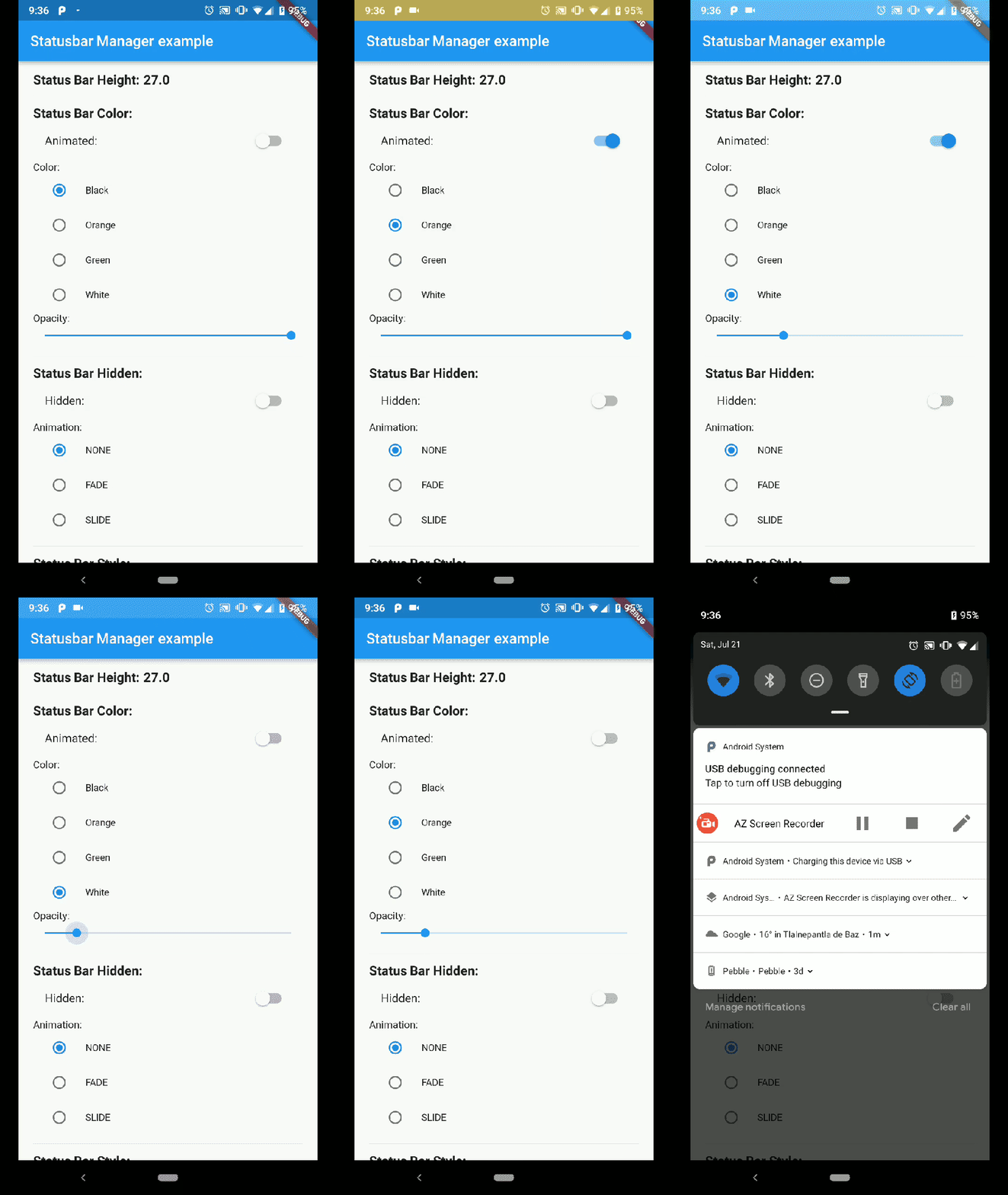
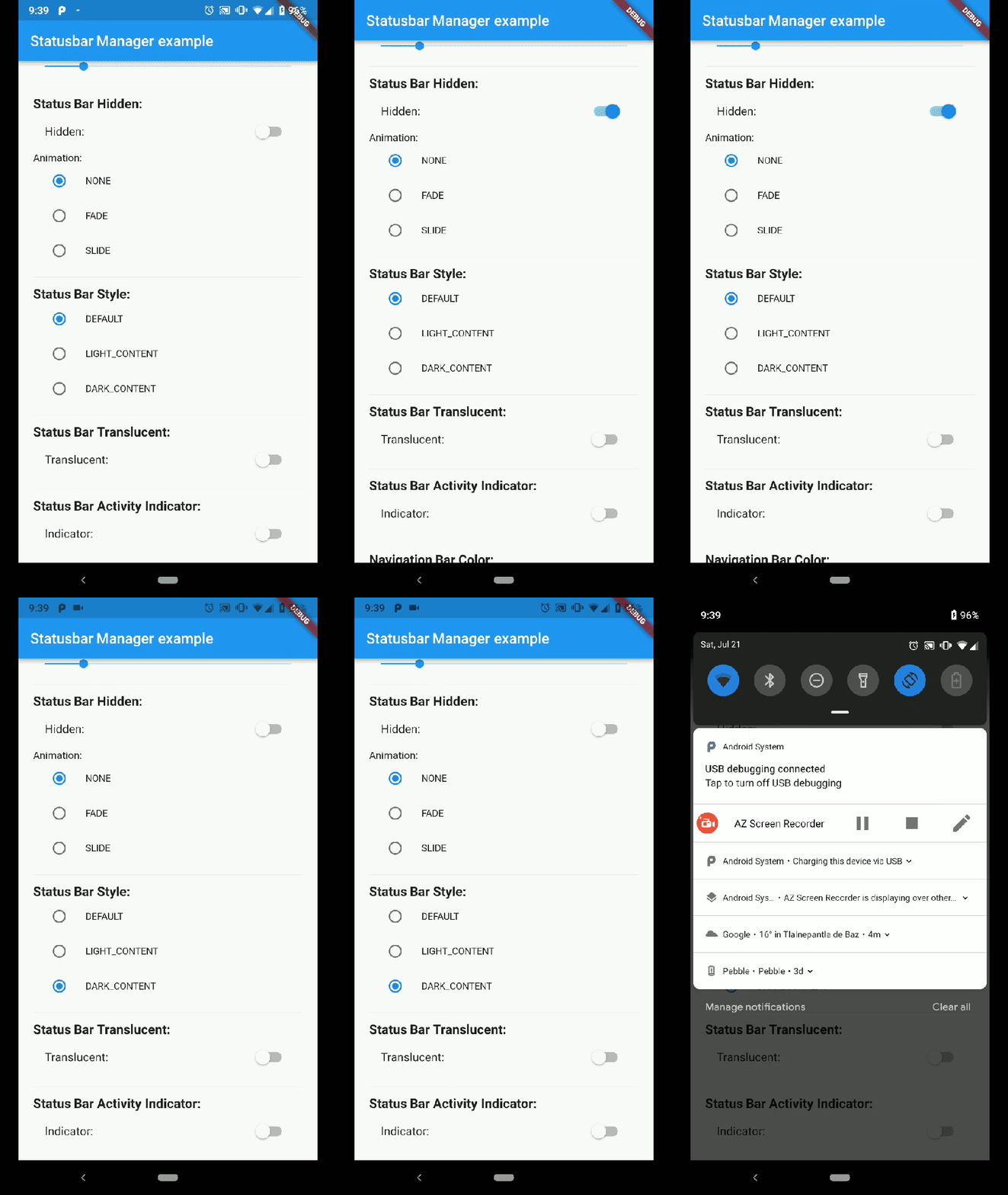
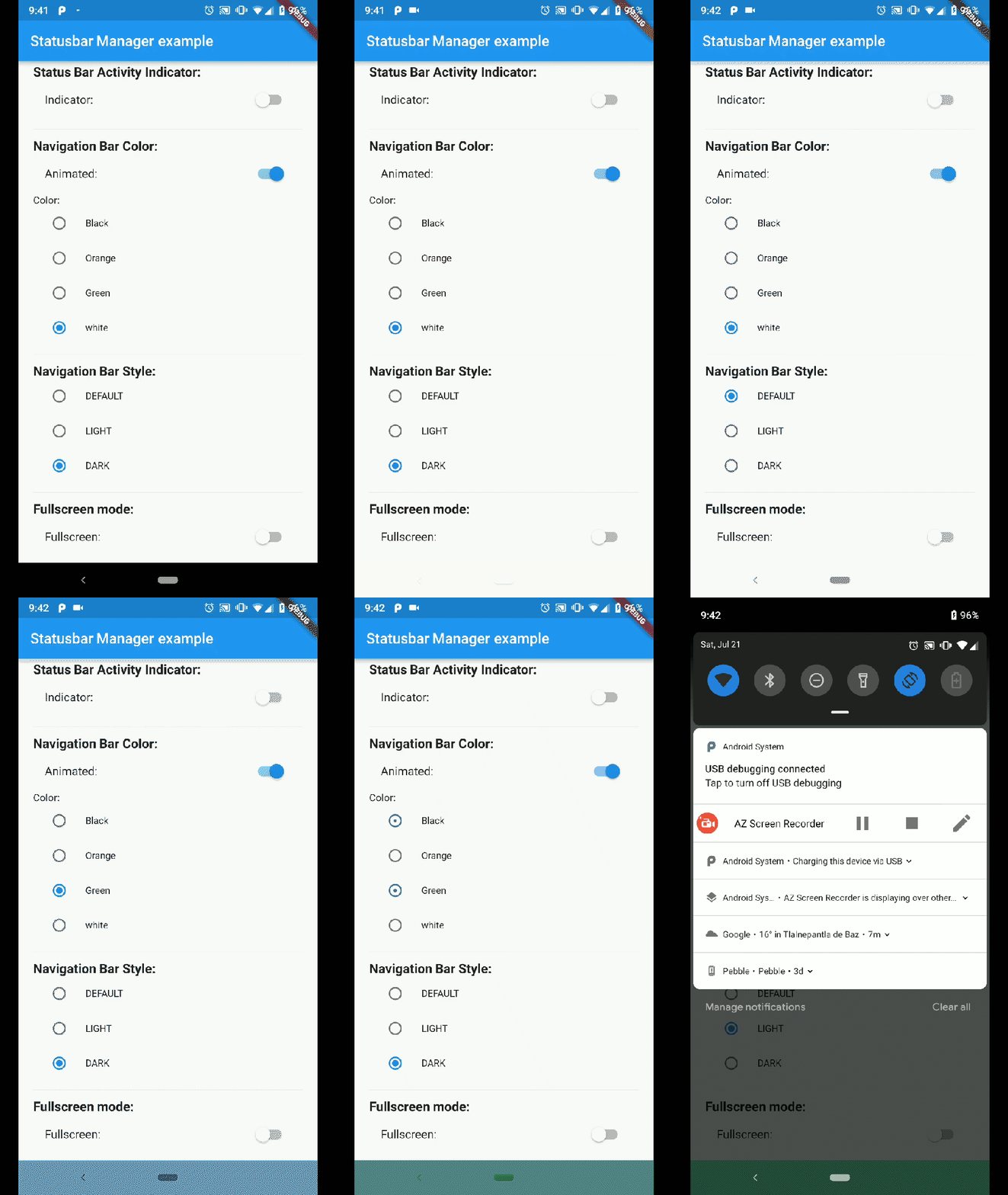
Android
| Status Bar Color | Status Bar Hide | Navigation Bar |
|---|---|---|
 |
 |
 |
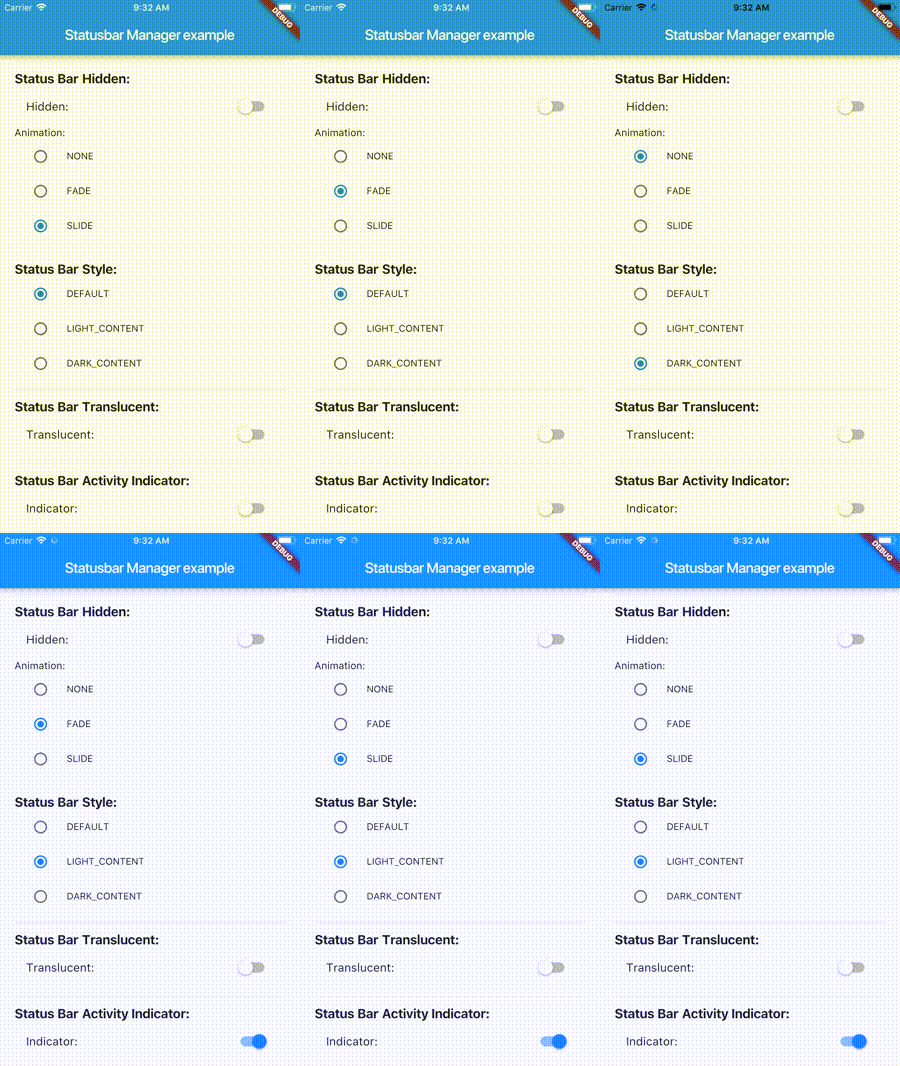
iOS
| Demo Iphone 8 | Demo Iphone X |
|---|---|
 |
 |
Note: not all of the shown examples might still work in the latest versions of Android or iOS
Installation #
status_bar_control_plus : ^3.2.0
to your pubspec.yaml and run
flutter pub get
in your project's root directory.
Basic Usage #
Create a new project with command
flutter create myapp
On iOS add the following in your Info.plist (if not already present):
<key>UIViewControllerBasedStatusBarAppearance</key>
<false/>
On Android add the following in your styles.xml (cutout-mode for API >27):
<item name="android:windowLayoutInDisplayCutoutMode" tools:targetApi="o_mr1">shortEdges</item>
Import the plugin in lib/main.dart like this:
import 'package:status_bar_control_plus/status_bar_control_plus.dart';
Methods #
setColor
Platforms: Android
The setColor method will set the status bar background color. On iOS the method will always return a successful Future.
| Parameter | Type | Default | Required | Description |
|---|---|---|---|---|
| color | Color |
none | Yes | The color to be set as background, can use colors with opacity. |
| animated | bool |
false | No | Whether or not to animate the color change. |
await StatusBarControlPlus.setColor(Colors.green, animated:true);
setTranslucent
Platforms: Android
The setTranslucent method will set the status bar translucent status. On iOS the methods will always return a successful Future.
| Parameter | Type | Default | Required | Description |
|---|---|---|---|---|
| translucent | bool |
none | Yes | Whether or not the status bar will be translucent. |
await StatusBarControlPlus.setTranslucent(true);
setHidden
Platforms: Android, iOS
The setHidden will hide the status bar.
| Parameter | Type | Default | Required | Description |
|---|---|---|---|---|
| hidden | bool |
none | Yes | Whether or not to hide the status bar. |
| animation | StatusBarAnimation |
StatusBarAnimation.NONE | No | The hiding animation to use (iOS only). |
await StatusBarControlPlus.setHidden(true, animation:StatusBarAnimation.SLIDE);
setStyle
Platforms: Android, iOS
The setStyle method will set the status bar theme.
| Parameter | Type | Default | Required | Description |
|---|---|---|---|---|
| style | StatusBarStyle |
none | Yes | The status bar theme to use for styling, can either be light, dark, default. |
await StatusBarControlPlus.setStyle(StatusBarStyle.DARK_CONTENT);
setNetworkActivityIndicatorVisible
Platforms: iOS
The setNetworkActivityIndicatorVisible method will show or hide the activity indicator, On Android the method will always return a successful Future.
| Parameter | Type | Default | Required | Description |
|---|---|---|---|---|
| visible | bool |
none | Yes | Whether or not to show the activity indicator. |
await StatusBarControlPlus.setNetworkActivityIndicatorVisible(true);
getHeight
Platforms: Android, iOS
The getHeight getter method will return the height of the status bar.
double height = await StatusBarControlPlus.getHeight
Bonus Methods #
setNavigationBarColor
Platforms: Android
The setNavigationBarColor method will set the navigation bar background color. On iOS the method will always return a successful Future.
| Parameter | Type | Default | Required | Description |
|---|---|---|---|---|
| color | Color |
none | Yes | The color to be set as background. |
| animated | bool |
false | No | Whether or not to animate the color change. |
await StatusBarControlPlus.setNavigationBarColor(Colors.green, animated:true);
setNavigationBarStyle
Platforms: Android
The setNavigationBarStyle method will set the navigation bar theme.
| Parameter | Type | Default | Required | Description |
|---|---|---|---|---|
| style | NavigationBarStyle |
none | Yes | The navigation bar theme to use for styling, can either be light, dark, default. |
await StatusBarControlPlus.setNavigationBarStyle(NavigationBarStyle.DARK);
setFullscreen
Platforms: Android, iOS
The setFullscreen method will set the app in fullscreen mode.
| Parameter | Type | Default | Required | Description |
|---|---|---|---|---|
| fullscreen | bool |
none | Yes | Whether or not to set the app on fullscreen mode. |
await StatusBarControlPlus.setNavigationBarStyle(NavigationBarStyle.DARK);
Enums #
StatusBarStyle
- StatusBarStyle.DEFAULT
- StatusBarStyle.LIGHT_CONTENT
- StatusBarStyle.DARK_CONTENT
StatusBarAnimation
- StatusBarAnimation.NONE
- StatusBarAnimation.FADE
- StatusBarAnimation.SLIDE
NavigationBarStyle
- NavigationBarStyle.DEFAULT
- NavigationBarStyle.DARK
- NavigationBarStyle.LIGHT
Status bar #
Compatibility: Android (6.0+) & iOS
On Android, it will only work with Android 6.0 (Marshmallow) and above devices.
Navigation bar #
Compatibility: Android only
Android 5.0 (Lollipop) and above: color
Android 8.0 (Oreo) and above: style (dark/light)
Metadata
Publisher
Weekly Downloads
Metadata
Status Bar Control Plus, lets you control the status bar color, style (theme), visibility, and translucent properties across iOS and Android.
Repository (GitHub)
View/report issues
Documentation
License
 MIT (license)
Dependencies
More
Packages that depend on status_bar_control_plus
Packages that implement status_bar_control_plus

