
shaped_bottom_bar 0.0.1  shaped_bottom_bar: ^0.0.1 copied to clipboard
 badrkouki.dev
Custom Flutter bottom bar navigation with multiple shapes
shaped bottom bar #
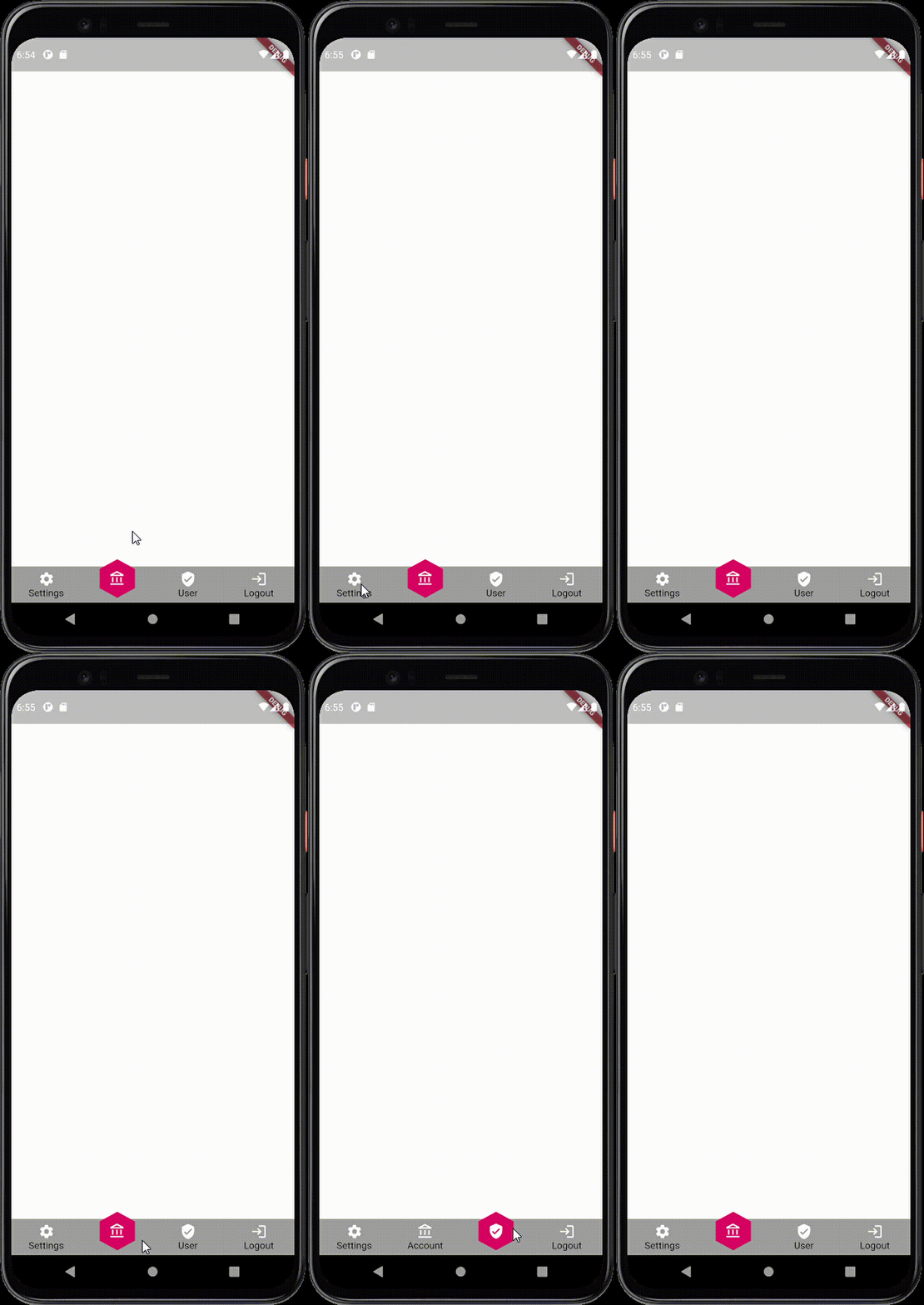
A new bottom bar in Flutter! a shaped bottom bar.
Choose your shape (circle, square, hexagon...) and let us do the work.
- Installation
- Widgets introduction
- Example
Installing #
Add this line to pubspec
dependencies:
    shaped_bottom_bar: ^0.0.1
Widgets #
ShapedBottomBar This the main widget that will create the bottom bar.
With just two required parameters you get a full bottom bar.
required parameters
onItemChangedfunction that trigger every time you switch between itemslistItemslist of typeShapedItemObjectthat will be rendered in the bottom bar
this will create a simple bottom bar without any shape with just a different color for the selected item
Other parameters
shapevariable of typeShapeTypeenum contains all available shapes, by default it's set to NoneshapeColorthe color of the shape once it selected, by default it's nullselectedIconColorthe selected icon color, by default it's whitebackgroundColorthe background of the shaped bottom bar, by default it's blueselectedItemIndexthe default selected item, by default it's the first one (index 0)
ShapedBottomBarItem the widget that will be used in the listItems parameters in the ShapedBottomBar widget
This widget contains just four parameters.
required parameters
iconvariable of typeIconDatait represent the icon that the item will get
Other parameters
textthe item text, by default it's an empty text.themeColorcolor that will be set to the icon. by default it's blackrenderWithTextby default it's false, this will indicate whether the widget will render the text or not.
Example #
this will generate a normale bottom bar without any shape.
ShapedBottomBar(
 	backgroundColor: Colors.grey,
    listItems: [
       ShapedItemObject(iconData: Icons.settings, title: "Settings"),
       ShapedItemObject(iconData: Icons.account_balance_outlined, title: "Account"),
       ShapedItemObject(iconData: Icons.verified_user_rounded, title: "User"),
       ShapedItemObject(iconData: Icons.login, title: "Logout"),
      ],
   onItemChanged: (position) {
     setState(() {
        this.selectedItem = position;
     });
  },
  selectedIconColor: Colors.white
)
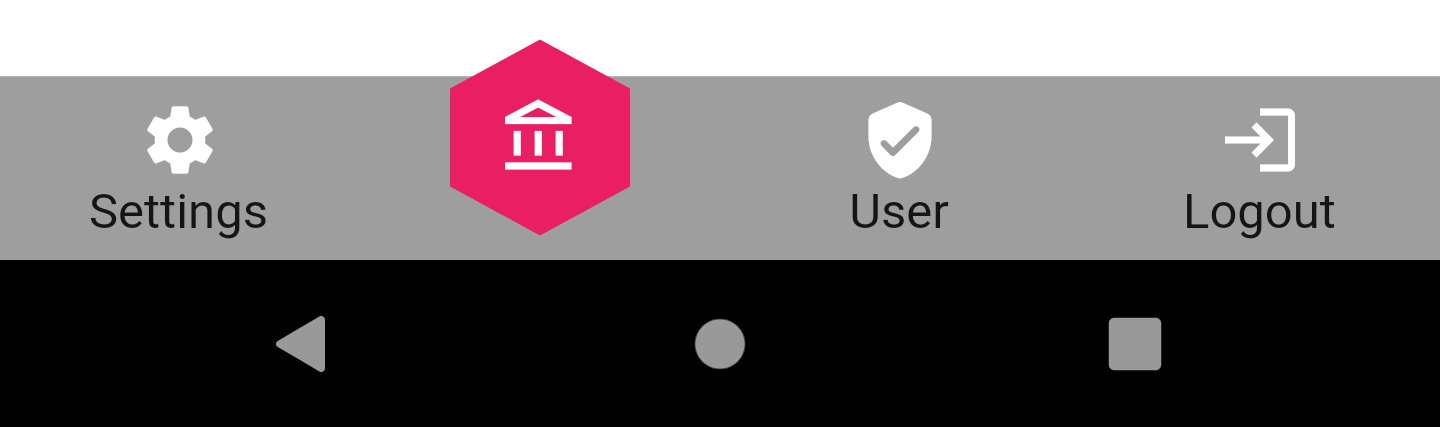
And the example below will generate a bottom bar with an hexagon shape
ShapedBottomBar(
	backgroundColor:  Colors.grey,
	iconsColor:  Colors.white,
	listItems: [
		ShapedItemObject(iconData:  Icons.settings, title:  "Settings"),
		ShapedItemObject(iconData:  Icons.account_balance_outlined, title:  "Account"),
		ShapedItemObject(iconData:  Icons.verified_user_rounded, title:  "User"),
		ShapedItemObject(iconData:  Icons.login, title:  "Logout"),
	],
	onItemChanged: (position) {
		setState(() {
			this.selectedItem = position;
		});
	},
	shapeColor:  Colors.pink,
	selectedIconColor:  Colors.white,
	shape:  ShapeType.HEXAGONE
)
Happy to get your issues and feedback on the project repository in the link below: Link to repository
Metadata
Publisher
Weekly Downloads
Metadata
Custom Flutter bottom bar navigation with multiple shapes
Repository (GitHub)
View/report issues
License
 unknown (license)

