
scryfall_api_symbols 1.0.1  scryfall_api_symbols: ^1.0.1 copied to clipboard
 zmuranaka.dev
Enhance the scryfall_api package with the ability to easily display the MTG symbols as Flutter widgets.
Extension for the scryfall_api package that simplifies displaying MTG symbols as Flutter widgets.
Examples #
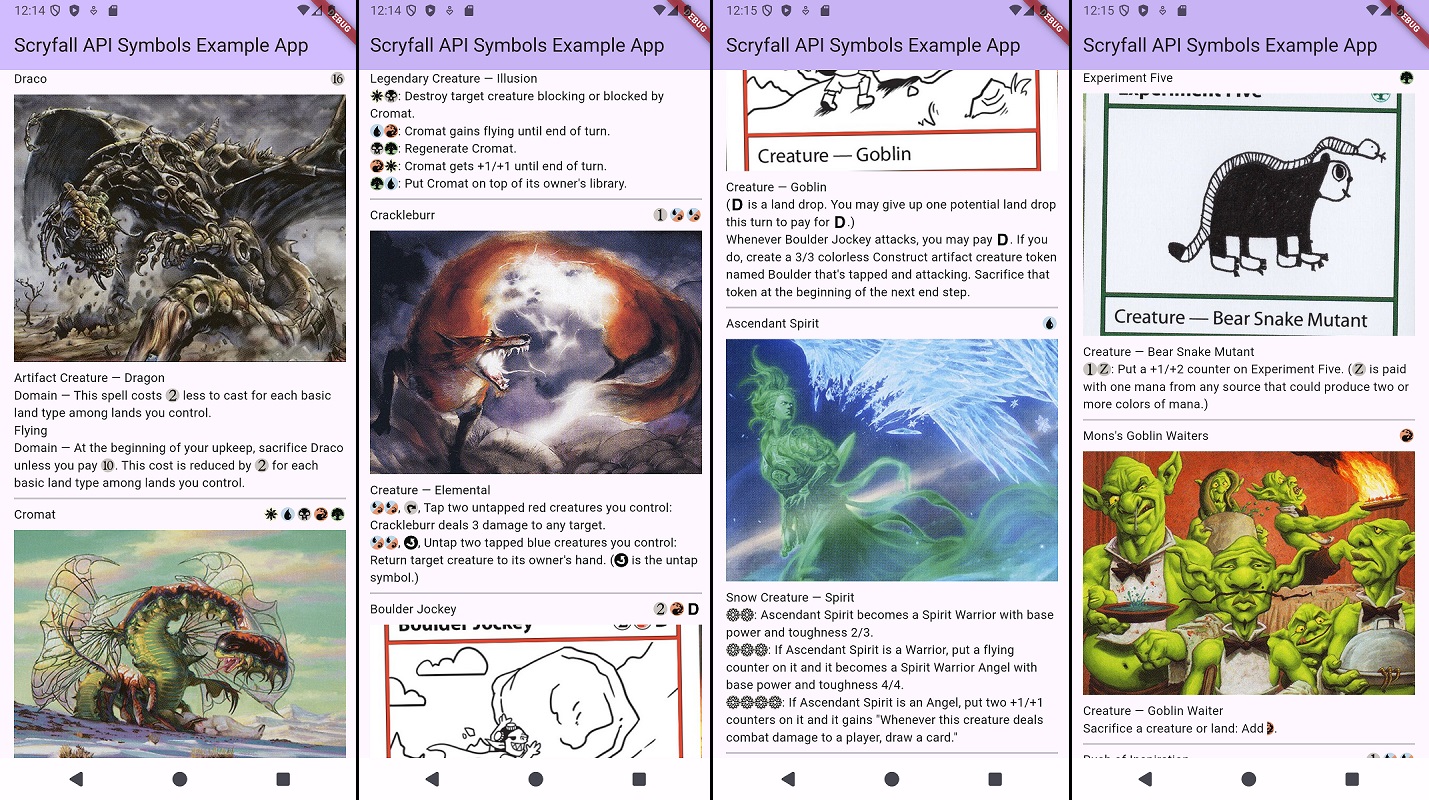
Develop custom MTG Flutter widgets easily with full support for MTG mana and other symbols:
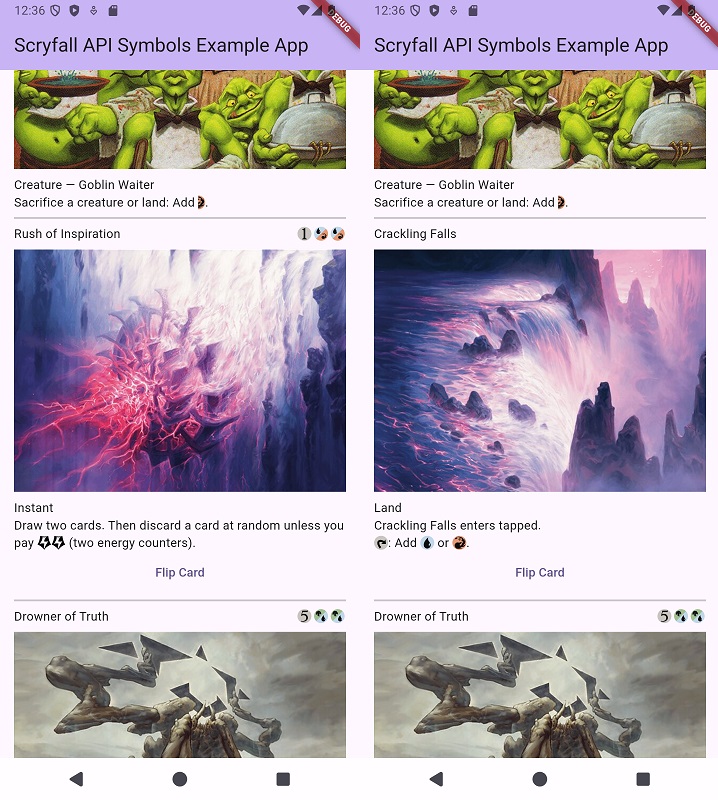
Full support for flip cards as well:
Features #
- SVGs for all MTG symbols
- Extensions on the scryfall_api package's MtgCard and CardFace models that provide methods to display the MTG symbols SVGs.
- Works on Android, iOS, Linux, MacOS, Web, Windows
Getting started #
In order to use this package, you should already be using the scryfall_api package as an explicit dependency. This means your pubspec.yaml should look something like this:
dependencies:
  flutter:
    sdk: flutter
  scryfall_api: ^2.1.0
In any file you have instantiated an MtgCard or a CardFace instance, you can import the following files that contain the extensions:
import 'package:scryfall_api_symbols/extensions/prepared_mana_cost.dart';
import 'package:scryfall_api_symbols/extensions/prepared_oracle_text.dart';
API #
MtgCard #
MtgCardPreparedManaCost extension
| Method | Description | Return Type |
|---|---|---|
| preparedManaCost | Displays the card's mana cost using MTG symbol SVGs | List<Widget>? |
MtgCardPreparedOracleText extension
| Method | Description | Return Type |
|---|---|---|
| preparedOracleText | Displays the card's oracle text using MTG symbol SVGs | TextSpan? |
CardFace #
CardFacePreparedManaCost extension
| Method | Description | Return Type |
|---|---|---|
| preparedManaCost | Displays the card face's mana cost using MTG symbol SVGs | List<Widget>? |
CardFacePreparedOracleText extension
| Method | Description | Return Type |
|---|---|---|
| preparedOracleText | Displays the card face's oracle text using MTG symbol SVGs | TextSpan? |
Example #
Below shows an example of how to display a simple widget. The example assumes you already have an MtgCard instance named blackLotus.
final cardImage = blackLotus.imageUris?.artCrop.toString();
final child = Column(
  crossAxisAlignment: CrossAxisAlignment.start,
  children: [
    Row(
      children: [
        Text(blackLotus.name),
        const Spacer(),
        ...?blackLotus.preparedManaCost(),
      ],
    ),
    const SizedBox(height: 8.0),
    if (cardImage != null) Image.network(cardImage),
    const SizedBox(height: 8.0),
    Text(blackLotus.typeLine),
    Text.rich(blackLotus.preparedOracleText() ??
        TextSpan(text: blackLotus.oracleText)),
  ],
);
return Scaffold(
  appBar: AppBar(
    backgroundColor: Theme.of(context).colorScheme.inversePrimary,
    title: Text('Scryfall API Symbols Example App'),
  ),
  body: SafeArea(
    child: Center(child: child),
  ),
);
For a more detailed example, look in the example directory.
Contributing #
Contributions are welcome! Be sure to follow the linter rules defined in the analysis_options file.
Legal #
As part of the Wizards of the Coast Fan Content Policy, this package is provided free of charge to view, access, share, and use without paying for anything, obtaining any approval, or giving anyone credit.
scryfall_api_symbols is unofficial Fan Content permitted under the Fan Content Policy. Not approved/endorsed by Wizards. Portions of the materials used are property of Wizards of the Coast. ©Wizards of the Coast LLC.
Scryfall has not endorsed scryfall_api_symbols or the developers of the package.
Metadata
Publisher
Weekly Downloads
Metadata
Enhance the scryfall_api package with the ability to easily display the MTG symbols as Flutter widgets.
Repository (GitHub)
View/report issues
License
 unknown (license)
Dependencies
flutter, flutter_svg, scryfall_api

