
sankey_flutter 0.0.3  sankey_flutter: ^0.0.3 copied to clipboard
Flutter package for interactive Sankey diagrams with gradient links, node selection, and d3-sankey layout algorithm.
Sankey Flutter #


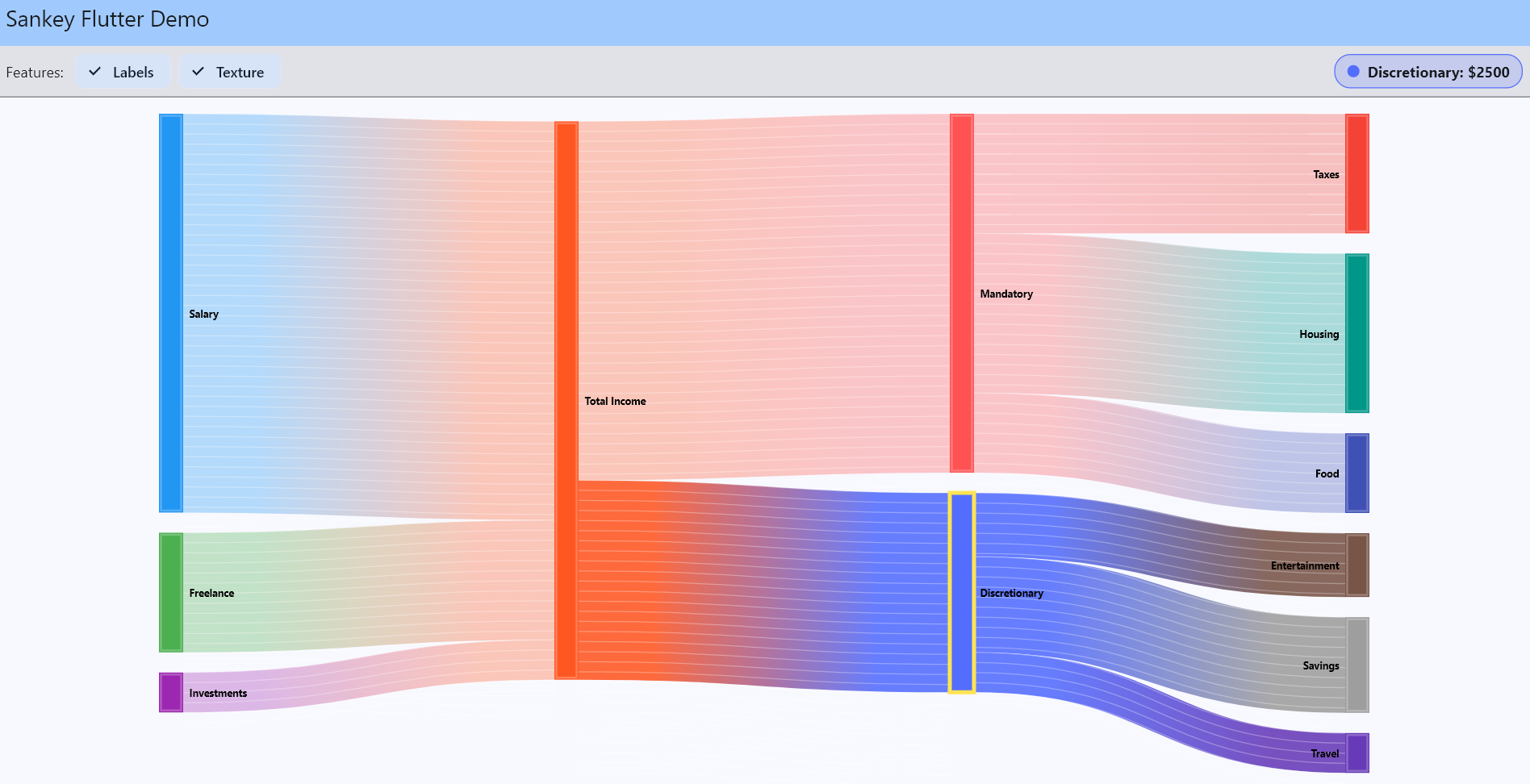
A Flutter package for rendering beautiful and interactive Sankey diagrams. This package adapts the proven d3-sankey layout algorithm into Dart, enabling complex node-link flow diagrams with high performance directly in your Flutter apps.
What's New in v0.0.3 #
- Gradient Links - Smooth color transitions between source and target nodes
- Texture Overlay - Optional subtle patterns on links for enhanced visual depth
- HSL Selection Borders - Contrasting borders on selected nodes using intelligent color manipulation
- Type Safety - Strongly typed
SankeyLink.sourceandSankeyLink.targetasSankeyNode - Improved API - New
onNodeSelected(SankeyNode?)callback with full node object access - Responsive Example - Demo app with
LayoutBuilderfor adaptive sizing
Features #
- Gradient Links: Smooth color transitions between source and target nodes using LinearGradient shaders
- Interactive Selection: Tap nodes to select them with HSL-based contrasting border highlights
- Texture Overlay: Optional subtle texture patterns on links for enhanced visual depth
- Dynamic Layout: Automatically compute node and link positions using d3-sankey algorithm
- Customizable Appearance: Adjust node width, padding, alignment, colors, and theming
- Responsive Design: Built-in support for responsive layouts using LayoutBuilder
- Toggleable Labels: Show or hide node labels as needed
Installation #
Add the following dependency to your pubspec.yaml file:
dependencies:
  sankey_flutter: ^0.0.3
Then run:
flutter pub get
Quick Start #
import 'package:flutter/material.dart';
import 'package:sankey_flutter/sankey_helpers.dart';
import 'package:sankey_flutter/sankey_node.dart';
import 'package:sankey_flutter/sankey_link.dart';

// 1. Define your nodes
final nodes = [
  SankeyNode(id: 0, label: 'Source A'),
  SankeyNode(id: 1, label: 'Source B'),
  SankeyNode(id: 2, label: 'Target'),
];

// 2. Define links between nodes
final links = [
  SankeyLink(source: nodes[0], target: nodes[2], value: 100),
  SankeyLink(source: nodes[1], target: nodes[2], value: 50),
];

// 3. Generate colors and layout
final nodeColors = generateDefaultNodeColorMap(nodes);
final dataSet = SankeyDataSet(nodes: nodes, links: links);
final sankey = generateSankeyLayout(width: 600, height: 400);
dataSet.layout(sankey);

// 4. Use the widget
SankeyDiagramWidget(
  data: dataSet,
  nodeColors: nodeColors,
  size: Size(600, 400),
  showLabels: true,
  showTexture: true,
  onNodeSelected: (node) {
    print('Selected: ${node?.displayLabel}');
  },
)
Widget Parameters #
| Parameter | Type | Default | Description |
|---|---|---|---|
data |
SankeyDataSet |
required | The dataset containing nodes and links |
nodeColors |
Map<String, Color> |
required | Color map for node labels |
size |
Size |
Size(1000, 600) |
Canvas dimensions |
selectedNodeId |
int? |
null |
ID of currently selected node |
onNodeSelected |
Function(SankeyNode?)? |
null |
Callback when node is tapped |
showLabels |
bool |
true |
Whether to display node labels |
showTexture |
bool |
true |
Whether to show texture on links |
Example #
For a complete working example with interactive controls and responsive layout, see example/main.dart.
The example demonstrates:
- Toggle switches for labels and texture
- Node selection with value display
- Responsive sizing with LayoutBuilder
- Personal finance flow visualization
API Reference #
SankeyNode #
SankeyNode(id: dynamic, label: String?)
displayLabel: Returns label or falls back toid.toString()contains(Offset): Hit testing for tap detection
SankeyLink #
SankeyLink(source: SankeyNode, target: SankeyNode, value: double)
Layout Configuration #
generateSankeyLayout(
  width: 1000,      // Canvas width
  height: 600,      // Canvas height
  nodeWidth: 20,    // Width of each node
  nodePadding: 15,  // Vertical padding between nodes
)
Documentation #
For detailed API documentation, visit the pub.dev package page.
Contributing #
Contributions are welcome! This package strives to closely mirror the output of d3-sankey to ensure familiarity and reliability.
License #
This project is licensed under the BSD-3-Clause License.
Metadata
Publisher
unverified uploader
Weekly Downloads
Metadata
Flutter package for interactive Sankey diagrams with gradient links, node selection, and d3-sankey layout algorithm.
Repository (GitHub)
View/report issues
Documentation
License
 BSD-3-Clause (license)

