
rich_form_field 0.2.2  rich_form_field: ^0.2.2 copied to clipboard
 asion.dev
Rich text form field with toolbar, styling ranges, and HTML codec output.
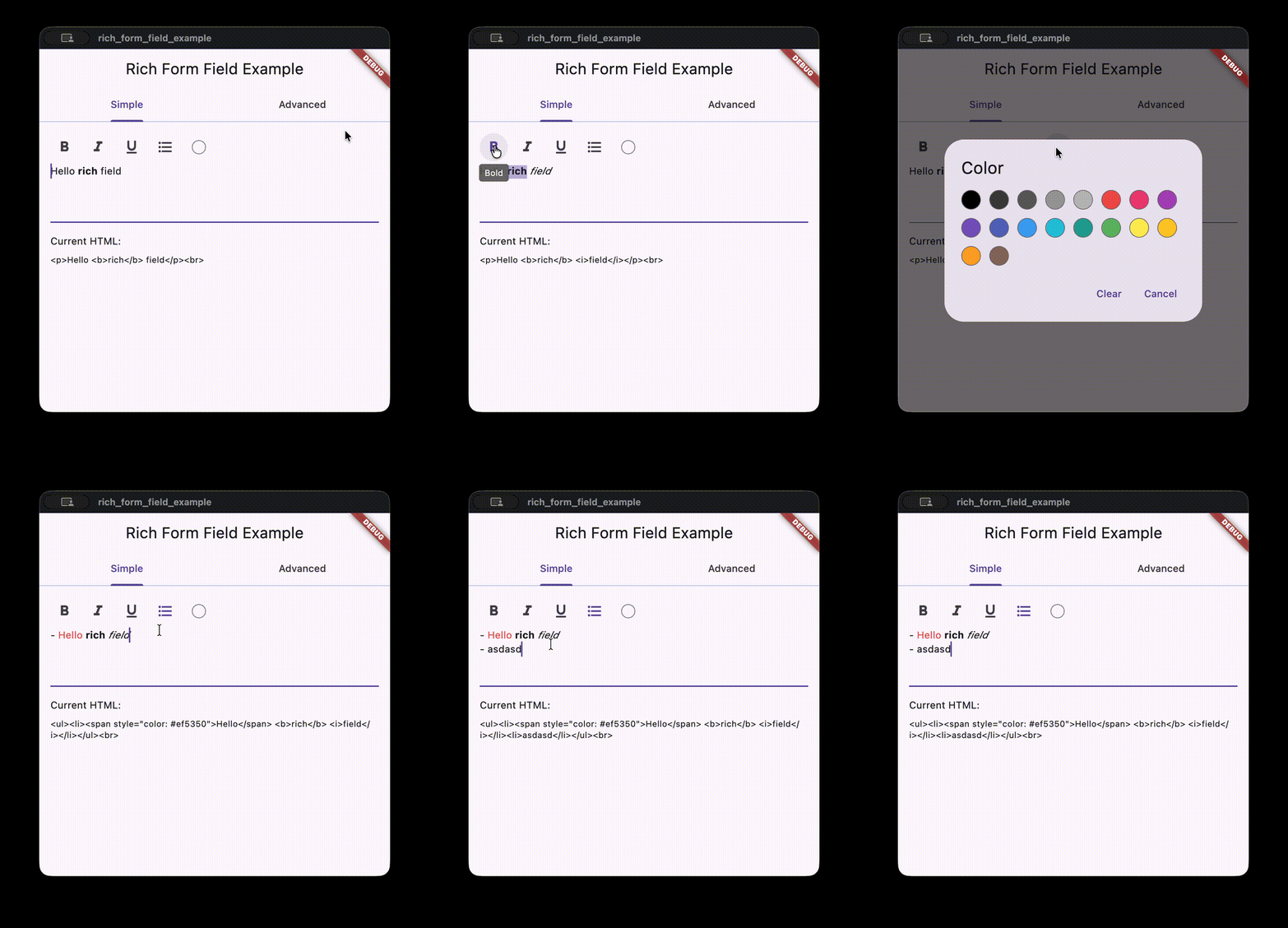
Rich text form field with a formatting toolbar, inline style ranges, and HTML codec output. Designed for simple rich text input in Flutter forms.
Features #
HtmlRichTextFormFieldwith bold, italic, underline, list, and color tools.HtmlRichTextControllerthat tracks style ranges and produces HTML output.- Pluggable
RichTextCodecfor alternative save formats. - Optional auto-insert list markers when pressing Enter.
- HTML parsing backed by
package:htmland a simple tag subset.
Getting started #
Add the dependency to pubspec.yaml:
dependencies:
  rich_form_field: ^0.2.0
Usage #
HtmlRichTextFormField(
  autoInsertListMarkers: false,
  strings: const RichTextEditorStrings(
    bold: 'Bold',
    italic: 'Italic',
    underline: 'Underline',
    list: 'List',
    textColor: 'Color',
    clear: 'Clear',
    cancel: 'Cancel',
  ),
  onChanged: (html) {
    // Persist the HTML output.
  },
)
Reading HTML or raw text #
final controller = HtmlRichTextController();

void _submit() {
  final html = controller.encoded;
  final rawText = controller.text;
  // Send html/rawText to your backend.
}

HtmlRichTextFormField(
  controller: controller,
  strings: const RichTextEditorStrings(
    bold: 'Bold',
    italic: 'Italic',
    underline: 'Underline',
    list: 'List',
    textColor: 'Color',
    clear: 'Clear',
    cancel: 'Cancel',
  ),
)
Advanced example #
const customStyles = [
  RichTextCustomStyle(
    key: 'highlight',
    tag: 'mark',
    className: 'highlight',
    styleBuilder: _highlightStyle,
  ),
];

final controller = HtmlRichTextController(
  html: '<p>Hello <b>rich</b> field.</p>',
  codec: HtmlRichTextCodec(customStyles: customStyles),
  customStyles: customStyles,
);

HtmlRichTextFormField(
  controller: controller,
  customStyles: customStyles,
  toolbarTools: const [
    DefaultTool.bold,
    DefaultTool.italic,
    DefaultTool.color,
    DefaultTool.list,
    DefaultTool.underline,
  ],
  customTools: [
    RichTextCustomTool(
      id: 'highlight',
      iconBuilder: (context, isActive) {
        final color = isActive
            ? Theme.of(context).colorScheme.primary
            : Theme.of(context).iconTheme.color;
        return Icon(Icons.star, color: color);
      },
      tooltip: 'Highlight',
      onPressed: (controller) => controller.toggleCustomStyle('highlight'),
      isActive: (controller) => controller.isCustomStyleActive('highlight'),
    ),
  ],
  onPickColor: (context, currentColor) async {
    return showDialog<Color?>(
      context: context,
      builder: (context) => AlertDialog(
        title: const Text('Pick a color'),
        content: Wrap(
          spacing: 12,
          runSpacing: 12,
          children: [
            for (final color in [Colors.red, Colors.blue, Colors.green])
              InkWell(
                onTap: () => Navigator.of(context).pop(color),
                child: Container(
                  width: 28,
                  height: 28,
                  decoration: BoxDecoration(
                    color: color,
                    shape: BoxShape.circle,
                  ),
                ),
              ),
          ],
        ),
      ),
    );
  },
  strings: const RichTextEditorStrings(
    bold: 'Bold',
    italic: 'Italic',
    underline: 'Underline',
    list: 'List',
    textColor: 'Color',
    clear: 'Clear',
    cancel: 'Cancel',
  ),
)

TextStyle _highlightStyle(TextStyle base) {
  return base.copyWith(fontWeight: FontWeight.w600);
}
See the full example app in example/lib/main.dart.
Additional information #
Metadata
0
likes
150
points
322
downloads
Publisher
Weekly Downloads
Metadata
Rich text form field with toolbar, styling ranges, and HTML codec output.
Repository (GitHub)
View/report issues
Documentation
License
 MIT (license)

