
requests_inspector 4.0.4  requests_inspector: ^4.0.4 copied to clipboard
 abdelazeem-kuratem.engineer
A Flutter package for logging REST-APIs and GraphQL requests and accessing it by Shaking your phone to get the RequestsInspector widget on your screen.


requests_inspector 🕵 #

A Flutter package for logging API requests (Http Requests & GraphQL) requests.
Main Features: #
- Log your
Http request,GraphQLandWebSockets. - Intercept your requests and responses for testing.
- Share request details as json or as
cURLto re-run it again (ex.Postman).
And more and more
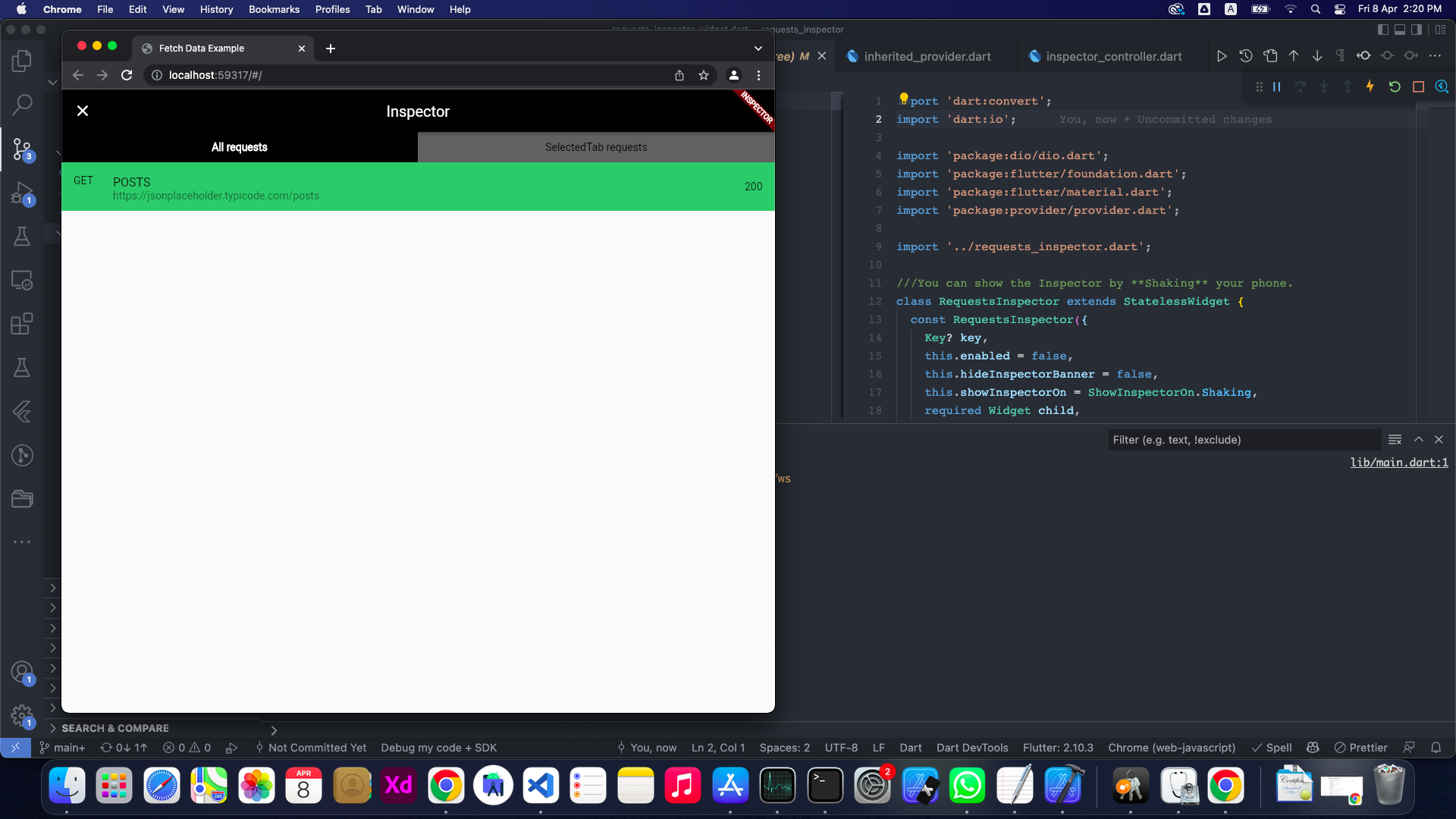
To get the RequestsInspector widget on your screen:
-
📱💃 : Shake your phone.
-
📱👈 : Long-Press on any free space on the screen.
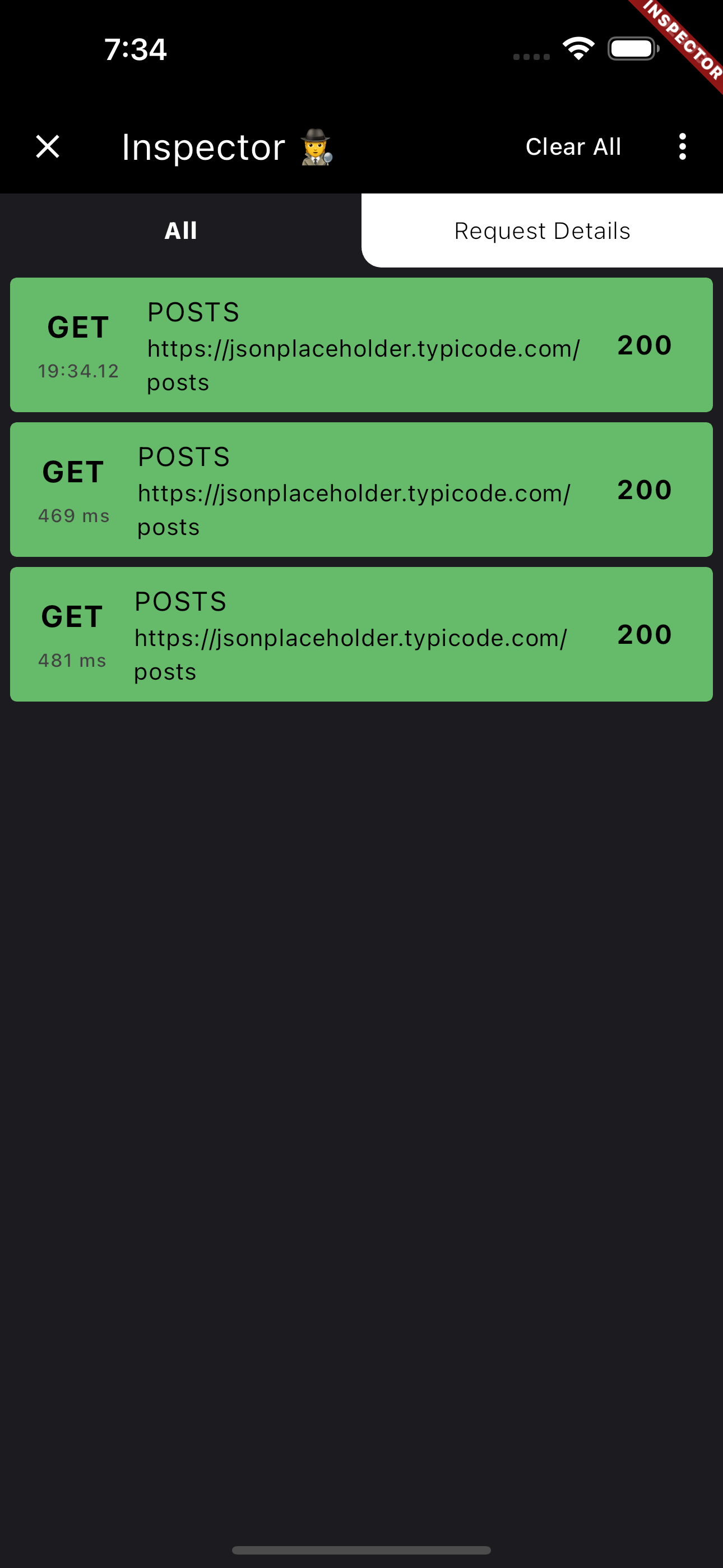
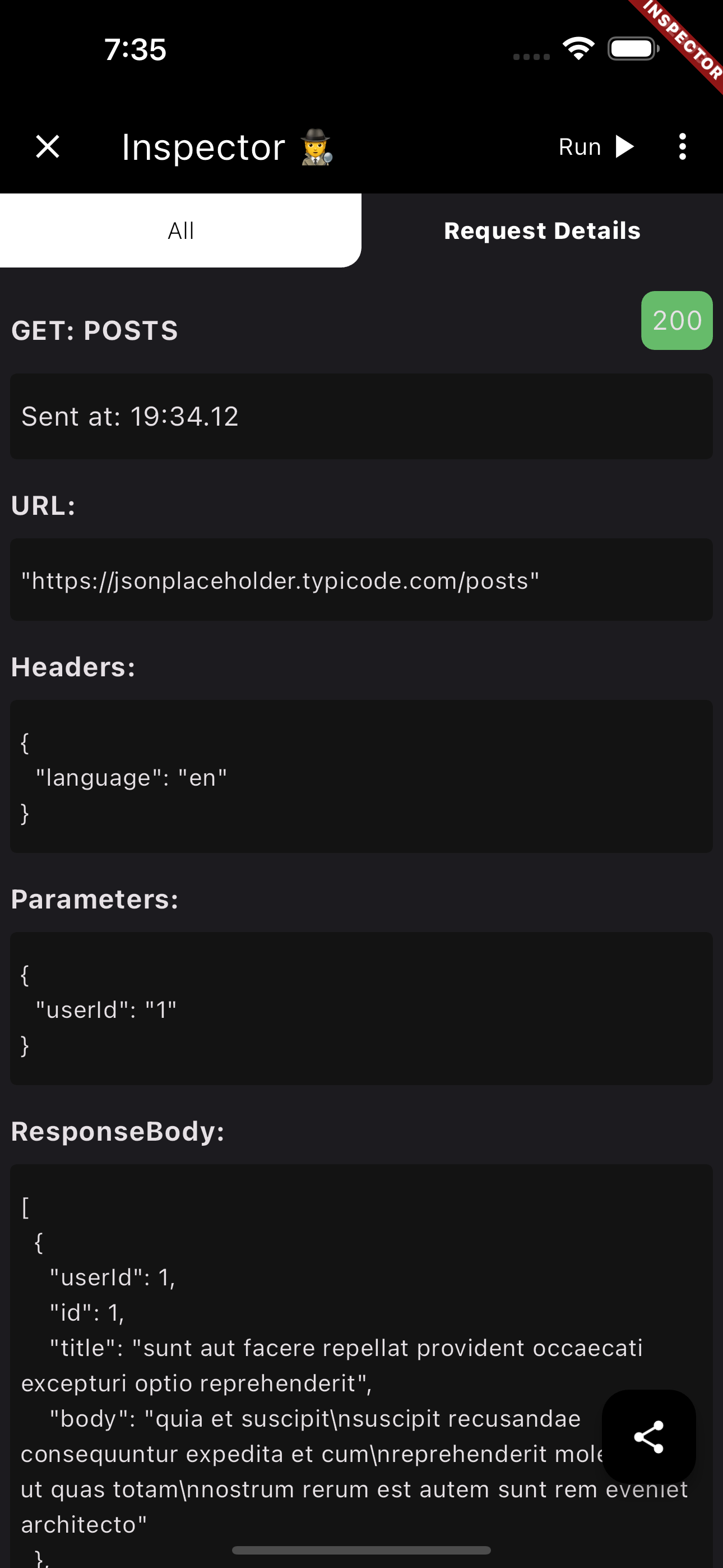
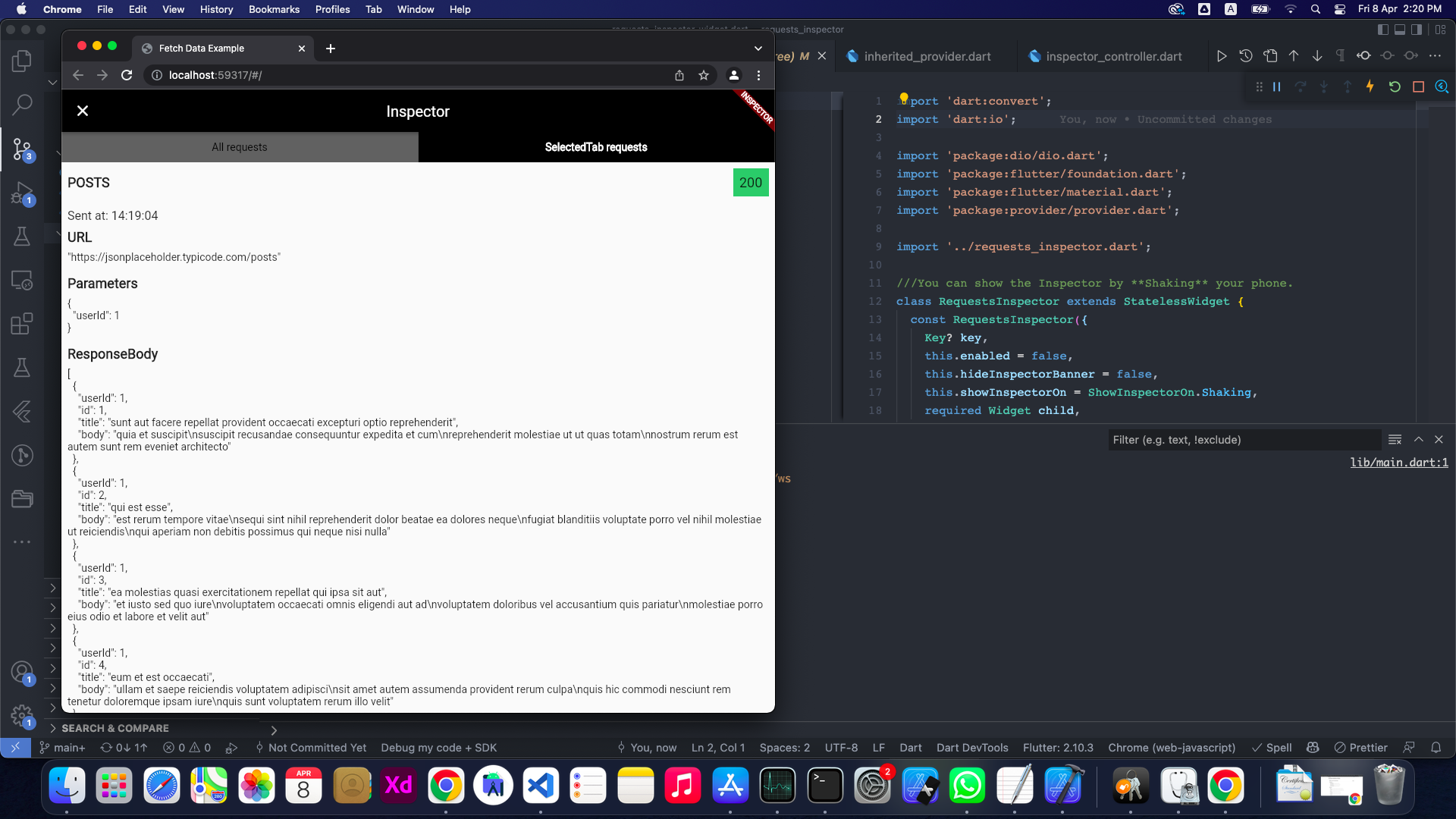
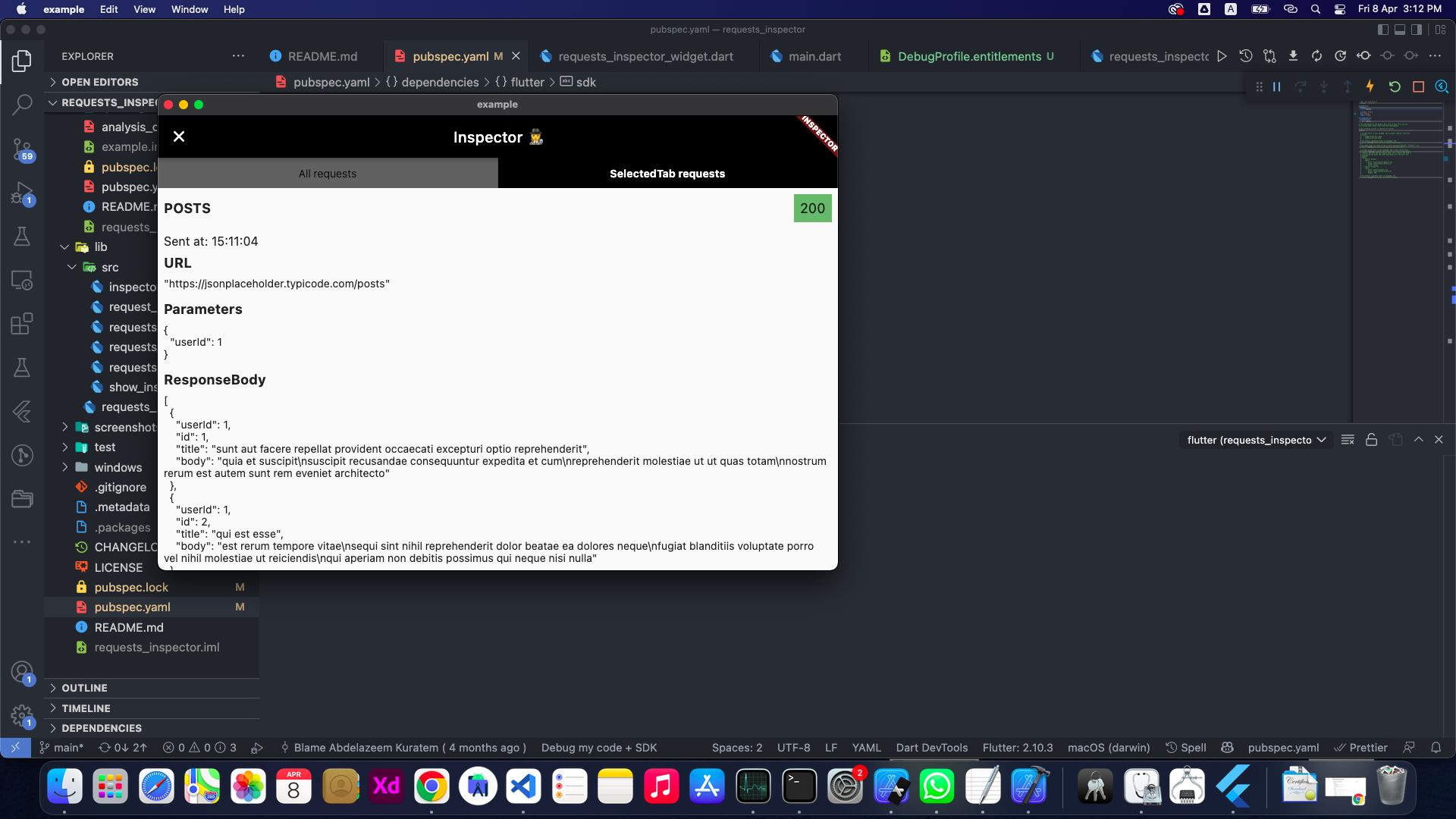
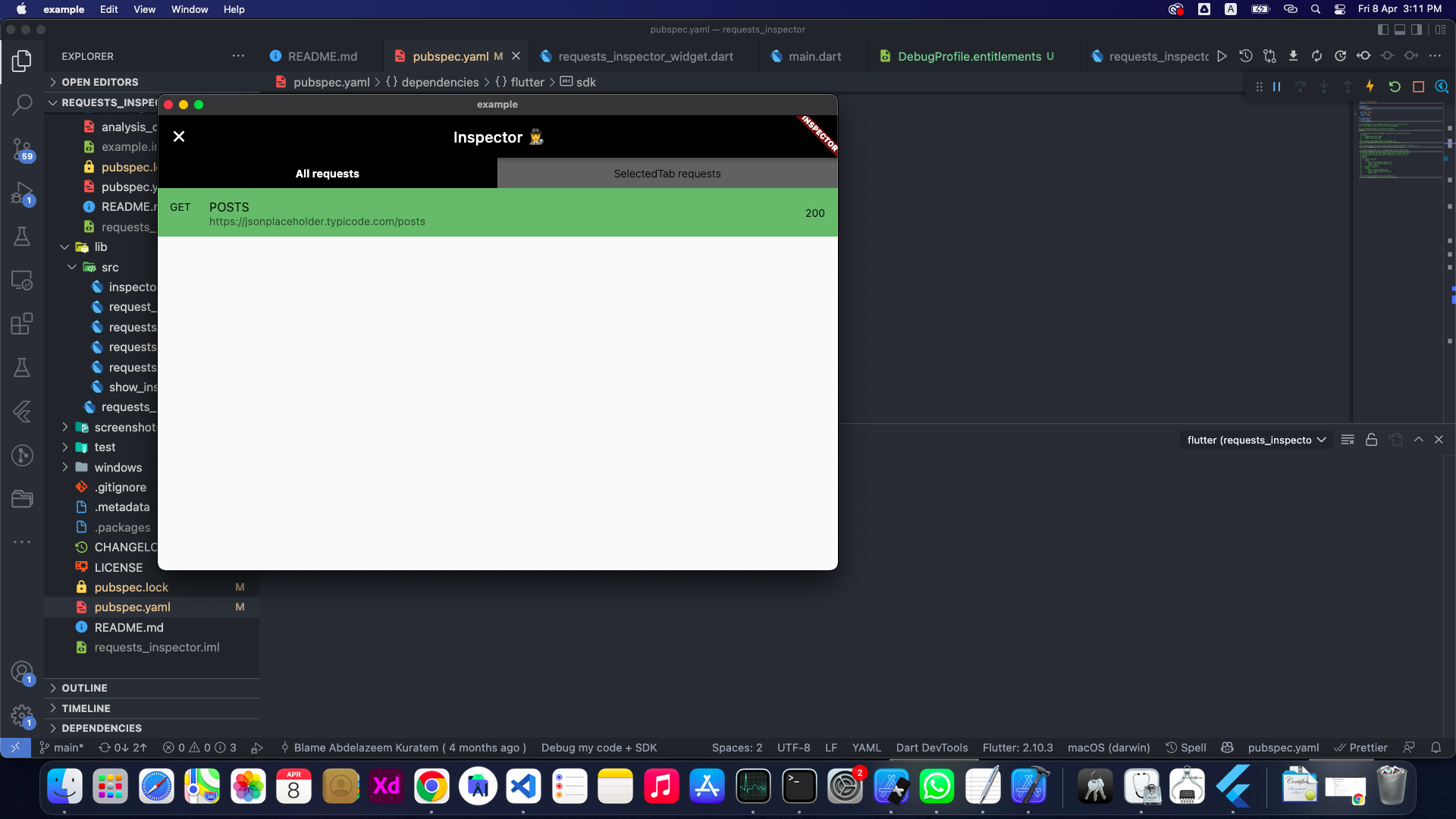
Also you can share the request details as (Log or cURL command) with your team to help them debug the API requests.
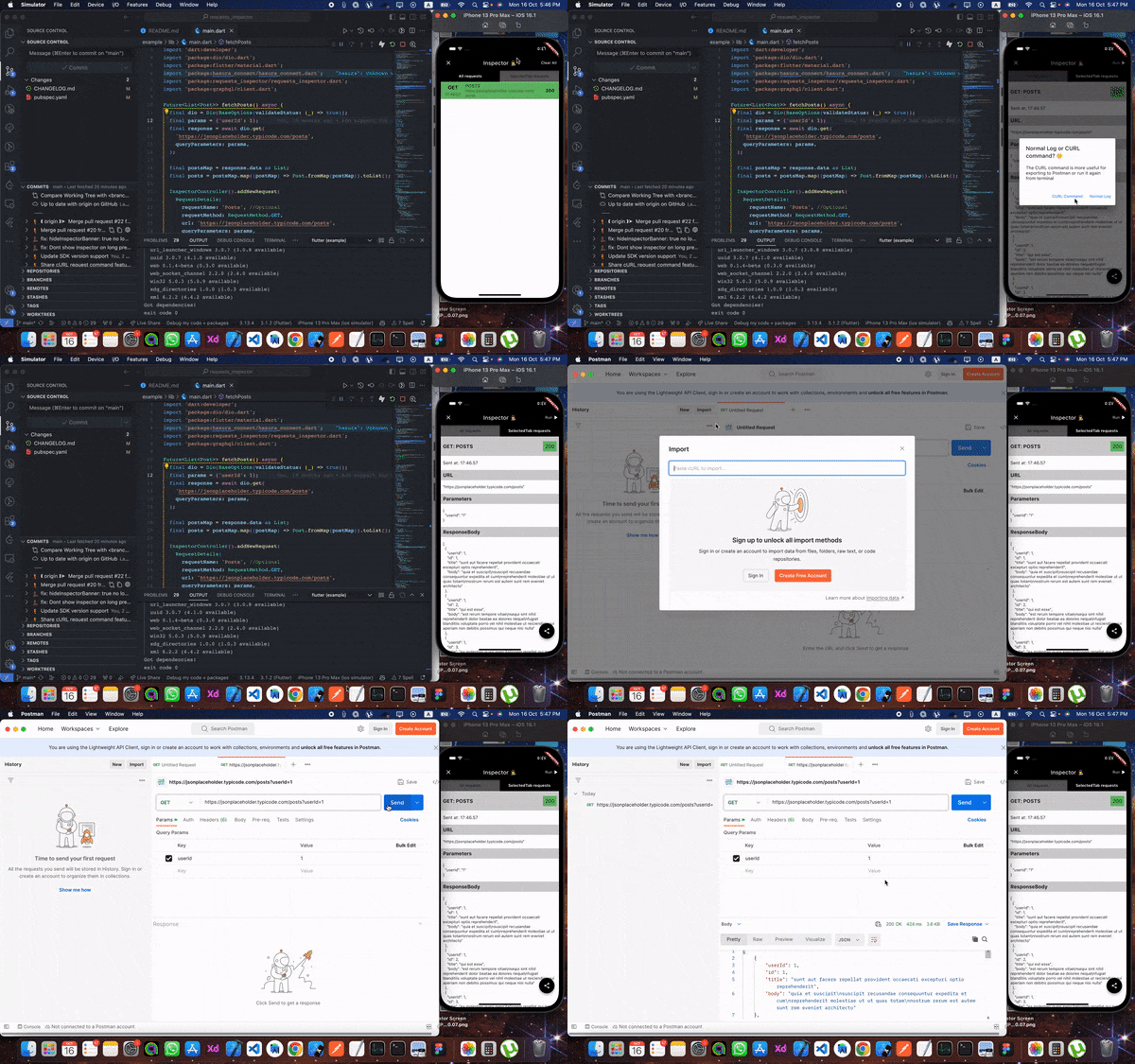
From Inspector to Postman 🧡 🎉️
Now you can extract cURL command from the inspector to send the request again from your terminal or Postman 💪💪
Setup #
First, add it at the top of your MaterialApp with enabled: true.
void main() {
  runApp(const RequestsInspector(
    child: MyApp(),
  ));
}
1. RESTful API: #
Using Dio, pass by RequestsInspectorInterceptor() to Dio.interceptors and we are good to go 🎉️🎉️.
final dio = Dio()..interceptors.add(RequestsInspectorInterceptor());
If you don't use Dio then don't worry #
In your API request just add a new RequestDetails using RequestInspectorController filled with the API data.
InspectorController().addNewRequest(
    RequestDetails(
        requestName: requestName,
        requestMethod: RequestMethod.GET,
        url: apiUrl,
        queryParameters: params,
        statusCode: responseStatusCode,
        responseBody: responseData,
        ),
    );
Real Restful example #
a. Normal InspectorController().addNewRequest.
Future<List<Post>> fetchPosts() async {
  final dio = Dio();
  final params = {'userId': 1};

  final response = await dio.get(
    'https://jsonplaceholder.typicode.com/posts',
    queryParameters: params,
  );

  final postsMap = response.data as List;
  final posts = postsMap.map((postMap) => Post.fromMap(postMap)).toList();

  InspectorController().addNewRequest(
    RequestDetails(
      requestName: 'Posts',
      requestMethod: RequestMethod.GET,
      url: 'https://jsonplaceholder.typicode.com/posts',
      queryParameters: params,
      statusCode: response.statusCode ?? 0,
      responseBody: response.data,
    ),
  );

  return posts;
}
b. Using RequestsInspectorInterceptor.
Future<List<Post>> fetchPosts() async {
  final dio = Dio()..interceptors.add(RequestsInspectorInterceptor());
  final response = await dio.get('https://jsonplaceholder.typicode.com/posts');

  final postsMap = response.data as List;
  final posts = postsMap.map((postMap) => Post.fromMap(postMap)).toList();

  return posts;
}
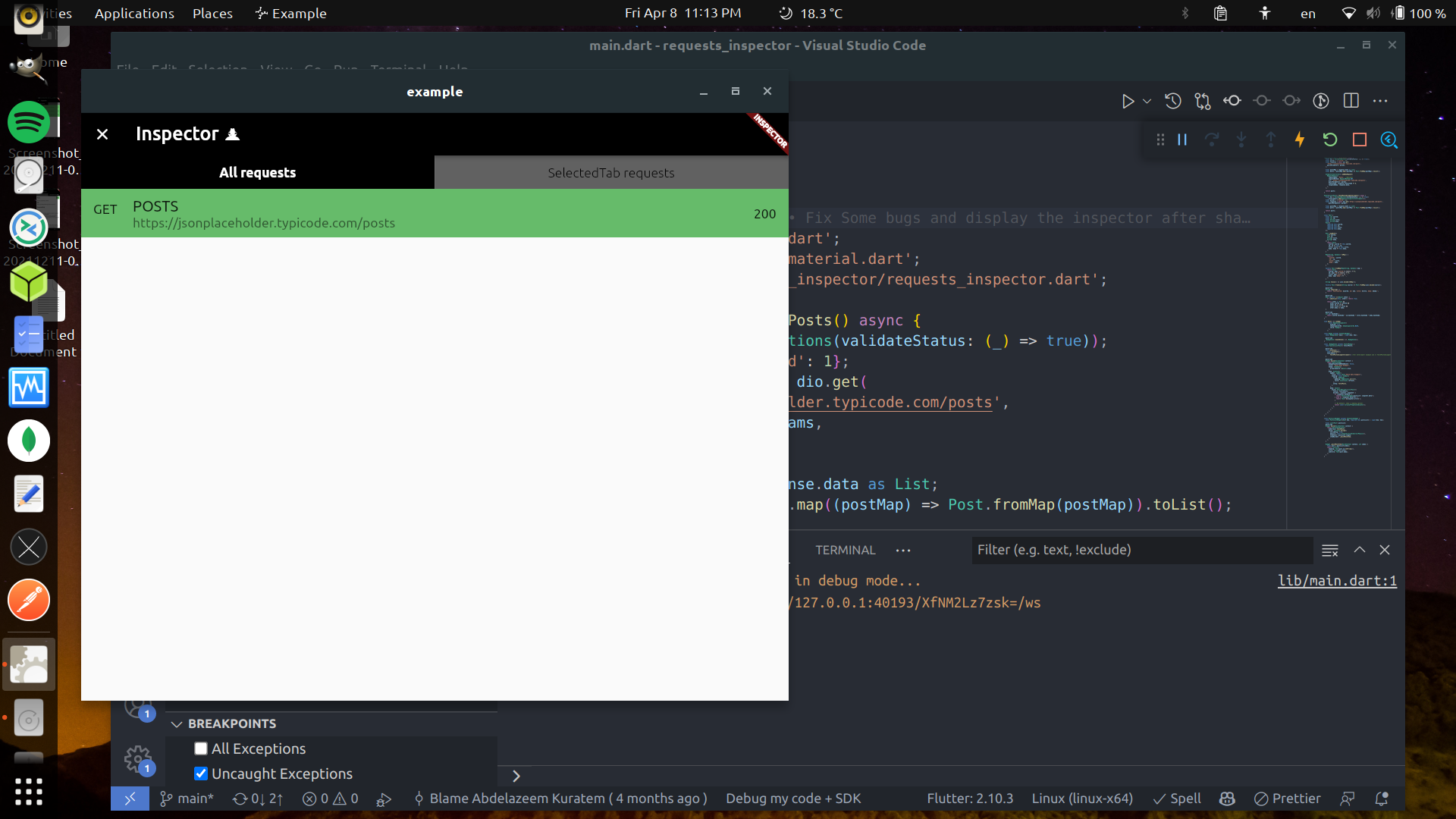
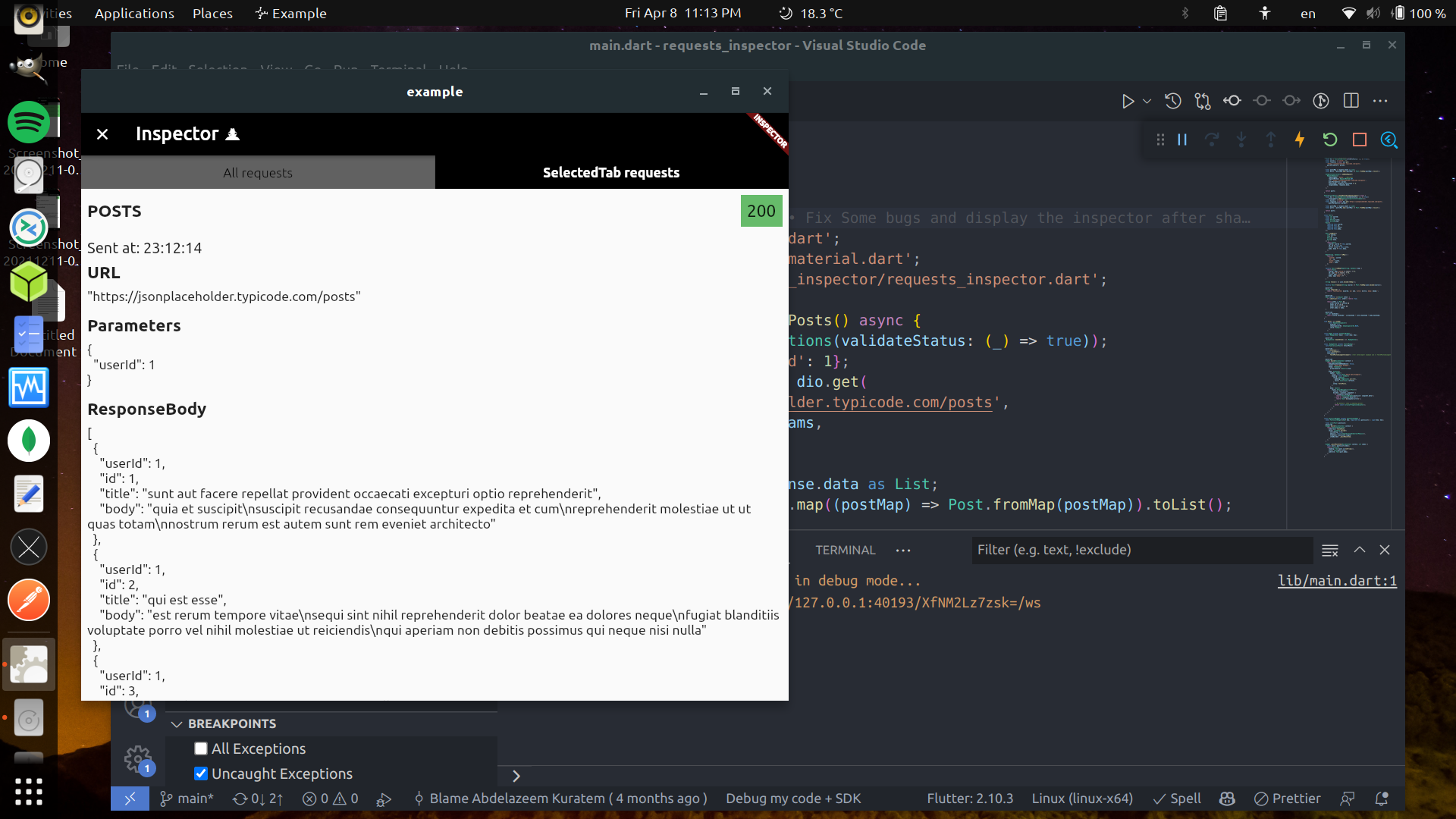
Finlay, Shake your phone to get the Inspector #
2. GraphQl: #
To use requests_inspector with graphql_flutter library.
you jus need to wrap your normal HttpLink with our GraphQLInspectorLink and we are done.
Example:
 Future<List<Post>> fetchPostsGraphQlUsingGraphQLFlutterInterceptor() async {
 Future<List<Post>> fetchPostsGraphQlUsingGraphQLFlutterInterceptor() async {
  final client = GraphQLClient(
    cache: GraphQLCache(),
    link: Link.split(
      (request) => request.isSubscription,
      GraphQLInspectorLink(WebSocketLink('ws://graphqlzero.almansi.me/api')),
      GraphQLInspectorLink(HttpLink('https://graphqlzero.almansi.me/api')),
    ),
  );
  const query = r'''query {
    post(id: 1) {
      id
      title
      body
    }
    }''';

  final options = QueryOptions(document: gql(query));
  final result = await client.query(options);
  if (result.hasException) {
    log(result.exception.toString());
  } else {
    log(result.data.toString());
  }
  var post = Post.fromMap(result.data?['post']);
  return [post];
}
Stopper (Requests & Responses) #
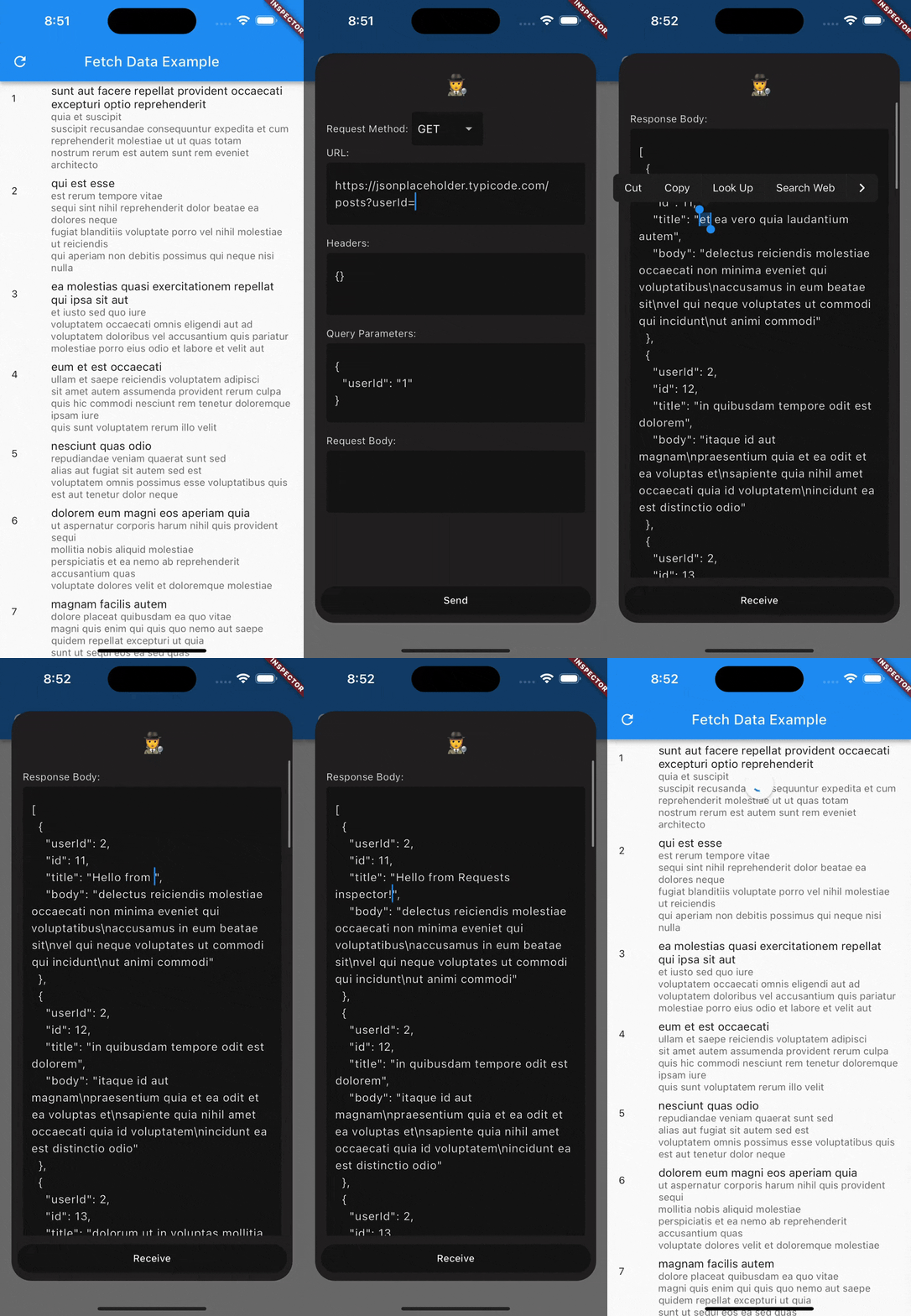
requests_inspector (Stopper) enables your to stop and edit requests (before sending it to server) and responses (before receiving it inside the app).
- First, you need to add navigatorKey to your
MaterialAppthen pass it toRequestsInspectorto show Stopper dialogs.
final navigatorKey = GlobalKey<NavigatorState>();

void main() => runApp(
  RequestsInspector(
    // Add your `navigatorKey` to enable `Stopper` feature
    navigatorKey: navigatorKey,
    child: const MyApp(),
  ),
);

...

@override
Widget build(BuildContext context) {
  return MaterialApp(
    navigatorKey: navigatorKey, // <== Here!
    ...
- Second, just enable it from Inspector and it will stop all your requests and responses.
For Web, Windows, MacOS and Linux #
Obviously, The shaking won't be good enough for those platforms 😅
So you can specify showInspectorOn with ShowInspectorOn.LongPress.
void main() {
  runApp(const RequestsInspector(
    enabled: true,
    showInspectorOn: ShowInspectorOn.LongPress
    child: MyApp(),
  ));
}
OR, you can just pass ShowInspectorOn.Both to open the Inspector with Shaking or with LongPress.
void main() {
  runApp(const RequestsInspector(
    enabled: true,
    showInspectorOn: ShowInspectorOn.Both
    child: MyApp(),
  ));
}
Some images #
Future plans: #
- ✅ Add support for
GraphQL. - ✅ Enhance the
GraphQLrequest and response displaying structure. - ✅ Improve the request tab UI and add expand/collapse for each data block.
- ❌ Support Dark/Light Modes.
- ❌ Add search inside the request details page.
- ❌ Add Http Interceptor.
📃 License #
This project is licensed under the MIT License - see the LICENSE file for details.
Metadata
Publisher
Weekly Downloads
Metadata
A Flutter package for logging REST-APIs and GraphQL requests and accessing it by Shaking your phone to get the RequestsInspector widget on your screen.
Repository (GitHub)
View/report issues
License
 unknown (license)
Dependencies
collection, dio, flutter, gql, graphql, graphql_flutter, provider, shake, share_plus
More
Packages that depend on requests_inspector
Packages that implement requests_inspector

