
quick_text 1.0.1  quick_text: ^1.0.1 copied to clipboard
A Flutter package for simplified text formatting with markdown-like syntax.
QuickText #
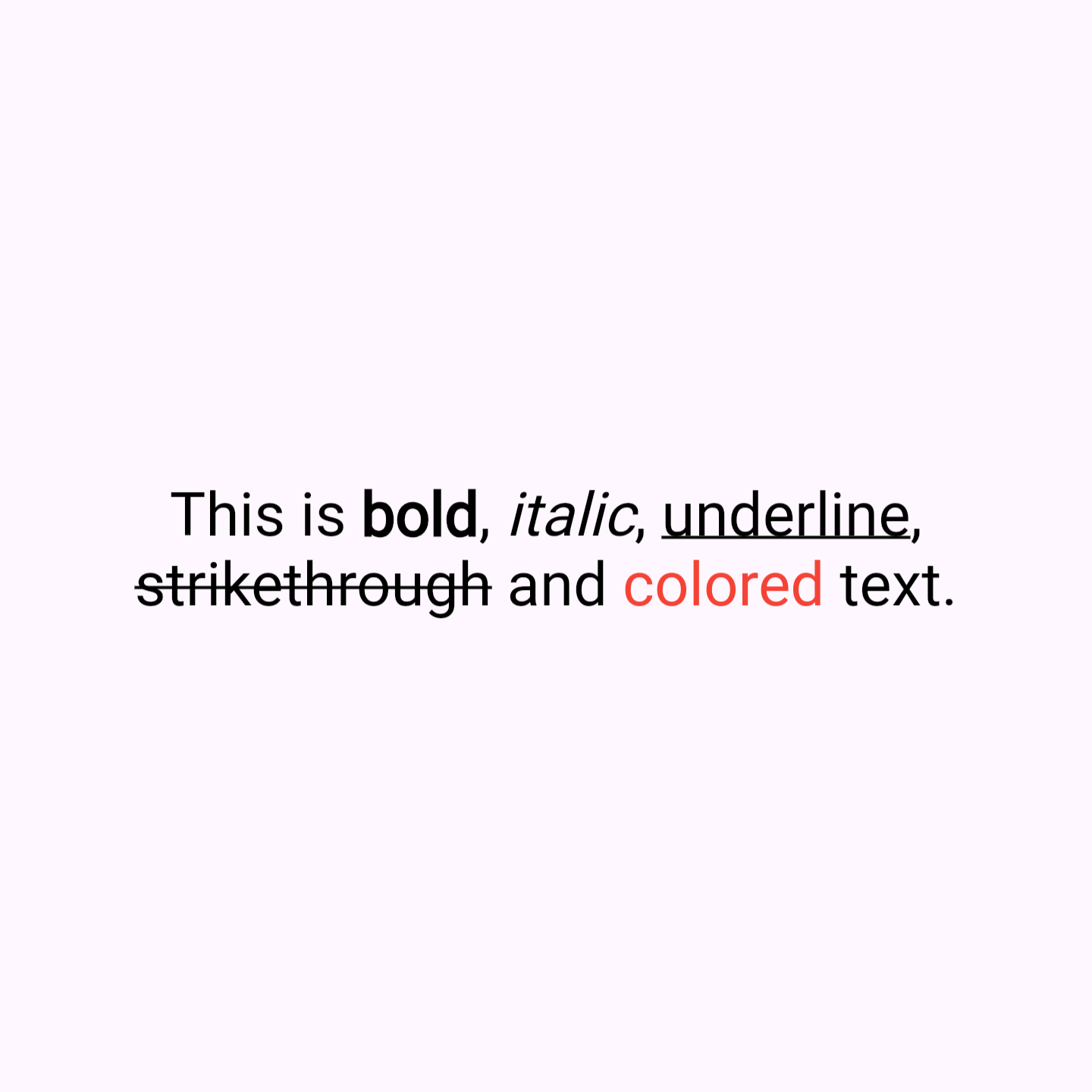
QuickText is a Flutter package that simplifies text formatting with markdown-like syntax. It allow you to easily apply styles like bold, italic, underline, strikethrough, and color directly within a string, without the need to manually construct complex TextSpan trees. Similiar usage like Text widget.
Key Features #
- Simplified Syntax: Style your text with symbols like
**bold**,*italic*,_underline_,~strikethrough~, and[colored](red). - Enhanced Readability: Clean and easy-to-read code, reducing the verbosity of
RichTextandTextSpan. - Customizable Styles: Includes options for text alignment, overflow, max lines, and more, providing the same flexibility as traditional Flutter text widgets.
- Built-in Color Support: Apply named colors directly within your text string.
Why Use QuickText? #
- Time-Saving: Quickly format text without the hassle of constructing text spans.
- User-Friendly: Ideal for developers who want rich text features without the complexity.
- Rich Functionality: Despite its simplicity, QuickText supports a wide range of text styling options.
Sample Code #
Here's how you can use QuickText in your Flutter app:
QuickText(
  'This is **bold** text.',
),

QuickText(
  'This is *italic* text.',
),

QuickText(
  'This is _underline_ text.',
),

QuickText(
  'This is ~strikethrough~ text.',
),

QuickText(
  'This is [colored](red) text.',
),
##Installation Add this to your package's pubspec.yaml file:
dependencies:
  quick_text: ^1.0.0
Then run:
flutter pub get
Finally, import the package in your Dart code:
import 'package:quick_text/quick_text.dart';
Limitations #
- No Hex Color Support: Currently, QuickText only supports named colors and does not support hex color codes.
Contributing #
Contributions are welcome! If you encounter any issues or have suggestions for new features, please open an issue on GitHub.
Fork the repository. #
- Create your feature branch (
git checkout -b feature/AmazingFeature). - Commit your changes (
git commit -m 'Add some AmazingFeature'). - Push to the branch (
git push origin feature/AmazingFeature). - Open a pull request.
Issues #
If you run into any issues, please file a bug report on our GitHub Issues page. Include detailed steps to reproduce the problem and any relevant code snippets.
License #
This package is licensed under the MIT License. See the LICENSE file for more details.
Metadata
Publisher
unverified uploader
Weekly Downloads
Metadata
A Flutter package for simplified text formatting with markdown-like syntax.
Repository (GitHub)
View/report issues
License
 unknown (license)

