
progression_tree_map 0.5.1  progression_tree_map: ^0.5.1 copied to clipboard
A tree map.
Progression TreeMap #
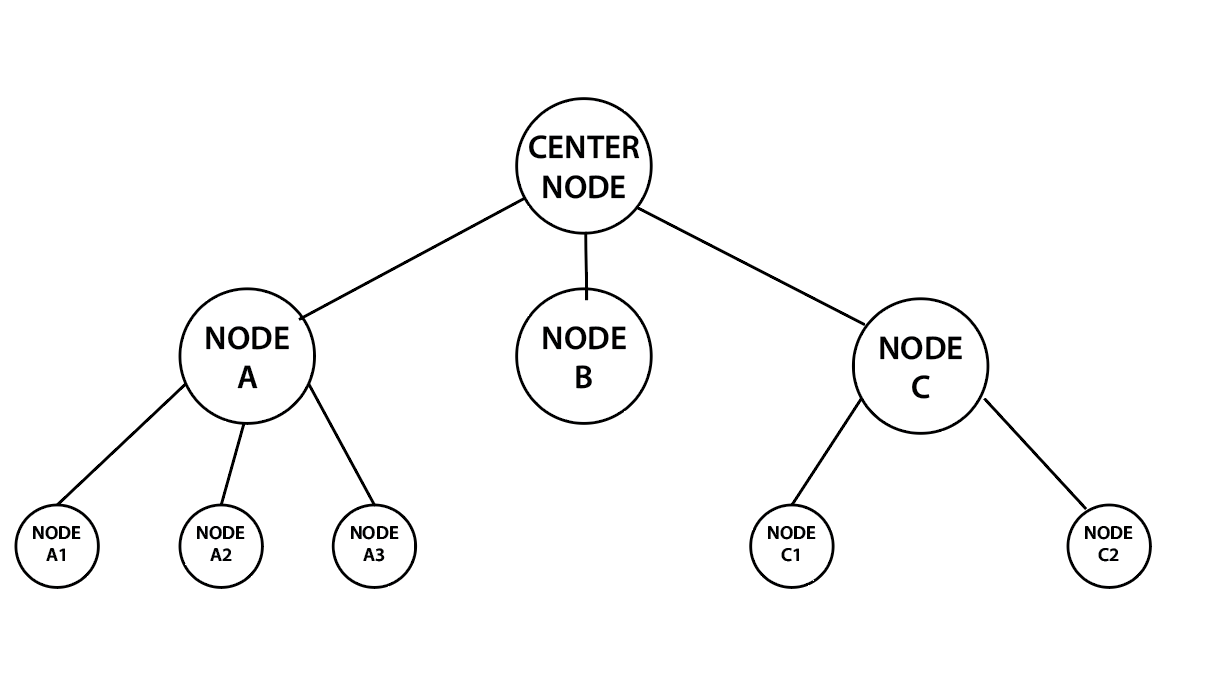
Progression TreeMap is an open source Flutter package, that is used to display a tree list, to the ui, you can use it to interpret any complex tree or progression map to the ui of your app and customize it to your liking.
Example Usages: #
Add Dependency #
Install and import the package. Then just customize its parameters.
dependencies:
  flutter:
    sdk: flutter
  progression_tree_map: ^0.5.1
How to use #
Create a list of nodes, as well as its sublist as below:
  Map<TreeNode?, List<TreeNode>> nodes =
{TreeNode():[
  TreeNode(nodes: [
    TreeNode(),
    TreeNode(nodes: [
      TreeNode(nodes: [
        TreeNode(nodes: [
          TreeNode(), TreeNode()])
      ])])])]
};
Screenshots & Implementations #
Example 1 - Colored Nodes & Outlines #

ProgressionTreeMap(
treeNodes: nodes,
circleBoundaryColor: Colors.grey.shade300,
circleBoundaryShade: false,
nodeSeparationAngleFac: 1.3,
globalNodeSize: 20,
centerNodeSize: 40,
circleBoundaryStrokeWidth: 1.5,
linesStrokeWidth: 2,
linesStrokeColor: Colors.blueAccent,
nodeDecoration: const BoxDecoration(
shape: BoxShape.circle, color: Colors.blueAccent))
Example 2 - Colored Nodes & Icons #

ProgressionTreeMap(
treeNodes: nodes,
circleBoundaryPaintingStyle: PaintingStyle.fill,
circleBoundaryColor: Colors.deepPurpleAccent,
nodePlacement: NodesPlacement.border,
nodeSeparationAngleFac: 3,
globalNodeSize: 30,
centerNodeSize: 60,
linesStartFromOrigin: true,
linesStrokeWidth: 2,
linesStrokeColor: Colors.cyanAccent,
nodeDecoration: const BoxDecoration(
shape: BoxShape.circle, color: Colors.cyanAccent))
Example 3 - Glowing Nodes & Background Text #

ProgressionTreeMap(
treeNodes: nodes,
circleBoundaryPaintingStyle: PaintingStyle.fill,
circleBoundaryColor: Colors.red,
nodePlacement: NodesPlacement.centerOut,
nodeSeparationAngleFac: 1.2,
globalNodeSize: 20,
centerNodeSize: 40,
linesStrokeWidth: 3,
nodeDecoration: const BoxDecoration(
shape: BoxShape.circle, gradient:
RadialGradient(
colors: [Colors.white, Colors.white30])))
Example 4 - Collection & Ui Items #

ProgressionTreeMap(
treeNodes: nodes,
circleBoundaryPaintingStyle: PaintingStyle.fill,
circleBoundaryColor: Colors.deepOrangeAccent,
nodePlacement: NodesPlacement.centerIn,
nodeSeparationAngleFac: 1.3,
centerNodeSize: 60,
linesStartFromOrigin: false,
linesStrokeWidth: 3,
linesStrokeColor: Colors.white10)),
More info #
A TreeNode can have several properties, you can customize each individually as below:
TreeNode(
child: Icon(
Icons.restaurant_menu,
color: Colors.black,
size: 32,
),
decoration:
BoxDecoration(shape: BoxShape.circle, color: Colors.blue),
size: 30)
Must be added to ProgressionTreeMap as a map of Map<TreeNode?, List<TreeNode>>
Map<TreeNode?, List<TreeNode>>  nodes =
{
  const TreeNode(): [
    const TreeNode(nodes: [
      TreeNode(
        child: Icon(Icons.lunch_dining_rounded),
      ),
      TreeNode(
        child: Icon(Icons.ramen_dining),
      )
    ])]
}
Adding to the tree as follows:
ProgressionTreeMap(
treeNodes: nodes
),
Very customizable, feel free to customize however you like! 😎
Metadata
11
likes
140
points
74
downloads
Publisher
unverified uploader
Weekly Downloads
Metadata
A tree map.
Repository (GitHub)
View/report issues
Documentation
License
 MIT (license)
Dependencies
collection, flutter, vector_math

