
pedometer_pro 0.2.0  pedometer_pro: ^0.2.0 copied to clipboard
Pedometer & Step Detection. Get step count in a timeRange & stream live steps.
Pedometer Pro #
Based on Pedometer & Pedometer_plus (references at the bottom)
This plugin allows you to get this info on both Android and iOS:
- Get step count for a
from:todate range - Get step count since last system boot
- Get real-time step count (Stream)
- Get real-time pedestrian status: Walking, Stopped (Stream)
- Get real-time step count since a date (Stream) (iOS only; Android alternative below)
Supported on both Android and iOS. Uses the Sensors API (Android & iOS) and the Recording API (Android, when Google Play Services is available).
Package: https://pub.dev/packages/pedometer_pro
Repository: https://github.com/whevether/pedometer_pro

Migrating to 0.2.0 #
Historical queries no longer expand to whole days or fall back to sensor totals. Existing getStepCount returns an int; use getStepCountDetailed to also inspect source, from, and to:
final history = await Pedometer().getStepCountDetailed(from: from, to: to);
print('${history.steps} (${history.source.name})');
Sources are healthConnect, localRecording, and coreMotion. Do not sum daily results from different sources. PlatformException retains native codes: INVALID_ARGUMENT, PERMISSION_DENIED, HISTORY_UNAVAILABLE, SENSOR_UNAVAILABLE, TIMEOUT, MOTION_ERROR, or CANCELLED. Invalid Dart arguments throw ArgumentError before calling native code. Cancel stream subscriptions when leaving a screen. On iOS, cancel an existing stepCountStreamFrom before listening with another date.
The package requires Dart 3.8 or newer. The example uses Flutter 3.47.7 and iOS 15 or newer; the plugin retains its iOS 13 deployment declaration. Android requires API 29 or newer. CI validates builds and package contents without publishing.
Android data sources #
| Capability | Typical phones (Play Store + Health Connect) | Without GMS / no Health Connect |
|---|---|---|
Real-time stepCountStream / pedestrianStatusStream |
Hardware TYPE_STEP_COUNTER / TYPE_STEP_DETECTOR |
Same sensors — supported |
getStepCount(from, to) history |
Health Connect (Samsung Health, Google Fit, and other linked apps) | HISTORY_UNAVAILABLE when neither historical provider is available |
On aggressive OEM battery savers (Xiaomi / OPPO / vivo), background listeners may be killed. Use the streams in the foreground, and ask the user to disable battery optimization for the app if you need more reliable tracking.
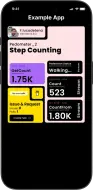
Run the sample app:
cd example && flutter run
Android release signing for the example uses a committed test keystore (example/jks/). See example/jks/README.md. Do not use it for production.
Configuration #
Permissions #
Android sensor streams and Local Recording require Activity Recognition permission. Health Connect separately requests READ_STEPS; it does not require sensor permission. iOS requires Motion & Fitness permission. I recommend using permission_handler, but you can use others if it suits you better.
iOS
This plugin supports both CocoaPods and Swift Package Manager. The example app uses Swift Package Manager.
- CocoaPods:
ios/pedometer_pro.podspec - SwiftPM:
ios/pedometer_pro/Package.swiftandios/pedometer_pro/Sources/
-
In your
Info.plist, located underios/Runner, add this:<key>NSMotionUsageDescription</key> <string>This application tracks your steps</string>With Swift Package Manager and recent
permission_handler, this Info.plist key is enough to enable the sensors permission. -
If your app still uses CocoaPods, also add this in
ios/Podfile:post_install do |installer| installer.pods_project.targets.each do |target| flutter_additional_ios_build_settings(target) ## ADD THIS SECTION target.build_configurations.each do |config| config.build_settings['GCC_PREPROCESSOR_DEFINITIONS'] ||= [ '$(inherited)', ## dart: PermissionGroup.sensors 'PERMISSION_SENSORS=1', ] end ## END OF WHAT YOU NEED TO ADD end endIf you already have a
target.build_configurations.each do |config|loop in yourPodfile, only include theconfig.build_settingssection inside that loop. If you already use permission_handler, ensurePERMISSION_SENSORSis set to1instead of0.
Android
- You do not need to add
ACTIVITY_RECOGNITIONorhealth.READ_STEPSto your Android manifest. They are merged from the plugin. - Requires Android 10 (minSdk 29). Set this in
android/app/build.gradle(or.kts). - Make sure AndroidX is enabled (already true on recent Flutter projects).
- Galaxy / Samsung Health history: install Health Connect (required on Android 13, such as Galaxy S20). In Samsung Health, enable Health Connect and allow this app to read steps.
play-services-fitnessdoes not read Samsung Health. - Host apps should declare
androidx.health.ACTION_SHOW_PERMISSIONS_RATIONALEonMainActivity(see the example app).
How to use it #
-
Request permissions
- Using permission_handler, you can request permission on both platforms.
- The plugin includes
openAppSettings()so the user can enable permissions if the system prompt is not shown again.Behavior
- The first request shows a system dialog. Later calls return the stored answer or the current OS setting.
- If permission is denied, show a snackbar or dialog and ask the user to update settings.
Example:
import 'package:permission_handler/permission_handler.dart';

PermissionStatus perm =
Platform.isAndroid ? await Permission.activityRecognition.request() : await Permission.sensors.request();
print('perm: $perm');

if (perm.isDenied || perm.isPermanentlyDenied || perm.isRestricted) {
    ScaffoldMessenger.of(context).showSnackBar(
        SnackBar(
            content: Text(
                'You need to approve the permissions to use the pedometer',
                style: TextStyle(
                color: Theme.of(context).colorScheme.onError,
                fontWeight: FontWeight.bold,
                ),
            ),
            backgroundColor: Theme.of(context).colorScheme.errorContainer,
            action: SnackBarAction(
                label: 'Settings',
                textColor: Theme.of(context).colorScheme.onError,
                onPressed: () => openAppSettings(),
            ),
        ),
    );
} else {
    // Call the functions you need to read stepCount
}
-
Get step count
- Request the total steps in a time range (
from/to). todefaults to now;fromdefaults to ten days beforeto. The millisecond interval is [from, to), andfrommust be beforeto.- Provider retention still applies (CoreMotion typically keeps seven days; Local Recording contains only this app's recorded data).
Behavior
- On Android, history is read from Health Connect (Samsung Health and other linked apps). The first call may show a Health Connect permission sheet.
play-services-fitnessLocal Recording is only this app's own log after subscribe, not vendor health-app history.- If Health Connect is unavailable or permission is denied, try Local Recording. A successful zero stays zero. If no historical provider is available, throw HISTORY_UNAVAILABLE; never substitute a since-boot sensor total.
Example:
import 'package:pedometer_pro/pedometer_pro.dart';

DateTime now = DateTime.now();
DateTime from = now.subtract(Duration(days: now.weekday - 1));
DateTime to = now;

int steps = await Pedometer().getStepCount(from: from, to: to);
print('steps: $steps');
- Request the total steps in a time range (
-
Real-time step count (Stream) and steps since last boot
- The first event is steps since last system boot. Further events stream as the user walks.
- If the value is
0, the stream may not fire until the user takes a step.Behavior
- After a reboot (or a manual date change), the value resets to
0.Example:
StreamSubscription? _subStepCount;

@override
void initState() {
    super.initState();
    _listenToSteps();
}

@override
void dispose() {
    _subStepCount?.cancel();
    super.dispose();
}

_listenToSteps() {
    _subStepCount = Pedometer().stepCountStream().listen((steps) => print('Steps: $steps'));
}
-
Real-time pedestrian status: Walking, Stopped (Stream)
- Returns
stoppedorwalking. On error it returnsunknown.Behavior
- The stream may not emit until the status changes. Assume
stoppedat start.Example:
StreamSubscription? _subPedestrianStatus;

@override
void initState() {
    super.initState();
    _listenToStatus();
}

@override
void dispose() {
    _subPedestrianStatus?.cancel();
    super.dispose();
}

_listenToStatus() {
    _subPedestrianStatus = Pedometer().pedestrianStatusStream().listen((status) => print('Status: $status'));
}
- Returns
-
[iOS] Real-time step count since a date (Stream)
- Android: use the history API and cumulative live stream separately. Their totals have different meanings and must not be added without a known baseline.
- Returns steps from
fromtonow(), then keeps streaming.Behavior
- Same as
stepCountStream: first call may be0until the user walks. - iOS stores at most 7 days.
Example:
StreamSubscription? _subStepFrom;

@override
void initState() {
    super.initState();
    _listenToSteps();
}

@override
void dispose() {
    _subStepFrom?.cancel();
    super.dispose();
}

_listenToSteps() {
    DateTime now = DateTime.now();
    DateTime from = now.subtract(Duration(days: now.weekday - 1));
    _subStepFrom = Pedometer().stepCountStreamFrom(from: from).listen((steps) => print('Steps: $steps'));
}
Things to consider #
The APIs may be missing or behave differently on some devices:
- Some Samsung phones do not support the Sensors API.
- Older iPhones do not support Pedestrian Status.
- OEMs use different sensors and OS policies, so step totals can differ (mainly Android).
- Without Health Connect or Local Recording, Android history is unavailable. Hardware streams can still provide an explicitly cumulative total.
If the step sensor is not available, an error is thrown. The app must handle it.
Changelog #
See CHANGELOG.md / CHANGELOG_zh.md.
Thanks and credits #
This package was originally forked from:
Which was originally forked and inspired by:
The example app was inspired by Purrweb Agency - Dribbble.
Package status #
| Pub v. | Points | Popularity |
|---|---|---|
 |
Metadata

Documentation
Publisher
unverified uploader
Weekly Downloads
Metadata
Pedometer & Step Detection. Get step count in a timeRange & stream live steps.
Homepage
Repository (GitHub)
View/report issues
Topics
#pedometer #step-counter #step-tracker #fit #health
License
 BSD-3-Clause (license)
Dependencies
More
Packages that depend on pedometer_pro
Packages that implement pedometer_pro