
panara_dialogs 0.1.4  panara_dialogs: ^0.1.4 copied to clipboard
 panarastudios.in
PanaraDialogs is a Dialog UI Kit. A minimal but beautiful design for Flutter Dialogs.
Panara Dialogs #


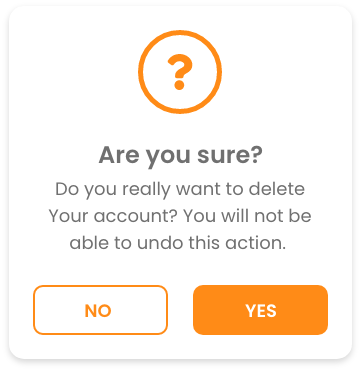
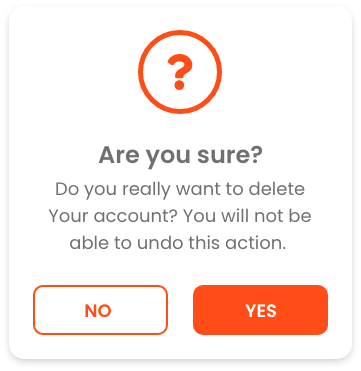
Panara Dialogs is a UI Kit for Dialog comes with 2 types of dialogs - Info Dialog & Confirmation Dialog both comes with 4 different variants as shown in below screenshots. with 6 different animations.
Preview #
PanaraInfoDialog #
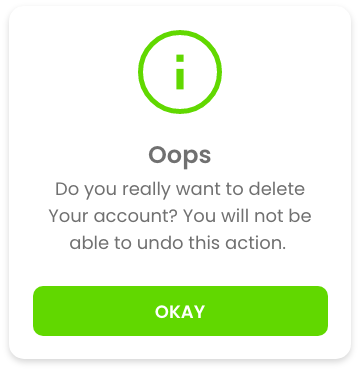
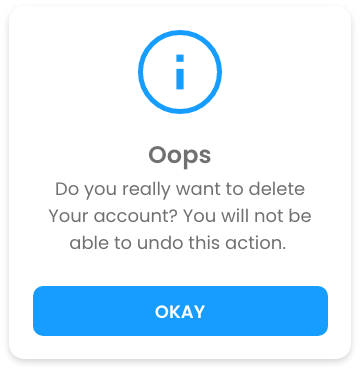
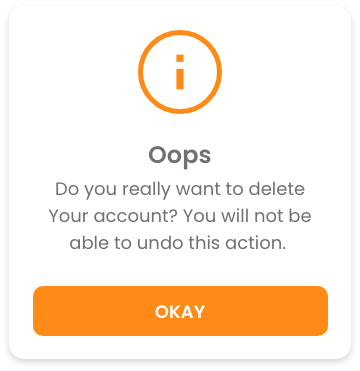
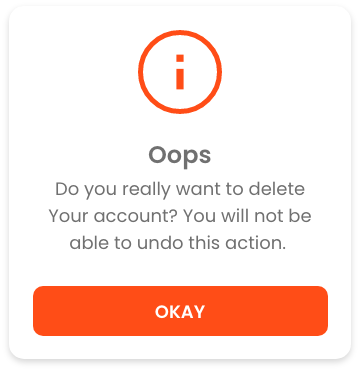
PanaraConfirmDialog #


Getting started #
Add the dependency in pubspec.yaml:
dependencies:
    panara_dialogs: ^0.1.4
Usage #
Then you just have to import the package with
import 'package:panara_dialogs/panara_dialogs.dart';
Here is how you can use PanaraInfoDialog in your flutter project.
PanaraInfoDialog.show(
    context,
    title: "Hello",
    message: "This is the PanaraInfoDialog",
    buttonText: "Okay",
    onTapDismiss: () {
        Navigator.pop(context);
    },
    panaraDialogType: PanaraDialogType.normal,
    barrierDismissible: false, // optional parameter (default is true)
);
Properties of PanaraInfoDialog #
| Property | Type | value |
|---|---|---|
| imagePath | String |
path to your local assets image |
| title | String |
any string value |
| message | String |
any string value |
| buttonText | String |
any string value |
| onTapDismiss | void Function() |
function to decide what will happen onTap |
| panaraDialogType | PanaraDialogType |
success, normal, warning, error, custom |
| color | Color |
define your own color, by selecting panaraDialogType: PanaraDialogType.custom |
| textColor | Color |
define your own text color |
| buttonTextColor | Color |
define your own button text color |
| margin | EdgeInsets |
define margin |
| padding | EdgeInsets |
define padding |
| noImage | bool |
If you don't want any image set it to true. it's false by default |
And Here is how you can use PanaraConfirmDialog in your flutter project.
PanaraConfirmDialog.show(
    context,
    title: "Hello",
    message: "This is the PanaraConfirmDialog",
    confirmButtonText: "Confirm",
    cancelButtonText: "Cancel",
    onTapCancel: () {
        Navigator.pop(context);
    },
    onTapConfirm: () {
        Navigator.pop(context);
    },
    panaraDialogType: PanaraDialogType.normal,
    barrierDismissible: false, // optional parameter (default is true)
);
Properties of PanaraConfirmDialog #
| Property | Type | value |
|---|---|---|
| imagePath | String |
path to your local assets image |
| title | String |
any string value |
| message | String |
any string value |
| confirmButtonText | String |
any string value |
| cancelButtonText | String |
any string value |
| onTapConfirm | void Function() |
function to decide what will happen onTap confirm |
| onTapCancel | void Function() |
function to decide what will happen onTap cancel |
| panaraDialogType | PanaraDialogType |
success, normal, warning, error, custom |
| color | Color |
define your own color, by selecting panaraDialogType: PanaraDialogType.custom |
| textColor | Color |
define your own text color |
| buttonTextColor | Color |
define your own button text color |
| margin | EdgeInsets |
define margin |
| padding | EdgeInsets |
define padding |
| noImage | bool |
If you don't want any image set it to true. it's false by default |
Animations for Both Dialogs #
This are static methods for both Dialog Class.
| method | Animation |
|---|---|
showAnimatedFromLeft() |
slide animation from left |
showAnimatedFromRight() |
slide animation from right |
showAnimatedFromTop() |
slide animation from top |
showAnimatedFromBottom() |
slide animation from bottom |
showAnimatedGrow() |
grow animation from center |
showAnimatedShrink() |
shrink animation from center |
Feedback #
Please feel free to give me any feedback or file issue helping support this plugin !
Metadata
Publisher
Weekly Downloads
Metadata
PanaraDialogs is a Dialog UI Kit. A minimal but beautiful design for Flutter Dialogs.
Repository (GitHub)
View/report issues
Documentation
License
 BSD-3-Clause (license)

