
new_version 0.0.2  new_version: ^0.0.2 copied to clipboard
Check if your user has the most recent version of your Flutter app.
New Version Plugin 🎉 #
A Flutter plugin that makes it possible to:
- Check if a user has the most recent version of your app installed.
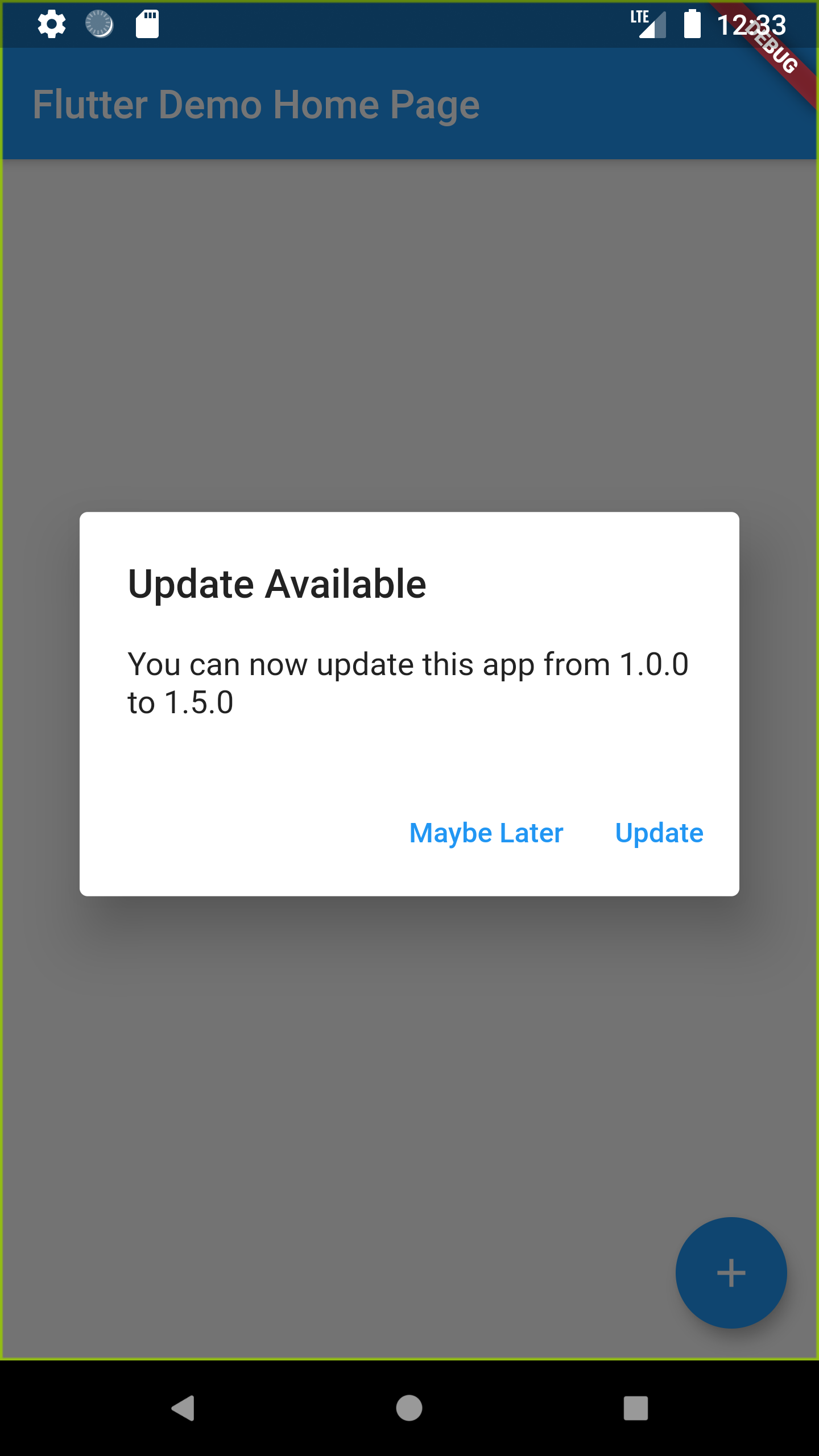
- Show the user an alert with a link to the appropriate app store page.

Installation #
Add new_version as a dependency in your pubspec.yaml file.
dependencies:
  new_version: ^0.0.1
Usage #
In main.dart (or wherever your app is initialized), create an instance of NewVersion using your current build context.
final newVersion = NewVersion(context).
The plugin will automatically use your Flutter package identifier to check the app store. If your app has a differnet identifier in the Google Play Store or Apple App Store, you can overwrite this by providing values for androidId and/or iOSId.
You can use then use the plugin in two ways.
Quickstart #
Calling showAlertIfNecessary will check if the app can be updated, and will automatically dispaly a platform-specific alert that the user can use to go to the app store.
Advanced 😎 #
If you want to create a custom alert or use the app version information differently, call getVersionStatus. This will return a VersionStatus future with information about the local and app store versions of the app.
final status = await newVersion.getVersionStatus();
status.needsUpdate // (true)
status.localVersion // (1.2.1)
status.storeVersion // (1.2.3)
status.appStoreLink // (https://itunes.apple.com/us/app/google/id284815942?mt=8)
Metadata
Publisher
unverified uploader
Weekly Downloads
Metadata
Check if your user has the most recent version of your Flutter app.
Repository (GitHub)
View/report issues
License
 unknown (license)
Dependencies
flutter, html, http, package_info, url_launcher

