
mini_calendar 0.2.1  mini_calendar: ^0.2.1 copied to clipboard
Date component developed with Flutter, plans to support display, swipe left and right, add date mark, radio, display week, etc.
mini_calendar #

Date component developed with Flutter, plans to support display, swipe left and right, add date mark, radio, display week, etc.
使用Flutter开发的日期组件,计划支持显示,左右滑动,添加日期标记,单选,显示星期等功能。
- 更新记录
主要想实现的内容 #

基本使用 #
dependencies:
  mini_calendar: ^0.2.1
import 'package:mini_calendar/mini_calendar.dart';
月视图 #
- 默认显示当月
MonthWidget();
- 可通过控制器参数来控制显示的月份以及选择的日期
MonthWidget(
  controller: MonthController.init(
      MonthOption<String>(
        currentDay: DateDay.now().copyWith(month: index + 1, day: Random().nextInt(27) + 1),
        currentMonth: DateMonth.now().copyWith(month: index + 1),
      )
  ),
)
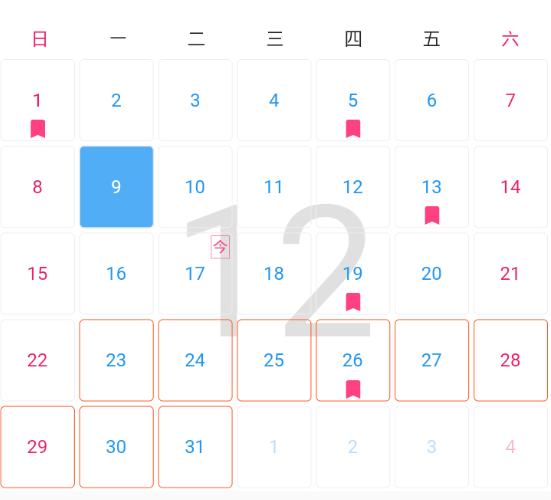
- 支持显示连选
MonthWidget(
  controller: MonthController.init(MonthOption(
    currentMonth: DateMonth.now().copyWith(month: 1),
    enableContinuous: true,
    firstSelectDay: DateDay.now().copyWith(month: 1, day: 8),
    secondSelectDay: DateDay.now().copyWith(month: 1, day: 18),
  )),
)
- 支持添加标记
- ……
滑动日历组件 #
控制器需要创建后获取
onCreated
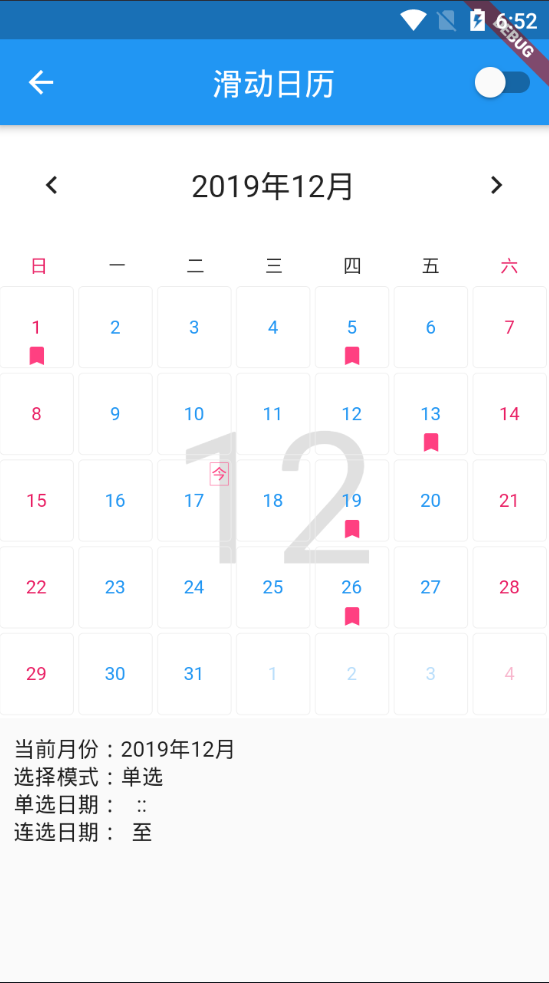
MonthPageView(
  padding: EdgeInsets.all(1),
  scrollDirection: Axis.horizontal,// 水平滑动或者竖直滑动
  option: MonthOption(
    enableContinuous: true,// 单选、连选控制
    marks: {
      DateDay.now().copyWith(day: 1): '111',
      DateDay.now().copyWith(day: 5): '222',
      DateDay.now().copyWith(day: 13): '333',
      DateDay.now().copyWith(day: 19): '444',
      DateDay.now().copyWith(day: 26): '444',
    },
  ),
  showWeekHead: true, // 显示星期头部
  onContinuousSelectListen: (firstDay, endFay) {
  },// 连选回调
  onMonthChange: (month) {
  },// 月份更改回调
  onDaySelected: (day, data) {
  },// 日期选中会迪欧啊
  onCreated: (controller){
  }, // 控制器回调
),
控制器主动方法 #
- 更新
MonthPageController#reLoad();
- 关闭
MonthPageController#dispose();
- 下一月
MonthPageController#next();
- 上一月
MonthPageController#last();
高级功能 #
自定义
- 自定义月视图背景
buildMonthBackground: (_, width, height, month) => Image.network(
    'https://ssyerv1.oss-cn-hangzhou.aliyuncs.com/picture/b0c57bd90abd49d59920924010ab66a9.png!sswm',
    height: height,
    width: width,
    fit: BoxFit.cover,
    ),
- 自定义月视图头部
buildMonthHead: (ctx, width, height, month) => Container(
padding: EdgeInsets.all(5),
child: Row(
  mainAxisAlignment: MainAxisAlignment.start,
  children: <Widget>[
    Text(
      "${month.year}年",
      style: TextStyle(fontSize: 40, color: Colors.white),
    ),
    Container(
      margin: EdgeInsets.only(left: 5, right: 5),
      width: 1,
      color: Colors.yellow,
      height: 50,
    ),
    Column(
      crossAxisAlignment: CrossAxisAlignment.start,
      children: <Widget>[
        Text(
          "${month.month}月",
          style: TextStyle(fontSize: 18, color: Colors.orange),
        ),
        Text("这是一个自定义的月头部"),
      ],
    )
  ],
),
),
- 自定义星期头部
- 自定义日视图
- ……


更多功能请看demo
Metadata
3
likes
0
points
21
downloads
Publisher
unverified uploader
Weekly Downloads
Metadata
Date component developed with Flutter, plans to support display, swipe left and right, add date mark, radio, display week, etc.
Repository (GitHub)
View/report issues
License
 unknown (license)

