
legacy_gantt_chart 8.0.0  legacy_gantt_chart: ^8.0.0 copied to clipboard
Published 2 months ago •  gantt-sync.com
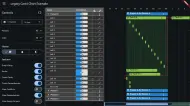
gantt-sync.comA flexible and performant Gantt chart widget for Flutter. Supports interactive drag-and-drop, resizing, dynamic data loading, and extensive theming.
import 'package:flutter/material.dart';
import 'dart:async';
import 'dart:isolate';
import 'dart:math' as math;
import 'dart:convert';
import 'package:flutter/services.dart';
import 'package:flutter_localizations/flutter_localizations.dart';
import 'package:collection/collection.dart';
import 'package:legacy_gantt_chart/legacy_gantt_chart.dart';
import 'package:intl/intl.dart';
import 'package:legacy_tree_grid/legacy_tree_grid.dart';
import 'dart:ui' as ui;
import 'package:provider/provider.dart';
import 'package:legacy_context_menu/legacy_context_menu.dart';
import 'package:legacy_timeline_scrubber/legacy_timeline_scrubber.dart' as scrubber;
import 'ui/widgets/dashboard_header.dart';
import 'ui/widgets/dependency_dialog.dart';
import 'view_models/gantt_view_model.dart';
import 'ui/dialogs/create_task_dialog.dart';
import 'platform/platform_init.dart'
if (dart.library.io) 'platform/platform_init_io.dart'
if (dart.library.html) 'platform/platform_init_web.dart';
import 'package:csv/csv.dart';
import 'package:file_selector/file_selector.dart';
import 'package:flutter/foundation.dart'; // For compute
import 'ui/dialogs/csv_import_dialog.dart';
import 'utils/csv_importer.dart';
import 'services/gantt_natural_language_service.dart';
import 'ui/widgets/gantt_assistant_widget.dart';
import 'data/local/local_gantt_repository.dart'; // For LocalResource
Future<void> main() async {
WidgetsFlutterBinding.ensureInitialized();
await initializePlatform();
runApp(const MyApp());
}
class MyApp extends StatelessWidget {
const MyApp({super.key});
@override
Widget build(BuildContext context) => MaterialApp(
title: 'Legacy Gantt Chart Example',
localizationsDelegates: const [
GlobalMaterialLocalizations.delegate,
GlobalWidgetsLocalizations.delegate,
GlobalCupertinoLocalizations.delegate,
],
supportedLocales: const [
Locale('en', 'US'),
Locale('fr', 'FR'),
Locale('de', 'DE'),
Locale('ja', 'JP'),
],
theme: ThemeData.from(
colorScheme: ColorScheme.fromSeed(
seedColor: Colors.blue,
brightness: Brightness.light,
),
),
// The Gantt chart supports dark mode out of the box.
darkTheme: ThemeData.from(
colorScheme: ColorScheme.fromSeed(seedColor: Colors.blue, brightness: Brightness.dark),
),
themeMode: ThemeMode.system,
home: const GanttView(),
);
}
class GanttView extends StatefulWidget {
const GanttView({super.key});
@override
State<GanttView> createState() => _GanttViewState();
}
class _GanttViewState extends State<GanttView> {
late final GanttViewModel _viewModel;
bool _isPanelVisible = true;
TimelineAxisFormat _selectedAxisFormat = TimelineAxisFormat.auto;
/// The locale used for internationalization in the chart.
String _selectedLocale = 'en_US';
bool _showCursors = true;
bool _showNowLine = false;
bool _showSlack = false;
OverlayEntry? _tooltipOverlay;
int _bulkUpdateCount = 0;
Timer? _bulkUpdateTimer;
// --- Grid sorting and expansion state ---
late final TextEditingController _uriController;
late final TextEditingController _tenantIdController;
late final TextEditingController _usernameController;
late final TextEditingController _passwordController;
@override
void initState() {
super.initState();
_viewModel = GanttViewModel(initialLocale: _selectedLocale, useLocalDatabase: true);
_uriController = TextEditingController(text: 'https://api.gantt-sync.com');
_tenantIdController = TextEditingController(text: 'legacy');
_usernameController = TextEditingController(text: 'patrick');
_passwordController = TextEditingController(text: 'password');
}
final GanttNaturalLanguageService _nlService = GanttNaturalLanguageService();
@override
void dispose() {
_viewModel.dispose();
_uriController.dispose();
_tenantIdController.dispose();
_usernameController.dispose();
_passwordController.dispose();
super.dispose();
}
/// Builds a [LegacyGanttTheme] based on the current application theme and the
/// selected theme preset from the control panel.
///
/// This demonstrates how to create custom themes for the Gantt chart. You can
/// start with `LegacyGanttTheme.fromTheme(Theme.of(context))` to get a baseline
/// theme that matches your app's color scheme and then use `copyWith` to override specific colors or styles.
LegacyGanttTheme _buildGanttTheme() {
final baseTheme = LegacyGanttTheme.fromTheme(Theme.of(context));
final isDarkMode = Theme.of(context).brightness == Brightness.dark;
switch (_viewModel.selectedTheme) {
case ThemePreset.forest:
return baseTheme.copyWith(
barColorPrimary: Colors.green.shade800,
barColorSecondary: Colors.green.shade600,
summaryBarColor: Colors.brown.withValues(alpha: 0.6),
containedDependencyBackgroundColor: Colors.brown.withValues(alpha: 0.2),
dependencyLineColor: Colors.brown.shade800,
timeRangeHighlightColor: Colors.yellow.withValues(alpha: 0.1),
backgroundColor: isDarkMode ? const Color(0xFF2d2c2a) : const Color(0xFFf5f3f0),
emptySpaceHighlightColor: Colors.green.withValues(alpha: 0.1),
emptySpaceAddIconColor: Colors.green.shade600,
taskTextStyle: baseTheme.taskTextStyle.copyWith(color: Colors.white, fontWeight: FontWeight.w500),
nowLineColor: Colors.yellowAccent,
resizeTooltipBackgroundColor: Colors.brown.shade800,
resizeTooltipFontColor: Colors.white,
resizeTooltipDateFormat: 'MMM d',
);
case ThemePreset.midnight:
return baseTheme.copyWith(
barColorPrimary: Colors.indigo.shade700,
barColorSecondary: Colors.indigo.shade500,
summaryBarColor: Colors.blueGrey.shade900.withValues(alpha: 0.8),
containedDependencyBackgroundColor: Colors.purple.withValues(alpha: 0.2),
dependencyLineColor: Colors.purple.shade200,
timeRangeHighlightColor: Colors.blueGrey.withValues(alpha: 0.2),
backgroundColor: isDarkMode ? const Color(0xFF1a1a2e) : const Color(0xFFe3e3f3),
emptySpaceHighlightColor: Colors.indigo.withValues(alpha: 0.1),
emptySpaceAddIconColor: Colors.indigo.shade200,
textColor: isDarkMode ? Colors.white70 : Colors.black87,
taskTextStyle: baseTheme.taskTextStyle.copyWith(color: Colors.white, fontWeight: FontWeight.w500),
nowLineColor: Colors.yellowAccent,
resizeTooltipBackgroundColor: Colors.deepPurple.shade900,
resizeTooltipFontColor: Colors.white,
resizeTooltipDateFormat: 'MMM d',
);
case ThemePreset.standard:
return baseTheme.copyWith(
barColorPrimary: Colors.blue.shade700,
barColorSecondary: Colors.blue[600],
summaryBarColor: const Color(0xFFAEB126).withValues(alpha: 0.7),
containedDependencyBackgroundColor: Colors.green.withValues(alpha: 0.15),
dependencyLineColor: Colors.red.shade700,
timeRangeHighlightColor: isDarkMode ? Colors.grey[850] : Colors.grey[200],
emptySpaceHighlightColor: Colors.blue.withValues(alpha: 0.1),
emptySpaceAddIconColor: Colors.blue.shade700,
nowLineColor: Colors.yellowAccent,
taskTextStyle: baseTheme.taskTextStyle.copyWith(
fontWeight: FontWeight.bold,
color: Colors.white, // Ensure white text for high contrast on blue bars
),
resizeTooltipBackgroundColor: Colors.purple.shade700,
resizeTooltipFontColor: Colors.white,
resizeTooltipDateFormat: 'MMM d',
);
}
}
// --- Context Menu and Dialog Handlers ---
void _handleCopyTask(LegacyGanttTask task) {
_viewModel.handleCopyTask(task);
_showSnackbar('Copied task: ${task.name}');
}
void _handleDeleteTask(LegacyGanttTask task) {
_viewModel.handleDeleteTask(task);
_showSnackbar('Deleted task: ${task.name}');
}
void _handleClearDependencies(LegacyGanttTask task) {
_viewModel.clearDependenciesForTask(task);
_showSnackbar('Cleared all dependencies for ${task.name}');
}
/// Shows a dialog that lists all dependencies for a given task and allows the user to remove one.
Future<void> _showDependencyRemover(BuildContext context, LegacyGanttTask task) async {
final dependencies = _viewModel.getDependenciesForTask(task);
final dependencyToRemove = await showDialog<LegacyGanttTaskDependency>(
context: context,
builder: (context) => DependencyManagerDialog(
title: 'Remove Dependency for "${task.name}"',
dependencies: dependencies,
tasks: _viewModel.ganttTasks,
sourceTask: task,
),
);
if (dependencyToRemove != null) {
_viewModel.removeDependency(dependencyToRemove);
_showSnackbar('Removed dependency');
}
}
/// A handler that demonstrates how to programmatically change the visible
/// window of the Gantt chart to focus on a specific task.
void _handleSnapToTask(LegacyGanttTask task) {
var taskDuration = task.end.difference(task.start);
Duration newWindowDuration;
// A milestone has zero duration or is explicitly marked as a milestone.
// For these, we show a 1-day window for a "clean" focused view.
if (task.isMilestone || taskDuration == Duration.zero) {
newWindowDuration = const Duration(days: 1);
taskDuration = Duration.zero;
} else {
// For standard tasks, we scale the window to 3x the task's duration
// to provide sufficient context (before and after) during the snap.
newWindowDuration = Duration(milliseconds: taskDuration.inMilliseconds * 3);
}
// Center the new window on the task's range.
final newStart = task.start
.subtract(Duration(milliseconds: (newWindowDuration.inMilliseconds - taskDuration.inMilliseconds) ~/ 2));
final newEnd = newStart.add(newWindowDuration);
_viewModel.onScrubberWindowChanged(newStart, newEnd);
_showSnackbar('Snapped to: ${task.name}');
}
void _showSnackbar(String message) => ScaffoldMessenger.of(context).showSnackBar(
SnackBar(content: Text(message), duration: const Duration(seconds: 2)),
);
/// Shows a context menu at the given position for a specific task.
/// This example uses the `legacy_context_menu` package.
void _showTaskContextMenu(BuildContext context, LegacyGanttTask task, Offset tapPosition) => showContextMenu(
context: context,
menuItems: _buildTaskContextMenuItems(context, task),
tapPosition: tapPosition,
);
/// Builds the list of [ContextMenuItem]s for a task.
///
/// This demonstrates how to build a dynamic context menu that allows for
// creating and removing dependencies by interacting with the view model.
/// The submenus for adding predecessors/successors are populated with tasks that are valid dependency targets.
List<ContextMenuItem> _buildTaskContextMenuItems(BuildContext context, LegacyGanttTask task) {
final dependencies = _viewModel.getDependenciesForTask(task);
final availableTasks = _viewModel.getValidDependencyTasks(task);
final hasDependencies = dependencies.isNotEmpty;
return <ContextMenuItem>[
ContextMenuItem(
caption: 'Copy',
onTap: () => _handleCopyTask(task),
),
ContextMenuItem(
caption: 'Delete',
onTap: () => _handleDeleteTask(task),
),
ContextMenuItem(
caption: 'Convert to...',
submenuBuilder: (context) async {
final items = <ContextMenuItem>[];
if (!task.isMilestone && !task.isSummary) {
items.add(ContextMenuItem(
caption: 'Standard Task',
onTap: () => _viewModel.convertTaskType(task, 'task'),
));
}
if (!task.isMilestone) {
items.add(ContextMenuItem(
caption: 'Milestone',
onTap: () => _viewModel.convertTaskType(task, 'milestone'),
));
}
if (!task.isSummary) {
items.add(ContextMenuItem(
caption: 'Summary Task',
onTap: () => _viewModel.convertTaskType(task, 'summary'),
));
}
return items;
},
),
if (task.isSummary)
ContextMenuItem(
caption: 'Behavior...',
submenuBuilder: (context) async {
final isStandard = task.propagatesMoveToChildren && task.resizePolicy == ResizePolicy.none;
final isStatic = !task.propagatesMoveToChildren;
final isConstrain = task.resizePolicy == ResizePolicy.constrain;
final isElastic = task.resizePolicy == ResizePolicy.elastic;
return [
ContextMenuItem(
caption: 'Standard (Group)',
trailing: isStandard ? const Icon(Icons.check, size: 16) : null,
onTap: () => _viewModel.updateTaskBehavior(task, propagates: true, policy: ResizePolicy.none),
),
ContextMenuItem(
caption: 'Static Bucket',
trailing: isStatic ? const Icon(Icons.check, size: 16) : null,
onTap: () => _viewModel.updateTaskBehavior(task, propagates: false, policy: ResizePolicy.none),
),
ContextMenuItem(
caption: 'Constrain',
trailing: isConstrain ? const Icon(Icons.check, size: 16) : null,
onTap: () => _viewModel.updateTaskBehavior(task, propagates: true, policy: ResizePolicy.constrain),
),
ContextMenuItem(
caption: 'Elastic',
trailing: isElastic ? const Icon(Icons.check, size: 16) : null,
onTap: () => _viewModel.updateTaskBehavior(task, propagates: true, policy: ResizePolicy.elastic),
),
];
},
),
ContextMenuItem(
caption: 'Edit...',
onTap: () => _showEditTaskDialog(context, task),
),
if (_viewModel.dependencyCreationEnabled) ContextMenuItem.divider,
if (_viewModel.dependencyCreationEnabled)
ContextMenuItem(
caption: 'Add Predecessor',
submenuBuilder: (context) async {
if (availableTasks.isEmpty) {
return [const ContextMenuItem(caption: 'No valid tasks')];
}
return availableTasks
.map((otherTask) => ContextMenuItem(
caption: otherTask.name,
onTap: () {
_viewModel.addDependency(otherTask.id, task.id);
_showSnackbar('Added dependency for ${task.name}');
},
))
.toList();
},
),
if (_viewModel.dependencyCreationEnabled)
ContextMenuItem(
caption: 'Add Successor',
submenuBuilder: (context) async {
if (availableTasks.isEmpty) {
return [const ContextMenuItem(caption: 'No valid tasks')];
}
return availableTasks
.map((otherTask) => ContextMenuItem(
caption: otherTask.name,
onTap: () {
_viewModel.addDependency(task.id, otherTask.id);
_showSnackbar('Added dependency for ${task.name}');
},
))
.toList();
},
),
if (_viewModel.dependencyCreationEnabled && hasDependencies) ContextMenuItem.divider,
if (_viewModel.dependencyCreationEnabled && hasDependencies)
ContextMenuItem(
caption: 'Remove Dependency...',
onTap: () => _showDependencyRemover(context, task),
),
if (_viewModel.dependencyCreationEnabled && hasDependencies)
ContextMenuItem(
caption: 'Clear All Dependencies',
onTap: () => _handleClearDependencies(task),
),
ContextMenuItem.divider,
ContextMenuItem(
caption: 'Inspect... (Audit)',
trailing: const Icon(Icons.monitor_heart, size: 16),
onTap: () => _viewModel.controller.openInspector(context, task.id),
),
];
}
// --- CSV Import ---
Future<void> _handleCsvImport() async {
try {
final XFile? file = await openFile(acceptedTypeGroups: [
const XTypeGroup(label: 'CSV Files', extensions: ['csv']),
]);
if (file == null) return;
final contents = await file.readAsString();
// Step 1: Parse CSV structure in background (using compute as before)
// This gives us the rows to show in the mapping dialog.
// Optimization: We could stream this too, but for now getting the rows for the dialog is okay.
// If the file is HUGE, we might want to only parse the first N rows for the dialog,
// but CsvToListConverter parses all.
// For now, keep this step.
final rows = await compute(_parseCsvBackground, contents);
if (!mounted) return;
final mapping = await showDialog<CsvImportMapping>(
context: context,
builder: (context) => CsvImportDialog(rows: rows),
);
if (mapping == null) return;
if (!mounted) return;
// Step 2: Stream conversion in background isolate
await _spawnCsvImportIsolate(rows, mapping);
} catch (e) {
if (!mounted) return;
ScaffoldMessenger.of(context).showSnackBar(
SnackBar(content: Text('Error importing CSV: $e')),
);
}
}
Future<void> _spawnCsvImportIsolate(List<List<dynamic>> rows, CsvImportMapping mapping) async {
final receivePort = ReceivePort();
// Prepare lightweight existing data to avoid serializing closures
final existingTaskKeys = _viewModel.allTasks
.where((t) => t.originalId != null)
.map((t) => (id: t.id, originalId: t.originalId))
.toList();
final existingResourceNames =
_viewModel.localResources.where((r) => r.name != null).map((r) => (id: r.id, name: r.name)).toList();
// Spawn Isolate
await Isolate.spawn(_streamTasksBackground, {
'sendPort': receivePort.sendPort,
'rows': rows.skip(1).toList(), // Skip header for processing
'mapping': mapping,
'existingTaskKeys': existingTaskKeys,
'existingResourceNames': existingResourceNames,
});
final importedTaskIds = <String>{};
final importedResourceIds = <String>{};
int totalTasks = 0;
int totalResources = 0;
// Show progress (simplistic snackbar that updates?)
// Note: repeatedly showing snackbars is bad UX. Better to show a dialog or ONE snackbar.
// Ideally we use a ProgressDialog. For now, we'll wait for completion and show status.
// Or we can show a "Importing..." message.
if (!mounted) return;
ScaffoldMessenger.of(context).showSnackBar(
const SnackBar(content: Text('Importing in progress...'), duration: Duration(days: 1)),
);
try {
await for (final message in receivePort) {
if (message['type'] == 'chunk') {
final data = message['data'] as ({List<LegacyGanttTask> tasks, List<LocalResource> resources});
final List<LocalResource> resources = data.resources;
final List<LegacyGanttTask> tasks = data.tasks;
if (resources.isNotEmpty) {
_viewModel.addResources(resources);
importedResourceIds.addAll(resources.map((r) => r.id));
totalResources += resources.length;
}
if (tasks.isNotEmpty) {
_viewModel.addTasks(tasks);
importedTaskIds.addAll(tasks.map((t) => t.id));
totalTasks += tasks.length;
}
} else if (message['type'] == 'done') {
break;
} else if (message['type'] == 'error') {
throw Exception(message['error']);
}
}
if (!mounted) return;
ScaffoldMessenger.of(context).hideCurrentSnackBar();
ScaffoldMessenger.of(context).showSnackBar(
SnackBar(content: Text('Import complete: $totalTasks tasks, $totalResources resources.')),
);
} finally {
if (mounted) {
ScaffoldMessenger.of(context).hideCurrentSnackBar();
// Rollback Prompt
if (importedTaskIds.isNotEmpty || importedResourceIds.isNotEmpty) {
print('');
final shouldRollback = await showDialog<bool>(
context: context,
builder: (context) => ImportRollbackDialog(
taskCount: importedTaskIds.length,
resourceCount: importedResourceIds.length,
),
);
if (shouldRollback == true && mounted) {
await _rollbackImport(importedTaskIds.toList(), importedResourceIds.toList());
}
}
}
receivePort.close();
}
}
/// Reverts an import by removing all added tasks and resources.
Future<void> _rollbackImport(List<String> taskIds, List<String> resourceIds) async {
_showSnackbar('Rolling back import...');
// 1. Delete new resources first (cascades to their tasks in some DBs,
// but we handle explicit cleanup below for safety).
for (final resId in resourceIds) {
await _viewModel.deleteResource(resId);
}
// 2. Delete remaining new tasks (e.g. those added to existing resources)
// We check availability because deleteRow might have already removed some.
for (final taskId in taskIds) {
final task = _viewModel.allTasks.firstWhereOrNull((t) => t.id == taskId);
if (task != null) {
_viewModel.handleDeleteTask(task);
}
}
_showSnackbar('Rollback complete');
}
// --- User Presence UI ---
List<Widget> _buildUserChips(BuildContext context, GanttViewModel vm) => vm.connectedUsers.entries.map((entry) {
final userId = entry.key;
final ghost = entry.value;
final isFollowed = vm.followedUserId == userId;
final color = _parseColor(ghost.userColor);
return Padding(
padding: const EdgeInsets.symmetric(horizontal: 4.0),
child: GestureDetector(
onTapDown: (details) => _showUserContextMenu(context, userId, details.globalPosition),
child: Chip(
avatar: CircleAvatar(
backgroundColor: color,
radius: 10,
child: Text(
(ghost.userName ?? userId).substring(0, 1).toUpperCase(),
style: const TextStyle(color: Colors.white, fontSize: 10, fontWeight: FontWeight.bold),
),
),
label: Text(
ghost.userName ?? userId.substring(0, math.min(4, userId.length)),
style: TextStyle(color: isFollowed ? color : null, fontWeight: isFollowed ? FontWeight.bold : null),
),
backgroundColor: isFollowed ? color.withValues(alpha: 0.1) : null,
side: isFollowed ? BorderSide(color: color, width: 2) : BorderSide.none,
padding: EdgeInsets.zero,
labelPadding: const EdgeInsets.symmetric(horizontal: 4),
visualDensity: VisualDensity.compact,
),
),
);
}).toList();
void _showUserContextMenu(BuildContext context, String userId, Offset position) {
showContextMenu(
context: context,
tapPosition: position,
menuItems: [
if (_viewModel.followedUserId == userId)
ContextMenuItem(
caption: 'Stop Following',
onTap: () => _viewModel.setFollowedUser(null),
)
else
ContextMenuItem(
caption: 'Follow Cursor',
onTap: () => _viewModel.setFollowedUser(userId),
),
],
);
}
Color _parseColor(String? hexString) {
if (hexString == null) return Colors.grey;
try {
return Color(int.parse(hexString.replaceFirst('#', '0xFF')));
} catch (e) {
return Colors.grey;
}
}
// --- Gantt Chart Customization Builders ---
/// Returns a builder function for the timeline axis labels based on the
/// format selected in the control panel.
///
/// This demonstrates the `timelineAxisLabelBuilder` property, which gives you
/// full control over how labels on the timeline are formatted.
String Function(DateTime, Duration)? _getTimelineAxisLabelBuilder() {
if (_selectedAxisFormat == TimelineAxisFormat.custom || _selectedAxisFormat == TimelineAxisFormat.auto) return null;
switch (_selectedAxisFormat) {
case TimelineAxisFormat.auto:
return null; // The default behavior of the chart is auto-graduation.
case TimelineAxisFormat.dayOfMonth:
return (date, interval) => DateFormat('d', _selectedLocale).format(date);
case TimelineAxisFormat.dayAndMonth:
return (date, interval) => DateFormat('d MMM', _selectedLocale).format(date);
case TimelineAxisFormat.monthAndYear:
return (date, interval) => DateFormat('MMM yyyy', _selectedLocale).format(date);
case TimelineAxisFormat.dayOfWeek:
return (date, interval) => DateFormat('E', _selectedLocale).format(date);
default:
return null;
}
}
/// A builder function for a completely custom timeline header.
///
/// This is passed to the `timelineAxisHeaderBuilder` property. It receives
/// everything it needs to draw a custom header, including the scale function,
/// visible and total date domains, and the current theme.
///
/// In this example, it uses a `CustomPaint` with a `_CustomHeaderPainter` to
/// draw a two-tiered header with months on top and days on the bottom.
Widget _buildCustomTimelineHeader(BuildContext context, double Function(DateTime) scale, List<DateTime> visibleDomain,
List<DateTime> totalDomain, LegacyGanttTheme theme, double totalContentWidth) =>
CustomPaint(
size: Size(totalContentWidth, 54.0),
painter: _CustomHeaderPainter(
visibleDomain: visibleDomain,
totalDomain: totalDomain,
scale: scale,
theme: theme,
locale: _selectedLocale,
),
);
/// Returns a date formatting function for the resize tooltip.
///
/// This demonstrates the `resizeTooltipDateFormat` property, allowing you to
/// control the format of the date/time displayed in the tooltip that appears
/// when a user is resizing a task.
String Function(DateTime) _getResizeTooltipDateFormat() =>
// Always return a full date and time format, honoring the selected locale.
(date) => DateFormat.yMd(_selectedLocale).add_jm().format(date);
Widget _buildControlPanel(BuildContext context, GanttViewModel vm) {
final ganttTheme = _buildGanttTheme();
return Container(
width: vm.controlPanelWidth ?? 350,
color: Theme.of(context).cardColor,
child: ListView(
padding: const EdgeInsets.all(12.0),
children: [
Row(
children: [
Expanded(child: Text('Controls', style: Theme.of(context).textTheme.titleLarge)),
IconButton(
icon: const Icon(Icons.data_object),
tooltip: 'Export Tasks to JSON',
onPressed: () => _showJsonExportDialog(vm),
),
IconButton(
icon: const Icon(Icons.upload_file),
tooltip: 'Import Tasks from CSV',
onPressed: _handleCsvImport,
),
],
),
const Divider(height: 24),
GanttAssistantWidget(service: _nlService, viewModel: vm),
const Divider(height: 24),
Text('Server Sync', style: Theme.of(context).textTheme.titleMedium),
const SizedBox(height: 8),
if (vm.isSyncConnected)
Container(
padding: const EdgeInsets.all(8),
decoration: BoxDecoration(
color: ganttTheme.barColorSecondary.withValues(alpha: 0.1),
border: Border.all(color: ganttTheme.barColorSecondary),
borderRadius: BorderRadius.circular(4),
),
child: Column(
children: [
Row(
children: [
Icon(Icons.check_circle, color: ganttTheme.barColorSecondary, size: 16),
const SizedBox(width: 8),
Text('Connected',
style: TextStyle(color: ganttTheme.barColorSecondary, fontWeight: FontWeight.bold)),
],
),
StreamBuilder<int>(
stream: vm.outboundPendingCount,
builder: (context, snapshot) {
final count = snapshot.data ?? 0;
if (count == 0) return const SizedBox.shrink();
return Padding(
padding: const EdgeInsets.only(top: 8.0),
child: Row(
children: [
const Icon(Icons.upload_file, size: 16, color: Colors.orange),
const SizedBox(width: 8),
Text('Pending Outbound: $count',
style: const TextStyle(color: Colors.orange, fontWeight: FontWeight.bold)),
],
),
);
},
),
StreamBuilder<SyncProgress>(
stream: vm.inboundProgress,
builder: (context, snapshot) {
final progress = snapshot.data;
if (progress == null ||
progress.total == 0 ||
(progress.processed >= progress.total && progress.total > 0)) {
return const SizedBox.shrink();
}
return Padding(
padding: const EdgeInsets.only(top: 8.0),
child: Column(
crossAxisAlignment: CrossAxisAlignment.stretch,
children: [
Text('Syncing: ${progress.processed} / ${progress.total}',
style: TextStyle(fontSize: 12, color: ganttTheme.barColorPrimary)),
const SizedBox(height: 4),
LinearProgressIndicator(
value: progress.percentage,
color: ganttTheme.barColorPrimary,
backgroundColor: ganttTheme.barColorPrimary.withValues(alpha: 0.1),
),
],
),
);
},
),
const SizedBox(height: 8),
ElevatedButton(
style: ElevatedButton.styleFrom(backgroundColor: Colors.red, foregroundColor: Colors.white),
onPressed: () => vm.disconnectSync(),
child: const Text('Disconnect'),
),
const SizedBox(height: 8),
ElevatedButton.icon(
style: ElevatedButton.styleFrom(
backgroundColor: ganttTheme.resizeTooltipBackgroundColor,
foregroundColor: ganttTheme.resizeTooltipFontColor,
),
onPressed: () {
vm.optimizeSchedule();
ScaffoldMessenger.of(context).showSnackBar(
const SnackBar(content: Text('Optimization request sent')),
);
},
icon: const Icon(Icons.auto_awesome),
label: const Text('Optimize Schedule'),
),
],
),
)
else
Column(
crossAxisAlignment: CrossAxisAlignment.stretch,
children: [
TextField(
controller: _uriController,
decoration: const InputDecoration(labelText: 'Server URI', isDense: true),
),
const SizedBox(height: 8),
TextField(
controller: _tenantIdController,
decoration: const InputDecoration(labelText: 'Tenant ID', isDense: true),
),
const SizedBox(height: 8),
Row(
children: [
Expanded(
child: TextField(
controller: _usernameController,
decoration: const InputDecoration(labelText: 'User', isDense: true),
),
),
const SizedBox(width: 8),
Expanded(
child: TextField(
controller: _passwordController,
decoration: const InputDecoration(labelText: 'Pass', isDense: true),
obscureText: true,
),
),
],
),
const SizedBox(height: 8),
const SizedBox(height: 12),
ElevatedButton(
onPressed: () async {
try {
await vm.connectSync(
uri: _uriController.text,
tenantId: _tenantIdController.text,
username: _usernameController.text,
password: _passwordController.text,
);
_showSnackbar('Connected to Sync Server');
} catch (e) {
_showSnackbar('Connection Failed: $e');
}
},
child: const Text('Connect'),
),
],
),
const Divider(height: 24),
DashboardHeader(
selectedDate: vm.startDate,
selectedRange: vm.range,
onSelectDate: vm.onSelectDate,
onRangeChange: vm.onRangeChange,
),
const Divider(height: 24),
Padding(
padding: const EdgeInsets.only(top: 8.0),
child: Column(
mainAxisAlignment: MainAxisAlignment.center,
children: [
ElevatedButton.icon(
icon: const Icon(Icons.refresh),
label: const Text('Re-seed Local Data'),
onPressed: () => vm.seedLocalDatabase(),
),
const SizedBox(width: 8),
OutlinedButton.icon(
icon: const Icon(Icons.delete_forever),
label: const Text('Clear All Data'),
onPressed: () => vm.clearDatabase(),
),
],
),
),
const SizedBox(height: 16),
Row(
children: [
const Expanded(child: Text('Persons:')),
DropdownButton<int>(
value: vm.personCount,
onChanged: (value) {
if (value != null) vm.setPersonCount(value);
},
items: List.generate(101, (i) => i)
.map((count) => DropdownMenuItem(value: count, child: Text(count.toString())))
.toList(),
),
],
),
Row(
children: [
const Expanded(child: Text('Jobs:')),
DropdownButton<int>(
value: vm.jobCount,
onChanged: (value) {
if (value != null) vm.setJobCount(value);
},
items: List.generate(101, (i) => i)
.map((count) => DropdownMenuItem(value: count, child: Text(count.toString())))
.toList(),
),
],
),
const Divider(height: 24),
Text('Theme', style: Theme.of(context).textTheme.titleMedium),
const SizedBox(height: 8),
SegmentedButton<ThemePreset>(
style: SegmentedButton.styleFrom(
padding: const EdgeInsets.symmetric(horizontal: 8, vertical: 12),
),
segments: const [
ButtonSegment(value: ThemePreset.standard, icon: Icon(Icons.palette)),
ButtonSegment(value: ThemePreset.forest, icon: Icon(Icons.park)),
ButtonSegment(value: ThemePreset.midnight, icon: Icon(Icons.nightlight_round)),
],
selected: {vm.selectedTheme},
onSelectionChanged: (newSelection) => vm.setSelectedTheme(newSelection.first),
),
const Divider(height: 24),
Text('Features', style: Theme.of(context).textTheme.titleMedium),
const SizedBox(height: 8),
Row(
mainAxisAlignment: MainAxisAlignment.spaceBetween,
children: [
const Text('Drag & Drop'),
Switch(
value: vm.dragAndDropEnabled,
onChanged: vm.setDragAndDropEnabled,
),
],
),
Row(
mainAxisAlignment: MainAxisAlignment.spaceBetween,
children: [
const Text('Resize'),
Switch(
value: vm.resizeEnabled,
onChanged: vm.setResizeEnabled,
),
],
),
Row(
mainAxisAlignment: MainAxisAlignment.spaceBetween,
children: [
const Text('Create Tasks'),
Switch(
value: vm.createTasksEnabled,
onChanged: vm.setCreateTasksEnabled,
),
],
),
Row(
mainAxisAlignment: MainAxisAlignment.spaceBetween,
children: [
const Text('Create Dependencies'),
Switch(
value: vm.dependencyCreationEnabled,
onChanged: vm.setDependencyCreationEnabled,
),
],
),
Row(
mainAxisAlignment: MainAxisAlignment.spaceBetween,
children: [
const Text('Show Conflicts'),
Switch(
value: vm.showConflicts,
onChanged: vm.setShowConflicts,
),
],
),
Row(
mainAxisAlignment: MainAxisAlignment.spaceBetween,
children: [
const Text('Show Dependencies'),
Switch(
value: vm.showDependencies,
onChanged: vm.setShowDependencies,
),
],
),
Row(
mainAxisAlignment: MainAxisAlignment.spaceBetween,
children: [
const Text('Show Critical Path'),
Switch(
value: vm.showCriticalPath,
onChanged: vm.setShowCriticalPath,
),
],
),
Row(
mainAxisAlignment: MainAxisAlignment.spaceBetween,
children: [
const Text('Show Slack'),
Switch(
value: vm.showCriticalPath && _showSlack,
onChanged: vm.showCriticalPath ? (val) => setState(() => _showSlack = val) : null,
),
],
),
Row(
mainAxisAlignment: MainAxisAlignment.spaceBetween,
children: [
const Text('Show Cursors'),
Switch(
value: _showCursors,
onChanged: (val) => setState(() => _showCursors = val),
),
],
),
Row(
mainAxisAlignment: MainAxisAlignment.spaceBetween,
children: [
const Text('Show Now Line'),
Switch(
value: _showNowLine,
onChanged: (val) => setState(() => _showNowLine = val),
),
],
),
Row(
mainAxisAlignment: MainAxisAlignment.spaceBetween,
children: [
const Text('Show Empty Parents'),
Switch(
value: vm.showEmptyParentRows,
onChanged: (value) => vm.setShowEmptyParentRows(value),
),
],
),
Row(
mainAxisAlignment: MainAxisAlignment.spaceBetween,
children: [
const Text('Show Resource Histogram'),
Switch(
value: vm.showResourceHistogram,
onChanged: (value) => vm.setShowResourceHistogram(value),
),
],
),
Row(
mainAxisAlignment: MainAxisAlignment.spaceBetween,
children: [
const Text('Enable Work Calendar'),
Switch(
value: vm.enableWorkCalendar,
onChanged: (value) => vm.setEnableWorkCalendar(value),
),
],
),
Row(
mainAxisAlignment: MainAxisAlignment.spaceBetween,
children: [
const Text('Roll Up Milestones'),
Switch(
value: vm.rollUpMilestones,
onChanged: (value) => vm.setRollUpMilestones(value),
),
],
),
const Divider(height: 24),
Text('Drag Handle Options', style: Theme.of(context).textTheme.titleMedium),
Row(
children: [
const Expanded(child: Text('Resize Handle Width:')),
DropdownButton<double>(
value: vm.resizeHandleWidth,
onChanged: (value) => vm.setResizeHandleWidth(value!),
items: [1.0, 2.0, 3.0, 4.0, 5.0, 10.0, 15.0, 20.0]
.map((size) => DropdownMenuItem(value: size, child: Text(size.toStringAsFixed(0))))
.toList(),
),
],
),
const Divider(height: 24),
Text('Loading Indicator', style: Theme.of(context).textTheme.titleMedium),
const SizedBox(height: 8),
SegmentedButton<GanttLoadingIndicatorType>(
segments: const [
ButtonSegment(value: GanttLoadingIndicatorType.circular, label: Text('Circular')),
ButtonSegment(value: GanttLoadingIndicatorType.linear, label: Text('Linear')),
],
selected: {vm.loadingIndicatorType},
onSelectionChanged: (newSelection) => vm.setLoadingIndicatorType(newSelection.first),
),
if (vm.loadingIndicatorType == GanttLoadingIndicatorType.linear) ...[
const SizedBox(height: 8),
SegmentedButton<GanttLoadingIndicatorPosition>(
segments: const [
ButtonSegment(
value: GanttLoadingIndicatorPosition.top,
label: Text('Top'),
),
ButtonSegment(
value: GanttLoadingIndicatorPosition.bottom,
label: Text('Bottom'),
),
],
selected: {vm.loadingIndicatorPosition},
onSelectionChanged: (newSelection) => vm.setLoadingIndicatorPosition(newSelection.first),
),
],
const Divider(height: 24),
Text('Timeline Label Format', style: Theme.of(context).textTheme.titleMedium),
const SizedBox(height: 8),
SegmentedButton<TimelineAxisFormat>(
multiSelectionEnabled: false,
showSelectedIcon: false,
style: SegmentedButton.styleFrom(
padding: const EdgeInsets.symmetric(horizontal: 4, vertical: 12),
),
segments: const [
ButtonSegment(value: TimelineAxisFormat.auto, label: Text('Auto')),
ButtonSegment(value: TimelineAxisFormat.dayOfMonth, label: Text('Day')),
ButtonSegment(value: TimelineAxisFormat.dayAndMonth, label: Text('Month')),
ButtonSegment(value: TimelineAxisFormat.monthAndYear, label: Text('Year')),
ButtonSegment(value: TimelineAxisFormat.dayOfWeek, label: Text('Weekday')),
ButtonSegment(value: TimelineAxisFormat.custom, label: Text('Custom')),
],
selected: {_selectedAxisFormat},
onSelectionChanged: (newSelection) => setState(() => _selectedAxisFormat = newSelection.first),
),
const Divider(height: 24),
Text('Locale', style: Theme.of(context).textTheme.titleMedium),
const SizedBox(height: 8),
SegmentedButton<String>(
multiSelectionEnabled: false,
showSelectedIcon: false,
style: SegmentedButton.styleFrom(
padding: const EdgeInsets.symmetric(horizontal: 4, vertical: 12),
),
segments: const [
ButtonSegment(value: 'en_US', label: Text('EN')),
ButtonSegment(value: 'fr_FR', label: Text('FR')),
ButtonSegment(value: 'de_DE', label: Text('DE')),
ButtonSegment(value: 'ja_JP', label: Text('JA')),
],
selected: {_selectedLocale},
onSelectionChanged: (newSelection) {
setState(() => _selectedLocale = newSelection.first);
vm.setSelectedLocale(newSelection.first);
},
),
],
),
);
}
void _showJsonExportDialog(GanttViewModel vm) {
if (vm.data.isEmpty) {
showDialog<void>(
context: context,
builder: (context) => AlertDialog(
key: const Key('noDataExportDialog'),
title: const Text('Error'),
content: const Text('No data available to export.'),
actions: [
TextButton(
onPressed: () => Navigator.of(context).pop(),
child: const Text('Close'),
),
],
),
);
return;
}
final exportData = vm.exportToJson();
final jsonString = const JsonEncoder.withIndent(' ').convert(
exportData,
);
showDialog<void>(
context: context,
builder: (context) => AlertDialog(
key: const Key('jsonExportDialog'),
title: const Text('Gantt Tasks JSON Export'),
content: SizedBox(
width: 600,
height: 400,
child: SingleChildScrollView(
child: SelectableText(
jsonString,
style: const TextStyle(fontFamily: 'monospace'),
),
),
),
actions: [
TextButton(
onPressed: () {
Clipboard.setData(ClipboardData(text: jsonString));
_showSnackbar('JSON copied to clipboard');
},
child: const Text('Copy'),
),
TextButton(
onPressed: () => Navigator.of(context).pop(),
child: const Text('Close'),
),
],
),
);
}
@override
Widget build(BuildContext context) => ChangeNotifierProvider.value(
value: _viewModel,
child: Scaffold(
appBar: AppBar(
title: const Text('Legacy Gantt Chart Example'),
leading: IconButton(
icon: const Icon(Icons.menu),
tooltip: 'Toggle Controls',
onPressed: () => setState(() => _isPanelVisible = !_isPanelVisible),
),
actions: [
Consumer<GanttViewModel>(
builder: (context, vm, child) =>
Row(mainAxisSize: MainAxisSize.min, children: _buildUserChips(context, vm)),
),
const SizedBox(width: 8),
],
),
body: SafeArea(
child: Consumer<GanttViewModel>(
builder: (context, vm, child) {
final ganttTheme = _buildGanttTheme();
WidgetsBinding.instance.addPostFrameCallback((_) {
vm.updateResizeTooltipDateFormat(_getResizeTooltipDateFormat());
vm.attachScrollListeners();
});
return Row(
children: [
if (_isPanelVisible)
SizedBox(
width: vm.controlPanelWidth ?? 350,
child: _buildControlPanel(context, vm),
),
if (_isPanelVisible)
GestureDetector(
onHorizontalDragUpdate: (details) {
final newWidth = (vm.controlPanelWidth ?? 350) + details.delta.dx;
vm.setControlPanelWidth(newWidth.clamp(150.0, 400.0));
},
child: MouseRegion(
cursor: SystemMouseCursors.resizeLeftRight,
child: VerticalDivider(
width: 8,
thickness: 8,
color: Theme.of(context).dividerColor,
),
),
),
Expanded(
child: LayoutBuilder(
builder: (context, constraints) {
if (vm.gridWidth == null || vm.gridWidth! < 50.0) {
WidgetsBinding.instance.addPostFrameCallback((_) {
double initialWidth = constraints.maxWidth * 0.41;
if (initialWidth < 200) initialWidth = 200;
if (initialWidth > constraints.maxWidth) initialWidth = constraints.maxWidth;
if (initialWidth <= 0) initialWidth = 300;
vm.setGridWidth(initialWidth);
});
}
return Column(
crossAxisAlignment: CrossAxisAlignment.stretch,
children: [
LegacyGanttToolbar(
controller: vm.controller,
theme: ganttTheme,
),
Expanded(
child: Row(
children: [
// Gantt Grid (Left Side)
// This is a custom widget for this example app that shows a data grid.
// It is synchronized with the Gantt chart via a shared ScrollController.
// This is a common pattern for building a complete Gantt chart UI.
SizedBox(
width: vm.gridWidth ?? constraints.maxWidth * 0.41,
child: Column(
children: [
Expanded(
child: LayoutBuilder(
builder: (context, gridConstraints) =>
UnifiedDataGrid<Map<String, dynamic>>(
allowSorting: false,
key: ValueKey('grid_${vm.seedVersion}'),
mode: DataGridMode.client,
clientData: vm.flatGridData,
toMap: (item) => item,
rowIdKey: 'id',
isTree: true,
parentIdKey: 'parentId',
rowHeightBuilder: (data) {
final rowId = data['id'] as String;
return (vm.rowMaxStackDepth[rowId] ?? 1).toDouble() * vm.rowHeight;
},
onRowToggle: (rowId, isExpanded) => vm.toggleExpansion(rowId),
initialExpandedRowIds:
vm.gridData.where((p) => p.isExpanded).map((p) => p.id).toSet(),
isExpandedKey: 'isExpanded',
scrollController: vm.gridScrollController,
headerHeight:
_selectedAxisFormat == TimelineAxisFormat.custom ? 54.0 : 27.0,
showFooter: false,
allowFiltering: false,
selectedRowId: vm.selectedRowId,
onSelectionChanged: (selectedRowIds) {
if (selectedRowIds.isNotEmpty) {
vm.setSelectedRowId(selectedRowIds.first);
}
},
onReorder: (draggedId, targetId, isAfter) {
vm.reorderResources(draggedId, targetId, isAfter);
},
onNest: (draggedId, targetId) => vm.nestResource(draggedId, targetId),
columnDefs: [
DataColumnDef(
id: 'drag',
caption: '',
width: 40,
minWidth: 40,
isDragHandle: true,
cellBuilder: (context, value, rowId, rowHeight, record) =>
const Tooltip(
message: 'Drag to reorder or nest',
waitDuration: Duration(milliseconds: 400),
child: Center(
child: Icon(Icons.drag_indicator, color: Colors.grey, size: 20),
),
),
),
DataColumnDef(
id: 'name',
caption: 'Name',
flex: 1,
isNameColumn: true,
minWidth: 150,
cellBuilder: (context, value, rowId, rowHeight, record) {
final rowName = (record['name'] as String?) ?? rowId;
return Padding(
padding:
const EdgeInsets.symmetric(horizontal: 8.0, vertical: 4.0),
child: Align(
alignment: Alignment.centerLeft,
child: Text(
rowName,
style: const TextStyle(fontWeight: FontWeight.w500),
overflow: TextOverflow.ellipsis,
),
),
);
},
),
DataColumnDef(
id: 'completion',
caption: 'Completed %',
width: 100,
minWidth: 100,
cellBuilder: (context, value, rowId, rowHeight, record) {
final double? completion = record['completion'];
if (completion == null) {
return const SizedBox.shrink();
}
final percentage = (completion * 100).clamp(0, 100);
final percentageText = '${percentage.toStringAsFixed(0)}%';
return Padding(
padding:
const EdgeInsets.symmetric(horizontal: 8.0, vertical: 2.0),
child: Stack(
alignment: Alignment.center,
children: [
LinearProgressIndicator(
value: completion,
backgroundColor:
ganttTheme.barColorSecondary.withValues(alpha: 0.3),
color: ganttTheme.barColorPrimary,
minHeight: 20,
),
Text(
percentageText,
style: TextStyle(
color: percentage > 50 ? Colors.white : Colors.black,
fontSize: 12,
fontWeight: FontWeight.w600,
),
),
],
),
);
},
),
DataColumnDef(
id: 'actions',
caption: '',
width: 56,
minWidth: 56,
cellBuilder: (context, value, rowId, rowHeight, record) {
final bool isParent = record['parentId'] == null;
Widget actions;
if (isParent) {
actions = PopupMenuButton<String>(
padding: EdgeInsets.zero,
icon: const Icon(Icons.more_vert, size: 16),
tooltip: 'Options',
onSelected: (val) {
if (val == 'add_line_item') {
vm.addLineItem(context, rowId);
} else if (val == 'delete_row') {
vm.deleteResource(rowId);
} else if (val == 'edit_task') {
vm.editParentTask(context, rowId);
} else if (val == 'edit_dependent_tasks') {
vm.editDependentTasks(context, rowId);
}
},
itemBuilder: (BuildContext context) =>
<PopupMenuEntry<String>>[
const PopupMenuItem<String>(
value: 'add_line_item', child: Text('Add Line Item')),
const PopupMenuItem<String>(
value: 'edit_task', child: Text('Edit Task')),
const PopupMenuItem<String>(
value: 'edit_dependent_tasks',
child: Text('Edit Dependent Tasks')),
const PopupMenuDivider(),
const PopupMenuItem<String>(
value: 'delete_row', child: Text('Delete Row')),
],
);
} else {
actions = IconButton(
icon: const Icon(Icons.delete_outline, size: 18),
tooltip: 'Delete Row',
onPressed: () => vm.deleteResource(rowId),
);
}
return Center(child: actions);
},
),
],
headerTrailingWidgets: [
(context) => PopupMenuButton<String>(
padding: const EdgeInsets.only(right: 16.0),
icon: const Icon(Icons.more_vert, size: 16),
tooltip: 'More Options',
onSelected: (val) {
if (val == 'add_contact') {
vm.addContact(context);
} else if (val == 'edit_all_parents') {
vm.editAllParentTasks(context);
}
},
itemBuilder: (context) => <PopupMenuEntry<String>>[
const PopupMenuItem<String>(
value: 'add_contact',
child: ListTile(
leading: Icon(Icons.person_add),
title: Text('Add Contact')),
),
const PopupMenuItem<String>(
value: 'edit_all_parents',
child: ListTile(
leading: Icon(Icons.playlist_add_check),
title: Text('Edit All Parents')),
),
],
),
],
),
),
),
],
),
),
GestureDetector(
onHorizontalDragUpdate: (details) {
final newWidth = (vm.gridWidth ?? 300) + details.delta.dx;
vm.setGridWidth(newWidth.clamp(50.0, constraints.maxWidth - 50.0));
},
child: MouseRegion(
cursor: SystemMouseCursors.resizeLeftRight,
child: VerticalDivider(
width: 8,
thickness: 8,
color: Theme.of(context).dividerColor,
),
),
),
Expanded(
child: Column(
children: [
Expanded(
child: LayoutBuilder(
builder: (context, chartConstraints) {
final ganttWidth = vm.calculateGanttWidth(chartConstraints.maxWidth);
vm.maintainScrollOffsetForWidth(ganttWidth);
final axisHeight =
_selectedAxisFormat == TimelineAxisFormat.custom ? 56.0 : 28.0;
return SingleChildScrollView(
scrollDirection: Axis.horizontal,
controller: vm.ganttHorizontalScrollController,
child: SizedBox(
width: ganttWidth,
height: chartConstraints.maxHeight,
child: LegacyGanttChartWidget(
// --- Interaction Controls ---
enableVerticalTaskDrag: true,
// These properties define which interactive features are enabled.
enableDragAndDrop: vm.dragAndDropEnabled,
enableResize: vm.resizeEnabled,
// This callback is triggered when a task is moved to a new row,
// or moved to a new time in the same row. We use it to trigger
// debounced snackbar feedback and push updates to the VM.
onTaskMove: (task, start, end, rowId) {
vm.handleTaskMove(task, start, end, rowId);
_bulkUpdateCount++;
_bulkUpdateTimer?.cancel();
_bulkUpdateTimer = Timer(const Duration(milliseconds: 100), () {
if (_bulkUpdateCount == 1) {
_showSnackbar('Updated ${task.name}');
} else {
_showSnackbar('Updated $_bulkUpdateCount tasks');
}
_bulkUpdateCount = 0;
});
},
onTaskUpdate: (task, start, end) {
vm.handleTaskUpdate(task, start, end);
_bulkUpdateCount++;
_bulkUpdateTimer?.cancel();
_bulkUpdateTimer = Timer(const Duration(milliseconds: 100), () {
if (_bulkUpdateCount == 1) {
_showSnackbar('Updated ${task.name}');
} else {
_showSnackbar('Updated $_bulkUpdateCount tasks');
}
_bulkUpdateCount = 0;
});
},
controller: vm.controller,
loadingIndicatorType: vm.loadingIndicatorType,
loadingIndicatorPosition: vm.loadingIndicatorPosition,
syncClient: vm.syncClient,
onTaskSecondaryTap: (task, position) =>
_showTaskContextMenu(context, task, position),
onTaskLongPress: (task, position) =>
_showTaskContextMenu(context, task, position),
theme: ganttTheme,
resizeHandleWidth: vm.resizeHandleWidth,
focusedTaskResizeHandleWidth: vm.resizeHandleWidth,
// --- Custom Task Content ---
// This builder injects custom content *inside* the default task bar.
// It's used here to add an icon and a context menu button.
taskContentBuilder: (task) {
if (task.isTimeRangeHighlight) {
return const SizedBox.shrink(); // Hide content for highlights
}
final barColor = task.color ??
(task.isSummary
? ganttTheme.summaryBarColor
: ganttTheme.barColorPrimary);
// Use a local estimation logic so changes here are immediately reflected.
final textColor =
(ThemeData.estimateBrightnessForColor(barColor) ==
Brightness.dark
? Colors.white
: Colors.black);
final textStyle =
ganttTheme.taskTextStyle.copyWith(color: textColor);
return LayoutBuilder(builder: (context, constraints) {
// Define minimum widths for content visibility.
final bool canShowButton = constraints.maxWidth >= 32;
final bool canShowText = constraints.maxWidth > 66;
return Stack(
children: [
// Task content (icon and name)
if (canShowText)
Padding(
// Pad to the right to avoid overlapping the options button.
padding:
const EdgeInsets.only(left: 4.0, right: 32.0),
child: Row(
children: [
Icon(
task.isTimeRangeHighlight
? Icons.error_outline
: (task.isSummary
? Icons.summarize_outlined
: Icons.task_alt),
color: textColor,
size: 16,
),
const SizedBox(width: 4),
Expanded(
child: Text(
task.name ?? '',
style: textStyle,
overflow: TextOverflow.ellipsis,
softWrap: false,
),
),
],
),
),
// Options menu button
if (canShowButton)
Positioned(
right:
8, // Inset from the right edge to leave space for resize handle
top: 0,
bottom: 0,
child: Builder(
builder: (context) => MouseRegion(
cursor: SystemMouseCursors.click,
child: GestureDetector(
behavior: HitTestBehavior.opaque,
onPanStart: (_) {}, // Consumes the drag gesture
onPanUpdate: (_) {},
child: IconButton(
padding: EdgeInsets.zero,
icon: Icon(Icons.more_vert,
color: textColor, size: 18),
tooltip: 'Task Options',
onPressed: () {
final RenderBox button =
context.findRenderObject() as RenderBox;
final Offset offset =
button.localToGlobal(Offset.zero);
final tapPosition =
offset.translate(button.size.width, 0);
_showTaskContextMenu(
context, task, tapPosition);
},
),
),
),
),
),
],
);
});
},
// --- Floating Resize Handles ---
// This builder overrides the default resize handles with custom UI (chevrons).
focusedTaskResizeHandleBuilder:
(task, part, internalVm, handleWidth) {
final barColor = task.color ??
(task.isSummary
? ganttTheme.summaryBarColor
: ganttTheme.barColorPrimary);
final handleColor = task.isTimeRangeHighlight
? (ThemeData.estimateBrightnessForColor(barColor) ==
Brightness.dark
? Colors.white
: Colors.black)
: (ThemeData.estimateBrightnessForColor(barColor) ==
Brightness.dark
? Colors.white
: Colors.black);
return MouseRegion(
cursor: SystemMouseCursors.resizeLeftRight,
child: GestureDetector(
behavior: HitTestBehavior.opaque,
onPanStart: (details) {
// Manually trigger the resize logic on the internal view model.
// This is necessary because we are overriding the default hit-testing.
internalVm.onPanStart(details,
overrideTask: task, overridePart: part);
},
onPanUpdate: internalVm.onPanUpdate,
onPanEnd: internalVm.onPanEnd,
child: Container(
width: handleWidth,
height: vm
.rowHeight, // Ensure container has height for alignment
color: Colors.transparent, // Make the gesture area larger
child: Center(
// Center the icon
child: Icon(
part == TaskPart.startHandle
? Icons.chevron_left
: Icons.chevron_right,
color: handleColor,
size: 16,
),
),
),
),
);
},
// --- UI Feedback & Documentation ---
// Custom OverlayEntry logic for showing detailed floating tooltips
// on task hover. Displays task name, start/end times, and CPM stats.
onTaskHover: (task, globalPosition) {
// Show tooltip overlay
if (task == null) {
_tooltipOverlay?.remove();
_tooltipOverlay = null;
return;
}
// Format tooltip content
final sb = StringBuffer();
sb.writeln(task.name);
sb.writeln('Start: ${task.start.toString().substring(0, 16)}');
sb.writeln('End: ${task.end.toString().substring(0, 16)}');
if (vm.showCriticalPath) {
final stats = vm.cpmStats[task.id];
if (stats != null) {
sb.writeln('');
sb.writeln('Critical: ${stats.float <= 0 ? "YES" : "NO"}');
sb.writeln(
'Float: ${Duration(minutes: stats.float.toInt()).inDays} days');
if (vm.totalStartDate != null) {
final esDate = vm.totalStartDate!
.add(Duration(minutes: stats.earlyStart.toInt()));
final lfDate = vm.totalStartDate!
.add(Duration(minutes: stats.lateFinish.toInt()));
final dateFormat = DateFormat('MM/dd HH:mm');
sb.writeln('Early Start: ${dateFormat.format(esDate)}');
sb.writeln('Late Finish: ${dateFormat.format(lfDate)}');
}
}
}
if (_tooltipOverlay == null) {
_tooltipOverlay = OverlayEntry(
builder: (context) => Positioned(
left: globalPosition.dx + 15,
top: globalPosition.dy + 15,
child: Material(
elevation: 4,
color: ganttTheme.barColorPrimary
.withValues(alpha: 0.9),
borderRadius: BorderRadius.circular(4),
child: Padding(
padding: const EdgeInsets.all(8.0),
child: Text(
sb.toString().trim(),
style: const TextStyle(
color: Colors.white, fontSize: 12),
),
),
),
));
Overlay.of(context).insert(_tooltipOverlay!);
} else {
// Reposition and update content by replacing the overlay
_tooltipOverlay?.remove();
_tooltipOverlay = OverlayEntry(
builder: (context) => Positioned(
left: globalPosition.dx + 15,
top: globalPosition.dy + 15,
child: Material(
elevation: 4,
color: ganttTheme.barColorPrimary
.withValues(alpha: 0.9),
borderRadius: BorderRadius.circular(4),
child: Padding(
padding: const EdgeInsets.all(8.0),
child: Text(
sb.toString().trim(),
style: const TextStyle(
color: Colors.white, fontSize: 12),
),
),
),
));
Overlay.of(context).insert(_tooltipOverlay!);
}
},
onPressTask: (task) => vm.handleTaskTap(task.id),
onTaskDoubleClick: _handleSnapToTask,
onEmptySpaceClick: (rowId, time) =>
vm.handleEmptySpaceTap(rowId, time),
onDependencyAdd: (dependency) =>
vm.handleDependencyCreated(dependency),
onDependenciesSynced: (dependencies) =>
vm.handleDependenciesSynced(dependencies),
// These define the total scrollable time range for the dataset.
totalGridMin:
vm.effectiveTotalStartDate?.millisecondsSinceEpoch.toDouble(),
totalGridMax:
vm.effectiveTotalEndDate?.millisecondsSinceEpoch.toDouble(),
// The scroll controller is shared with the grid to enable scroll syncing.
scrollController: vm.gridScrollController,
// --- Feature Toggles ---
// These control experimental visualization tools.
showCursors: _showCursors,
showCriticalPath: vm.showCriticalPath,
showResourceHistogram: vm.showResourceHistogram,
workCalendar: vm.workCalendar,
// Display a vertical line at the current system time.
showNowLine: _showNowLine,
nowLineDate: DateTime.now(),
// Highlight free time (slack) based on CPM analysis.
showSlack: _showSlack && vm.showCriticalPath,
visibleRows: vm.visibleGanttRows,
rowMaxStackDepth: vm.rowMaxStackDepth,
axisHeight: axisHeight,
// --- Timeline Customization ---
// These builders allow you to customize the look and feel of the timeline axis.
//
// `timelineAxisHeaderBuilder` is used to draw the main header (e.g. months/years).
// In this example, we use a custom implementation that draws a two-line header
// when the axis format is set to 'custom'.
timelineAxisHeaderBuilder:
_selectedAxisFormat == TimelineAxisFormat.custom
? (context, scale, visibleDomain, totalDomain,
currentTheme, totalWidth) =>
_buildCustomTimelineHeader(
context,
scale,
visibleDomain,
totalDomain,
currentTheme,
totalWidth,
)
: null,
// `timelineAxisLabelBuilder` is used for the minor labels (e.g. days/hours).
// Our helper function returns a DateFormat based on the selected granularity.
timelineAxisLabelBuilder: _getTimelineAxisLabelBuilder(),
rowHeight: vm.rowHeight,
),
),
);
},
),
),
// Scrubber
if (vm.totalStartDate != null &&
vm.totalEndDate != null &&
vm.visibleStartDate != null &&
vm.visibleEndDate != null)
Container(
height: 40,
padding: const EdgeInsets.symmetric(vertical: 8.0),
color: Theme.of(context).cardColor,
child: scrubber.LegacyGanttTimelineScrubber(
totalStartDate: vm.totalStartDate!,
totalEndDate: vm.totalEndDate!,
visibleStartDate: vm.visibleStartDate!,
visibleEndDate: vm.visibleEndDate!,
onWindowChanged: vm.onScrubberWindowChanged,
visibleRows: vm.visibleGanttRows.map((row) => row.id).toList(),
rowMaxStackDepth: vm.rowMaxStackDepth,
rowHeight: vm.rowHeight,
tasks: [...vm.ganttTasks, ...vm.conflictIndicators]
.map((t) => scrubber.LegacyGanttTask(
id: t.id,
rowId: t.rowId,
stackIndex: t.stackIndex,
start: t.start,
end: t.end,
name: t.name,
color: t.color,
isOverlapIndicator: t.isOverlapIndicator,
isTimeRangeHighlight: t.isTimeRangeHighlight,
isSummary: t.isSummary,
))
.toList(),
startPadding: const Duration(days: 7),
endPadding: const Duration(days: 7),
),
),
],
),
),
],
),
),
],
);
},
),
),
],
);
},
),
),
),
);
Future<void> _showEditTaskDialog(BuildContext context, LegacyGanttTask task) async {
await showDialog(
context: context,
builder: (context) => TaskDialog(
task: task,
onSubmit: (updatedTask) {
_viewModel.updateTask(updatedTask);
},
defaultStartTime: const TimeOfDay(hour: 9, minute: 0),
defaultEndTime: const TimeOfDay(hour: 17, minute: 0),
),
);
}
}
// --- Isolate Helpers ---
List<List<dynamic>> _parseCsvBackground(String contents) {
// smart detect EOL
String? eol;
if (contents.contains('\r\n')) {
eol = '\r\n';
} else if (contents.contains('\n')) {
eol = '\n';
} else if (contents.contains('\r')) {
eol = '\r';
}
return CsvToListConverter(eol: eol).convert(contents);
}
// Helper for background processing
/// Isolate entry point for streaming task conversion.
void _streamTasksBackground(Map<String, dynamic> message) async {
final SendPort sendPort = message['sendPort'];
final List<List<dynamic>> rows = message['rows'];
final CsvImportMapping mapping = message['mapping'];
final List<({String id, String? originalId})> existingTaskKeys = message['existingTaskKeys'];
final List<({String id, String? name})> existingResourceNames = message['existingResourceNames'];
try {
final stream = CsvImporter.streamConvertRowsToTasks(
rows,
mapping,
existingTaskKeys: existingTaskKeys,
existingResourceNames: existingResourceNames,
chunkSize: 50, // Yield frequently (e.g. every 50 rows) for smooth UI updates
);
// Stream chunks back
await for (final chunk in stream) {
sendPort.send({'type': 'chunk', 'data': chunk});
}
sendPort.send({'type': 'done'});
} catch (e, stack) {
sendPort.send({'type': 'error', 'error': e.toString(), 'stack': stack.toString()});
}
}
class ImportRollbackDialog extends StatelessWidget {
final int taskCount;
final int resourceCount;
const ImportRollbackDialog({
super.key,
required this.taskCount,
required this.resourceCount,
});
@override
Widget build(BuildContext context) => AlertDialog(
title: const Text('Import Complete'),
content: Text(
'Imported $taskCount tasks and $resourceCount resources.\n\nDo you want to keep these changes or rollback?'),
actions: [
TextButton(
onPressed: () => Navigator.of(context).pop(false),
child: const Text('Keep'),
),
TextButton(
onPressed: () => Navigator.of(context).pop(true),
child: const Text('Rollback', style: TextStyle(color: Colors.red)),
),
],
);
}
class _CustomHeaderPainter extends CustomPainter {
final double Function(DateTime) scale;
final List<DateTime> visibleDomain;
final List<DateTime> totalDomain;
final LegacyGanttTheme theme;
final String locale;
_CustomHeaderPainter({
required this.scale,
required this.visibleDomain,
required this.totalDomain,
required this.theme,
required this.locale,
});
@override
void paint(Canvas canvas, Size size) {
if (totalDomain.isEmpty || visibleDomain.isEmpty) return;
final visibleDuration = visibleDomain.last.difference(visibleDomain.first);
final monthTextStyle = theme.axisTextStyle.copyWith(fontWeight: FontWeight.bold);
final dayTextStyle = theme.axisTextStyle.copyWith(fontSize: 10);
// Determine the tick interval based on the visible duration.
Duration tickInterval;
if (visibleDuration.inDays > 60) {
tickInterval = const Duration(days: 7);
} else if (visibleDuration.inDays > 14) {
tickInterval = const Duration(days: 2);
} else {
tickInterval = const Duration(days: 1);
}
DateTime current = totalDomain.first;
String? lastMonth;
while (current.isBefore(totalDomain.last)) {
final next = current.add(tickInterval);
final monthFormat = DateFormat('MMMM yyyy', locale);
final dayFormat = DateFormat('d', locale);
// Month label
final monthStr = monthFormat.format(current);
if (monthStr != lastMonth) {
lastMonth = monthStr;
final monthStart = DateTime(current.year, current.month, 1);
final monthEnd = DateTime(current.year, current.month + 1, 0);
final startX = scale(monthStart.isBefore(visibleDomain.first) ? visibleDomain.first : monthStart);
final endX = scale(monthEnd.isAfter(visibleDomain.last) ? visibleDomain.last : monthEnd);
final textSpan = TextSpan(text: monthStr, style: monthTextStyle);
final textPainter = TextPainter(
text: textSpan,
textAlign: TextAlign.center,
textDirection: ui.TextDirection.ltr,
);
textPainter.layout();
if (endX > startX) {
textPainter.paint(
canvas,
Offset(startX + (endX - startX) / 2 - textPainter.width / 2, 0),
);
}
}
// Day label
final dayX = scale(current);
final dayText = dayFormat.format(current);
final textSpan = TextSpan(text: dayText, style: dayTextStyle);
final textPainter = TextPainter(
text: textSpan,
textAlign: TextAlign.center,
textDirection: ui.TextDirection.ltr,
);
textPainter.layout();
textPainter.paint(
canvas,
Offset(dayX - textPainter.width / 2, 20),
);
current = next;
}
}
@override
bool shouldRepaint(covariant _CustomHeaderPainter oldDelegate) =>
oldDelegate.scale != scale ||
!listEquals(oldDelegate.visibleDomain, visibleDomain) ||
!listEquals(oldDelegate.totalDomain, totalDomain) ||
oldDelegate.theme != theme ||
oldDelegate.locale != locale;
}Metadata
34
likes
160
points
611
downloads

Documentation
Publisher
Weekly Downloads
Metadata
A flexible and performant Gantt chart widget for Flutter. Supports interactive drag-and-drop, resizing, dynamic data loading, and extensive theming.
Repository (GitHub)
View/report issues
Contributing
Topics
#gantt #chart #schedule #project-management #timeline
License
 MIT (license)
Dependencies
collection, crypto, flutter, http, intl, legacy_gantt_protocol, legacy_timeline_scrubber, provider, shelf, shelf_router, shelf_web_socket, sqflite_common_ffi, sqlite_crdt, synchronized, web_socket_channel