
ity_customized_keyboard 1.0.3  ity_customized_keyboard: ^1.0.3 copied to clipboard
Use custom keyboards in flutter.
ITY Customized Keyboard #

Empowers you to design personalized keyboards tailored to your preferences and seamlessly integrate them with [TextField].
✨ Features #
- Customized keyboards can be anything you imagine – they are essentially a widget crafted by you.
- The custom keyboard automatically appears and disappears based on whether the text field is focused or loses focus.
- The [onFieldSubmitted] functionality works seamlessly, and special buttons like backspace and next are included for smooth navigation.
🚀 Getting Started #
-
Add the package to your
pubspec.yaml:dependencies: ity_customized_keyboard: ^1.0.3 -
Craft Your Custom Keyboard
import 'package:ity_customized_keyboard/customized_keyboard.dart'; class YourCustomKeyboard extends CustomKeyboard { // Define the keyboard UI @override Widget build(BuildContext context){ return Container( height: 230, child: CustomKeyboardKey( keyEvent: const CustomKeyboardEvent.clear(), borderRadius: BorderRadius.circular(10), padding: const EdgeInsets.all(2), color: actionColor, child: Center(child: Text('AC', style: style)), ), ); } // Set the keyboard height @override double get height => 230; // Provide a unique name for the keyboard @override String get name => 'YOUR_NAME_KEYBOARD'; } -
Seamlessly Embed Your Custom Keyboard
import 'package:ity_customized_keyboard/customized_keyboard.dart';
// Initialize the custom keyboard
final yourCustomKeyboard = YourCustomKeyboard();

// Wrap your widget tree with KeyboardWrapper
KeyboardWrapper(
  keyboards: [yourCustomKeyboard],
  child: //Your code here
),

// Use the custom keyboard in a text field
CustomTextField(
  keyboardType: yourCustomKeyboard.inputType,
),
🔧 Usage #
Dialog:
    import 'package:ity_customized_keyboard/customized_keyboard.dart';

    showDialog(
      context: context,
      builder: (BuildContext context) {
        return KeyboardWrapper(
          hasPaddingKeyboard: false,
          keyboards: [keyboardMomo],
          child: Stack(
            children: [
              Positioned.fill(
                child: Dialog(
                  // Your code here
                ),
              ),
            ],
          ),
        );
      },
    );
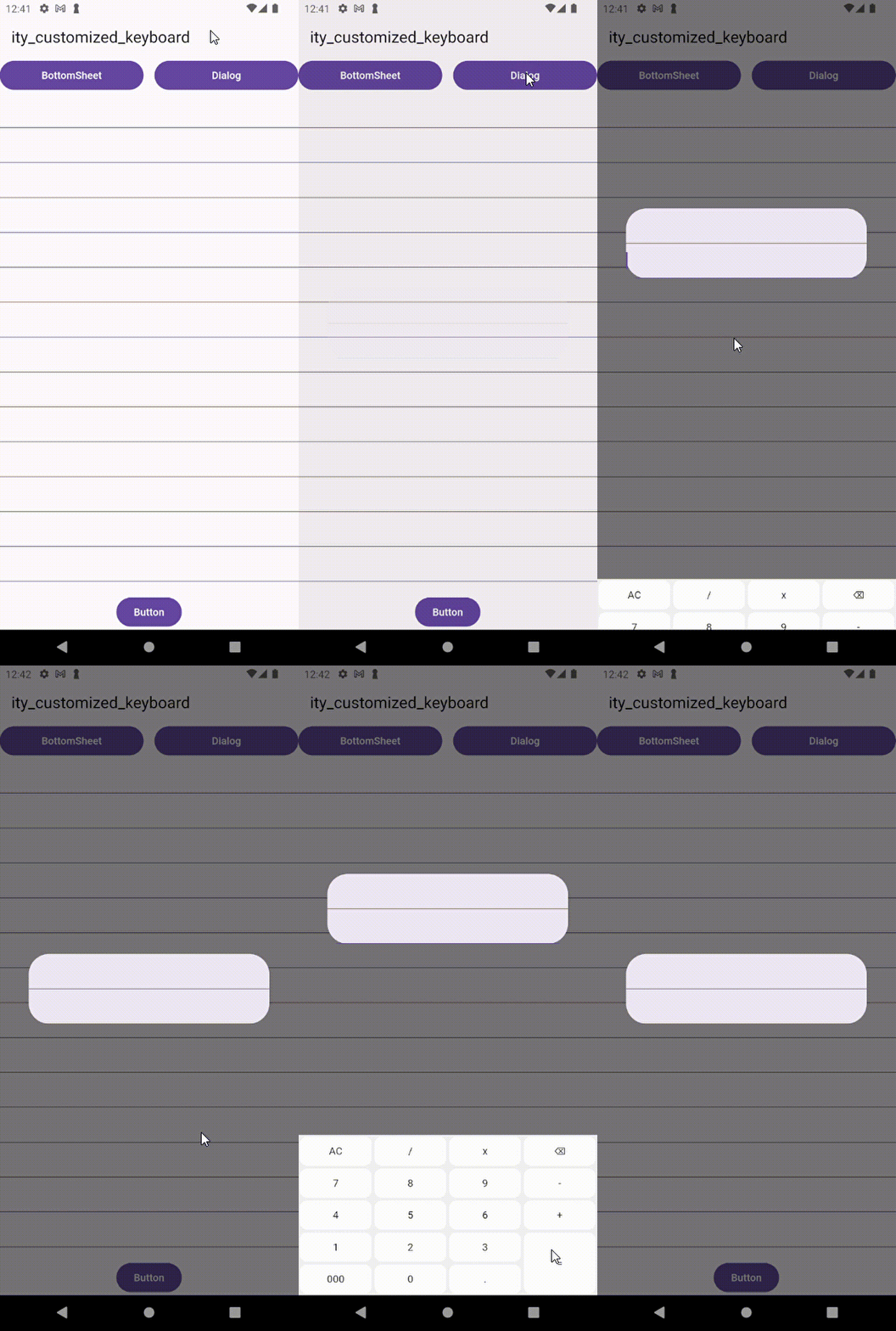
BottomSheet:
    import 'package:ity_customized_keyboard/customized_keyboard.dart';

    showModalBottomSheet(
      context: context,
      builder: (BuildContext context) {
        return KeyboardWrapper(
          isBottomSheetOrDialog: true,
          keyboards: [keyboardMomo],
          child: Column(
            mainAxisSize: MainAxisSize.min,
            children: [
              // Your code here
            ],
          ),
        );
      },
    );
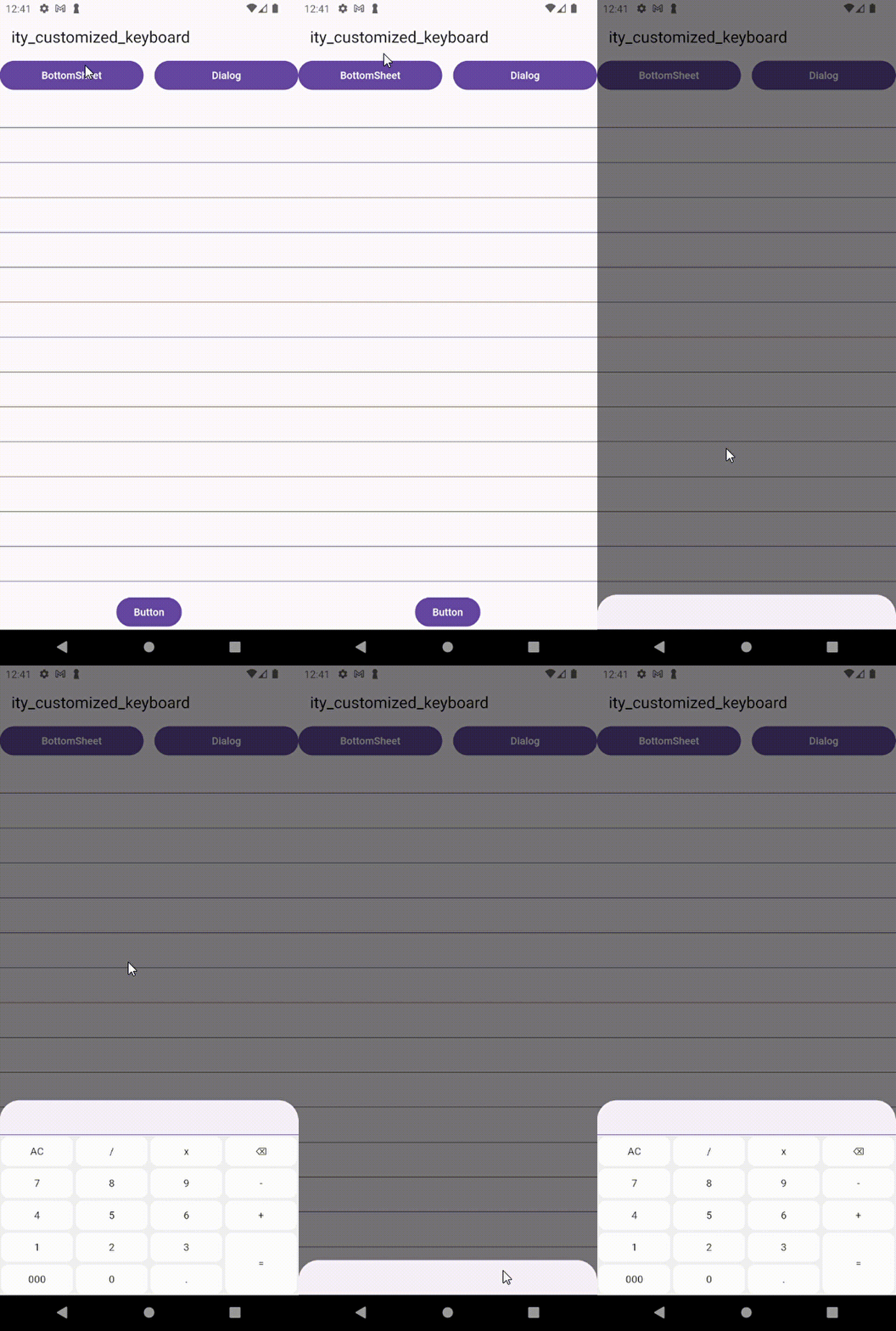
Show BottomNavigationBar:
    import 'package:ity_customized_keyboard/customized_keyboard.dart';

    KeyboardWrapper(
      removeViewInsetsBottom: true,
      keyboards: [keyboardMomo],
      child: Scaffold(
        // Your code here
      ),
    )
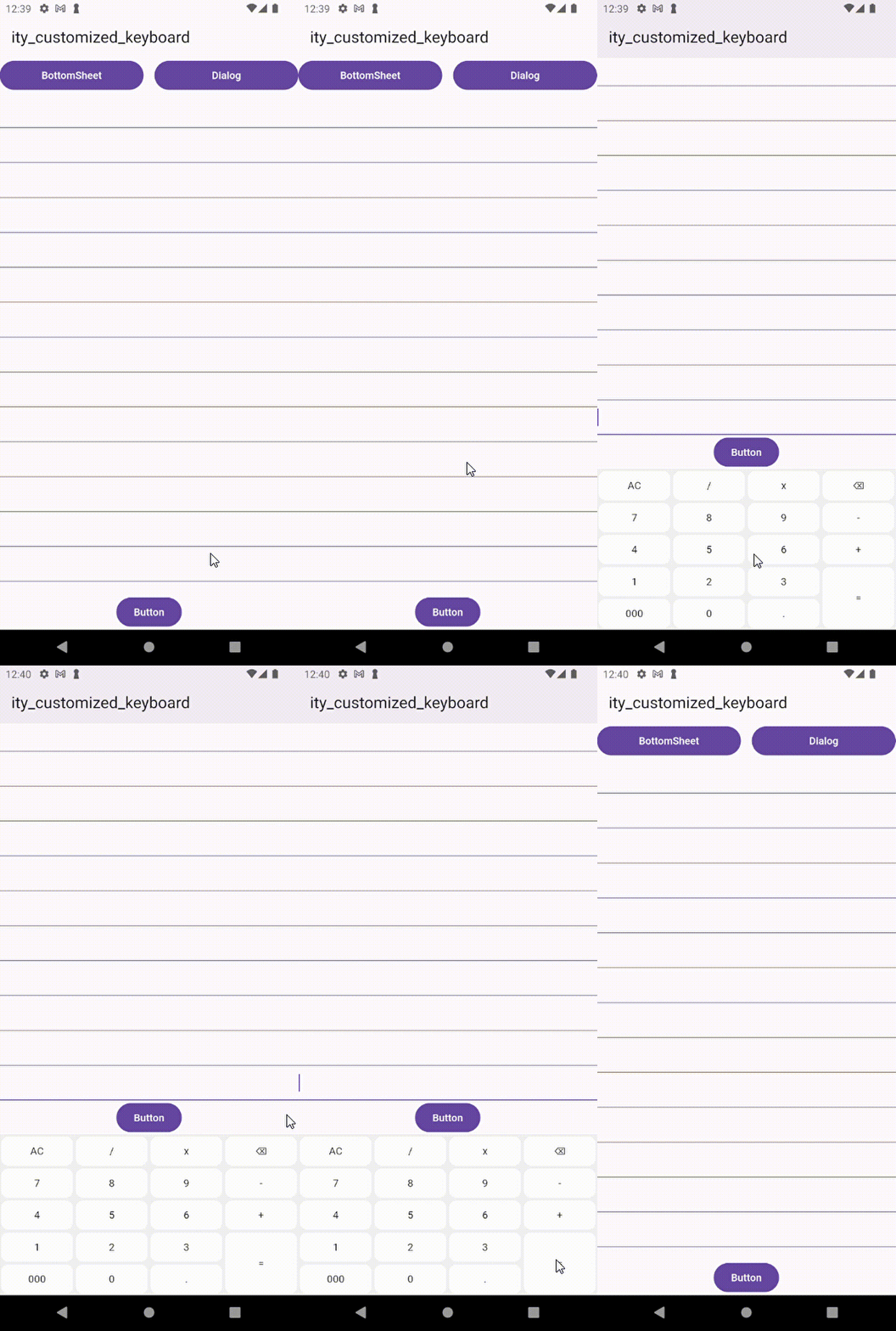
Hidden BottomNavigationBar:
    import 'package:ity_customized_keyboard/customized_keyboard.dart';

    KeyboardWrapper(
      removeViewInsetsBottom: true,
      //remove height bottomNavigationBar
      heightBottomNavigationBar: kBottomNavigationBarHeight - 10,
      keyboards: [keyboardMomo],
      child: Scaffold(
        // Your code here
      ),
    )
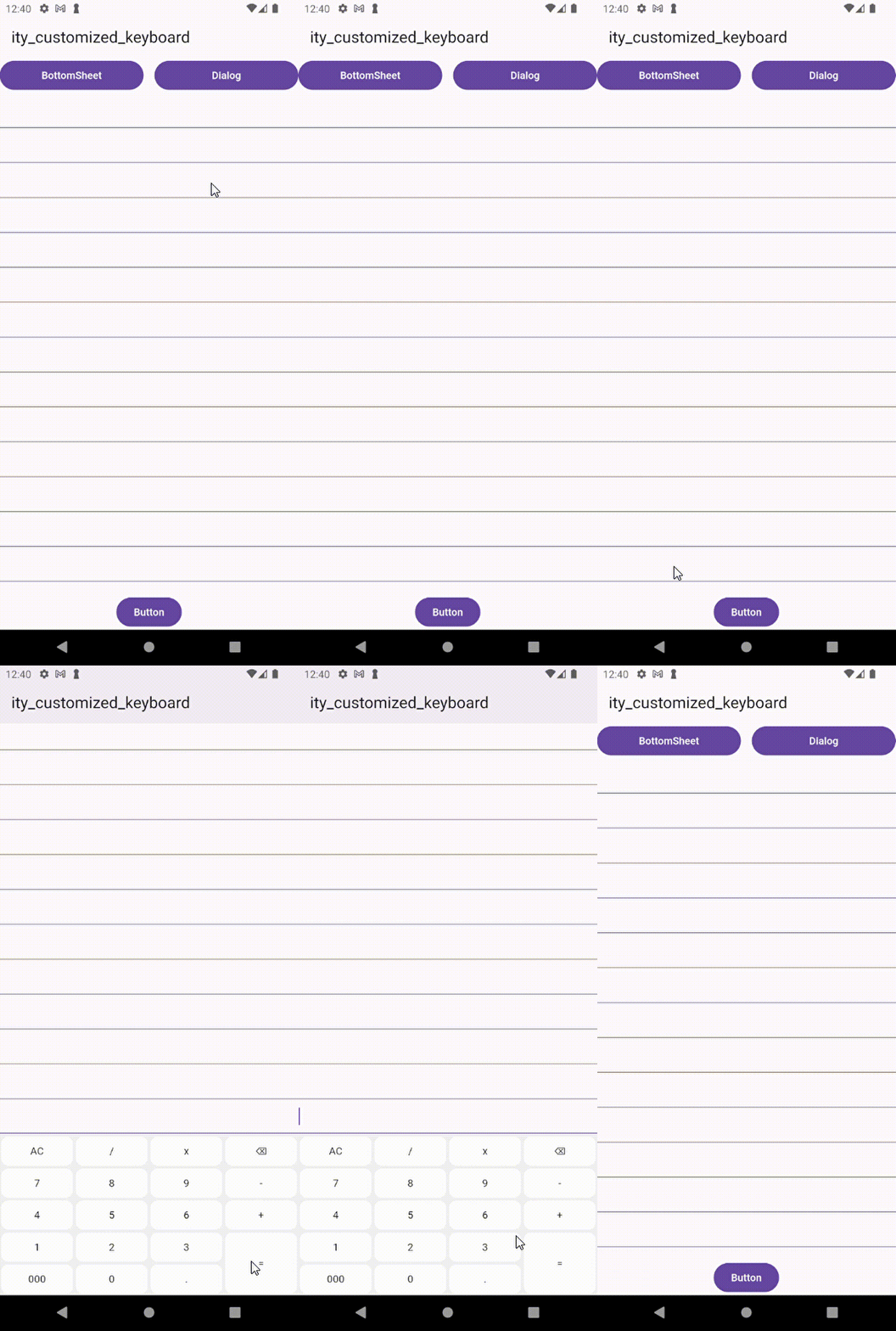
📱 Example #
To see ity_customized_keyboard in action, explore the full example project available in the example.
🛠️ Contributions #
We gladly accept contributions! If you have suggestions for new features, bug fixes, or improvements, don't hesitate to open an issue or submit a pull request. Your input is always welcome!
📄 Source #
This package is a clone of the Customized Keyboard package.
📜 License #
MIT License
Metadata
Publisher
unverified uploader
Weekly Downloads
Metadata
Use custom keyboards in flutter.
Repository (GitHub)
View/report issues
License
 unknown (license)
Dependencies
flutter, intl, math_expressions, uuid

