
img 0.1.0  img: ^0.1.0 copied to clipboard
 zaba.app
Easily paint mirror-tiling images for seamless edge-to-edge textures from any source. Defines Repeat, an expansion on ImageRepeat that enables mirroring, as well as the Widgets, extensions, and method [...]
img #
pub.dev Listing | API Doc | GitHub #
API References: Repeat | ImageToo | ImageDecorationToo | paintImageToo() | InkImg
🙋♂️ I'm an Image Too! #
Easily paint mirror-tiling images for seamless edge-to-edge textures from any source. Defines Repeat, an expansion on ImageRepeat that enables mirroring, as well as the Widgets, extensions, and methods to support it.
An ImageToo or DecorationImageToo is used to render images from the
expected array of sources, but their repeat property is expanded.
The secret sauce is the Repeat
enum with the standard options from ImageRepeat, such as noRepeat and
repeatX, as well as bespoke mirror values, spanning mirrorX, mirrorY,
and global mirror.
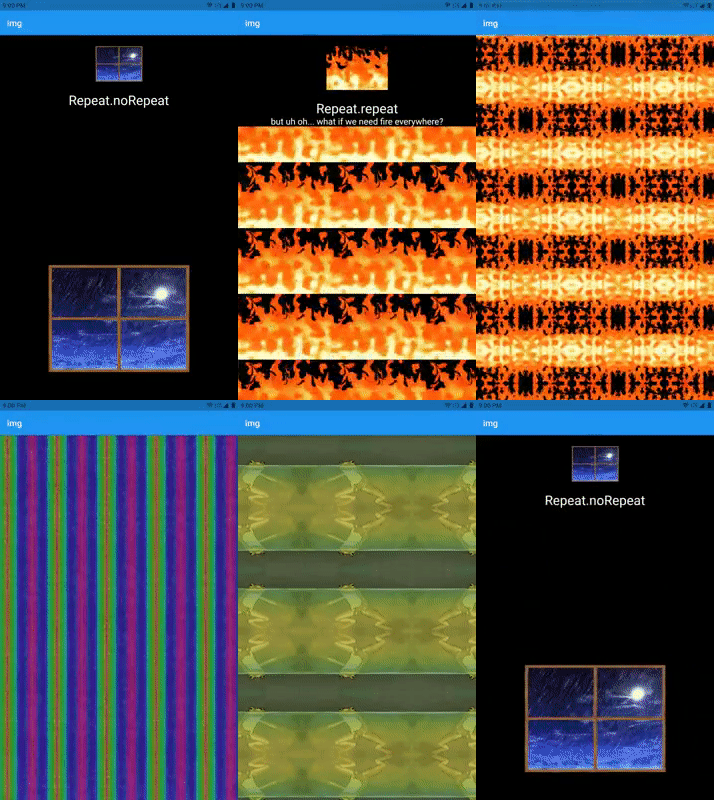
This package forks several of Flutter's vanilla classes and Widgets,
rigging them to drive an alternate paint method that is the real meat and
potatoes of 🙋♂️ img.
Predictably named paintImageToo(),
this method performs mostly the same as the built-in paintImage() method,
but it does make a few considerations for the repeat styles.
- Namely, if you are interested, within the standard tile generation method
employed for
ImageRepeat.repeat, an extra pair of values is provided back to the main painting body.- These "proximities" are values whose parity (even/oddness) dictate whether an image needs to be mirrored before painting. More specifically, the canvas itself is mirrored, the image is painted, then the canvas is restored.
- The original source tile image would be
Proximity(0,0), and theRectdirectly to its right would haveProximity(1,0).
Some images fare better than others as far as the quality of the output. Most will appear kaleidoscopic at worst and magical at best.
Still, condiering how few images out there are designed to support
edge-to-edge tiling with a simple ImageRepeat.repeat mode, this functionality
broadly expands the versatility of using any image as a seamless texture.
Getting Started #
To place an image directly into an application as a Widget, employ a
new ImageToo(. . .).
void main() => runApp(const Example());

class Example extends StatelessWidget {
  const Example({Key? key}): super(key: key);

  Widget build(BuildContext context) {
    return MaterialApp(
      home: Scaffold(
        backgroundColor: Colors.black,
        body: Center(
          child: ImageToo(
            image: NetworkImage(
              'https://gifimage.net/wp-content/uploads/2017/08/transparent-fire-gif-22.gif',
              scale: 1,
            ),
            repeat: Repeat.mirror,
            width: 600,
            height: 600,
          ),
        ),
      ),
    );
  }
}
| Sample code output | Original image (1x tile) |
|---|---|
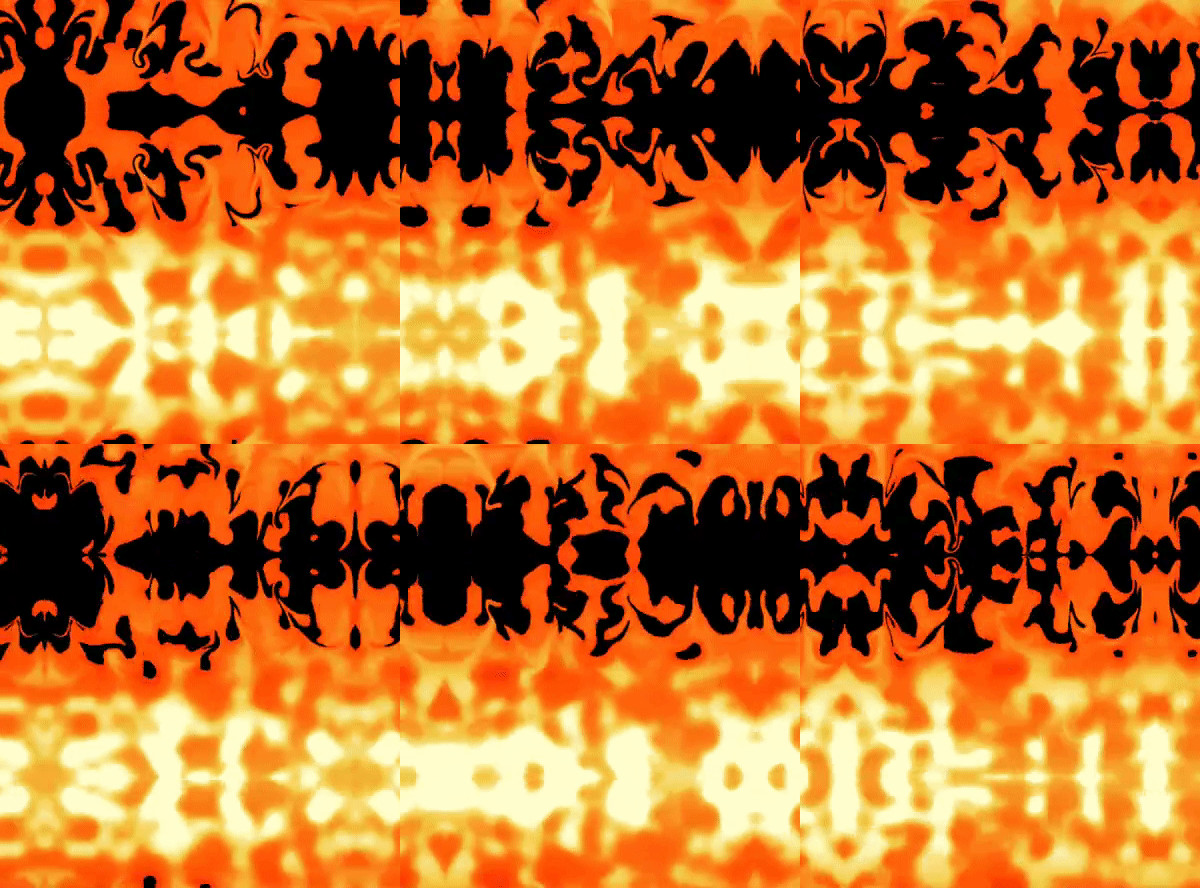 |
 |
This shiny new Repeat with its mirror values can also be used to decorate a
Container or anywhere else DecorationImage might typically be placed.
Just swap out your vanilla DecorationImage object with a DecorationImageToo
object, replacing the ImageRepeat repeat property with a Repeat repeatMode.
void main() => runApp(const FloorIsLava());

class FloorIsLava extends StatelessWidget {
  const FloorIsLava({Key? key}) : super(key: key);

  Widget build(BuildContext context) => const MaterialApp(
        debugShowCheckedModeBanner: false,
        home: Scaffold(
          backgroundColor: Colors.black,
          body: ExampleBody(),
        ),
      );
}

class ExampleBody extends StatelessWidget {
  const ExampleBody({Key? key}) : super(key: key);

  @override
  Widget build(BuildContext context) {
    return Center(
      child: Container(
        width: MediaQuery.of(context).size.width,
        height: MediaQuery.of(context).size.height,
        decoration: const BoxDecoration(
          color: Colors.amber,
          image: DecorationImageToo(
            image: NetworkImage(
              'https://gifimage.net/wp-content/uploads/2017/08/transparent-fire-gif-22.gif',
              scale: 14,
            ),
            repeatMode: Repeat.mirror,
          ),
        ),
        child: const Center(
          child: Text(
            'THE\nFLOOR\nIS\nLAVA',
            textAlign: TextAlign.center,
            style: TextStyle(
              fontSize: 75,
              color: Colors.black,
              fontWeight: FontWeight.bold,
            ),
          ),
        ),
      ),
    );
  }
}
| Sample code output | Original image (1x tile) |
|---|---|
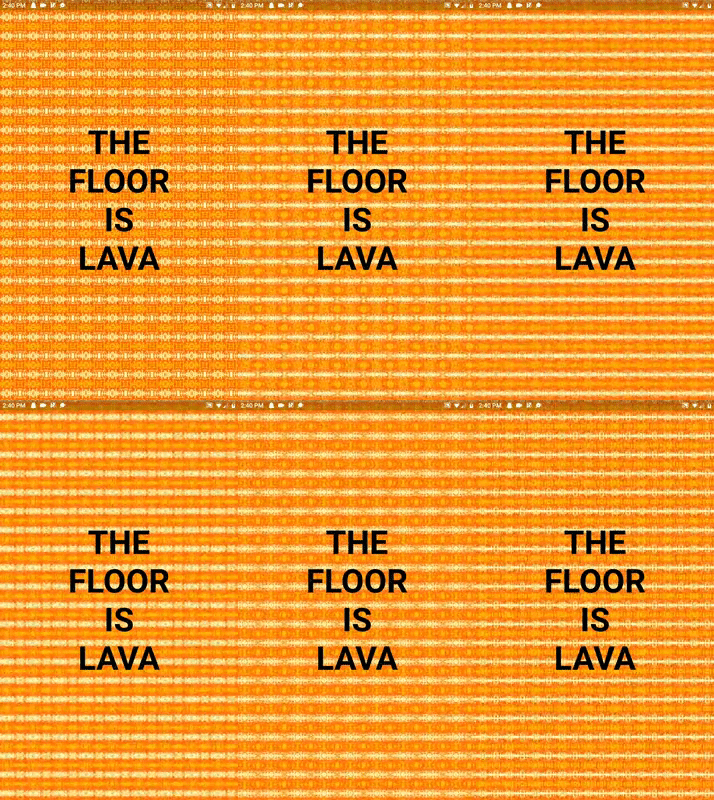 |
|
Advanced Usage #
Extension Methods #
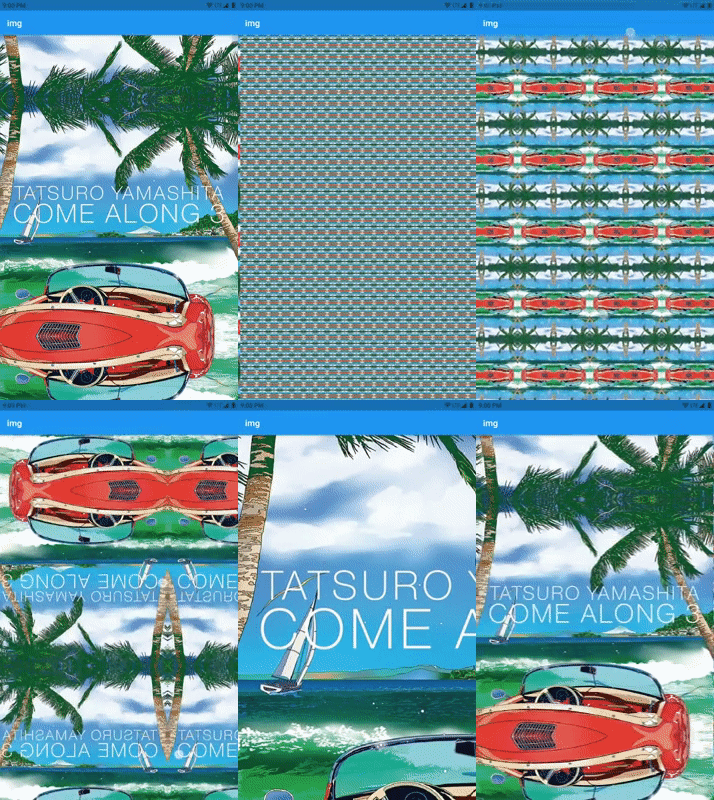
For your consideration is an extension for making a quick textured surface from
a single url as String.toSeamlessTexture().
/// URL leading to a Tatsuro Yamashita album cover.
const tatsu = 'https://spice.eplus.jp/images/KefMrp9J1bM7NGRvFqK64ZNOfbTGUDKVCC8ePaiKB1cOcOJz1rEN3DQUJMBZhQJ2.jpg';

/// Extension method
final extensionExamples = <Widget>[
  tatsu.toSeamlessTexture(),
  tatsu.toSeamlessTexture(scale: 10),
  InteractiveViewer(
    maxScale: 150,
    child: tatsu.toSeamlessTexture(scale: 75),
  );
];
Expect output from these widgets to resemble something like this:
Beyond 'https://url.to/image.png'.toSeamlessTexture(), consider:
'https://url.to/image.png'.toSeamlessRow();
'https://url.to/image.png'.toSeamlessColumn();

'res/image.gif'.toSeamlessTexture(isAsset: true, package: 'package_name');

File.toSeamlessColumn();
Uint8List.toSeamlessRow();
🙋♂️ InkImg #
Extends Ink and has the same paramters as Ink.image, but creates an ink
decoration with a DecorationImageToo that supports Repeating (mirroring 😉).
Additionally, the original Ink.image does not pass a color to its decoration,
but InkImg will. This optional color is painted behind the image.
❗ Note #
When using any of the new mirror modes as the repeat property, the
paintImageToo()
method will override the image's alignment to Alignment.center.
This is a workaround at the moment for invalid rendering when alignment is not centered.
To compensate for now, an Offset property is available with values that range
0..maxResolution where maxResolution is the axis length in pixels of the
image for the corresponding offset component, dx or dy; but this only
mimics "alignment" with a Repeat.mirror tiled image that is meant to fill
an entire space.
That is, for an image with the resolution 600✖400, an ImageToo or
DecorationImageToo may have a tile shift maxing out at Offset(600,400)
(and defaulting to Offset.none) applied as its mirrorOffset property
when its repeat is set to one of the mirror modes.
Stay tuned if you would like to, say, align the image left and also
Repeat.mirrorY.
Deep Dive #
In order to dig deep enough to the painting method, several intermediate image "too" classes had to be forked. All told, from order of direct developer relevance:
🙋♂️ ImageToo
- Shorthand: Img
A stateful widget, either const via ImageProvider or through a variety of named convenience constructors, that passes along the new Repeat value. Consider ImageToo.asset or ImageToo.network, etc.
🙋♂️ DecorationImageToo
- Shorthand: DecorationImg
A Repeat-conscious variant of a Decoration.image-fulfilling DecorationImage.
🙋♂️ |
🙋♂️ |
|---|
Not currently exported with the package. Could be. Should they be?
Dart abstraction and LeafRenderObjectWidget created by an ImageToo that
then creates the RenderBox.
🛣️ Roadmap #
- Fix
alignmentand likely removemirrorOffset.
🐸 Zaba.app ― simple packages, simple names. #
Metadata
Publisher
Weekly Downloads
Metadata
Easily paint mirror-tiling images for seamless edge-to-edge textures from any source. Defines Repeat, an expansion on ImageRepeat that enables mirroring, as well as the Widgets, extensions, and methods to support it.
Repository (GitHub)
View/report issues
Documentation
License
 BSD-3-Clause (license)

