
image_editor_pro_eclix 0.0.4  image_editor_pro_eclix: ^0.0.4 copied to clipboard
Image Editor Pro EclixTech
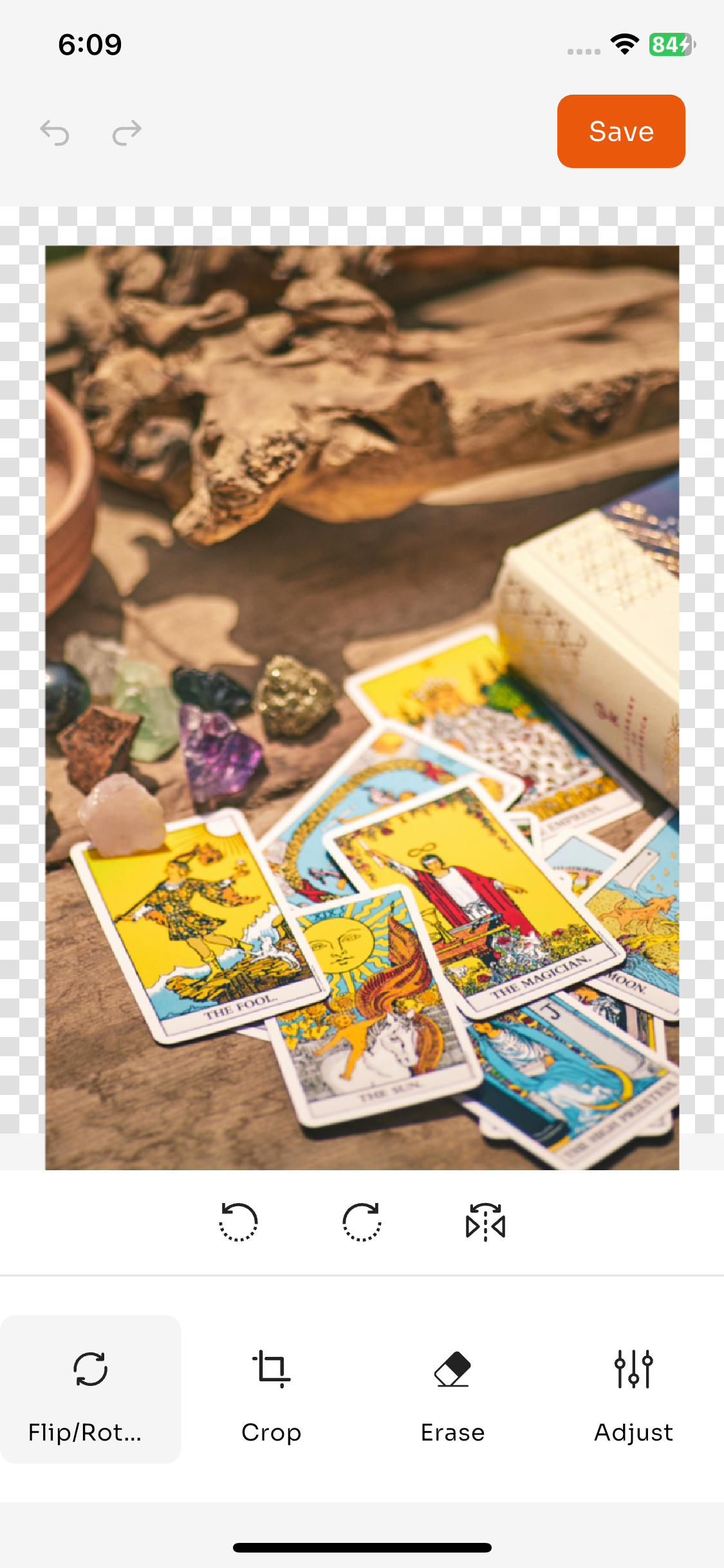
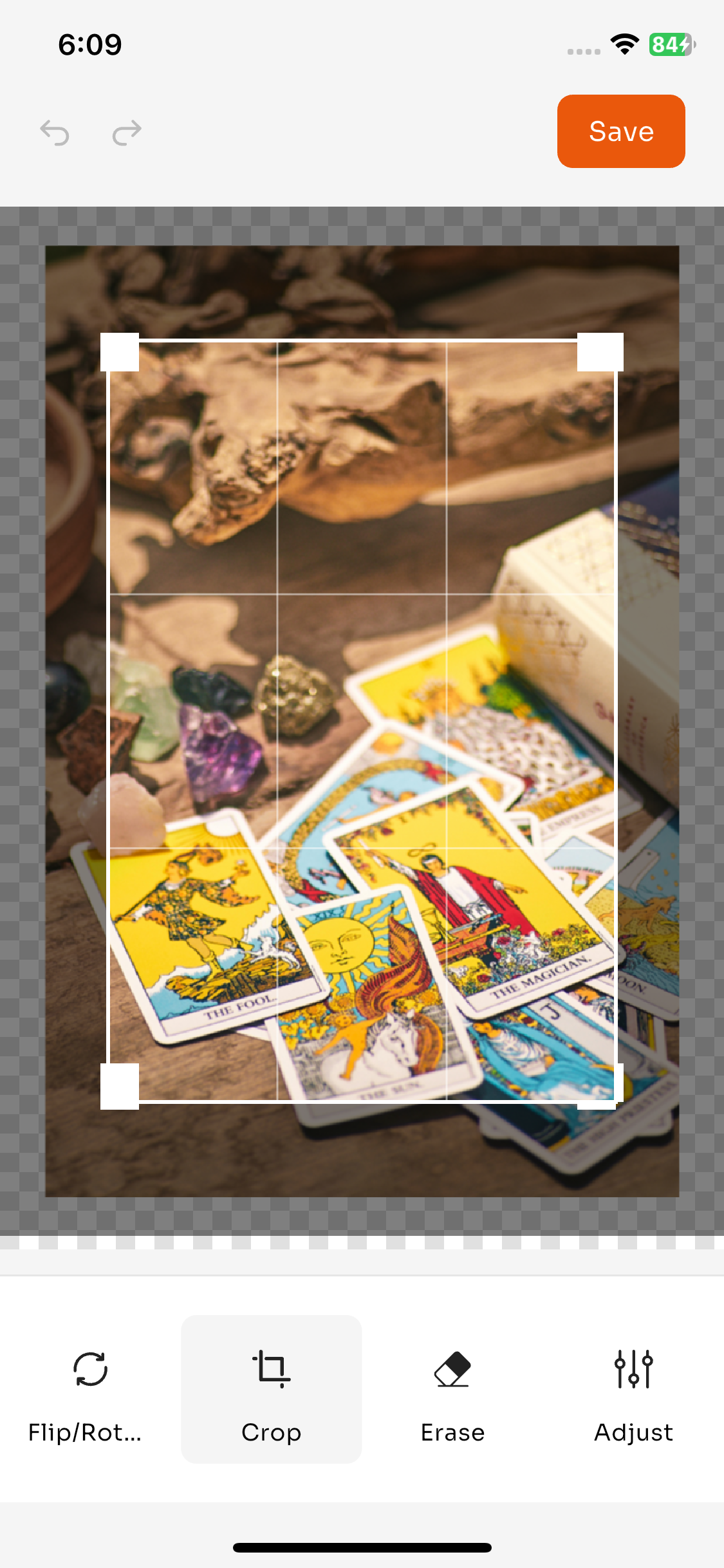
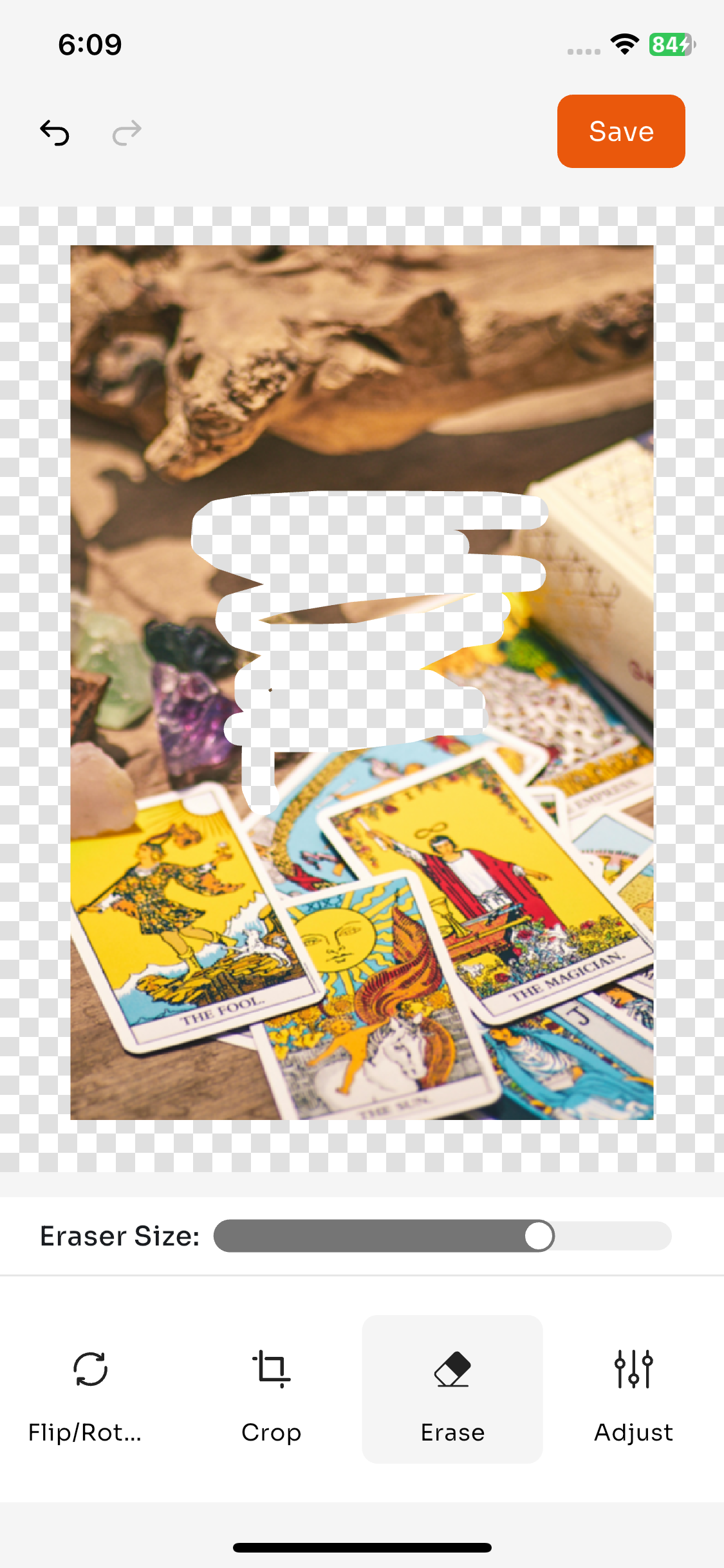
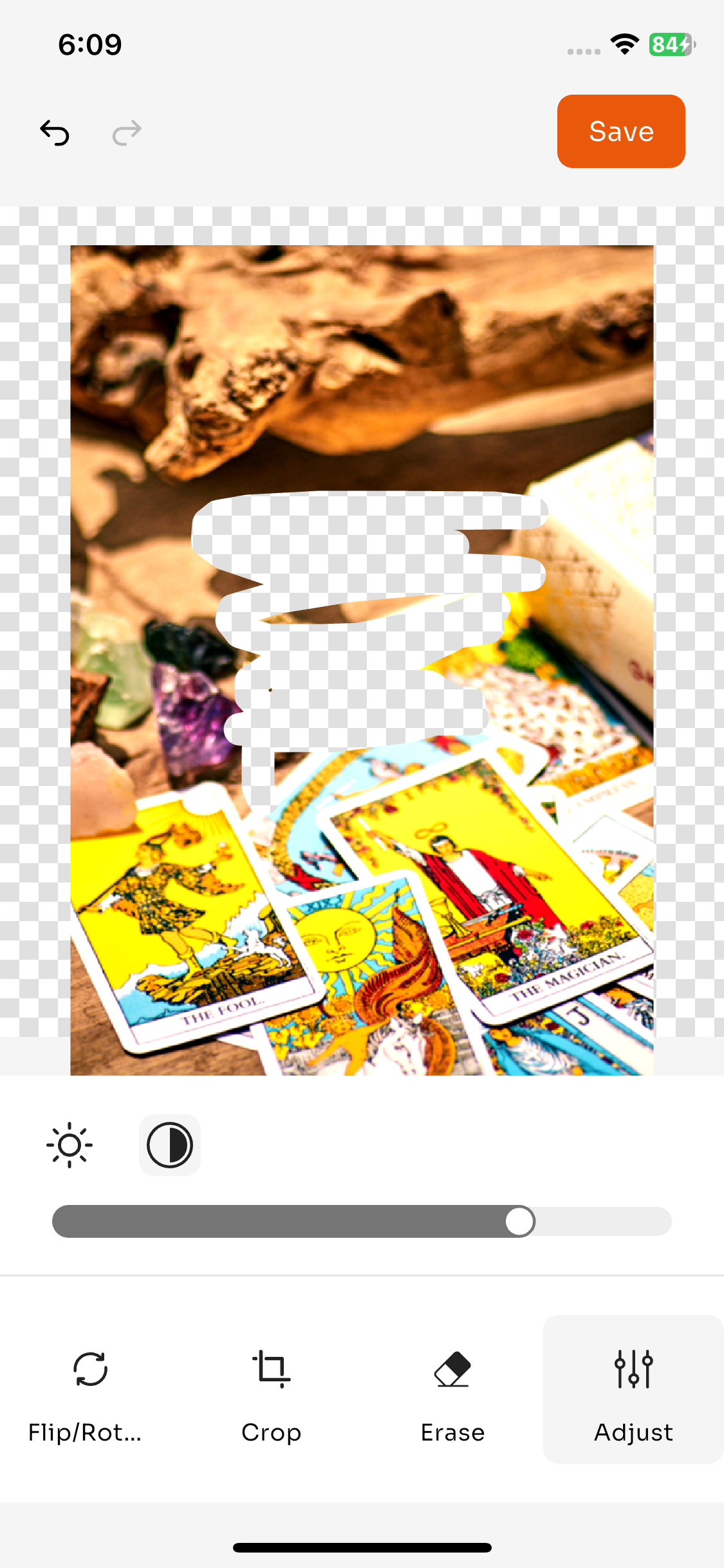
Image Editor Pro EclixTech is a modern Flutter image editor library for Android, iOS, Web, Windows, macOS, and Linux. It provides advanced image editing features such as crop, rotate, flip, erase, brightness adjustment, and undo/redo support.
This package is ideal for Flutter developers building photo editing, document signing, or image annotation applications.
Screenshots #
| Flip/Rotate | Crop |
|---|---|
 |
 |
| Erase | Adjustments |
|---|---|
 |
 |
Features #
✨ Comprehensive Editing Tools
- 🖼️ Crop: Interactive crop with resizable handles
- 🔄 Rotate: 90° rotations (left/right)
- 🔃 Flip: Horizontal flip
- ✏️ Erase: Custom eraser with adjustable brush size
- ☀️ Brightness: Adjustable brightness control
- 🎨 Contrast: Adjustable contrast control
- ↩️ Undo/Redo: Full history support
🎯 Easy to Use
- Simple API with minimal setup
- Customizable colors and labels
- Material Design UI
- Responsive canvas
Installation #
Add this to your package's pubspec.yaml file:
dependencies:
  image_editor_pro_eclix: ^0.0.1
Then run:
flutter pub get
Usage #
Basic Usage #
import 'package:image_editor_pro_eclix/image_editor_pro_eclix.dart';
import 'dart:io';

// Open the editor
final result = await Navigator.push<EditorResult>(
  context,
  MaterialPageRoute(
    builder: (context) => ImageEditor(
      imageFile: File('path/to/image.jpg'),
    ),
  ),
);

// Access the edited image
if (result != null) {
  final editedImage = result.displayImage; // ui.Image
  final state = result.state; // EditorState
}
Custom Colors #
ImageEditor(
  imageFile: imageFile,
  colors: ImageEditorColors(
    backgroundColor: Color(0xFFF5F5F5),
    primaryColor: Color(0xFFFF6B35),
    buttonColor: Color(0xFFFF6B35),
    buttonTextColor: Colors.white,
  ),
)
Custom Labels (Localization) #
ImageEditor(
  imageFile: imageFile,
  labels: ImageEditorLabels(
    save: 'Save',
    flipRotate: 'Flip/Rotate',
    crop: 'Crop',
    erase: 'Erase',
    adjust: 'Adjust',
    rotateLeft: 'Rotate Left',
    rotateRight: 'Rotate Right',
    flip: 'Flip',
    eraserSize: 'Eraser Size',
  ),
)
Restore Previous State #
EditorState? previousState;

// First edit
final result = await Navigator.push<EditorResult>(
  context,
  MaterialPageRoute(
    builder: (context) => ImageEditor(
      imageFile: imageFile,
    ),
  ),
);

if (result != null) {
  previousState = result.state;
}

// Resume editing with previous state
final result2 = await Navigator.push<EditorResult>(
  context,
  MaterialPageRoute(
    builder: (context) => ImageEditor(
      imageFile: imageFile,
      previousState: previousState,
    ),
  ),
);
API Reference #
ImageEditor #
Main widget for the image editor.
Parameters:
imageFile(File, required): The image file to editpreviousState(EditorState?, optional): Previous editor state for restorationcolors(ImageEditorColors?, optional): Custom color configurationlabels(ImageEditorLabels?, optional): Custom text labelsicons(ImageEditorIcons?, optional): Custom icon assets
EditorResult #
Result returned from the editor.
Properties:
displayImage(ui.Image): The edited imagestate(EditorState): The current editor state
EditorState #
State of the editor for restoration.
Properties:
originalImage(ui.Image): The original imagecropRect(Rect?): Crop rectangle if anyrotationTurns(int): Number of 90° rotationsflipHorizontal(bool): Whether image is flippederasePoints(List<Offset?>): Erase stroke pointsbrightness(double): Brightness value (0.0 to 1.0)contrast(double): Contrast value (-1.0 to 1.0)
ImageEditorColors #
Color configuration for the editor.
Properties:
backgroundColor(Color): Background colorprimaryColor(Color): Primary accent colorbuttonColor(Color): Save button colorbuttonTextColor(Color): Button text color
ImageEditorLabels #
Text labels for localization.
Properties:
save(String): Save button textflipRotate(String): Flip/Rotate tool labelcrop(String): Crop tool labelerase(String): Erase tool labeladjust(String): Adjust tool labelrotateLeft(String): Rotate left labelrotateRight(String): Rotate right labelflip(String): Flip labeleraserSize(String): Eraser size label
Example #
Check out the example directory for a complete working example.
To run the example:
cd example
flutter pub get
flutter run
Contributing #
Contributions are welcome! Please feel free to submit a Pull Request.
License #
This project is licensed under the MIT License - see the LICENSE file for details.
Changelog #
See CHANGELOG.md for version history.
Support #
If you encounter any issues or have questions, please file an issue on the GitHub repository.
Metadata
Publisher
unverified uploader
Weekly Downloads
Metadata
Image Editor Pro EclixTech
Repository (GitHub)
View/report issues
Documentation
License
 MIT (license)

