
image_cropper_latest 0.0.3  image_cropper_latest: ^0.0.3 copied to clipboard
A modern, lightweight, and highly customizable image cropping package for Flutter. Provides gesture-based controls, aspect ratio locking, rotation, and high-quality output for Android and iOS.
image_cropper_latest #
A modern, lightweight, and highly customizable image cropping package for Flutter. It provides a clean API to crop images with gesture-based controls, aspect ratio locking, rotation, and high-quality output—designed for today’s Flutter apps. Built with performance and simplicity in mind, this package works seamlessly on Android and iOS, making it ideal for profile pictures, product images, document scanning, and more.
Screenshots #
| Android | iOS |
|---|---|
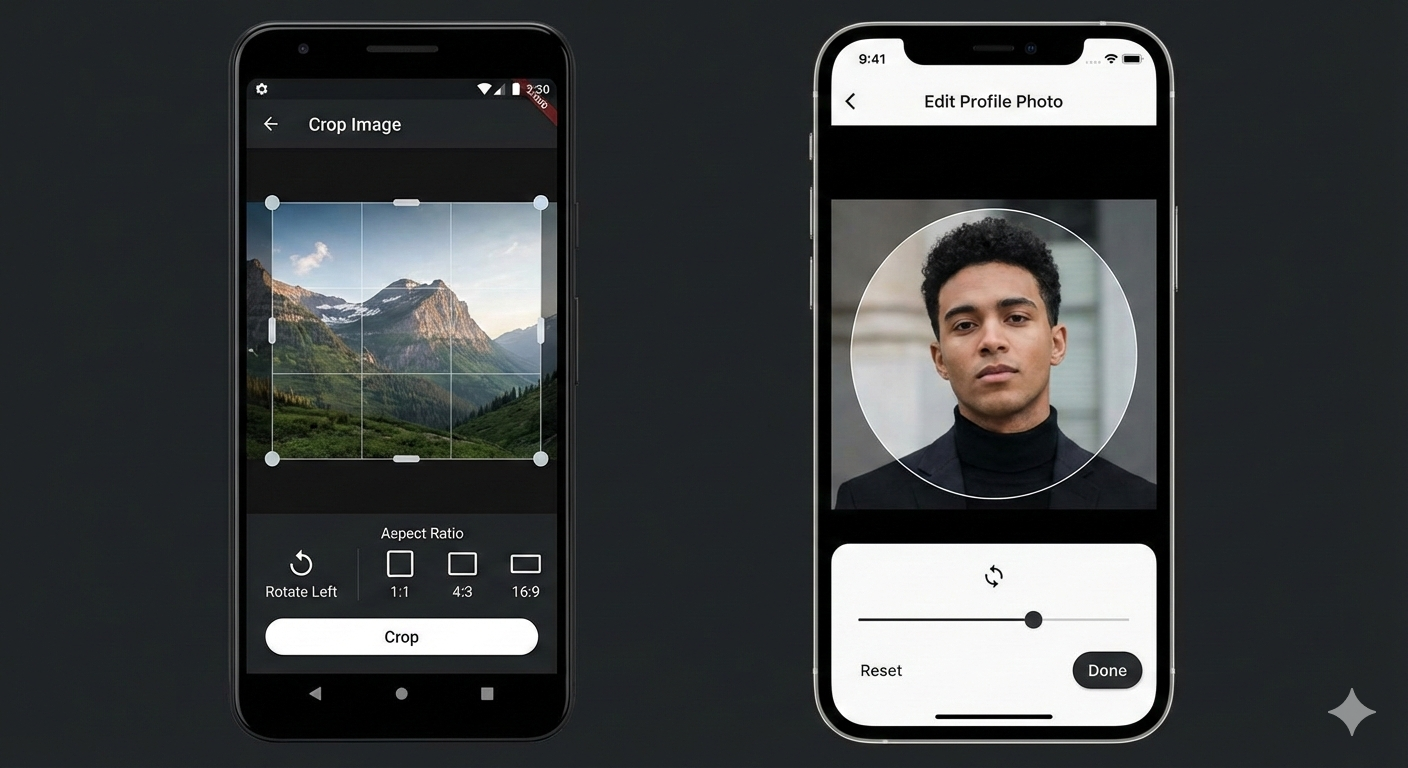 |
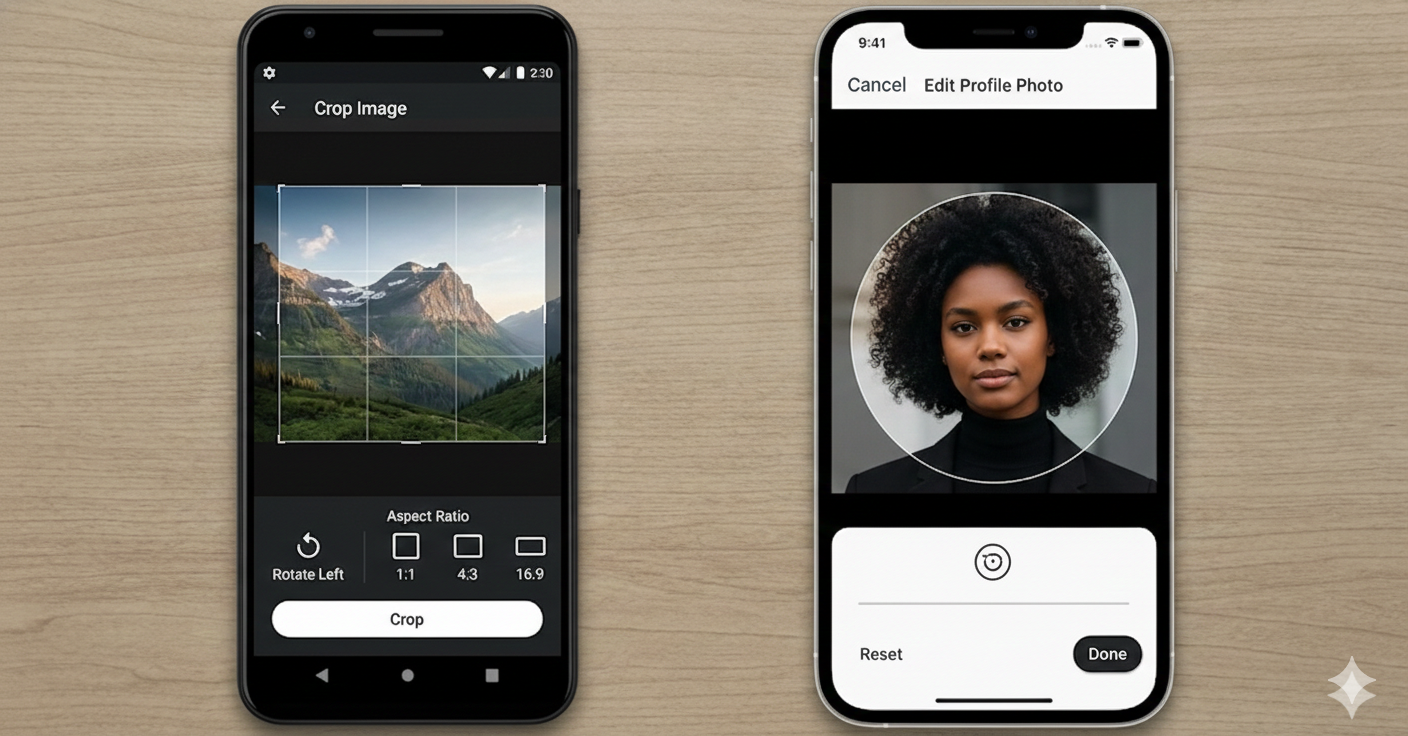 |
Features #
- Crop image from a local file path
- Freeform cropping
- Aspect ratio cropping (1:1, 4:3, 16:9, etc.)
- Rotation support (Android & iOS)
- Control over output image quality
- Returns the file path of the cropped image
Platform Support #
| Platform | Supported |
|---|---|
| ✅ Android | ✅ |
| ✅ iOS | ✅ |
| ❌ Web | ❌ |
| ❌ Desktop | ❌ |
Installation #
Add this to your package's pubspec.yaml file:
dependencies:
  image_cropper_latest: ^0.0.2 # Use the latest version
  image_picker: ^1.0.4 # For picking images
Then, run flutter pub get.
iOS Integration:
Add the following keys to your Info.plist file, located in <project root>/ios/Runner/Info.plist:
<key>NSCameraUsageDescription</key>
<string>This app needs camera access to take photos for cropping.</string>
<key>NSPhotoLibraryUsageDescription</key>
<string>This app needs photo library access to select photos for cropping.</string>
Android Integration:
No specific configuration is required for Android if you are targeting minSdkVersion 24 or higher.
Usage Example #
import 'dart:io';
import 'package:flutter/material.dart';
import 'package:image_picker/image_picker.dart';
import 'package:image_cropper_latest/flutter_image_cropper.dart';

// Your existing example code...
API Documentation #
FlutterImageCropper.cropImage #
static Future<String?> cropImage({
  required String sourcePath,
  double? aspectRatioX,
  double? aspectRatioY,
  List<CropAspectRatioPreset>? aspectRatioPresets,
  int quality = 90,
});
sourcePath: (Required) The absolute file path of the image to be cropped.aspectRatioX,aspectRatioY: (Optional) Lock the crop view to a specific aspect ratio.aspectRatioPresets: (Optional) A list of aspect ratio presets to be displayed to the user.quality: (Optional) The quality of the output image, from 0 to 100. Defaults to90.
Returns: A Future<String?> which resolves to the file path of the cropped image, or null if the user cancels.
Contribution #
Contributions are welcome! Please file an issue or submit a pull request.
License #
This project is licensed under the MIT License - see the LICENSE file for details.
Metadata
Publisher
unverified uploader
Weekly Downloads
Metadata
A modern, lightweight, and highly customizable image cropping package for Flutter. Provides gesture-based controls, aspect ratio locking, rotation, and high-quality output for Android and iOS.
Repository (GitHub)
View/report issues
Documentation
License
 MIT (license)
Dependencies
flutter, flutter_web_plugins, plugin_platform_interface, web
More
Packages that depend on image_cropper_latest
Packages that implement image_cropper_latest

