
icon_to_text_extension_codespark 0.0.1  icon_to_text_extension_codespark: ^0.0.1 copied to clipboard
 ksaikiran.tech
Flutter extension to render any IconData (Material or Cupertino) as Text or TextSpan for inline icons in rich text and custom layouts.

🔤 icondata_to_text_extension #



Convert any Flutter IconData (Material or Cupertino) into inline Text or TextSpan widgets with correct font rendering.
Ideal for rich text, custom layouts, or displaying icons as text in Flutter apps.
✨ Fully null-safe, simple, and customizable.
🚀 Features #
- ✅ Supports both Material and Cupertino icons
- ✅ Converts IconData to
TextSpanorTextwidgets - ✅ Preserves original icon font family and package
- ✅ Accepts optional
TextStylewith easy overrides - ✅ Prefix and postfix text support — combine icon and surrounding text in one widget, reducing extra
TextSpans orTextwidgets - ✅ Perfect for inline icons in rich text or complex UI
- ✅ Minimal, zero-dependency extension
🔧 Installation #
Add to your pubspec.yaml:
dependencies:
  icondata_to_text_extension: ^0.0.1
Then run:
flutter pub get
🧪 Usage #
Convert IconData to TextSpan #
final span = CupertinoIcons.share.toTextSpan(
  style: TextStyle(fontSize: 24, color: Colors.blue),
);
Convert IconData to Text widget #
final widget = Icons.share.toText(
  style: TextStyle(fontSize: 30, color: Colors.green),
  textAlign: TextAlign.center,
);
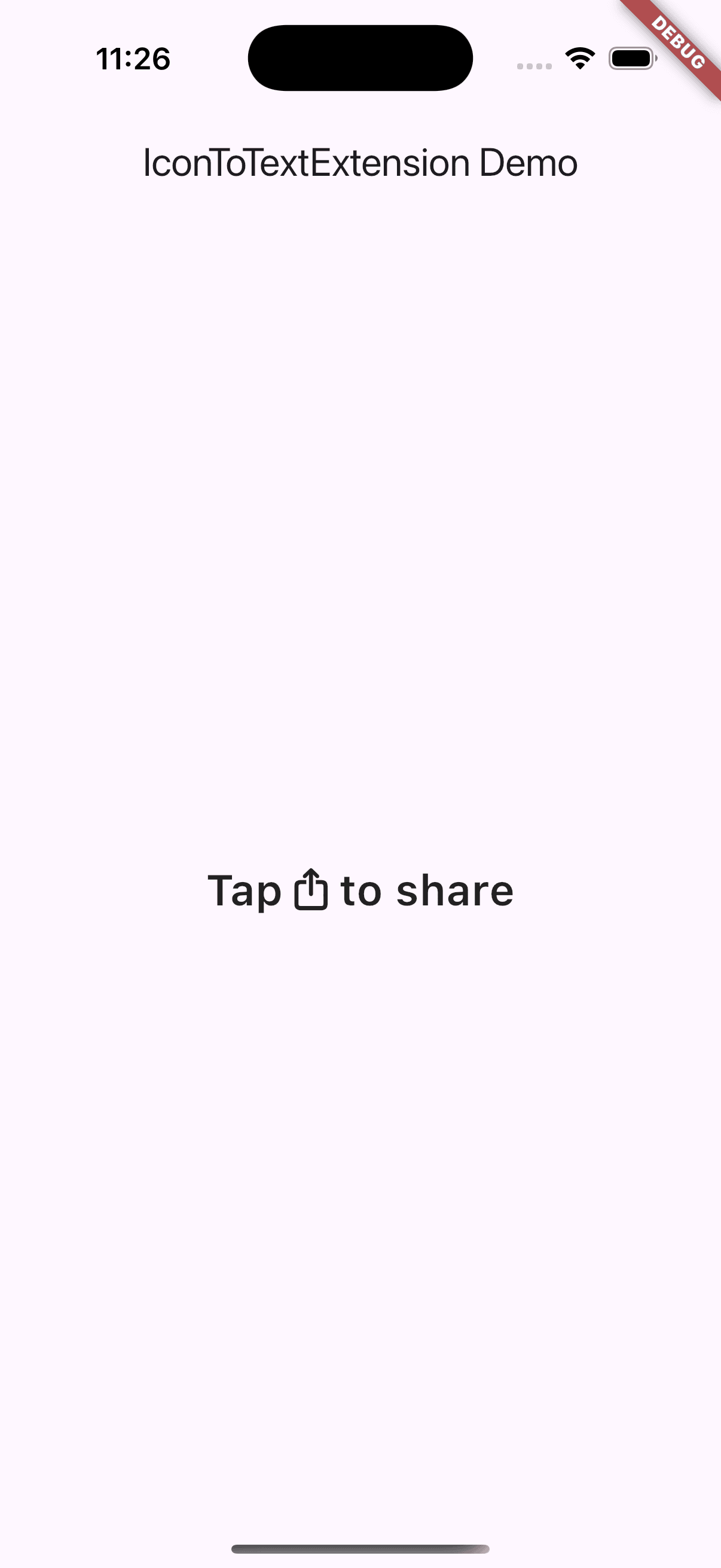
Use prefix and postfix to reduce extra spans/widgets #
final spanWithText = CupertinoIcons.share.toTextSpan(
  prefix: 'Tap ',
  postfix: ' to share',
  style: TextStyle(fontSize: 24, color: Colors.black),
);
final textWithIcon = Icons.share.toText(
  prefix: 'Click ',
  postfix: ' here',
  style: TextStyle(fontSize: 28, color: Colors.purple),
);
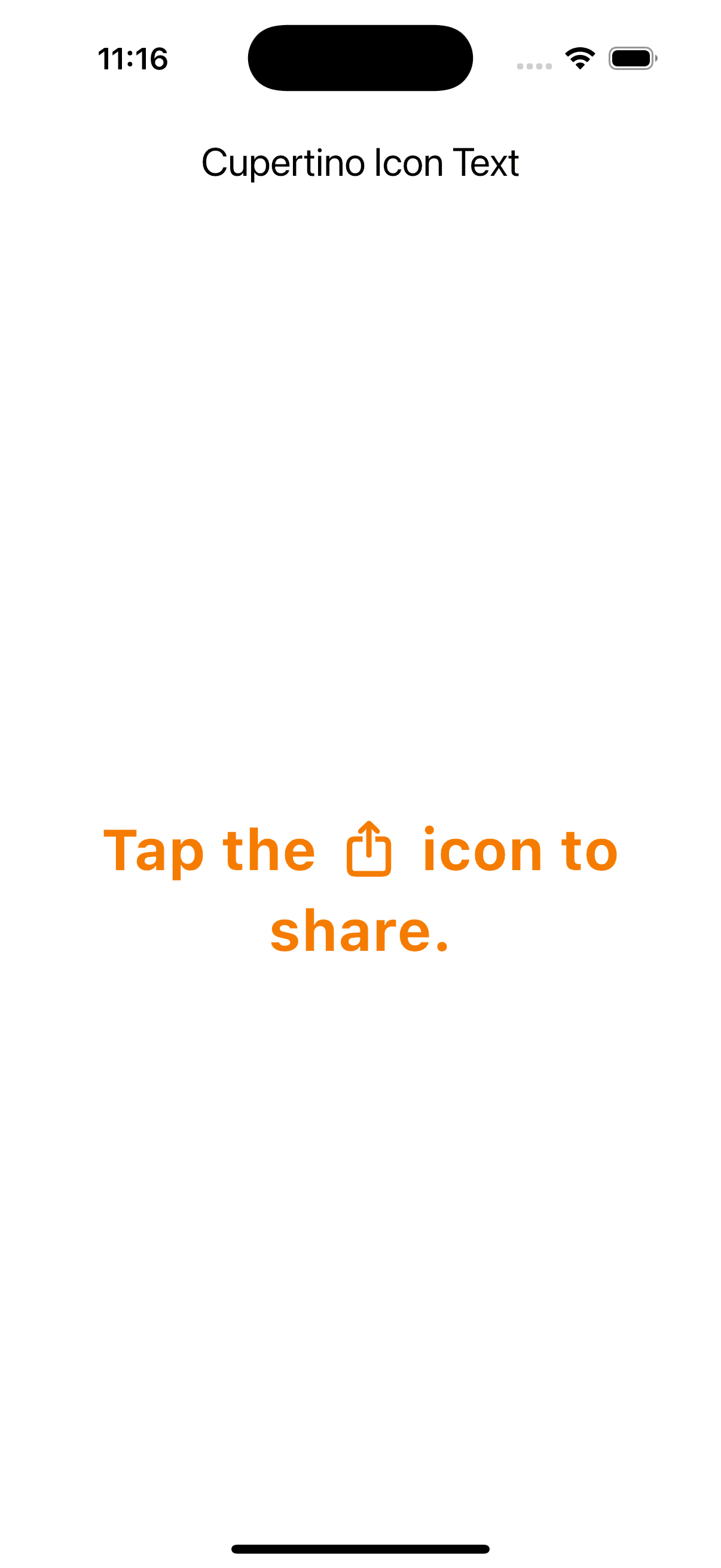
Use in RichText #
RichText(
  text: TextSpan(
    children: [
      TextSpan(text: 'Click the '),
      CupertinoIcons.share.toTextSpan(style: TextStyle(color: Colors.black)),
      TextSpan(text: ' button to share.'),
    ],
  ),
)
📷 Preview #
💡 Roadmap #
- ✅ IconData to TextSpan conversion
- ✅ IconData to Text widget conversion
- ✅ Prefix and postfix support in text conversion
- ❌ Support for custom font sizes & colors via style
- ❌ Additional utility methods for widget building
- ❌ Example app with live preview
- ❌ Add support for other icon fonts (custom font icons)
📁 Example #
Clone or open the example/ folder and run:
flutter run
🎉 Check Out My Other Packages! #
Explore more Flutter packages by Katayath Sai Kiran to add unique UI effects and functionality to your apps.
👨💻 Maintainer #
Developed with 💙 by Katayath Sai Kiran 📬 Contributions and suggestions are always welcome!
Metadata
Publisher
Weekly Downloads
Metadata
Flutter extension to render any IconData (Material or Cupertino) as Text or TextSpan for inline icons in rich text and custom layouts.
Repository (GitHub)
View/report issues
Topics
#icondata #cupertino-icons #material-icons #inline-icons #flutter-extensions
License
 unknown (license)

