
flutter_multi_dropdown 1.1.0  flutter_multi_dropdown: ^1.1.0 copied to clipboard
Published 34 days ago •  namangajera.dev
namangajera.devA Flutter dropdown widget for single and multi select with search, checkboxes, radio buttons, select all support, and full UI customization.
Flutter Multi Dropdown 🚀 #


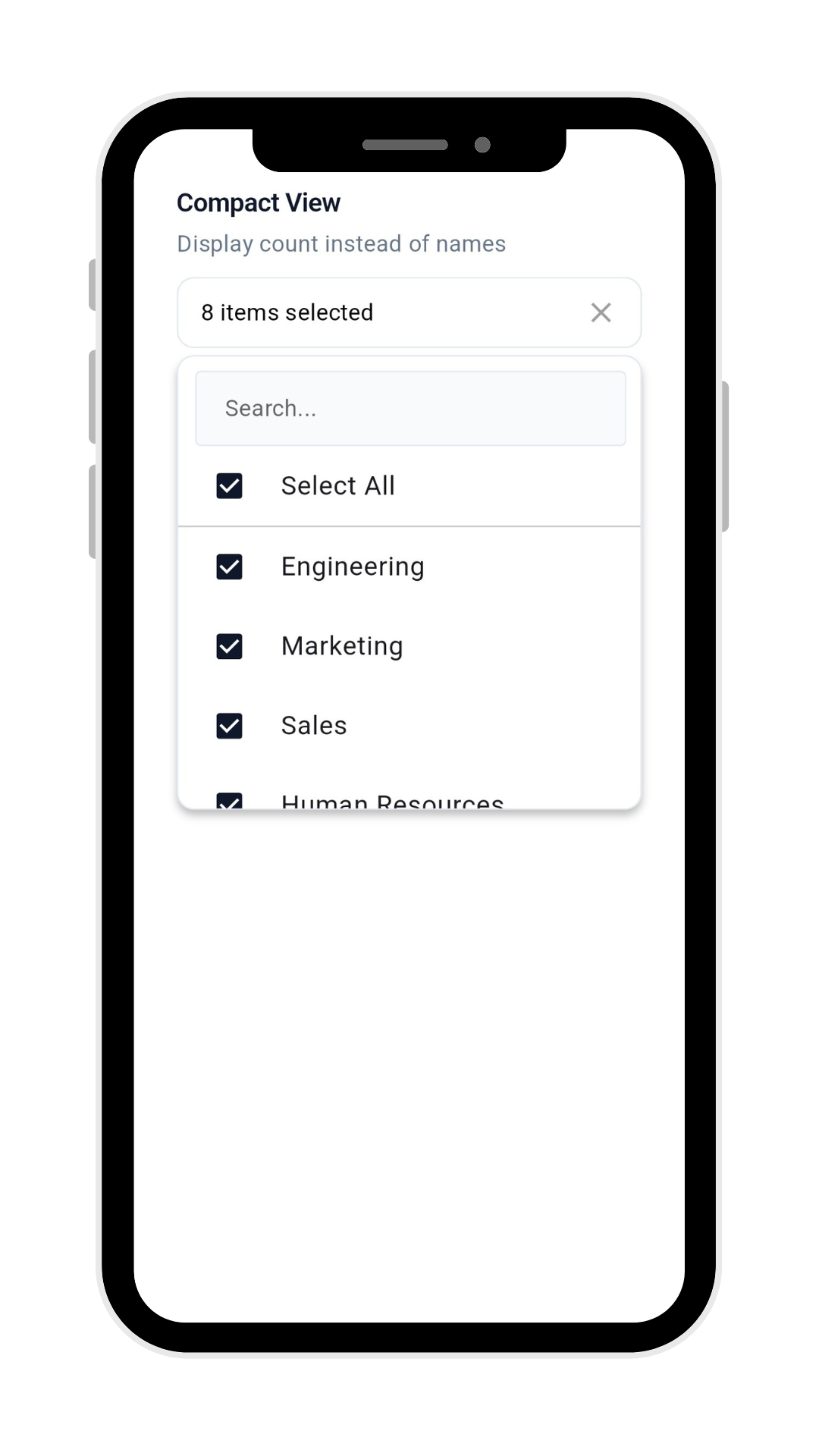
A Flutter dropdown widget with both single and multi-select capabilities. Features include checkboxes/radio buttons, search, debounce search, selection limit, built-in Select All support, and customizable UI. Ideal for forms, filters, and selection interfaces.
✨ Features #
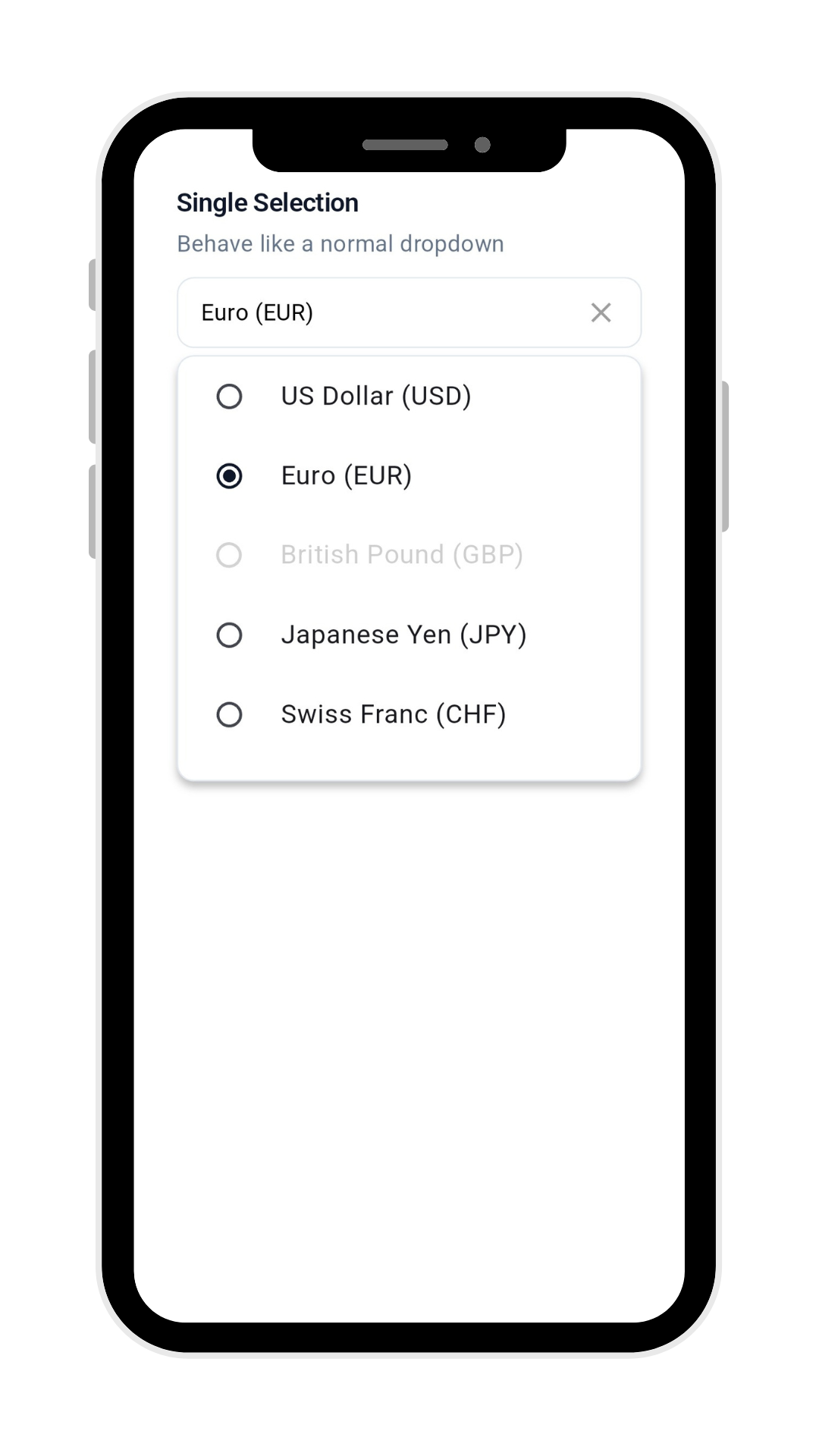
- Multi-Selection Support - Intuitive interface for selecting multiple items (can also be used as single select).
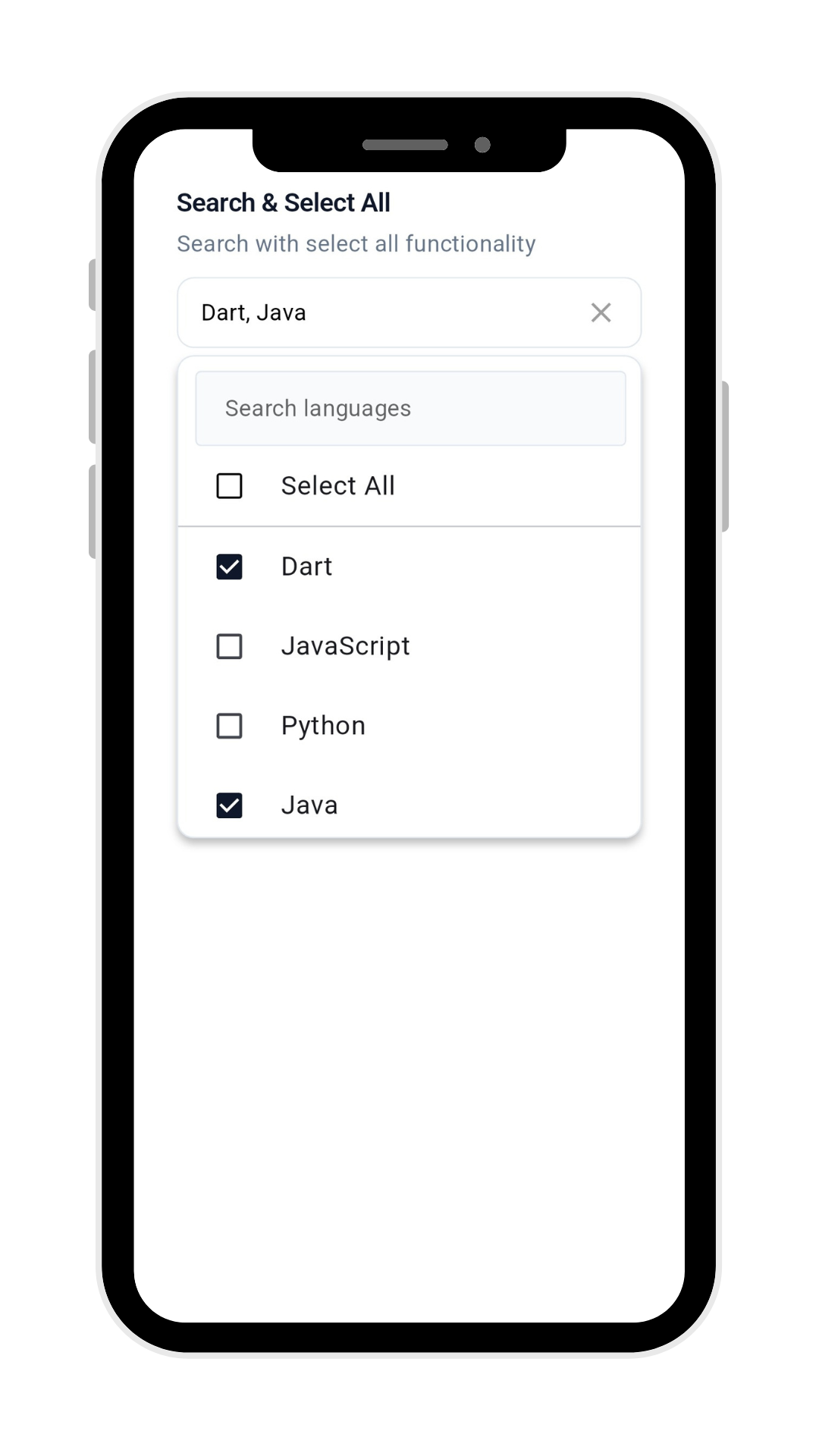
- Search Functionality - Built-in search to quickly find items in large lists.
- Select All Option - Built-in "Select All" functionality with customizable text.
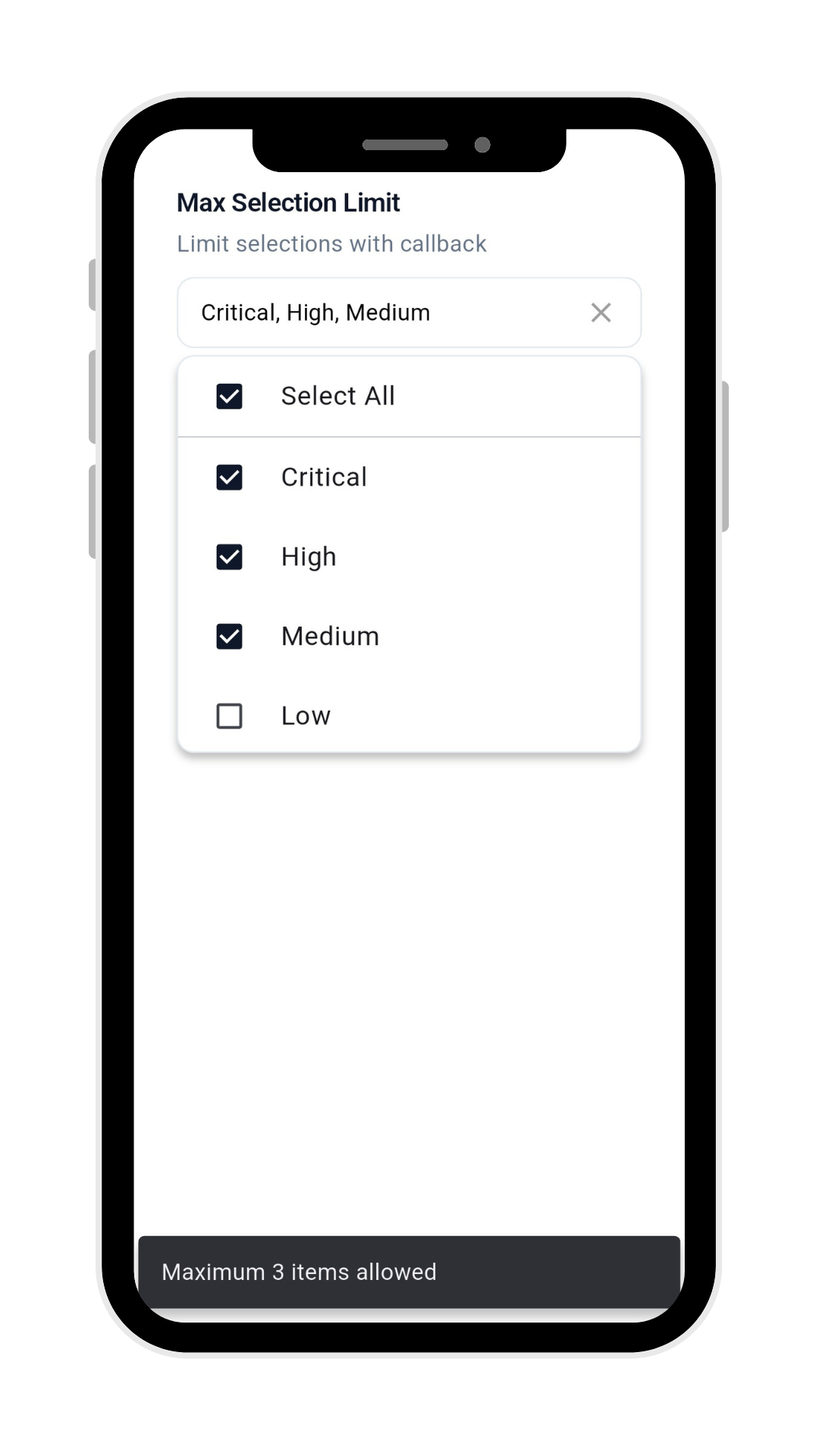
- Selection Limit - Restrict the number of selectable items with
maxSelection. - Max Selection Callback - Handle user feedback when the selection limit is reached via
onMaxSelectionReached. - Empty & Loading States - Fully customizable UI for empty lists and loading scenarios.
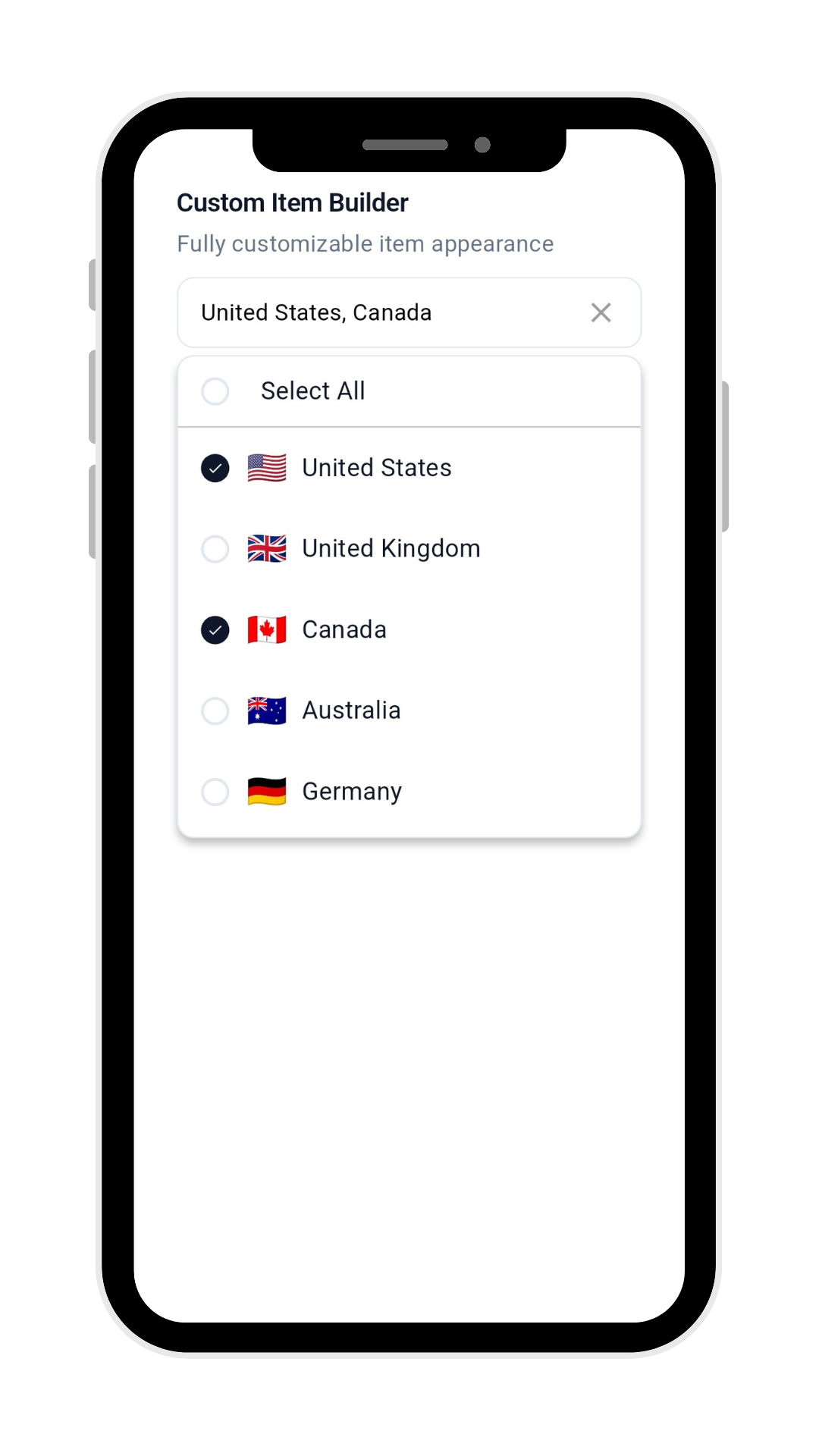
- Full UI Control – Customize every part with
itemBuilder&selectAllBuilder. - Disabled Items – Mark items as non-selectable via
DropDownMenuItemData. - Visual Feedback - Clear checkbox indicators for selection state.
- Type Safety - Generic implementation works with any data type.
- Programmatic Control - Full control via
MultiDropdownController. - Customizable UI - Extensive decoration options for complete visual control.
📸 Screenshots & Demo #
📦 Installation #
Add the package to your pubspec.yaml:
dependencies:
  flutter_multi_dropdown: latest
Then run:
flutter pub get
🎮 Basic Usage #
import 'package:flutter_multi_dropdown/flutter_multi_dropdown.dart';

// Simple usage with controller
final MultiDropdownController dropdownController = MultiDropdownController();

FlutterMultiDropdown<int>(
  controller: dropdownController,
  selectionMode: DropdownSelectionMode.multiple,
  items: const [
    DropDownMenuItemData(name: 'Option 1', id: 1),
    DropDownMenuItemData(name: 'Option 2', id: 2),
    DropDownMenuItemData(name: 'Option 3', id: 3),
  ],
  onSelectionChanged: (selectedItems) {
    print('Selected items: $selectedItems');
  },
)
⚙️ Configuration #
Widget Properties #
| Property | Description | Type | Default |
|---|---|---|---|
items |
List of selectable items | List<DropDownMenuItemData<T>> |
Required |
onSelectionChanged |
Callback when selection changes | Function(List<T>)? |
null |
placeholder |
Placeholder text | String? |
'Select Items' |
selectAllText |
"Select All" option text | String? |
'Select All' |
itemBuilder |
Custom item widget builder | Widget? |
null |
selectAllBuilder |
Custom select all widget builder | Widget? |
null |
prefix |
Widget before selected items | Widget? |
null |
suffix |
Widget after selected items | Widget? |
null |
initialValue |
Initially selected values | List<T>? |
null |
controller |
Programmatic control | MultiDropdownController<T>? |
null |
showSelectedItemName |
Show names vs count | bool |
true |
showSelectAll |
Show select all option | bool |
true |
enableSearch |
Enable search functionality | bool? |
false |
isEmptyData |
Show names vs count | bool |
false |
showLoading |
Show loading indicator | bool |
false |
loadingBuilder |
Custom loading widget builder | Widget Function(BuildContext)? |
null |
emptyBuilder |
Custom empty state widget builder | Widget Function(BuildContext)? |
null |
autoCloseOnItemTap |
control dropdown close behavior after item selection | bool |
false |
maxSelection |
Limit maximum selections | int? |
null |
onMaxSelectionReached |
Limit maximum selections | Function? |
null |
initialSingleValue |
Initial single selected value | dynamic? |
null |
selectionMode |
Selection mode (single or multiple) | DropdownSelectionMode |
single |
Decoration Properties #
decoration: DropdownDecoration(
  borderRadius: 10,
  borderColor: Colors.blue,
  checkboxActiveColor: Colors.blueAccent,
  maxVisibleItems: 6,
  // See all options below
)
| Property | Description | Type | Default |
|---|---|---|---|
borderRadius |
Border radius | double |
6.0 |
borderColor |
Border color | Color |
Colors.grey |
backgroundColor |
Background color | Color |
Colors.white |
contentPadding |
Internal padding | EdgeInsets |
EdgeInsets.symmetric(horizontal: 16, vertical: 12) |
elevation |
Dropdown elevation | double |
4.0 |
maxHeight |
Max dropdown height | double |
260 |
checkboxActiveColor |
Active checkbox color | Color? |
Theme primary |
checkboxInActiveColor |
Inactive checkbox color | Color? |
Colors.black |
closeDropdownIcon |
Custom close icon | Widget? |
null |
closeDropdownIconColor |
Close Dropdown icon color | Color? |
Colors.grey |
openDropdownIcon |
Custom open icon | Widget? |
null |
openDropdownIconColor |
Open Dropdown icon color | Color? |
Colors.grey |
searchDecoration |
Search filed decoration | DropdownSearchDecoration |
null |
maxVisibleItems |
Maximum number of visible items in the dropdown list | int |
6 |
itemHeight |
Height of each dropdown item in pixels | double |
48.0 |
minHeight |
Minimum height of the dropdown list in pixels | double |
100.0 |
🎛️ Controller Methods #
// Get current selections
List<int> selected = controller.selectedIds;

// Update selections programmatically
controller.updateSelection([1, 2, 3]);

// Clear all selections
controller.clearSelection();
🎨 Complete Multi Dropdown Example #
final MultiDropdownController fruitsController = MultiDropdownController();

final List<DropDownMenuItemData> fruitsItems = [
    DropDownMenuItemData(name: "Apple", id: 1),
    DropDownMenuItemData(name: "Banana", id: 2),
    DropDownMenuItemData(name: "Orange", id: 3),
    DropDownMenuItemData(name: "Mango", id: 4, isSelected: true),
    DropDownMenuItemData(name: "Grapes", id: 5, enabled: false),
];

 FlutterMultiDropdown(
     items: fruitsItems,
     controller: fruitsController,
     itemBuilder: (context, item, isSelected, onChanged) {
      return InkWell(
        onTap: () => onChanged!(!isSelected),
        child: Container(
          padding: const EdgeInsets.symmetric(horizontal: 16, vertical: 12),
          child: Row(
            children: [
              Icon(
                isSelected
                    ? Icons.check_circle
                    : Icons.circle_outlined,
                color: isSelected ? Colors.green : Colors.grey[400],
                size: 20,
              ),
              const SizedBox(width: 12),
              Expanded(
                child: Text(
                  item.name,
                  style: TextStyle(
                    color:item.enabled ? Colors.black87 : Colors.grey,
                    fontSize: 15,
                    fontWeight: isSelected
                        ? FontWeight.w500
                        : FontWeight.normal,
                  ),
                ),
              ),
              if (!item.enabled)
                Icon(Icons.lock_outline,size: 16, color: Colors.grey[400]),
            ],
          ),
        ),
      );
    },
    selectAllBuilder: (context, selectAll, onChanged) {
      return InkWell(
        onTap: () => onChanged!(!selectAll),
        child: Container(
          padding: const EdgeInsets.symmetric(
              horizontal: 16, vertical: 12),
          child: Row(
            children: [
              Icon(
                selectAll
                    ? Icons.check_circle
                    : Icons.circle_outlined,
                color: selectAll ? Colors.green : Colors.grey[400],
                size: 20,
              ),
              const SizedBox(width: 12),
              Expanded(
                child: Text(
                  "Select All",
                  style: TextStyle(
                    color: Colors.black87,
                    fontSize: 15,
                    fontWeight: FontWeight.normal,
                  ),
                ),
              ),
            ],
          ),
        ),
      );
    },
    onSelectionChanged: (selectedIds) {
      debugPrint("Selected Fruits: $selectedIds");
    },
    decoration: DropdownDecoration(
      backgroundColor: Colors.white,
      borderRadius: 12,
      borderColor: Colors.grey[300]!,
      maxHeight: 250,
    ),
    placeholder: 'Choose fruits...',
),
🎨 Complete Single Dropdown Example #
final MultiDropdownController currenciesController =
    MultiDropdownController();

final List<DropDownMenuItemData> currencies = [
  DropDownMenuItemData(name: "US Dollar (USD)", id: 1, isSelected: true),
  DropDownMenuItemData(name: "Euro (EUR)", id: 2),
  DropDownMenuItemData(name: "British Pound (GBP)", id: 3, enabled: false),
  DropDownMenuItemData(name: "Japanese Yen (JPY)", id: 4),
  DropDownMenuItemData(name: "Swiss Franc (CHF)", id: 5),
  DropDownMenuItemData(name: "Canadian Dollar (CAD)", id: 6, enabled: false),
];

FlutterMultiDropdown(
  items: currencies,
  controller: currenciesController,
  selectionMode: DropdownSelectionMode.single,
  initialSingleValue: currencies.first,
  autoCloseOnItemTap: true,
  onSingleItemSelected: (selectedId) {
    debugPrint("Selected Id: $selectedId");
  },
  showSelectAll: false,
  decoration: const DropdownDecoration(
    backgroundColor: Colors.white,
    borderRadius: 12,
    borderColor: Color(0xFFE2E8F0),
    checkboxActiveColor: Color(0xFF0F172A),
  ),
  placeholder: 'Select currency',
);
## 📜 License

This project is licensed under the MIT License - see the [LICENSE](LICENSE) file for details.
Metadata
8
likes
150
points
171
downloads

Publisher
Weekly Downloads
Metadata
A Flutter dropdown widget for single and multi select with search, checkboxes, radio buttons, select all support, and full UI customization.
Repository (GitHub)
View/report issues
Topics
#dropdown #multi-select #single-select #flutter-widget #search
Documentation
License
 MIT (license)

