
flutter_flexible_calendar 1.0.0  flutter_flexible_calendar: ^1.0.0 copied to clipboard
 darith.info
flutter_flexible_calendar lib allow to create standard calendar and horizontal calendar, just listen callback both events.
flutter_flexible_calendar #


Highly video, feature-packed flutter_flexible_calendar widget for Flutter.
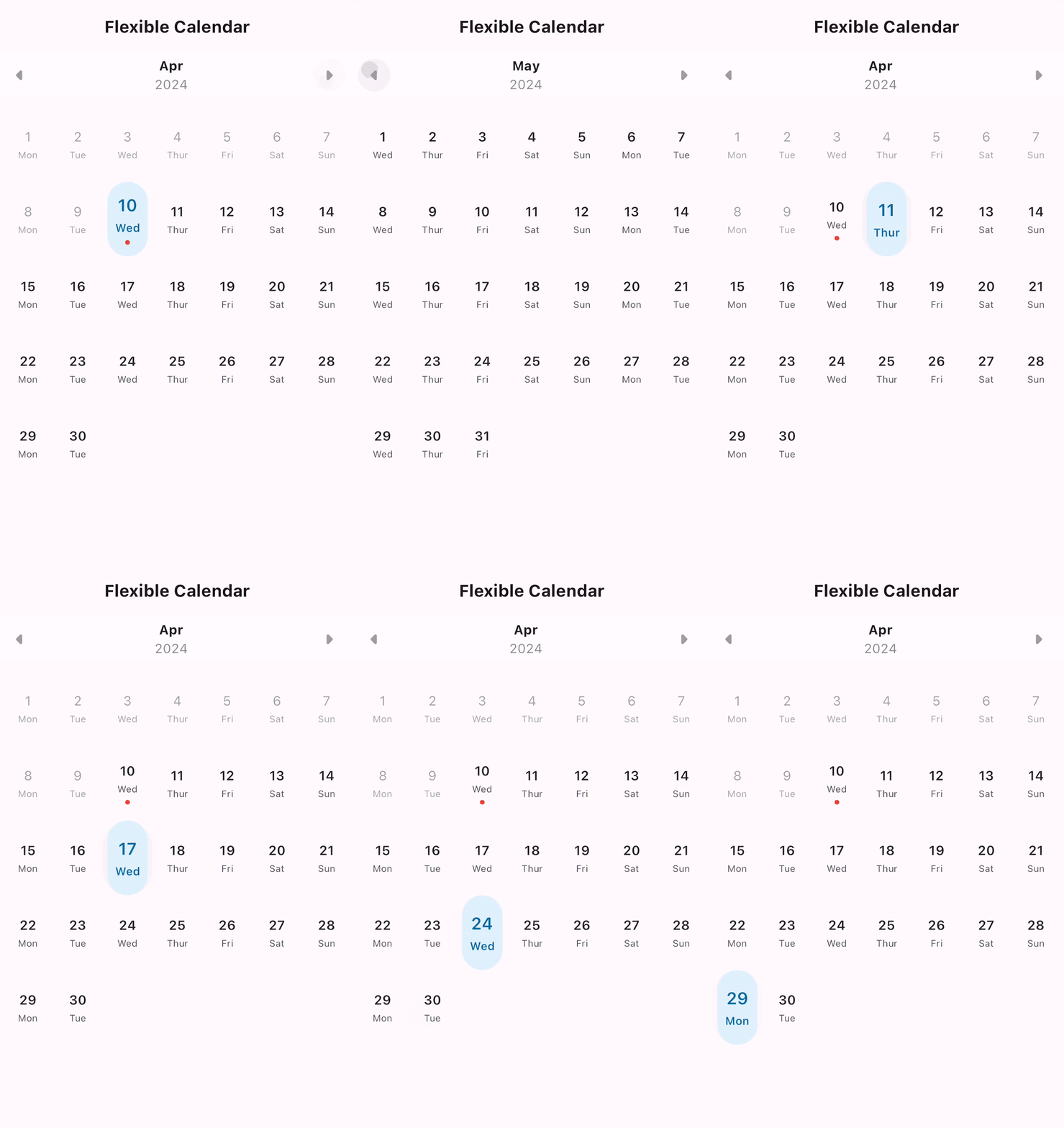 |
|---|
| Standard |
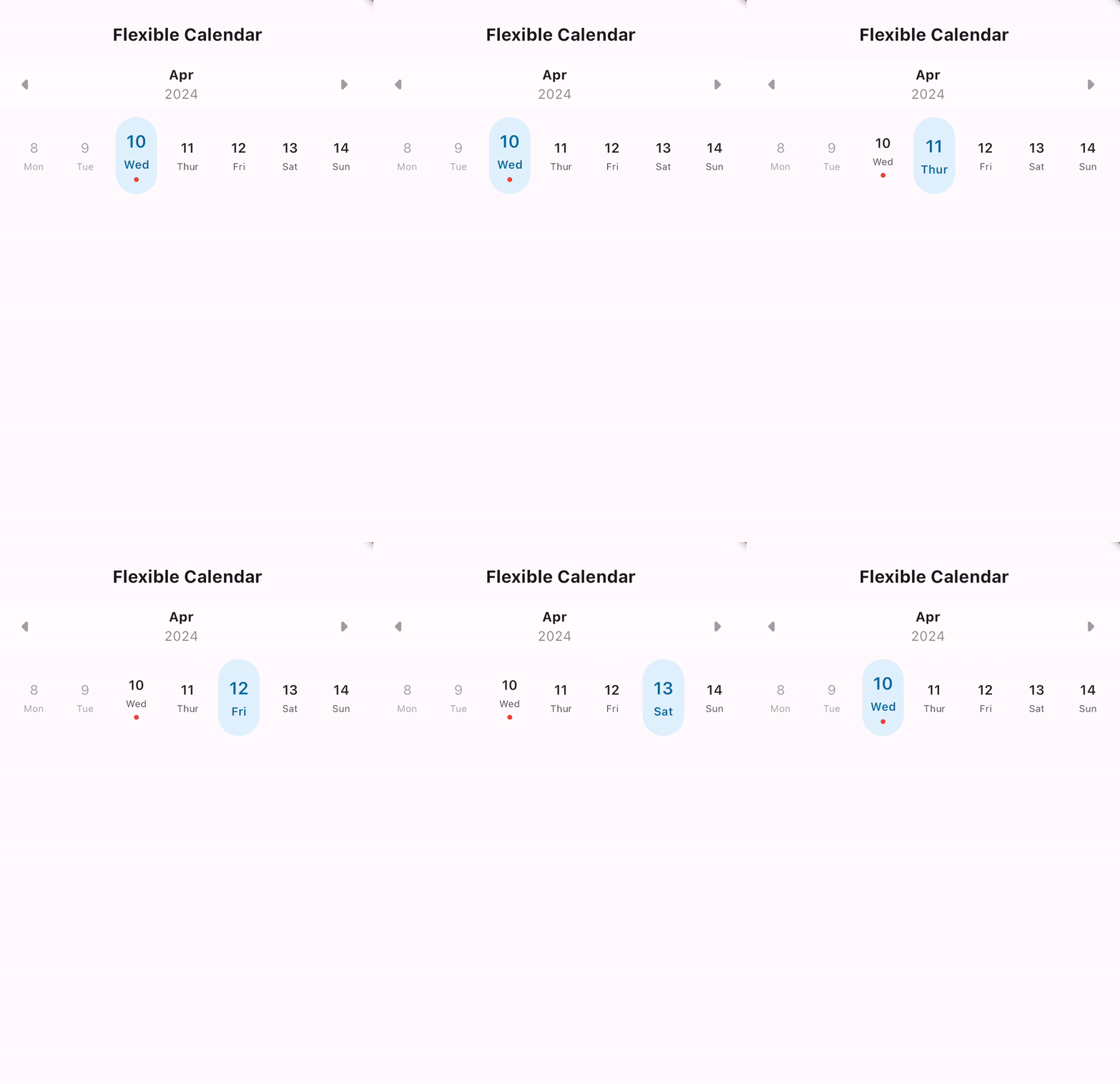 |
|---|
| Horizontal |
Features #
- Standar calendar user interface
- Hotizontal calendar user interface
- Calendar header change month and year.
Usage #
Make sure to check out examples
Installation #
Add the following line to pubspec.yaml:
dependencies:
  flutter_flexible_calendar: ^1.0.0
Basic setup #
The complete example is available here.
⭐Standard Calendar
 FlutterFlexibleCalendarView(
    showHeader: true,
    headerBgColor: Colors.white38,
    calendarType: FlutterFlexibleCalendarType.standard,
    showWeekendDay: false,
    disabledPreDay: true,
    colorBg: Colors.transparent,
    maxLimitYear: 2,
    minLimitYear: 2,
    month: DateTime(_currentMonth.year, _currentMonth.month, 1),
    didResult: (item, datetime) {
      print("itme: ${item?.date}");
      print("itme: ${item?.dateTime}");
      print("itme: ${item?.nameOffWeek}");
      print("date: ${datetime?.day}");
      print("date: ${datetime?.month}");
      print("date: ${datetime?.year}");
    },
    didDisableItemClick: () {},
    didWeekendItemClick: () {},
)
⭐Horizontal Calendar
 FlutterFlexibleCalendarView(
    showHeader: true,
    headerBgColor: Colors.white38,
    calendarType: FlutterFlexibleCalendarType.horizontal,
    showWeekendDay: false,
    disabledPreDay: true,
    colorBg: Colors.transparent,
    maxLimitYear: 2,
    minLimitYear: 2,
    month: DateTime(_currentMonth.year, _currentMonth.month, 1),
    didResult: (item, datetime) {
      print("itme: ${item?.date}");
      print("itme: ${item?.dateTime}");
      print("itme: ${item?.nameOffWeek}");
      print("date: ${datetime?.day}");
      print("date: ${datetime?.month}");
      print("date: ${datetime?.year}");
    },
    didDisableItemClick: () {},
    didWeekendItemClick: () {},
)
Parameter #
* showHeader : show calendar header.
* headerBgColor : set header background color.
* calendarType : set calendar type (horizontal, standard)
* showWeekendDay: show weekend day of previous of the month.
* disabledPreDay: disabled previous day.
* colorBg: set calendar background color.
* maxLimitYear: set max year allow move next.
* minLimitYear: set min year allow move back.
* month: set default month of calendar.
* didResult: function to return date selected.
* didDisableItemClick: function to return status when click on disabled item.
* didWeekendItemClick: function to return status when click on weekend of day.
* headerArrowLeft: allow change arrow left header icon.
* headerArrowRight: allow change arrow right header icon.
* other you can check our class.
Events #
use didResult to return date user selected.
didResult: (item, datetime) {

}
use didDisableItemClick to return status user click on disabled item date.
didDisableItemClick: () {

}
use didWeekendItemClick to return status user click on item date weekend of previous of the month.
didWeekendItemClick: () {

}
Hello everyone 👋
If you want to support me, feel free to do so.
Thanks
============================================
សួស្ដី អ្នកទាំងអស់គ្នា👋
បើអ្នកចង់គាំទ្រខ្ញុំ សូមធ្វើដោយសេរី ,
សូមអរគុណ
Metadata
Publisher
Weekly Downloads
Metadata
flutter_flexible_calendar lib allow to create standard calendar and horizontal calendar, just listen callback both events.
Repository (GitHub)
View/report issues
Documentation
License
 MIT (license)

