
flutter_barcode_sdk 3.0.5  flutter_barcode_sdk: ^3.0.5 copied to clipboard
 yushulx.me
The only Flutter barcode SDK for Android, iOS, Web, Windows, Linux, macOS. Empower developers to build 1D/2D barcode reader and barcode scanner.
flutter_barcode_sdk #

The Flutter Barcode SDK is a wrapper for the Dynamsoft Barcode Reader SDK. It supports multiple platforms, including Android, iOS, Web, Windows, and Linux, and can decode various barcode types such as linear barcodes, QR Code, DataMatrix, MaxiCode, PDF417, and more. This SDK encapsulates the low-level decoding functions of the Dynamsoft Barcode Reader, enabling both file and image buffer decoding. It empowers developers to effortlessly build 1D/2D barcode readers and scanners. The project is actively maintained by community contributors.
Note: For live camera scenarios, it is recommended to use the official Dynamsoft Capture Vision Flutter Edition, as it offers better performance than combining the Flutter camera plugin with the Flutter Barcode SDK.
Table of Contents #
- Getting a License Key
- Supported Platforms
- Supported Barcode Symbologies
- Build Configuration
- API Compatibility
- Usage
- Examples
Getting a License Key #

Supported Platforms #
- Android
- iOS
- Windows
- Linux
- Web
Supported Barcode Symbologies #
Linear Barcodes (1D) #
- Code 39 (including Code 39 Extended)
- Code 93
- Code 128
- Codabar
- Interleaved 2 of 5
- EAN-8
- EAN-13
- UPC-A
- UPC-E
- Industrial 2 of 5
2D Barcodes #
- QR Code (including Micro QR Code and Model 1)
- Data Matrix
- PDF417 (including Micro PDF417)
- Aztec Code
- MaxiCode (mode 2-5)
- DotCode
Others #
-
Patch Code
-
GS1 Composite Code
-
GS1 DataBar
- Omnidirectional,
- Truncated, Stacked, Stacked
- Omnidirectional, Limited,
- Expanded, Expanded Stacked
-
Postal Codes
- USPS Intelligent Mail
- Postnet
- Planet
- Australian Post
- UK Royal Mail
Build Configuration #
Android #
Set the minimum SDK version in android/app/build.gradle.
minSdkVersion 21
iOS #
-
Add camera usage descriptions to
ios/Runner/Info.plist:<key>NSCameraUsageDescription</key> <string>Can I use the camera please?</string> <key>NSMicrophoneUsageDescription</key> <string>Can I use the mic please?</string> -
Minimum deployment target: iOS 13.0 or later
Desktop #
Windows & Linux
Install CMake and platform-specific C++ compiler.
Web #
In index.html, include:
<script src="https://cdn.jsdelivr.net/npm/dynamsoft-capture-vision-bundle@2.6.1000/dist/dcv.bundle.min.js"></script>
API Compatibility #
| Methods | Android | iOS | Windows | Linux | Web |
|---|---|---|---|---|---|
Future<void> setLicense(String license) async |
✔️ | ✔️ | ✔️ | ✔️ | ✔️ |
Future<List<BarcodeResult>> decodeFile(String filename) async |
✔️ | ✔️ | ✔️ | ✔️ | ✔️ |
Future<List<BarcodeResult>> decodeImageBuffer(Uint8List bytes, int width, int height, int stride, int format) async |
✔️ | ✔️ | ✔️ | ✔️ | ✔️ |
Future<int> setBarcodeFormats(int formats) async |
✔️ | ✔️ | ✔️ | ✔️ | ✔️ |
Future<String> getParameters() async |
✔️ | ✔️ | ✔️ | ✔️ | ✔️ |
Future<int> setParameters(String params) async |
✔️ | ✔️ | ✔️ | ✔️ | ✔️ |
Future<void> init() async |
✔️ | ✔️ | ✔️ | ✔️ | ✔️ |
Usage #
-
Initialize Flutter barcode SDK and set the license key:
_barcodeReader = FlutterBarcodeSdk(); await _barcodeReader.setLicense('LICENSE-KEY'); await _barcodeReader.init(); -
Read barcodes from an image file:
List<BarcodeResult> results = await _barcodeReader.decodeFile(image-path); -
Read barcodes from an image buffer:
import 'dart:ui' as ui; Uint8List fileBytes = await file.readAsBytes(); ui.Image image = await decodeImageFromList(fileBytes); ByteData byteData = await image.toByteData( format: ui.ImageByteFormat.rawRgba); List<BarcodeResult> results = await _barcodeReader.decodeImageBuffer( byteData.buffer.asUint8List(), image.width, image.height, byteData.lengthInBytes ~/ image.height, ImagePixelFormat.IPF_ARGB_8888.index); -
Set barcode formats:
int ret = await _barcodeReader.setBarcodeFormats(BarcodeFormat.CODE_39 | BarcodeFormat.CODABAR | BarcodeFormat.QR_CODE | BarcodeFormat.DATAMATRIX); -
Get current barcode detection parameters:
String params = await _barcodeReader.getParameters(); -
Set barcode detection parameters:
int ret = await _barcodeReader.setParameters(params);
Try Barcode Reader & Scanner Examples #
Android/iOS #
The example demonstrates how to use the Flutter Barcode SDK to read barcodes from an image file and decode the barcode image buffer from the camera stream on Android and iOS.
cd example
flutter run
-
Barcode Scanner
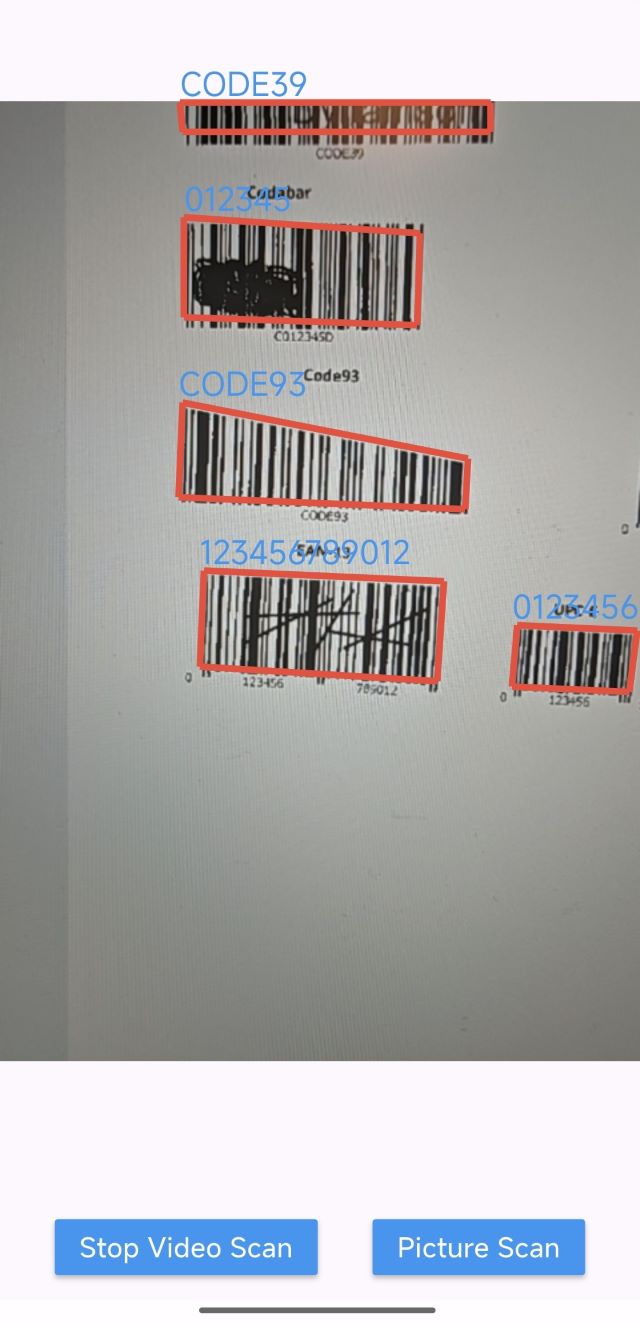
-
Barcode Reader
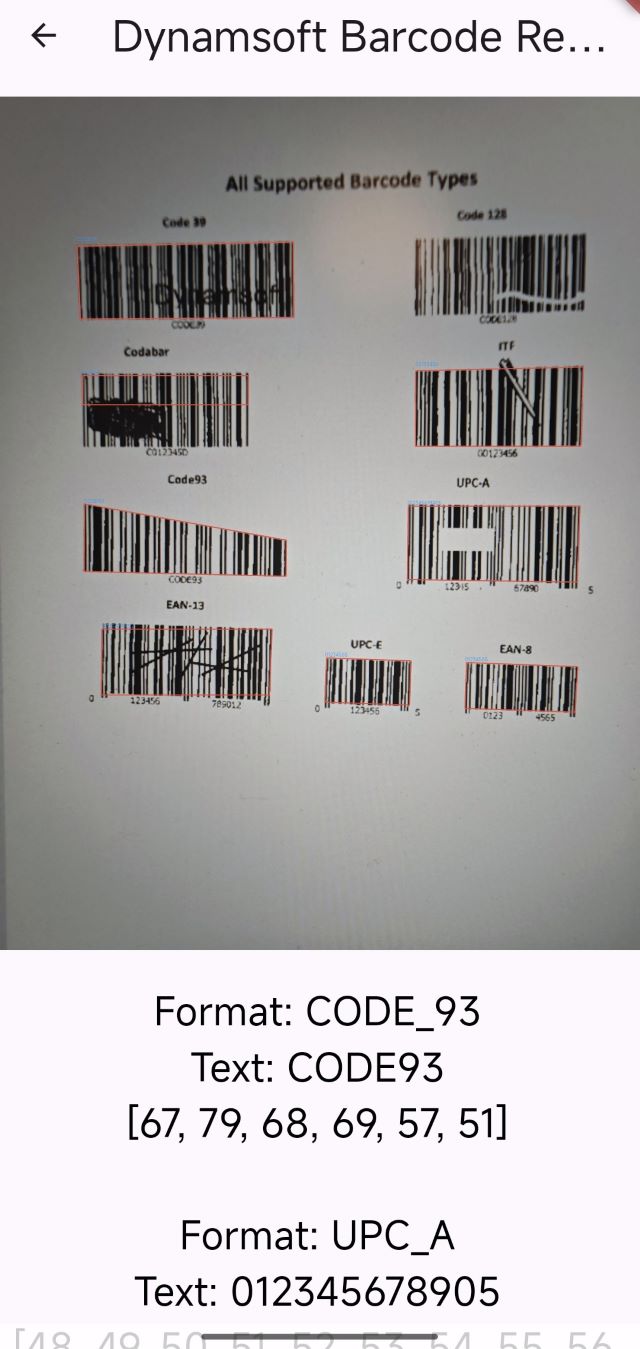
Windows & Linux #
Run the desktop barcode reader and scanner application on Windows or Linux:
cd example
# Windows
flutter run -d windows

# Linux
flutter run -d linux
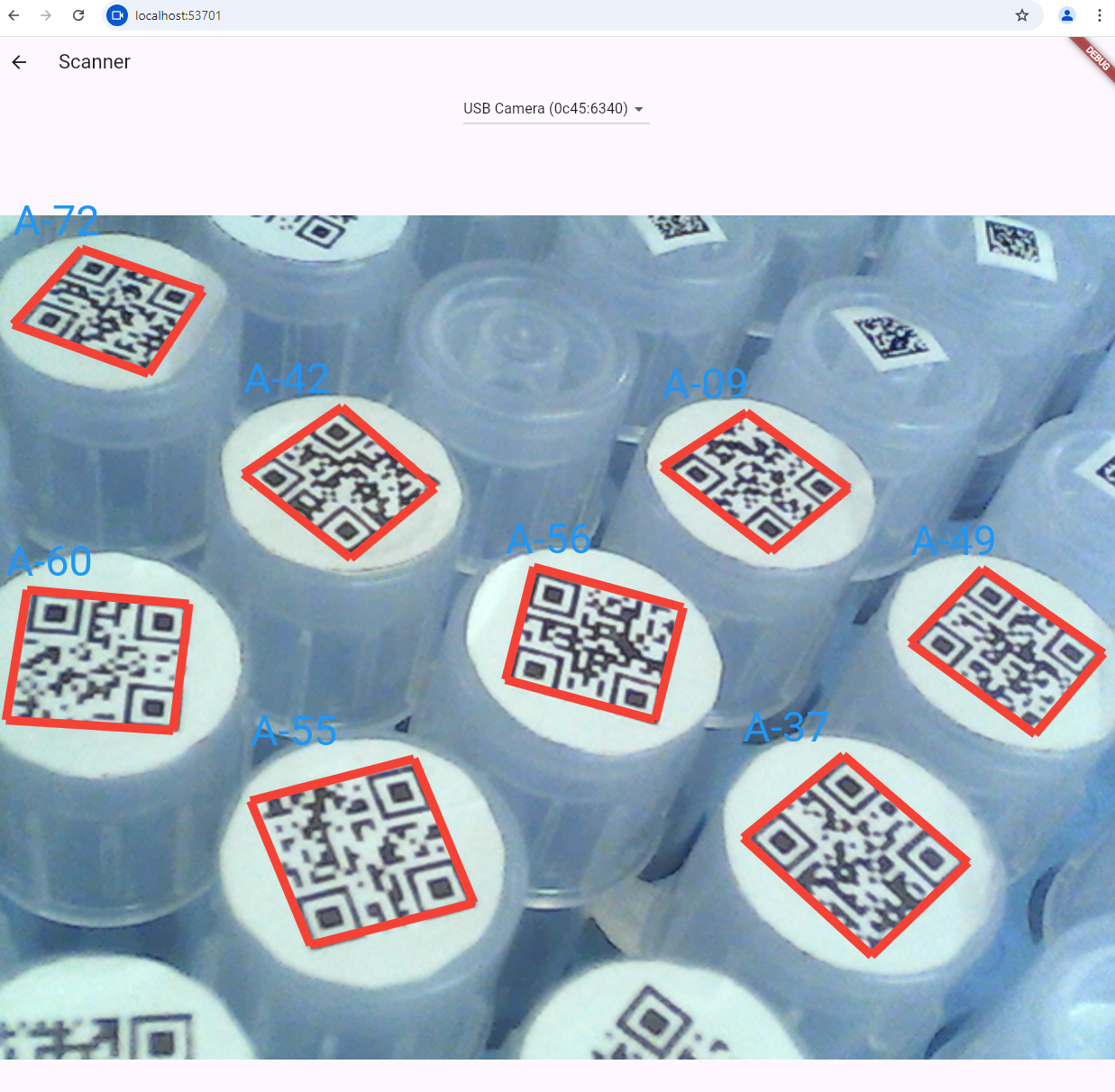
Web Barcode Scanner #
cd example
flutter run -d chrome
Metadata
Publisher
Weekly Downloads
Metadata
The only Flutter barcode SDK for Android, iOS, Web, Windows, Linux, macOS. Empower developers to build 1D/2D barcode reader and barcode scanner.
Homepage
Repository (GitHub)
View/report issues
License
 unknown (license)
Dependencies
flutter, flutter_web_plugins, js
More
Packages that depend on flutter_barcode_sdk
Packages that implement flutter_barcode_sdk

