
floating_menu_expendable 0.1.1+1  floating_menu_expendable: ^0.1.1+1 copied to clipboard
 alheekmahlib.com
A draggable floating handle that opens a customizable panel (side or vertical).
Floating Menu Expendable #
A draggable floating handle that opens a customizable panel (side or vertical).
Designed for:
- Quick actions / shortcuts
- Floating toolbars
- Chat / support / menu buttons
Features #
- Draggable and snaps to the nearest screen edge
- Two open modes:
FloatingMenuExpendableOpenMode.side: panel opens horizontally next to the handleFloatingMenuExpendableOpenMode.vertical: panel opens below the handle (or above if near bottom)
- Background barrier with blur + color, dismissible on tap
- UI customization via
FloatingMenuExpendableStyle FloatingMenuExpendableControllerfor open/close/toggle and side tracking
New:
- Expand from the handle (unified handle + panel) using
expandPanelFromHandle - Switch handle content while open using
handleOpenChild(defaults to a close icon)
Preview #
Note: pub.dev does not reliably render relative image paths. Use GitHub raw URLs for previews.
Default behavior:
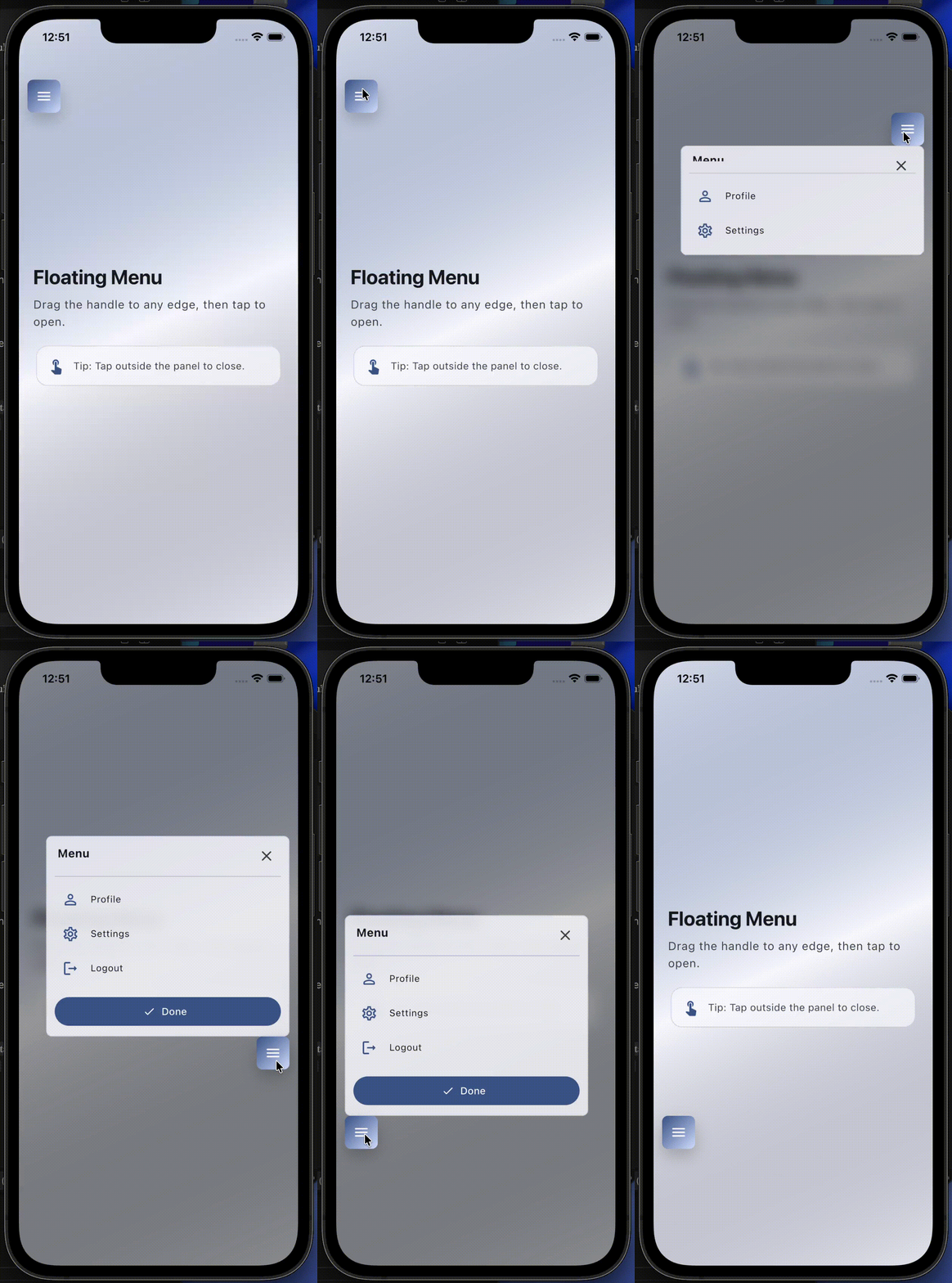
Expand-from-handle behavior:
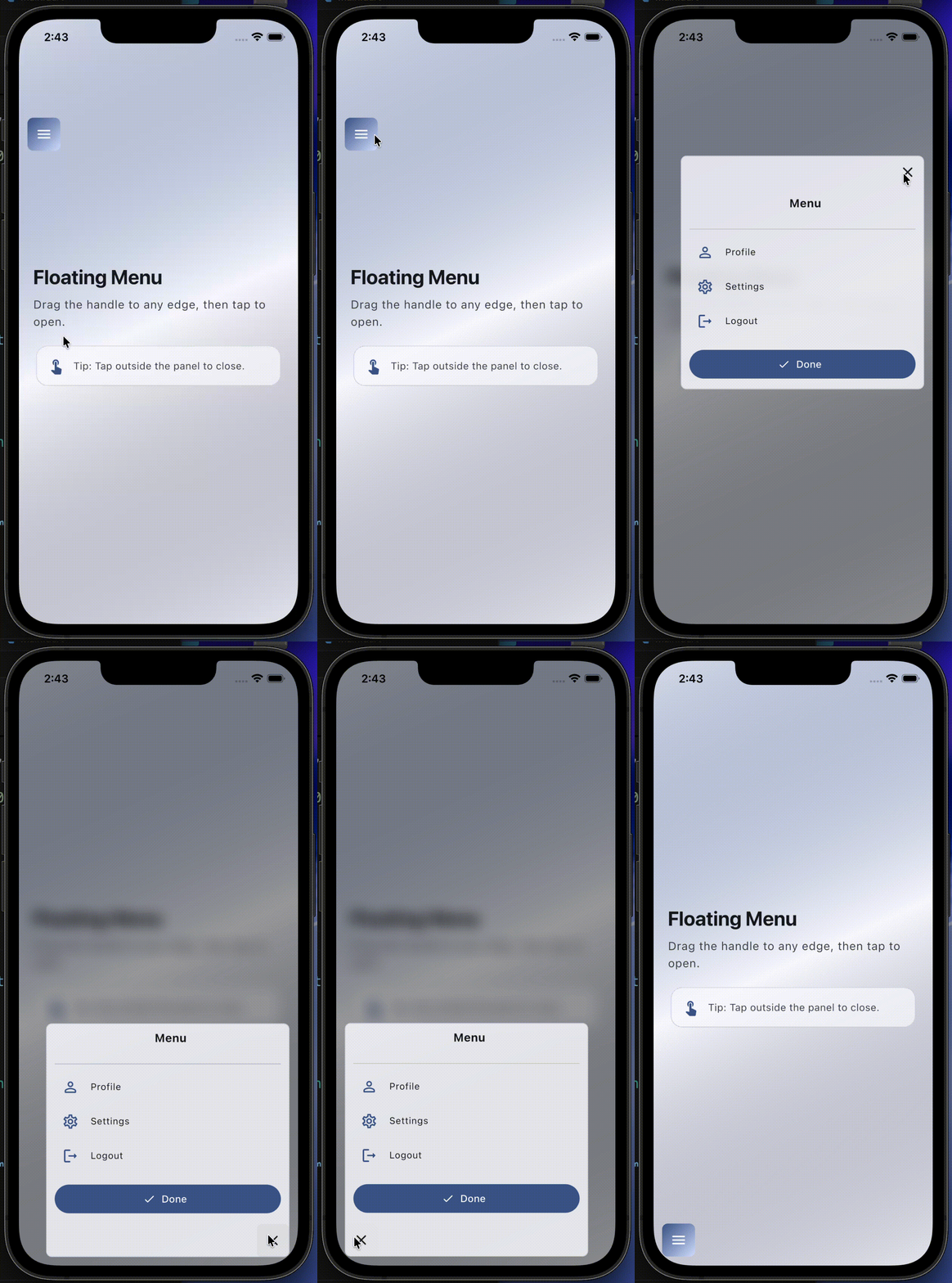
Installation #
Add the package to your pubspec.yaml.
Import #
import 'package:floating_menu_expendable/floating_menu_expendable.dart';
Quick usage #
final controller = FloatingMenuExpendableController();

Stack(
	children: [
		FloatingMenuExpendable(
			controller: controller,
			panelWidth: 320,
			panelHeight: 240,
			handleChild: const Icon(Icons.menu),
			panelChild: const ColoredBox(color: Colors.white),
		),
	],
)
Expand from handle (new) #
If you want the panel to expand from the same handle (so it looks like one widget),
enable expandPanelFromHandle.
FloatingMenuExpendable(
	controller: controller,
	panelWidth: 320,
	panelHeight: 240,
	expandPanelFromHandle: true,
	// Optional: what to show inside the handle when open.
	handleOpenChild: const Icon(Icons.close_rounded),
	handleChild: const Icon(Icons.menu),
	panelChild: const ColoredBox(color: Colors.white),
)
Customize the UI (Style) #
Use FloatingMenuExpendableStyle to customize blur, barrier color, panel radius, and handle ink effects.
FloatingMenuExpendable(
	controller: controller,
	panelWidth: 320,
	panelHeight: 240,
	handleChild: const Icon(Icons.menu),
	panelChild: const ColoredBox(color: Colors.white),
	style: const FloatingMenuExpendableStyle(
		// Background barrier
		showBarrierWhenOpen: true,
		barrierDismissible: true,
		barrierColor: Color(0x66000000),
		barrierBlurSigmaX: 10,
		barrierBlurSigmaY: 10,

		// Panel
		panelBorderRadius: BorderRadius.all(Radius.circular(18)),
	),
)
Controller #
controller.open();
controller.close();
controller.toggle();
You can also listen to where the handle is docked:
controller.physicalSide(left / right)controller.verticalSide(top / bottom) when using vertical mode
Example app #
See the runnable Flutter demo in the example/ folder.
Notes #
- The widget is intended to be used inside a
Stack. - Provide your own
panelChildandhandleChildto match your app UI.
Metadata
Publisher
Weekly Downloads
Metadata
A draggable floating handle that opens a customizable panel (side or vertical).
Repository (GitHub)
View/report issues
Topics
#overlay #menu #draggable #floating-action #ui
Documentation
License
 MIT (license)

