
flashtoast 0.0.5  flashtoast: ^0.0.5 copied to clipboard
flutter flash toast .
Flutter Flash Toast
Features #
You can customize the type of flash toast using the FlashType enum in the package.
The FlashType enum includes several options for the type of message you want to display:
Getting started #
To use the flashToast package in your Flutter app, simply import the package and call either the FlashToast.showFlashToast() method when you want to display a flash message.
Usage #
import 'package:flashtoast/flash_bar.dart';
FlashType.success: a success message with a green background.

FlashToast.showFlashToast(context: context, title: "your title", message: "your message", flashBaeType: FlashType.success,flashBarPosition: FlashBarPosition.top);
FlashType.warning: a warning message with a yellow background.
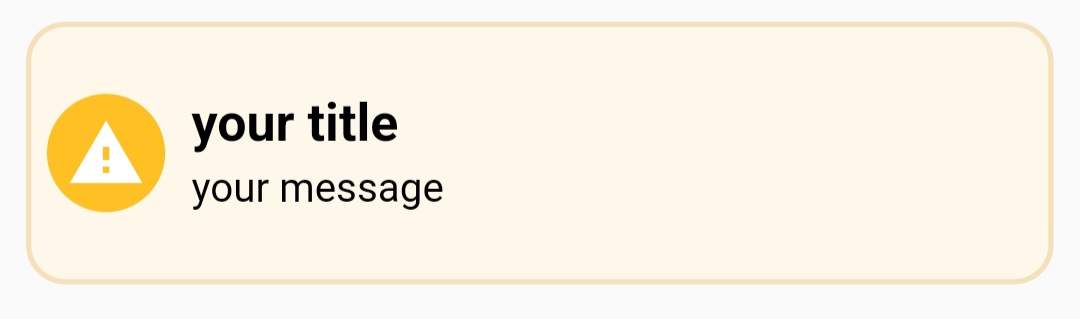
FlashToast.showFlashToast(context: context, title: "your title", message: "your message", flashBaeType: FlashType.warning,flashBarPosition: FlashBarPosition.center);
FlashType.error: an error message with a red background.
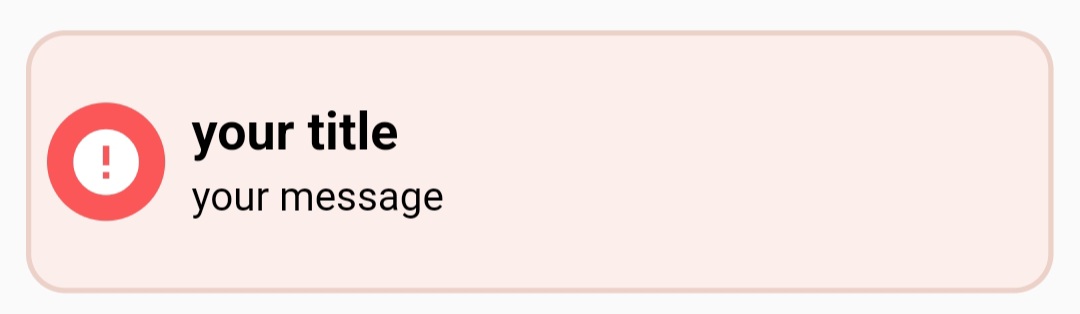
FlashToast.showFlashToast(context: context, title: "your title", message: "your message", flashBaeType: FlashType.error,flashBarPosition: FlashBarPosition.bottom);
FlashType.help: an informative message with a blue background.

FlashToast.showFlashToast(context: context, title: "your title", message: "your message", flashBaeType: FlashType.help);
Additional information #
for further contact us on [email protected]
Metadata
Publisher
unverified uploader
Weekly Downloads
Metadata
flutter flash toast .
Repository (GitHub)
View/report issues
License
 unknown (license)

