
figma_layout_grid 0.1.1  figma_layout_grid: ^0.1.1 copied to clipboard
 iteo.com
Visual aid grid system that supports Figma's layout grid features
Figma layout grid #

figma_layout_grid is a Flutter package which imitates Figma's layout grid and all its functionalities. It helps you determine whether your UI components match the design file and align properly.
Basic usage #
Simply wrap a widget you wish to have layout grid rendered on top with LayoutGrid by passing it as a builder parameter.
LayoutGrid(
    ...
    builder: (context) => Scaffold(),
)
Available layouts #
This package supports three types of layout overlays - rows, columns and pixel grid.
Rows #
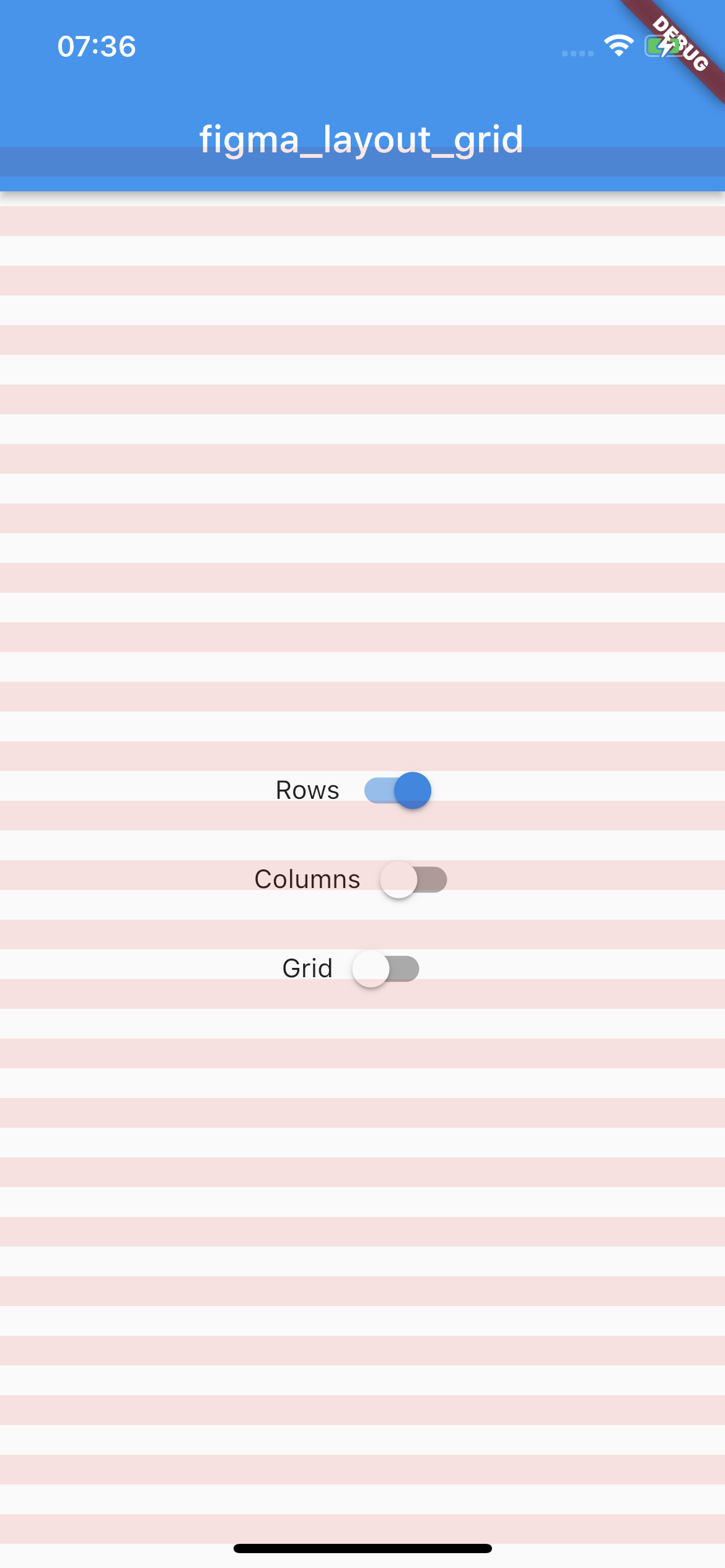
Horizontal stripes with specified height, gutter, margin, offset, arrangement and color.
There is a possibility for fixed rows count with passing desired number in a count parameter, otherwise rows are rendered dynamically due to the screen limits.
Example usage
LayoutGrid(
  ...
  rowsParams: const RowsParams(
    offset: 32.0,
    height: 16.0,
    gutter: 16.0,
  ),
  builder: (context) => Scaffold(),
),
Columns #
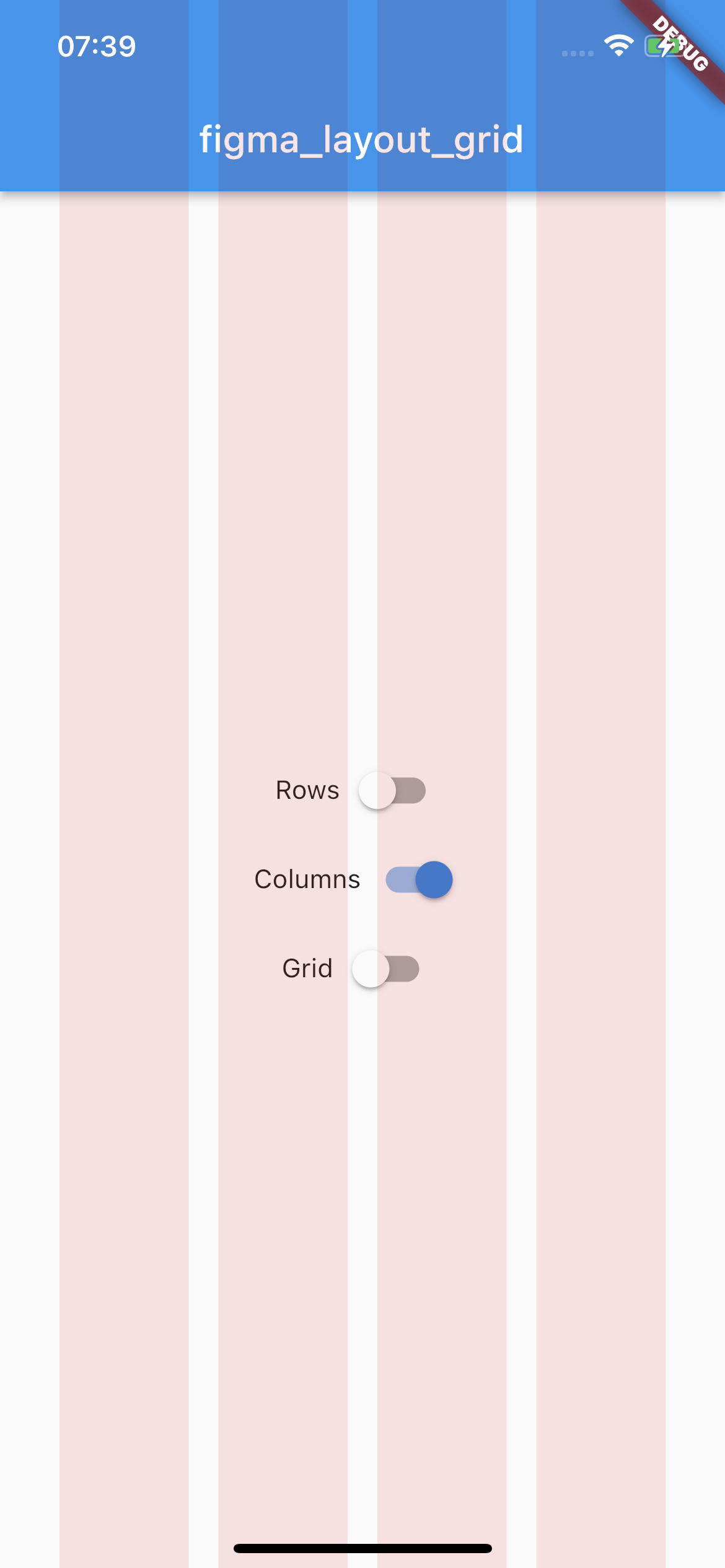
Vertical stripes with specified height, gutter, margin, offset, arrangement and color.
There is a possibility for fixed columns count with passing desired number in a count parameter, otherwise columns are rendered dynamically due to the screen limits.
Example usage
LayoutGrid(
  ...
  columnsParams: const ColumnsParams(
    count: 4,
    width: 64.0,
    margin: 32.0,
  ),
  builder: (context) => Scaffold(),
),
Grid #
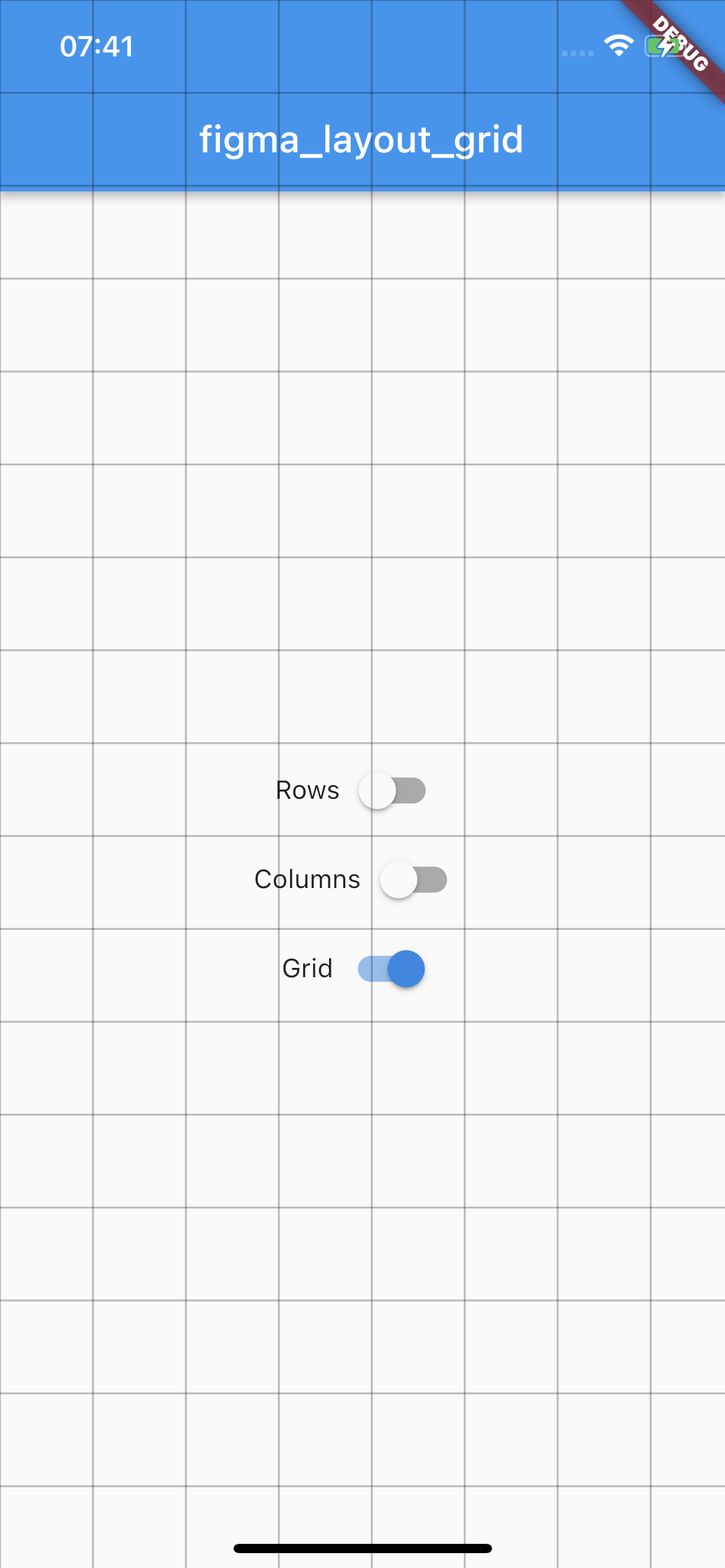
Square pixel grid with fixed spacing and color. The thickness of a grid is set to 1.
Example usage
LayoutGrid(
  ...
  gridParams: const GridParams(
    size: 50.0,
    color: Colors.black26,
  ),
  builder: (context) => Scaffold(),
),
State management #
By default all of the layouts are disabled. In order to manage layout grid state you may use LayoutGridController methods which are accessible via builder context.
Rows #
void LayoutGridController.of(context).showRows() - shows row layout
void LayoutGridController.of(context).hideRows() - hides row layout
void LayoutGridController.of(context).toggleRows() - toggles row layout visibility
bool LayoutGridController.of(context).visibleRows - returns current row layout visibility state
Columns #
void LayoutGridController.of(context).showColumns() - shows column layout
void LayoutGridController.of(context).hideColumns() - hides column layout
void LayoutGridController.of(context).toggleColumns() - toggles column layout visibility
bool LayoutGridController.of(context).visibleColumns - returns current column layout visibility state
Grid #
void LayoutGridController.of(context).showGrid() - shows grid layout
void LayoutGridController.of(context).hideGrid() - hides grid layout
void LayoutGridController.of(context).toggleGrid() - toggles grid layout visibility
bool LayoutGridController.of(context).visibleGrid - returns current grid layout visibility state
Parametrization #
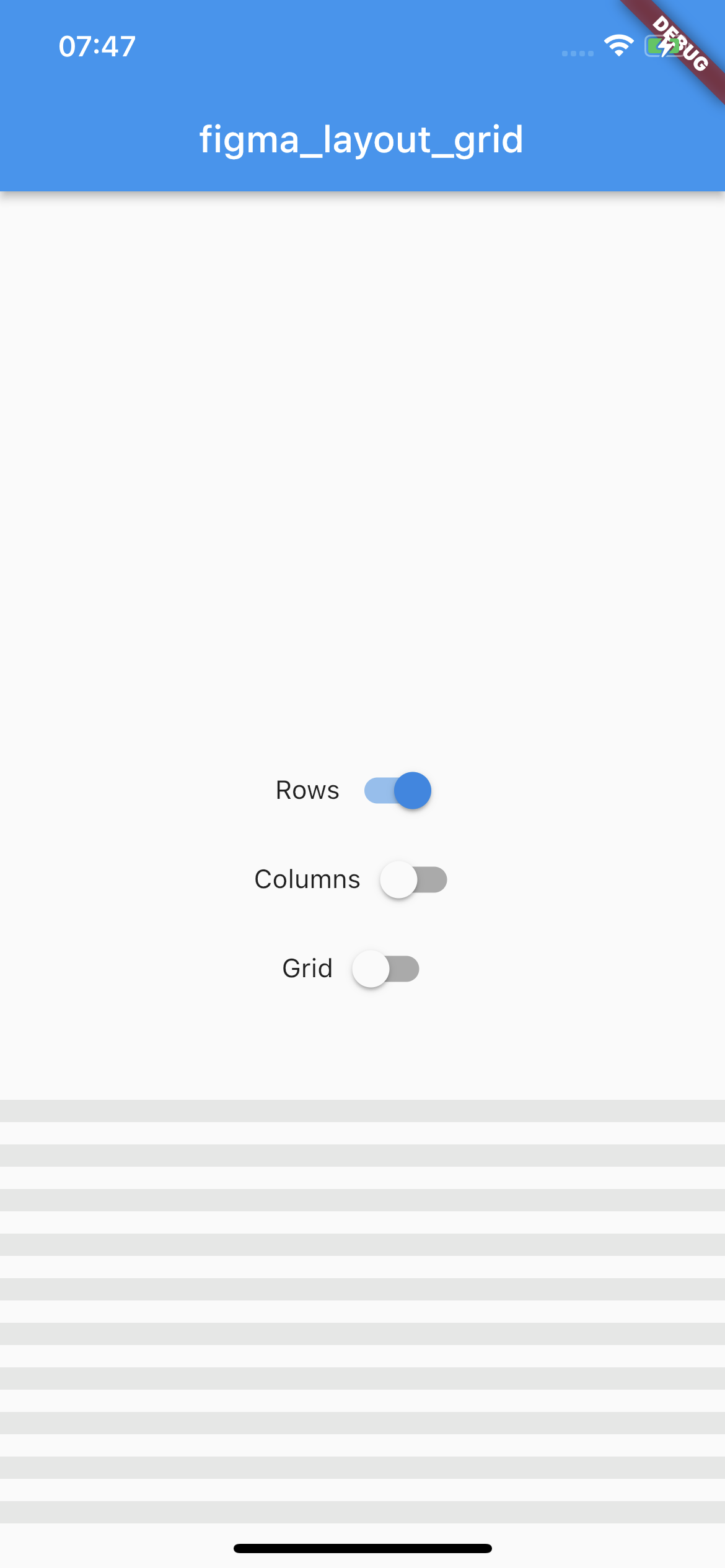
As this package mimics Figma's layout grid features you can directly transfer desired outcome into corresponding parameters. The following example shows columns grid set with count = 10, height = 12, gutter = 12, offset = 24, bottom alignment and some custom color.
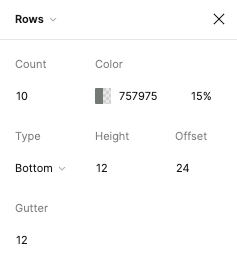
Which translates to this piece of code
LayoutGrid(
  ...
  rowsParams: RowsParams(
    count: 10,
    height: 12.0,
    gutter: 12.0,
    offset: 24.0,
    arrangement: RowsArragement.bottom,
    color: const Color(0xFF757975).withOpacity(0.15),
  ),
  builder: (context) => Scaffold(),
),
And finally to the following UI.
There is also a possibility to enable SafeArea for a specific layout.
Each of the three layers has optional SafeAreaParams within you can pass what SafeArea parts should be handled.
The available options are top, bottom, left and right which correspond to SafeArea's parameters with the same names.
By default SafeArea feature is disabled.
LayoutGrid(
    ...
    rowsParams: const RowsParams(
      safeAreaParams: SafeAreaParams(
        bottom: true,
        top: true,
      ),
    ),
    columnsParams: const ColumnsParams(
      safeAreaParams: SafeAreaParams(
        right: true,
        left: true,
        top: true,
      ),
    ),
    builder: (context) => Scaffold(),
)
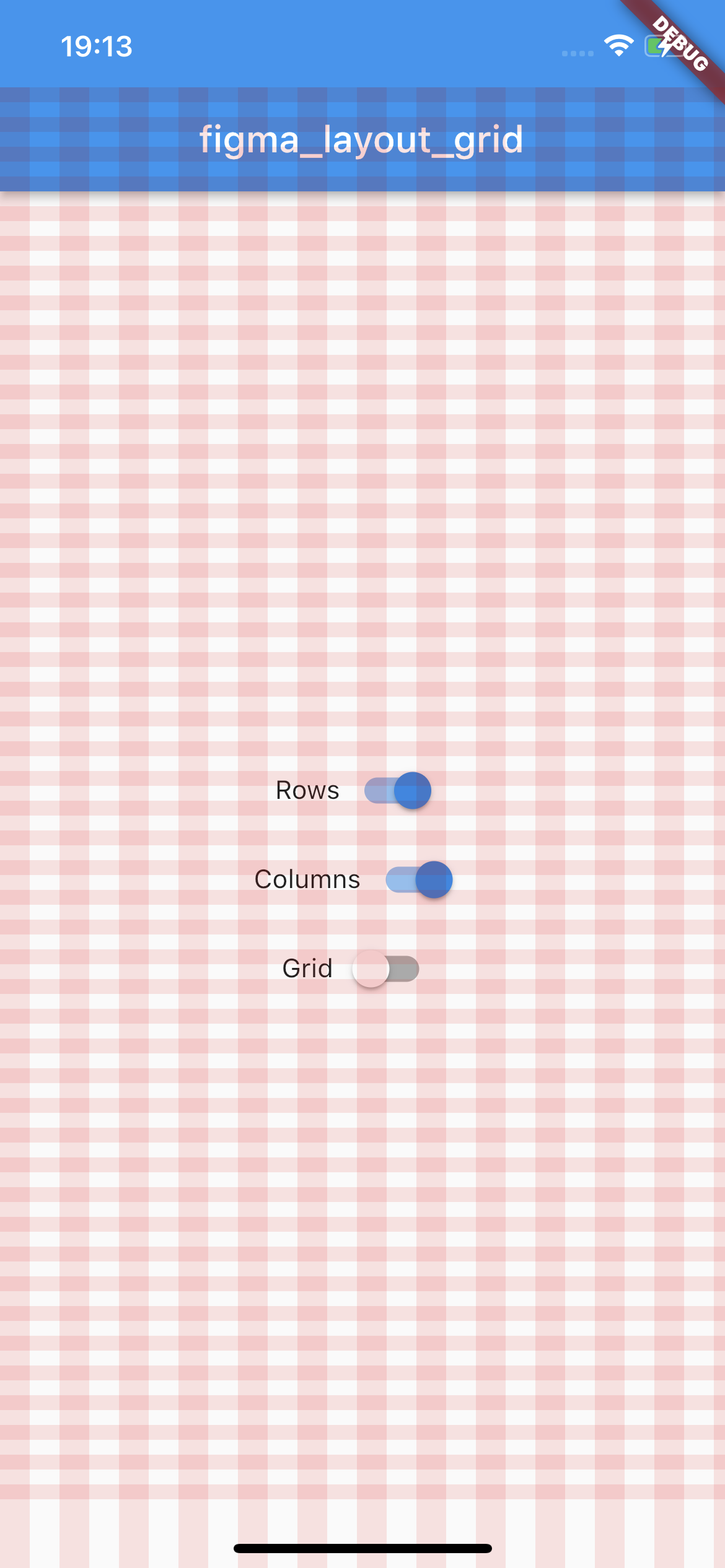
The above snippet will make the grid overlays avoid the device's intrusions.
Demo #
Try out the example app placed in the example directory.
Metadata
Publisher
Weekly Downloads
Metadata
Visual aid grid system that supports Figma's layout grid features
Repository (GitHub)
View/report issues
License
 unknown (license)

