
duo_flex 0.3.3  duo_flex: ^0.3.3 copied to clipboard
Flutter plugin for iPhone Duo and foldable devices: read hinge angle, posture, display regions and window geometry, and build adaptive layouts.
duo_flex #
duo_flex is a Flutter plugin for iPhone Duo, foldable phones, and adaptive
Flutter layouts. It reads hinge angle, fold posture, display regions,
application-window geometry, and safe-area data when the platform exposes
them. Its responsive widgets also work on ordinary phones and other screen
sizes. Unsupported fold data stays unknown or unavailable; DuoFlex never
guesses hardware state from a device name, screen size, or angle.
Install #
Add duo_flex to your app:
flutter pub add duo_flex
The native implementations target iOS 15 and Android API 23 and later. On
iPhone Duo, UIKit fold data requires iOS 27.1 or later and an active Flutter
view that reports a hinge. Android fold posture and hinge bounds are reported
when AndroidX Window detects a folding feature on Android 10 or later; hinge
angle is read separately from Sensor.TYPE_HINGE_ANGLE on Android 11 or later
when the device exposes it. The adaptive Flutter widgets work on all
supported Flutter platforms.
The package requires Dart 3.13.2 and Flutter 3.47.2 or later.
Example #
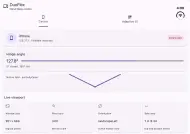
The example app shows native device and hinge readings alongside viewport and safe-area data on iOS and Android:
| iOS | Android |
|---|---|
 |
 |
import 'package:duo_flex/duo_flex.dart';

Future<void> readDisplay() async {
  final capabilities = await DuoFlex.getCapabilities();
  final screen = await DuoFlex.getScreenInfo();
  if (screen != null) {
    print('Window: ${screen.width} × ${screen.height} logical pixels');
  }
  if (capabilities.supportsHingeAngle) {
    print(await DuoFlex.getHingeAngle());
  }
}
On iOS, device values come from UIDevice; on Android, they come from Android
system properties. Window dimensions, scale,
orientation, and safe-area insets come from the Flutter view and its attached
window. Measurements use UIKit points, which correspond to Flutter logical
pixels. The display snapshot reports physical screen bounds separately from
the application-window region. On iOS 27.1 and later, it also includes active
UIKit division and occlusion regions when the Flutter view overlaps them.
Flutter's
MediaQuery may already provide the safe-area values needed by widget layout.
Screen and display streams are broadcast and subscribe lazily. Screen events
begin with the current valid window snapshot, then report meaningful bounds,
scale, orientation, and safe-area changes. If the Flutter view is temporarily
detached, the stream waits for it to reattach and emits a fresh snapshot.
Display-change events are full snapshots of the display associated with the
Flutter view, including its active state and current regions; they are not
individual connection/disconnection records for unrelated external displays.
Observers pause while the associated scene is inactive and resume with a fresh
snapshot. When the active
Flutter view does not receive a hinge from UIKit, hinge angle is null, fold
posture is unknown, and both fold capabilities are false. On iOS
versions before 27.1, and on supported versions when the view has no hinge,
hinge and posture streams report an UNSUPPORTED_FEATURE stream error and
point-in-time calls return the safe nullable/unknown values.
Malformed events, missing plugin registration, and operational failures remain
errors. Multiple Dart listeners share the cached broadcast event stream.
iPhone Duo and Apple API availability #
For iPhone Duo, DuoFlex reads the hinge angle, posture, and reserved display regions directly from public UIKit APIs when the active Flutter view receives that fold data. The same iOS implementation safely reports unavailable values on devices or OS versions that do not expose a hinge.
The implementation is compiled against the installed public iOS 27.1 SDK and
uses runtime availability checks. Apple documents UIHingeInteraction and
UIHinge for observing hinge updates from a view hierarchy. UIHinge.angle is
in radians; the plugin preserves that unit. UIHinge.Status provides
closed, partiallyOpen, fullyOpen, and unknown. UIKit does not provide
separate halfOpen, tabletop, or tent status values, so those postures are
not inferred.
| Feature | Public API and minimum iOS | Status in this plugin |
|---|---|---|
| Foldable identification | No device-wide foldability query; UIHingeInteraction is view-hierarchy based (iOS 27.1+) |
Partial: true only after UIKit reports a hinge; otherwise null |
| Hinge angle | UIKit UIHingeInteraction / UIHinge.angle (iOS 27.1+) |
Supported when UIKit supplies a hinge; radians, no range conversion |
| Fold posture | UIHinge.Status (iOS 27.1+) |
Partial: closed, partially open, fully open; other states are unknown |
| Folded / unfolded configuration | UIHinge.Status (iOS 27.1+) |
Partial: reports closed / partial / fully open hinge status, not a broader device pose |
| Tabletop / tent | No dedicated status in UIHinge.Status |
Unsupported; not inferred from angle or orientation |
| Physical hinge exclusion region | UIView.reservedRegions(kind: .division) (iOS 27.1+) |
Partial: reports real UIKit division geometry as reservedDivision |
| Other reserved regions | UIView.reservedRegions(kind: .occlusion) (iOS 27.1+) |
Partial: reports real occlusion geometry as reservedOcclusion |
| Fold configuration changes | UIHingeInteraction updates (iOS 27.1+) |
Supported while fold streams are subscribed; refreshes display snapshots |
| Camera-side identification | Reserved occlusion regions expose geometry and opaque IDs, not a stable camera-side identity | Unsupported |
| Main / secondary fold displays | UIKit scenes and displays exist, but this plugin does not identify foldable panel roles | Unsupported |
| Display geometry | UIWindow / UIScreen associated with the Flutter view |
Supported; physical screen snapshot is separate from the app window |
| Window resize / display changes | UIKit view geometry and scene/display notifications | Supported for app-window and reported display snapshots |
Apple's public documentation describes hinge updates, the hinge angle in radians, hinge statuses, and reserved view regions. Apple's UIKit iPhone Duo Tech Talk distinguishes hinge data from layout APIs and documents the supported high-level states. The installed iOS SDK headers declare these hinge and reserved-region APIs as available starting in iOS 27.1. Reserved-region identifiers are passed through as native opaque strings and should not be treated as persistent identifiers.
Reserved-region rectangles use the Flutter view's UIKit point coordinate space. The IDs are native opaque values and are not promised to persist across launches or layout changes.
Fold hardware state stays separate from responsive layout state. A wide or narrow Flutter window does not prove that a device is unfolded or folded. Use Flutter LayoutBuilder or MediaQuery for layout adaptation; the hinge APIs describe physical hardware only when UIKit supplies a hinge.
Adaptive Flutter widgets #
DuoAdaptiveLayout and DuoScreenBuilder use Flutter's local constraints and
work on ordinary phones and all Flutter platforms. The default width thresholds
are 600 logical pixels for medium and 840 for expanded; customize them for the
needs of your app. They classify available layout width and never identify
physical fold posture.
DuoAdaptiveLayout(
  compact: const CompactHomePage(),
  medium: const MediumHomePage(),
  expanded: const ExpandedHomePage(),
  breakpoints: const DuoLayoutBreakpoints(medium: 560, expanded: 900),
)
For a single widget that depends on the current responsive category:
DuoAdaptiveLayout.builder(
  builder: (context, layout) => Text(
    '${layout.size.name}: ${layout.width} × ${layout.height}',
  ),
)
When width is unbounded, DuoAdaptiveLayout uses the nearest Flutter view
width. This makes it usable inside horizontally unbounded scrollable parents;
for layouts that need to classify a narrower region, put it inside a widget
that provides bounded width constraints. Unbounded height uses the nearest
Flutter view height for orientation metadata. DuoLayoutInfo dimensions are
local logical pixels; they are not physical display measurements.
DuoScreenBuilder uses local finite constraints and falls back to the nearest
MediaQuery view size for an unbounded axis.
DuoScreenBuilder reports constrained local viewport dimensions and current
Flutter MediaQuery values without starting native event subscriptions:
DuoScreenBuilder(
  builder: (context, screen) => Text(
    'Viewport: ${screen.width} × ${screen.height}; '
    'orientation: ${screen.orientation.name}',
  ),
)
Its viewPadding describes system intrusions, padding is the currently
available safe padding, and viewInsets describes fully obscured areas such as
the keyboard. Keyboard insets are kept separate from safe areas. Flutter has
already applied its own safe-area adjustments; do not add the native
DuoScreenInfo.safeArea on top of MediaQuery.padding. Neither API fabricates
hinge geometry.
DuoFoldBuilder checks DuoCapabilities once when mounted and subscribes only
to supported hinge and posture streams. It preserves a missing hinge angle as
null, and missing posture as DuoFoldPosture.unknown. Loading, unsupported,
and error UI can be customized with loadingBuilder, unsupportedBuilder,
and errorBuilder.
DuoFoldBuilder(
  builder: (context, foldState, capabilities) {
    if (!capabilities.supportsFoldPosture) {
      return const Text('Physical posture unavailable');
    }
    return Text('Native posture: ${foldState.posture.name}');
  },
)
DuoFoldAwareLayout selects a supplied child only for a posture actually
reported by the platform. Unknown posture, unsupported hardware, errors, or an
omitted posture-specific child use defaultLayout. Responsive selection stays
independent and can be composed as its default:
DuoFoldAwareLayout(
  defaultLayout: DuoAdaptiveLayout(
    compact: const CompactHomePage(),
    medium: const MediumHomePage(),
    expanded: const ExpandedHomePage(),
  ),
  fullyOpenLayout: const FullyOpenHomePage(),
)
The iOS implementation currently reports closed, partiallyOpen, and
fullyOpen from UIKit when a hinge is supplied. It does not report tabletop or
tent postures, so those optional layouts are not selected on iOS. Without
verified native posture, the default responsive layout remains active. All
fold subscriptions are cancelled when their widgets are disposed.
The example app's Device tab shows native device, display, safe-area, and capability information. The Adaptive UI tab demonstrates local viewport breakpoints and native fold-aware widget selection. The example displays native readings only; unsupported or unavailable values are shown explicitly instead of being replaced with simulated hardware data.
Platform support #
| Platform | Display and fold data | Adaptive widgets |
|---|---|---|
| iOS 15+ | Device and window data; iPhone Duo hinge, posture, and fold regions when UIKit reports them (iOS 27.1+) | Supported |
| Android API 23+ | Device and window data; folding feature bounds and flat / half-open state on Android 10+ when AndroidX Window reports them, including Samsung Galaxy Z foldables; hinge angle on Android 11+ when the device exposes the sensor | Supported |
| Web | Browser viewport and resize data; continuous / folded posture when the experimental Device Posture API is available |
Supported |
| Other Flutter platforms | Native data API is unsupported unless an implementation is registered | Supported |
Android fold data is limited to the bounds and state exposed by AndroidX
Window. Android reports tabletop for a horizontal half-open feature and
book for a vertical half-open feature. Hinge angle comes from the separate
Android hinge-angle sensor; the event stream filters changes below 0.3° and
converts sensor degrees to radians. A missing sensor or readings leaves the
angle unavailable. A missing folding feature means Android has not reported
fold geometry; it does not establish that the device is not foldable. Some
device or OS failures may prevent Android from delivering fold state. Use the
layout widgets for responsive UI on other platforms; native methods return an
unsupported error where a platform implementation is not available.
Samsung Galaxy Z Fold and Z Flip devices use this same AndroidX Window path. The reported fold orientation distinguishes book layouts from Flex Mode; DuoFlex does not need Samsung-only APIs for these postures. See Samsung's foldables and large-screen guidance and Flex Mode codelab.
On web, hinge angle and fold geometry are unavailable. The Device Posture API
only reports continuous or folded; continuous also describes non-foldable
devices, so DuoFlex does not infer foldability from it. Browser support is
limited; check the MDN compatibility notes.
License #
This package is available under the MIT License.
Metadata

Documentation
Publisher
unverified uploader
Weekly Downloads
Metadata
Flutter plugin for iPhone Duo and foldable devices: read hinge angle, posture, display regions and window geometry, and build adaptive layouts.
Topics
#foldable #iphone-duo #dual-screen #responsive #adaptive-layout
License
 MIT (license)
Dependencies
flutter, flutter_web_plugins, plugin_platform_interface, web
More
Packages that depend on duo_flex
Packages that implement duo_flex