
drag_anim 1.1.7  drag_anim: ^1.1.7 copied to clipboard
Support reorderable for all widgets, sliver。Waterfall、listView、GridView
drag_anim #
Precautions
- Support drag-and-drop function with components
- When sliding the component, you need to pass the scrollController and scrollDirection, otherwise it will not be able to automatically scroll to the edge
- Theoretically supports all widgets, has been tested flutter_staggered_grid_view, listView, GridView, Sliver Series
- Multiple drags and drops are supported, such as SliverList + SliverGrid, for example in double_sliver
dependencies:
  ...
  drag_anim: <latest_version>
| List Demo | Sliver Demo |
|---|---|
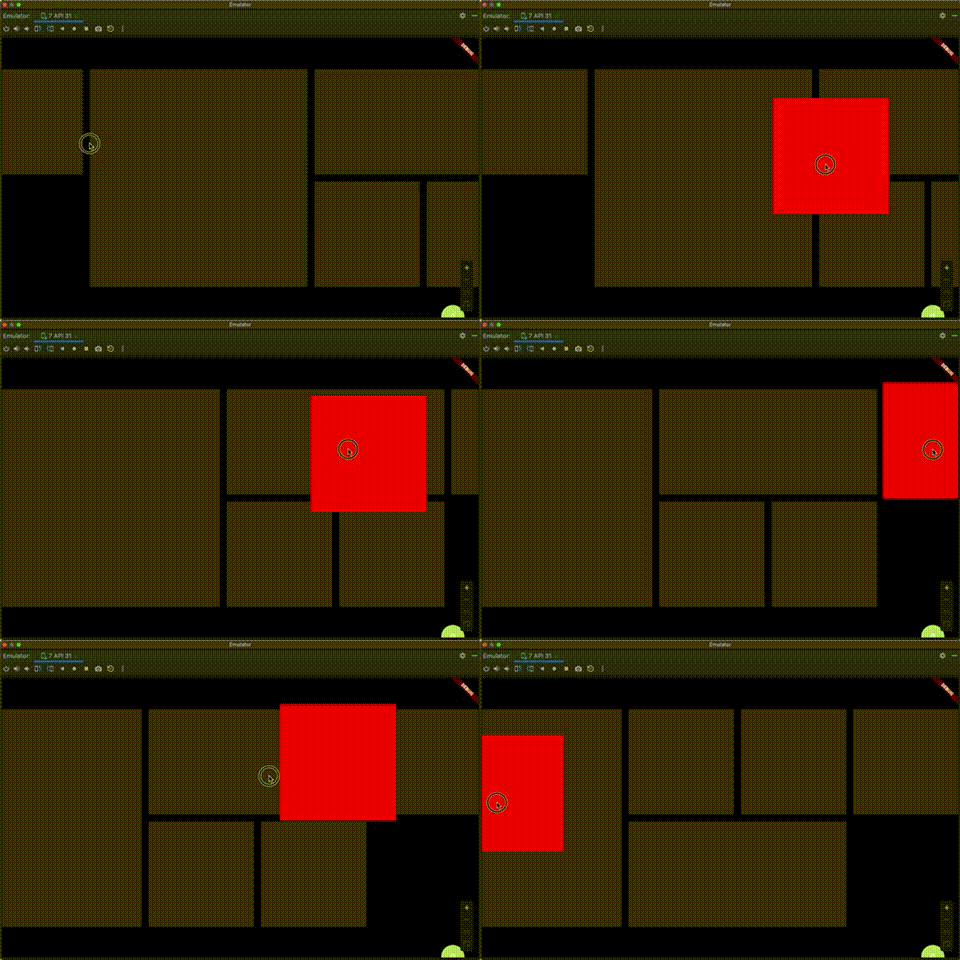 |
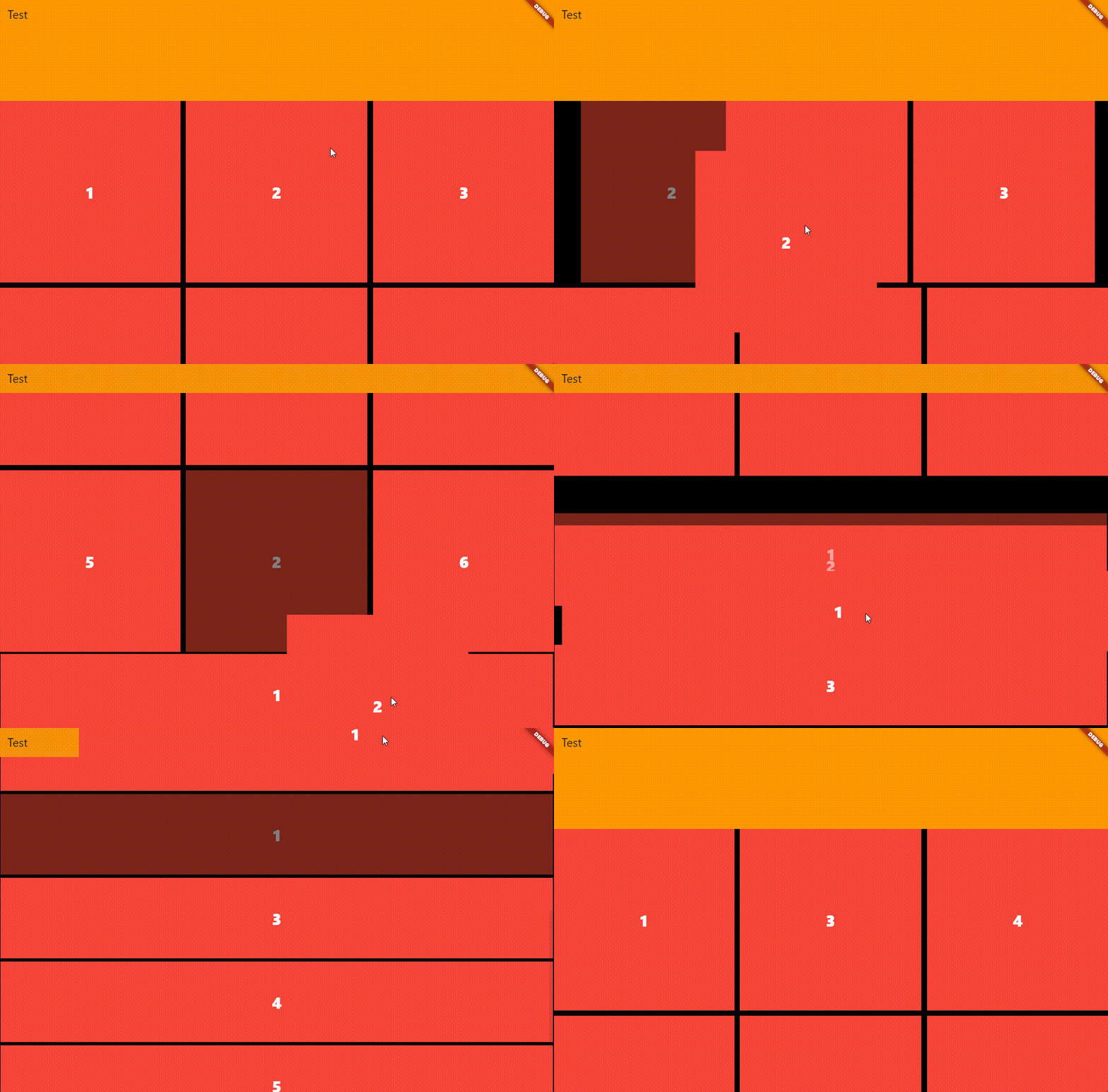 |
![Staired example][aligned_example]
import 'package:drag_anim/drag_anim.dart';
import 'package:flutter/material.dart';

void main() {
  runApp(const MyApp());
}

class MyApp extends StatelessWidget {
  const MyApp({super.key});

  // This widget is the root of your application.
  @override
  Widget build(BuildContext context) {
    return MaterialApp(
      title: 'Flutter Demo',
      theme: ThemeData(colorScheme: ColorScheme.fromSeed(seedColor: Colors.deepPurple)),
      home: const MyHomePage(title: 'Flutter Demo Home Page'),
    );
  }
}

class MyHomePage extends StatefulWidget {
  const MyHomePage({super.key, required this.title});

  final String title;

  @override
  State<MyHomePage> createState() => _MyHomePageState();
}

class _MyHomePageState extends State<MyHomePage> {
  List<String> items = [
    'a',
    'b',
    'c',
    'd',
    'e',
    'f',
    'g',
    'h',
    'i',
    'j',
    'k',
    'l',
    'm',
    'n',
    'o',
    'p',
    'q',
    'r',
    's',
    't',
    'u',
    'v',
    'w',
    'x',
    'y',
    'z',
  ];
  ScrollController scrollController = ScrollController();

  @override
  Widget build(BuildContext context) {
    return Scaffold(
      appBar: AppBar(backgroundColor: Theme.of(context).colorScheme.inversePrimary, title: Text(widget.title)),
      body: DragAnim(
        scrollController: scrollController,
        scrollDirection: Axis.vertical,
        buildItems: (dragItems) {
          return GridView.builder(
            controller: scrollController,
            gridDelegate: const SliverGridDelegateWithFixedCrossAxisCount(
              crossAxisCount: 6,
              mainAxisSpacing: 10,
              crossAxisSpacing: 10,
            ),
            itemBuilder: (_, index) {
              return dragItems(
                data: items[index],
                child: Container(
                  color: Colors.red,
                  alignment: Alignment.center,
                  child: Text(
                    items[index],
                    style: const TextStyle(fontSize: 30, color: Colors.white, decoration: TextDecoration.none),
                  ),
                ),
                key: ValueKey<String>(items[index]),
              );
            },
            itemCount: items.length,
          );
        },
        dataList: items,
      ),
    );
  }
}
- Or flutter_staggered_grid_view
@override
Widget build(BuildContext context) {
  return Scaffold(
    appBar: AppBar(backgroundColor: Theme.of(context).colorScheme.inversePrimary, title: Text(widget.title)),
    body: DragAnim(
      scrollController: scrollController,
      scrollDirection: Axis.vertical,
      buildItems: (dragItems) {
        return MasonryGridView.count(
          crossAxisCount: 4,
          mainAxisSpacing: 4,
          crossAxisSpacing: 4,
          controller: scrollController,
          itemCount: items.length,
          itemBuilder: (context, index) {
            return dragItems(
              data: items[index],
              child: Container(
                color: Colors.red,
                alignment: Alignment.center,
                child: Text(
                  items[index],
                  style: const TextStyle(fontSize: 30, color: Colors.white, decoration: TextDecoration.none),
                ),
              ),
              key: ValueKey<String>(items[index]),
            );
          },
        );
      },
      dataList: items,
    ),
  );
}
-Or Multiple Sliver components are supported
class _DoubleSliverPageState extends State<DoubleSliverPage> {
  List<A> itemsA = [A('1'), A('2'), A('3'), A('4'), A('5'), A('6')];

  List<B> itemsB = [B('1'), B('2'), B('3'), B('4'), B('5'), B('6')];
  ScrollController scrollController = ScrollController();

  @override
  Widget build(BuildContext context) {
    return Scaffold(
      appBar: AppBar(backgroundColor: Theme.of(context).colorScheme.inversePrimary, title: Text(widget.title)),
      body: DragAnim<Object>(
        scrollController: scrollController,
        scrollDirection: Axis.vertical,
        onWillAcceptWithDetails: (DragTargetDetails<Object> details, Object data, bool isTimer) {
          var list = data is A && details.data is A ? itemsA : (data is B && details.data is B ? itemsB : null);
          if (list != null) {
            setState(() {
              final int index = list.indexOf(data);
              list.remove(details.data);
              list.insert(index, details.data);
            });
          }
          return list != null;
        },
        buildItems: (dragItems) {
          return CustomScrollView(
            controller: scrollController,
            slivers: [
              SliverAppBar(
                expandedHeight: 190.0,
                title: const Text('Test'),
                elevation: 5,
                pinned: true,
                backgroundColor: Colors.orange,
              ),
              SliverGrid.builder(
                gridDelegate: SliverGridDelegateWithFixedCrossAxisCount(
                  crossAxisCount: 3,
                  mainAxisSpacing: 10,
                  crossAxisSpacing: 10,
                ),
                itemCount: itemsA.length,
                itemBuilder: (BuildContext context, int index) {
                  return dragItems(
                    data: itemsA[index],
                    child: Container(
                      color: Colors.red,
                      alignment: Alignment.center,
                      child: Text(
                        itemsA[index].value,
                        style: const TextStyle(fontSize: 30, color: Colors.white, decoration: TextDecoration.none),
                      ),
                    ),
                    key: ValueKey<A>(itemsA[index]),
                  );
                },
              ),
              SliverList(
                delegate: SliverChildBuilderDelegate(
                  (_, int index) => dragItems(
                    data: itemsB[index],
                    child: Container(
                      color: Colors.red,
                      alignment: Alignment.center,
                      child: Text(
                        itemsB[index].value,
                        style: const TextStyle(fontSize: 30, color: Colors.white, decoration: TextDecoration.none),
                      ),
                    ),
                    key: ValueKey<B>(itemsB[index]),
                  ),
                  childCount: itemsB.length,
                ),
              ),
            ],
          );
        },
      ),
    );
  }
}
LICENSE! #
Drag Anim is MIT-licensed.
Let us know! #
We’d be really happy if you send us links to your projects where you use our component. Just send an email to [email protected] And do let us know if you have any questions or suggestion regarding our work.
Metadata
11
likes
0
points
155
downloads
Publisher
unverified uploader
Weekly Downloads
Metadata
Support reorderable for all widgets, sliver。Waterfall、listView、GridView
Repository (GitHub)
View/report issues
License
 unknown (license)

