
disk_analyzer_cli 1.0.1  disk_analyzer_cli: ^1.0.1 copied to clipboard
Published 6 days ago •  roszkowski.dev
roszkowski.devCLI tool to analyze disk space, visualize usage, and clean up files.
Disk Analyzer CLI #
A Dart CLI tool to analyze disk space usage.
Features #
- Scan directories and cache results in SQLite for fast repeated queries
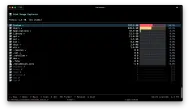
- Interactive TUI — navigate your filesystem with a terminal UI, see sizes and percentages at a glance
- Physical sizes — uses native
lstat()via FFI to report actual disk allocation (st_blocks * 512), matchingduand Finder - Delete files/folders with size preview, confirmation, and dry-run mode
Installation #
dart pub global activate disk_analyzer_cli
Or run directly:
dart run bin/disk_analyzer_cli.dart <command>
Commands #
scan — Scan a directory #
# Scan current directory
disk_analyzer_cli scan

# Scan a specific path
disk_analyzer_cli scan /Users/dominik

# Limit scan depth
disk_analyzer_cli scan /Users/dominik --max-depth 4

# Stop after 5 minutes
disk_analyzer_cli scan /Users/dominik --timeout 5m
show — Display cached scan data #
# Show top-level usage
disk_analyzer_cli show /Users/dominik

# Show 3 levels deep, top 10 per level
disk_analyzer_cli show /Users/dominik --depth 3 --top 10

# Sort by name, directories only
disk_analyzer_cli show /Users/dominik --sort name --dirs-only

# Filter by minimum size
disk_analyzer_cli show /Users/dominik --min-size 1GB
tui — Interactive terminal UI #

# Launch TUI for a scanned path
disk_analyzer_cli tui /Users/dominik
Keyboard shortcuts:
| Key | Action |
|---|---|
↑ ↓ |
Navigate entries |
Enter |
Open folder |
Backspace / Esc |
Go back (restores previous selection) |
s |
Scan selected folder (background) |
S (Shift+S) |
Scan all unscanned folders |
o |
Open in Finder |
r |
Reload current view |
PgUp / PgDn |
Page navigation |
Home / End |
Jump to first/last |
q |
Quit |
The TUI automatically discovers folders on disk that aren't in the cache (shown with 📂⚡), auto-adds new files, and prunes deleted entries when opening a folder.
delete — Delete files or folders #
# Delete with confirmation and size preview
disk_analyzer_cli delete /path/to/large/folder

# Dry run — see what would be deleted
disk_analyzer_cli delete /path/to/folder --dry-run

# Skip confirmation
disk_analyzer_cli delete /path/to/folder --force
clean — Manage cached scan data #
# Interactive: choose which scans to remove
disk_analyzer_cli clean

# Remove all cached data
disk_analyzer_cli clean --all
Architecture #
lib/
├── src/
│   ├── commands/       # CLI commands (scan, show, delete, clean, tui)
│   ├── display/        # Tree renderer, size formatter, TUI app
│   ├── scanner/        # Directory scanner, FFI file identity, isolate worker
│   └── storage/        # SQLite database, models, batch writer
└── disk_analyzer_cli.dart  # Barrel export
- Storage: SQLite with WAL mode, composite indexes for fast queries, batch inserts (5000/batch)
- Scanner: Streaming via callbacks (bounded memory), native
lstat()for physical sizes - TUI: Built with nocterm, Flutter-like stateful components
- Isolates: Background scans run in separate isolates with their own DB connections
Data Location #
Scan cache is stored at ~/.disk_cleaner/cache.db. Warning: this file can grow quite large e.g. 10-20GB for 1TB of scanned data.
Metadata
0
likes
150
points
120
downloads

Documentation
Publisher
Weekly Downloads
Metadata
CLI tool to analyze disk space, visualize usage, and clean up files.
Repository (GitHub)
View/report issues
Topics
#cli #disk-analyzer #disk-usage #nocterm
License
 MIT (license)
Dependencies
args, ffi, nocterm, path, sqlite3

