
country_search 2.5.0  country_search: ^2.5.0 copied to clipboard
 worldin.net
A beautiful and customizable country picker widget with search functionality, multi-language support, phone codes, and optimized performance for weak devices.
Country Search #
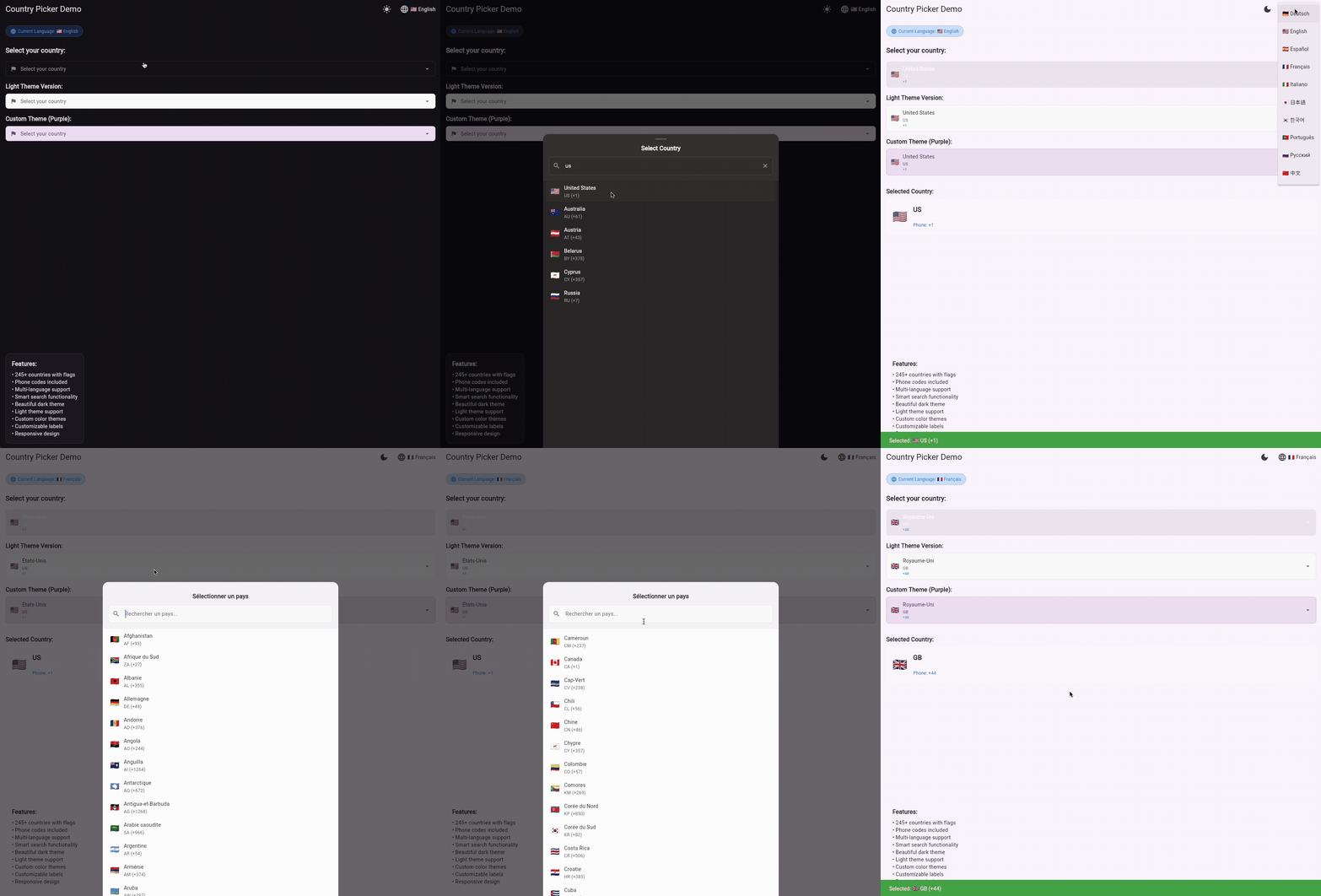
A beautiful and customizable country picker widget for Flutter with multi-language support and phone codes.
📦 Package Size & Performance #
Package Size: ~113KB (source code, 10 languages)
Search Performance:
- Algorithm: Optimized single-pass search with early exit
- Speed: ~110 microseconds per query (4.7x faster than previous version)
- Lightweight components instead of heavy Material widgets
✨ Features #
- 🌍 246 Countries with flags, ISO codes, and phone codes
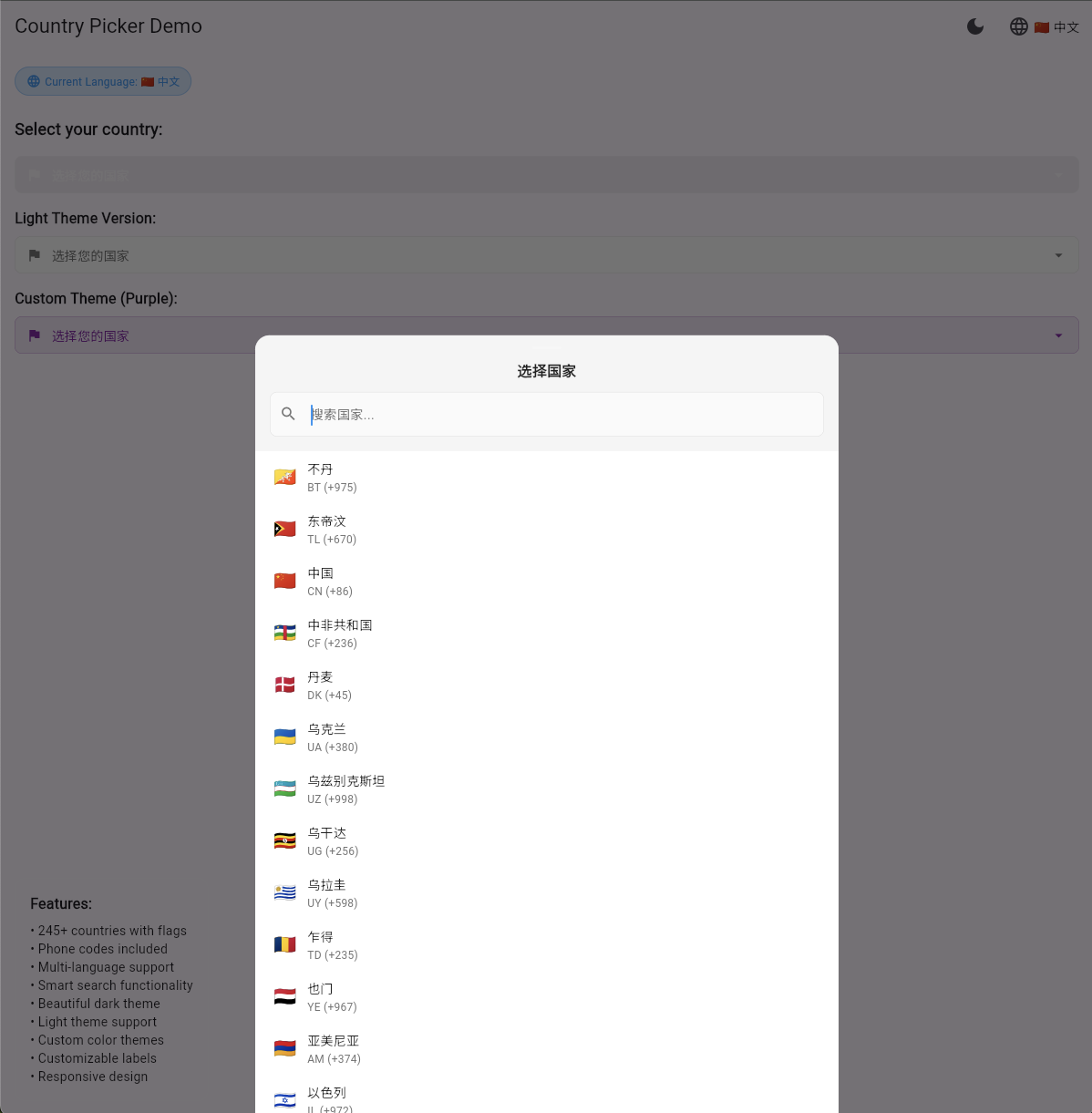
- 🌐 Multi-language Support - English, Spanish, French, German, Italian, Japanese, Korean, Portuguese, Russian, Chinese
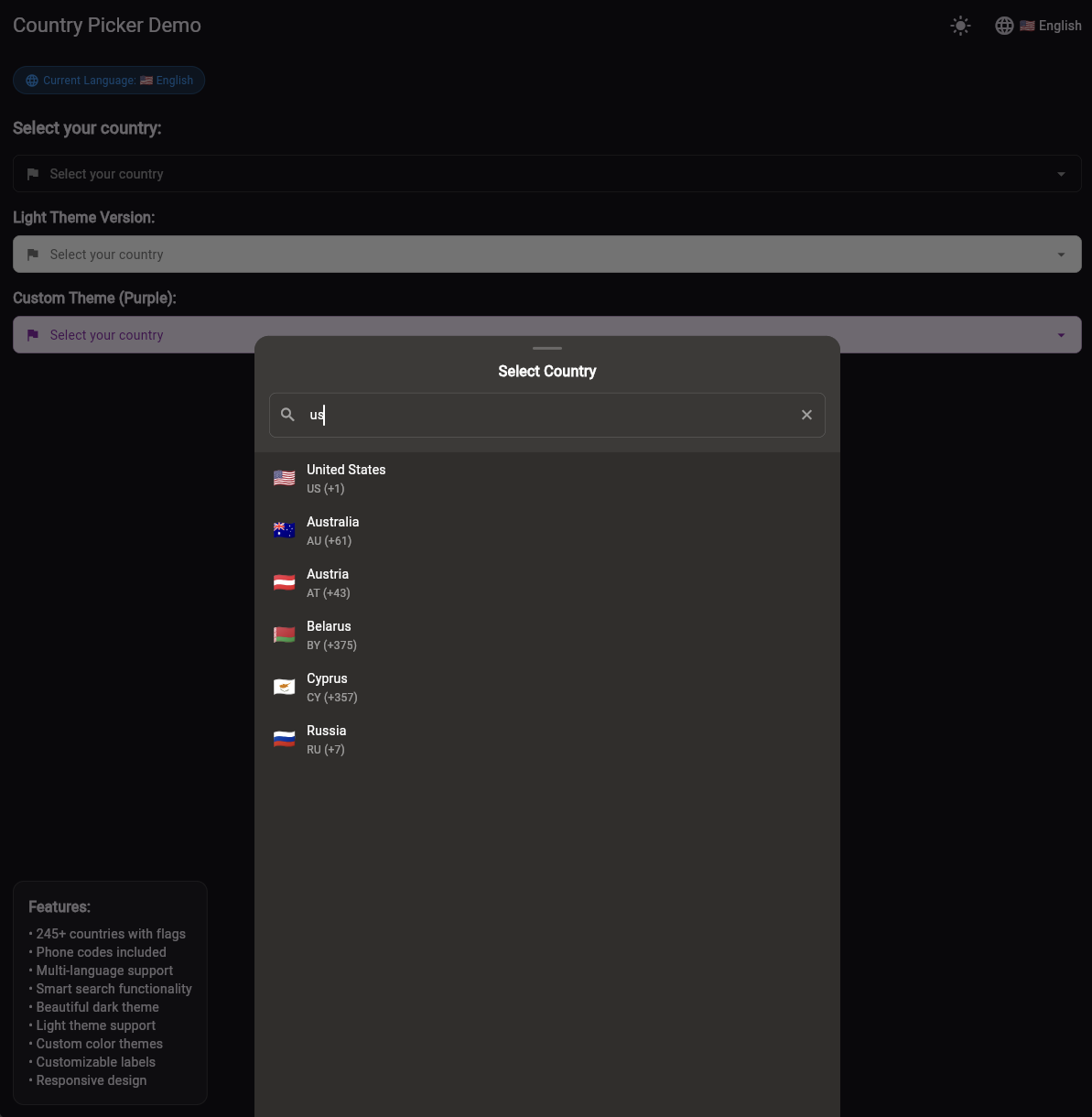
- 🔍 Smart Search by country name, code, or phone code
- ⚡ Lightning Fast Search - 4.7x faster than previous versions
- 📞 Phone Codes - Complete international dialing codes
- 🎨 Adaptive Design for mobile, tablet and desktop
- ⚡ Lightweight - only Flutter SDK
- 🔧 Highly Customizable - easily disable unwanted features
- 🌐 Cross-Platform - works on mobile, web, and desktop
- 📱 Weak Device Optimized - minimalist UI for smooth performance on low-end devices
📦 Installation #
dependencies:
  country_search: ^2.4.0
🚀 Usage #
Basic Usage (English by default) #
import 'package:country_search/country_search.dart';

CountryPicker(
  selectedCountry: selectedCountry,
  onCountrySelected: (Country country) {
    setState(() {
      selectedCountry = country;
    });
    debugPrint('Selected: ${country.flag} ${country.code} (${country.phoneCode})');
  },
  showPhoneCodes: true, // Show phone codes (default)
)
✅ Works immediately without any setup! The widget uses English by default.
Run the Example #
To see the widget in action, run the example app:
cd example
flutter run
The example demonstrates:
- ✅ Multi-language support (10 languages)
- ✅ Country search by name, code, and phone code
- ✅ Beautiful dark theme UI
- ✅ Responsive design for all screen sizes
- ✅ Optimized performance for weak devices
🔧 Customization #
Show/Hide Phone Codes #
Control whether phone codes are displayed in the country list:
// Show phone codes (default)
CountryPicker(
  selectedCountry: selectedCountry,
  onCountrySelected: (Country country) {
    setState(() {
      selectedCountry = country;
    });
  },
  showPhoneCodes: true, // Default behavior
)
Customize Colors & Border Radius #
Easily customize the widget colors for different themes:
// Dark theme (default)
CountryPicker(
  selectedCountry: selectedCountry,
  onCountrySelected: (Country country) {
    setState(() {
      selectedCountry = country;
    });
  },
)

// Light theme with custom colors
CountryPicker(
  selectedCountry: selectedCountry,
  onCountrySelected: (Country country) {
    setState(() {
      selectedCountry = country;
    });
  },
  // Modal window colors (when picker is opened):
  backgroundColor: Colors.white,        // Background of the modal window
  headerColor: Colors.grey.shade100,   // Header background color
  cursorColor: Colors.blue,            // Search field cursor color

  // Button colors (the widget itself):
  searchFieldColor: Colors.grey.shade50,      // Button background color
  searchFieldBorderColor: Colors.grey.shade300, // Button border color
  textColor: Colors.black87,                  // Main text color in button
  hintTextColor: Colors.grey.shade600,        // Hint text and country code color
  accentColor: Colors.blue,                   // Phone code color
  hoverColor: Colors.grey.shade200,           // Color when hovering over countries in list
  borderRadius: 12.0,                         // Border radius for all rounded elements
)
Multi-Language Support #
The widget automatically detects the language from your app's locale. For multi-language support, add delegates to your MaterialApp:
⚠️ Note: If you want to use Flutter's standard localization delegates (GlobalMaterialLocalizations.delegate, etc.), add flutter_localizations to your dependencies:
dependencies:
  flutter:
    sdk: flutter
  flutter_localizations:
    sdk: flutter
⚠️ Important: Set the locale parameter to specify your app's language. Without it, the widget will use the device's system language.
How it works:
- With
locale: Uses your app's language - Without
locale: Uses device system language - Unsupported language: Falls back to English
// If you don't have localization yet:
MaterialApp(
  locale: const Locale('de'), // Set your app's language
  localizationsDelegates: [
    CountryLocalizations.delegate, // Our delegate
    GlobalMaterialLocalizations.delegate,
    GlobalWidgetsLocalizations.delegate,
    GlobalCupertinoLocalizations.delegate,
  ],
  supportedLocales: [
    const Locale('en'),
    const Locale('de'),
    const Locale('ru'),
    // Add your app's supported languages
  ],
)

// If you already have localization, add our delegate:
MaterialApp(
  locale: const Locale('de'), // Set your app's language
  localizationsDelegates: [
    // Your existing delegates
    GlobalMaterialLocalizations.delegate,
    GlobalWidgetsLocalizations.delegate,
    // Add our delegate
    CountryLocalizations.delegate,
  ],
  supportedLocales: [
    // Your existing locales
    const Locale('en'),
    const Locale('de')
  ],
)
Remove Unused Languages #
To reduce package size, remove language files you don't need:
rm lib/src/flutter_country_picker/localizations/country_localizations_es.dart
Then update these files:
1. Main localization file (lib/src/flutter_country_picker/localizations/country_localizations.dart):
- Remove import:
import 'country_localizations_es.dart'; - Remove from
supportedLocales:Locale('es') - Remove from
isSupported:'es' - Remove case from
lookupCountryLocalizations:case 'es': return CountryLocalizationsEs();
2. Main package file (lib/country_search.dart):
- Remove export:
export 'src/flutter_country_picker/localizations/country_localizations_es.dart';
⚠️ Important: If you don't update all these files, you'll get compilation errors because the code will try to import and reference deleted language files.
🌍 Supported Languages #
- 🇺🇸 English
- 🇷🇺 Russian
- 🇪🇸 Spanish
- 🇫🇷 French
- 🇩🇪 German
- 🇮🇹 Italian
- 🇯🇵 Japanese
- 🇰🇷 Korean
- 🇵🇹 Portuguese
- 🇨🇳 Chinese
📝 License #
MIT License - see LICENSE file.
👨💻 Author #
Stanislav Bozhko
Email: [email protected]
GitHub: @stanislavworldin
☕ Support #
If you find this package helpful, consider buying me a coffee! ☕

Metadata
Publisher
Weekly Downloads
Metadata
A beautiful and customizable country picker widget with search functionality, multi-language support, phone codes, and optimized performance for weak devices.
Repository (GitHub)
View/report issues
Topics
#flags #country #picker #search #phone-codes
Documentation
License
 unknown (license)
Dependencies
flutter, flutter_localizations

