
convenient_test 1.0.0  convenient_test: ^1.0.0 copied to clipboard
 cjycode.com
Write and debug tests easily, built on integration_test
flutter_convenient_test: Write and debug tests easily, built on integration_test #


Quick demo #
[TODO]
Features #
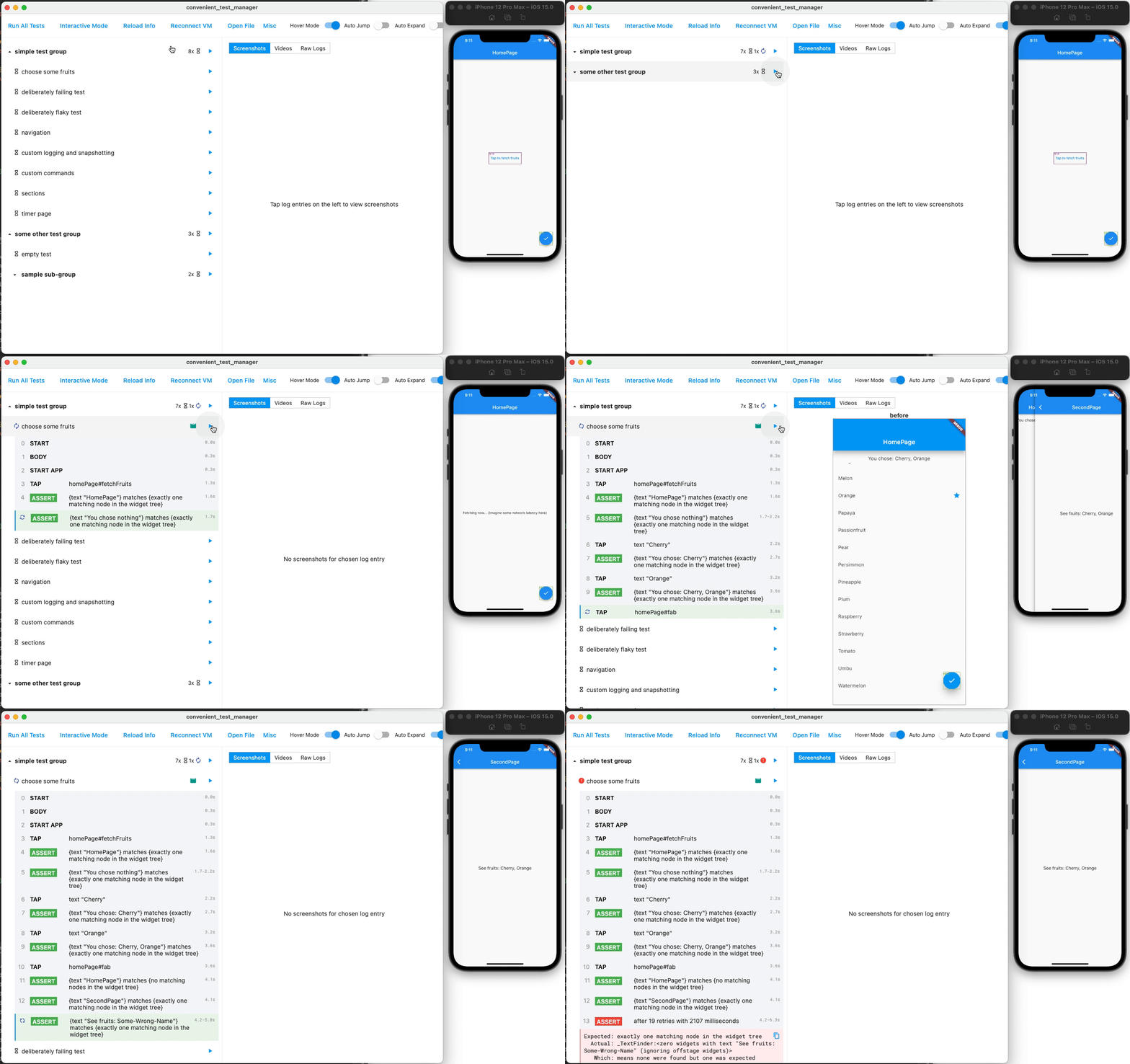
Action history #
See what actions are taken in the tests
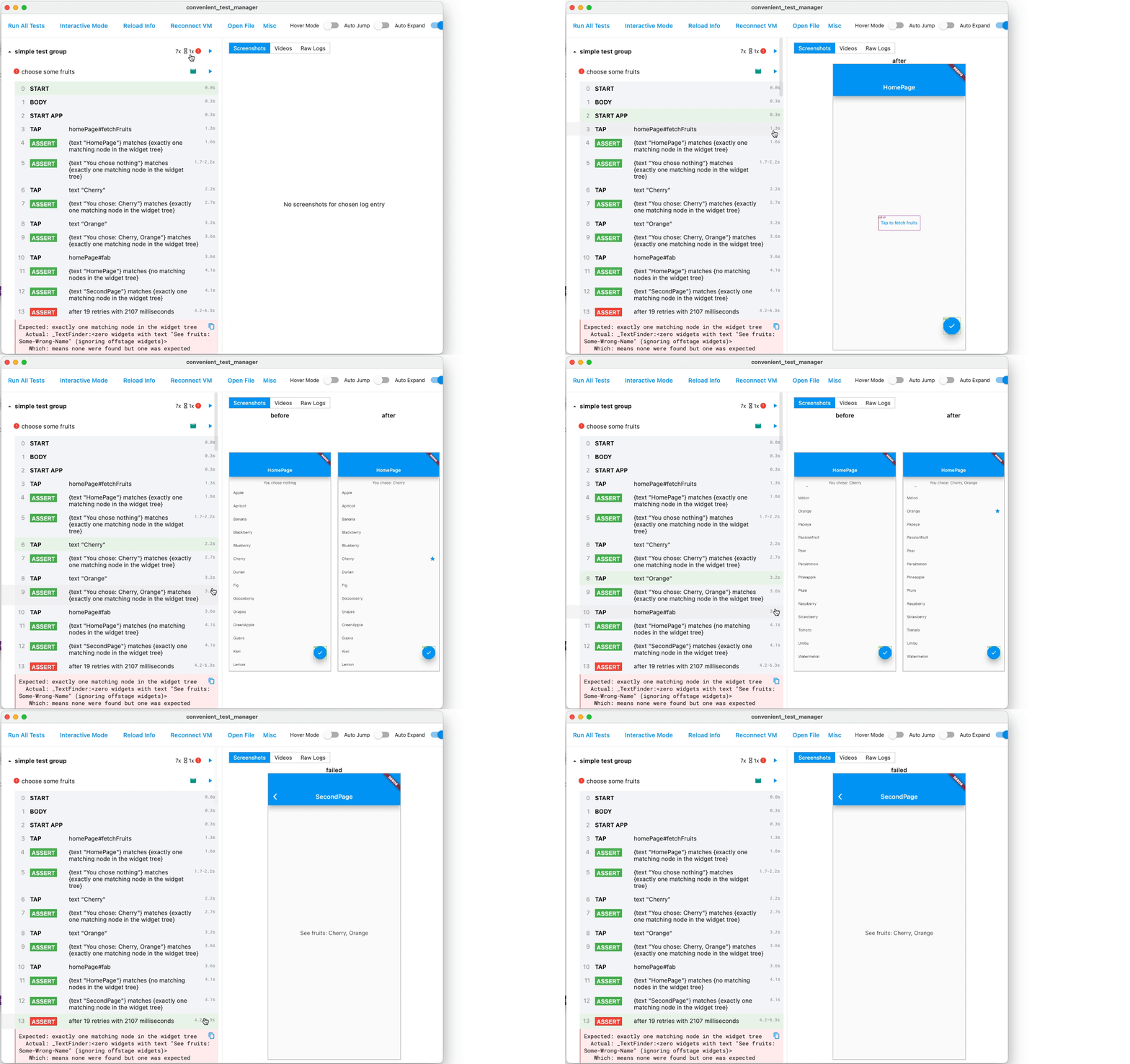
Time travel with screenshots #
Look at each action back in time
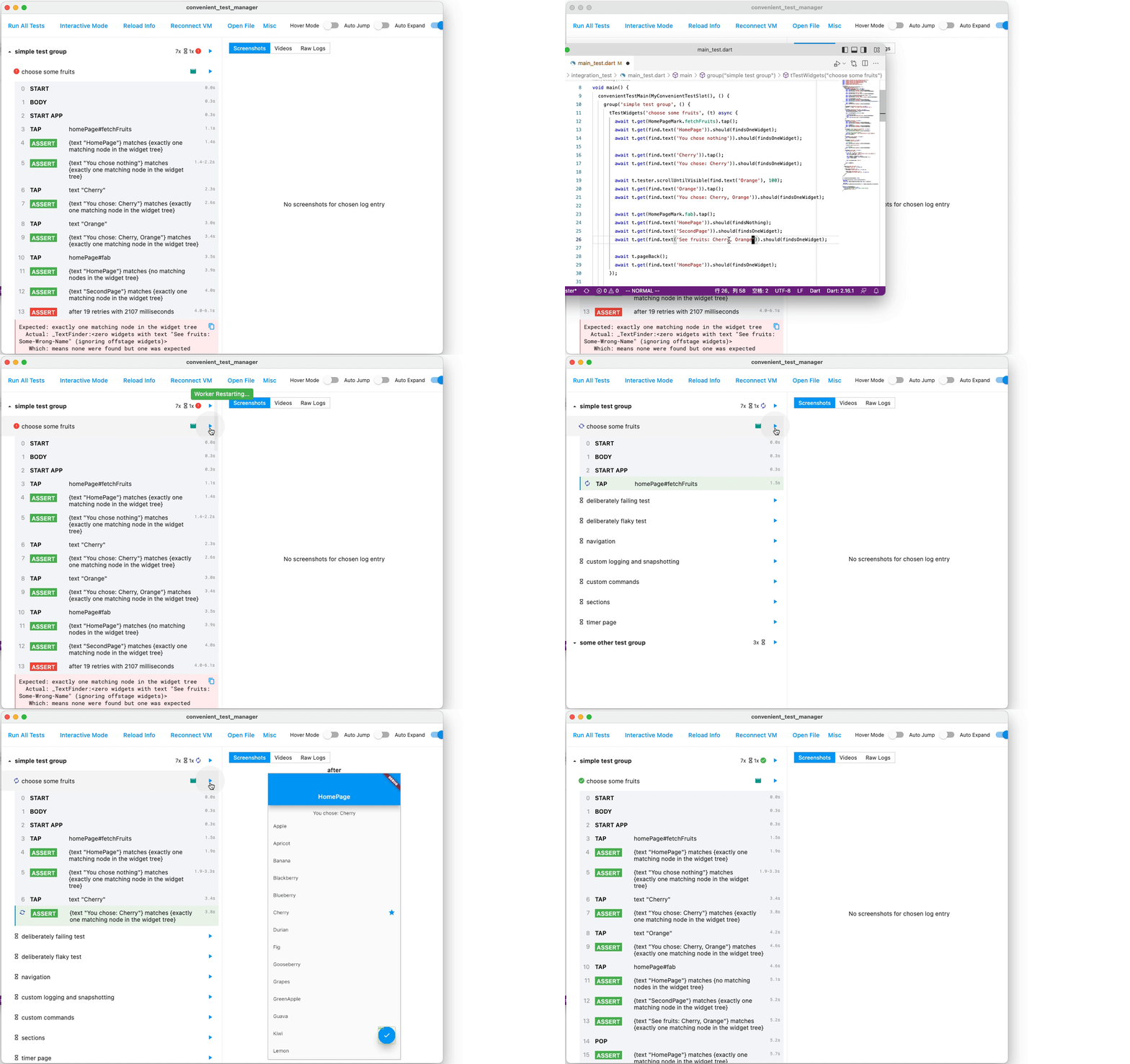
Rapidly re-execute #
Edit code, save, run - within seconds
Videos recorded #
Watch what has happened in full detail
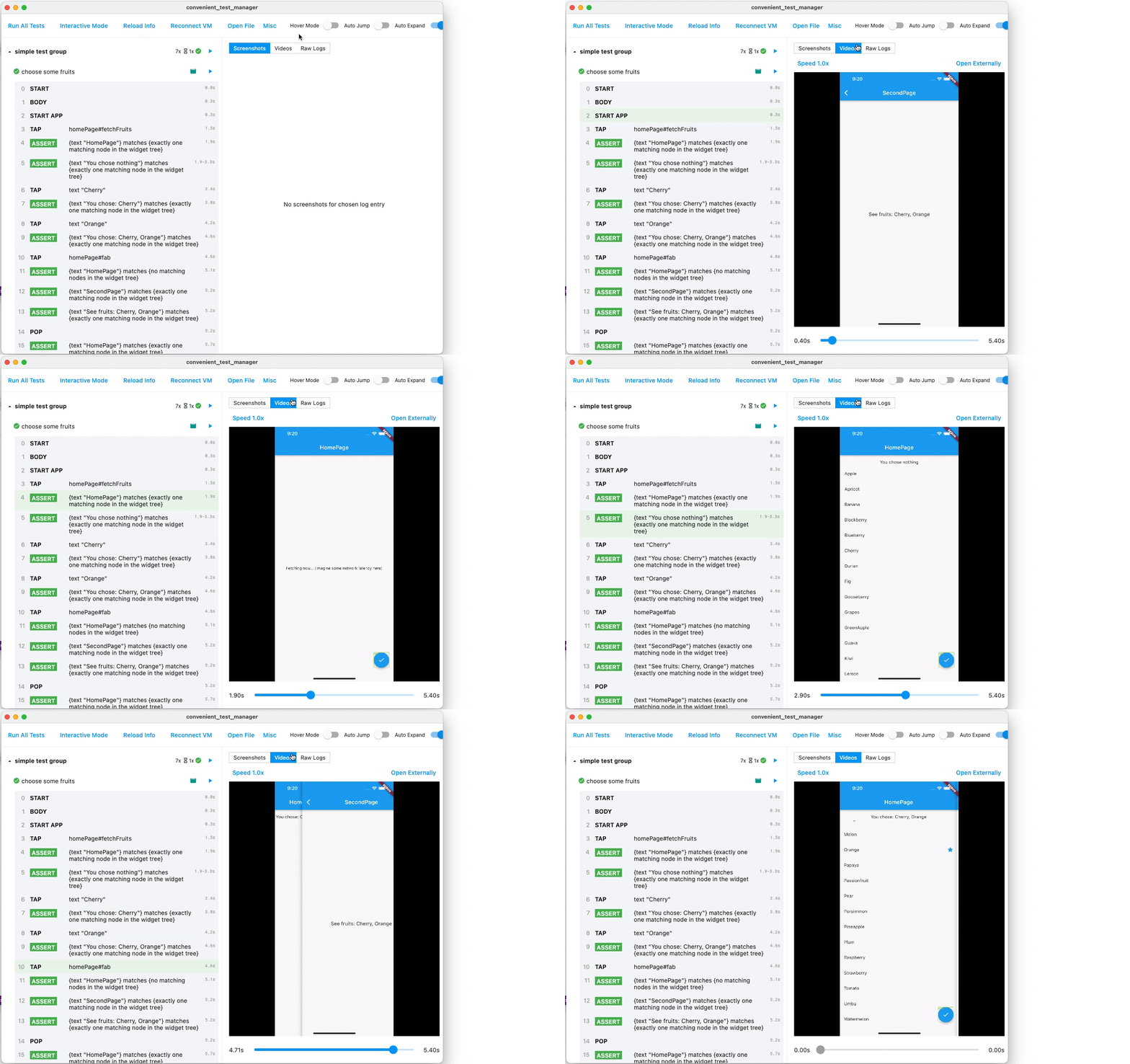
P.S. Highlighted action is in sync with the playing video. Tap action to seek video.
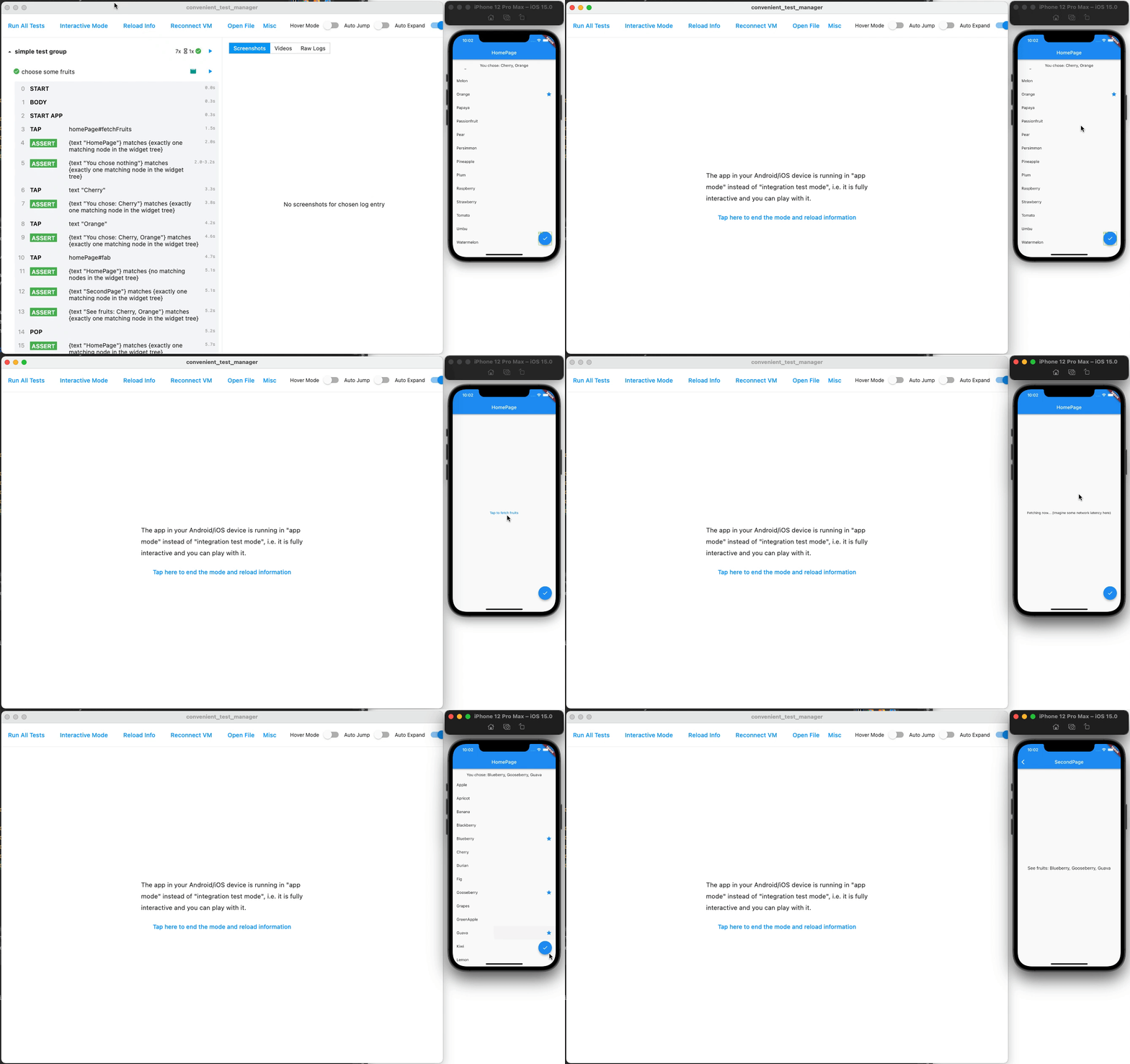
Being interactive #
Temporarily play with the app, interactively.
integration_test is still there #
You can still use everything from integration_test, mockito, test, etc. This package is not a reinvented wheel, and has exposed the underlying integration_test to you.
If you want to migrate to this package from raw integration_test, have a look at Getting Started section below.
Flaky tests awareness #
Flaky is flaky, and we are aware of it. It is neither failed nor success, so you will not be alarmed by false positives, and not completely ignore it.
[TODO screenshot: Several tests, one failed, one flaky, one success]
Simpler and shorter code #
- No manual
pump - No manual wait and retry
await t.get(find.byTooltip('Fetch Data From Backend')).tap();
// OK even if "fetch data" needs undeterministic time interval. Will automatically pump, wait and retry.
await t.get(find.text('New Data')).should(findsOneWidget);
More in quickstart and tutorials below.
Visually see target regions #
Useful when replaying videos and screenshots
Marks have colored borders- Gestures have visual feedbacks
CI / headless mode #
This tool can be run without GUI and only produce log data, making it suitable to be run in a CI. Just run flutter run integration_test/main_test.dart --dart-define CONVENIENT_TEST_CI_MODE=true.
If you want to examine the details with GUI, just open the generated artifact in the GUI using Open File button.
Run single test/group #
Tap "Run" icon button after each test or group to re-run only that test/group, without running anything else.
Raw logs #
Tap "Raw Logs" in the right panel to see raw outputs of a test.
Tutorial: Run examples #
- Clone this repository and enter the
packages/convenient_test/examplefolder. - Run the example app (e.g. using iOS simulator) via
flutter run /path/to/flutter_convenient_test/packages/convenient_test/example/integration_test/main_test.dart --host-vmservice-port 9753 --disable-service-auth-codes. Can also be run via VSCode or Android Studio with similar commands. - Run the GUI located in
packages/convenient_test_manager. It is nothing but a normal Flutter Windows/MacOS/Linux app, so run it follow Flutter official doc. May run inprofilemode to speed up. - Enjoy the GUI!
Getting started #
- In
pubspec.yaml, addconvenient_test: ^1.0.0to thedependenciessection, andconvenient_test_dev: ^1.0.0to thedev_dependenciessection. As normal, we need toflutter pub get. - Create
integration_test/main_test.dartfile in your app. Fill it likevoid main() => convenientTestMain(MyConvenientTestSlot(), () { ... the normal test code you write });. See the example package for demonstration. - Run your app (e.g. using iOS simulator) via
flutter run /path/to/your/app/integration_test/main_test.dart --host-vmservice-port 9753 --disable-service-auth-codes. Can also be run via VSCode or Android Studio with similar commands. - Run the GUI located in
packages/convenient_test_manager. It is nothing but a normal Flutter Windows/MacOS/Linux app, so run it follow Flutter official doc. May run inprofilemode to speed up. - Enjoy the GUI!
Thanks for testing frameworks in JavaScript, especially Cypress, for giving inspirations!
Metadata
Publisher
Weekly Downloads
Metadata
Write and debug tests easily, built on integration_test
Repository (GitHub)
View/report issues
License
 unknown (license)

