
context_menu_android 1.0.3  context_menu_android: ^1.0.3 copied to clipboard
A Flutter package that brings iOS-style context menu to Android.
🍎 ios_style_context_menu #
A Flutter package that brings a beautiful iOS-style context menu to Android.
This menu replicates the iOS long-press interaction behavior and style, allowing users to interact with widgets such as cards, images, or any custom component through a smooth, native-like pop-up menu.
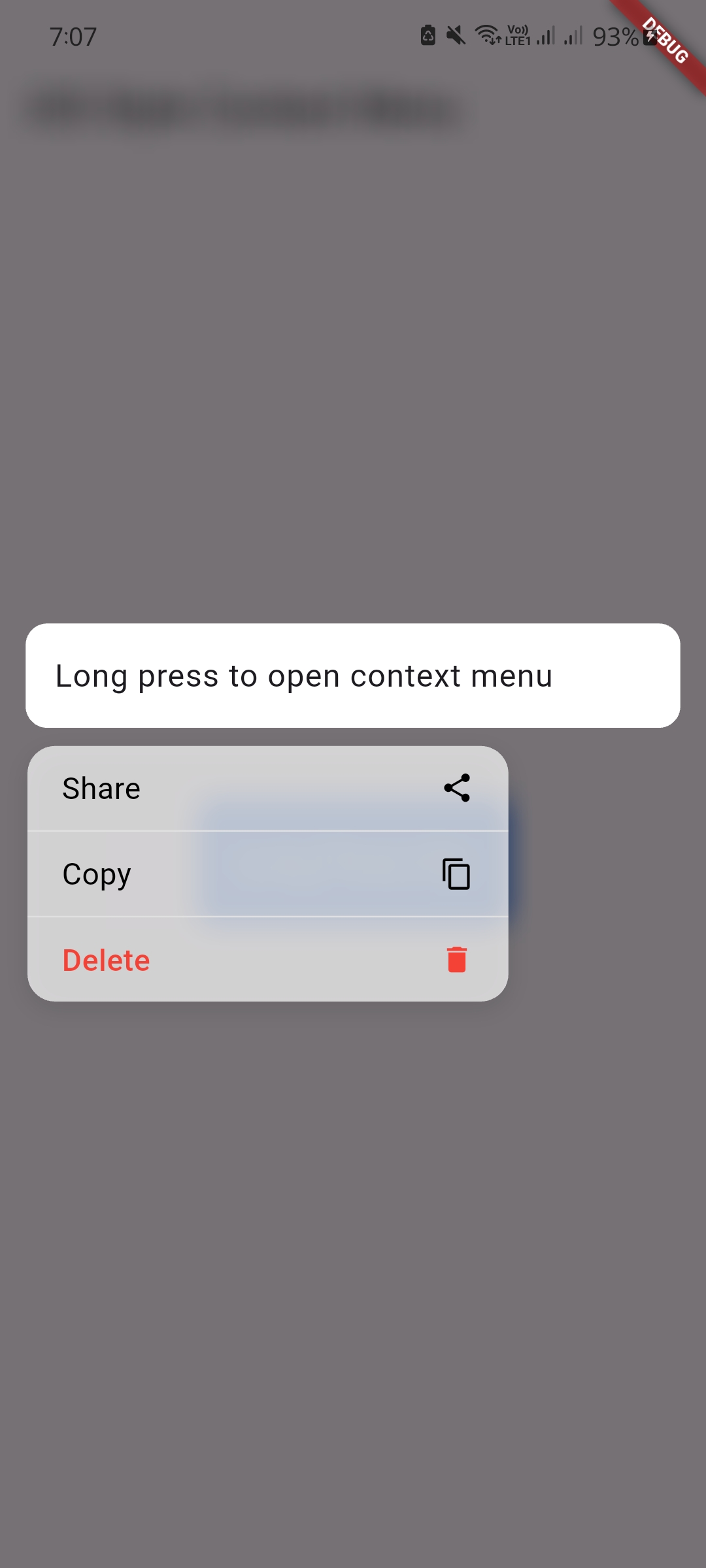
✨ Features #
- 🍏 iOS-style interaction – Mimics the native long-press menu behavior on iOS.
- 🧰 Custom actions – Add any number of actions like Share, Copy, Delete, etc.
- 💫 Smooth animations – Uses
AnimatedScaleandBackdropFilterfor seamless transitions. - 🪞 Blurred background – Optional
BackdropFilterfor a true iOS effect. - 🌒 Dark mode ready – Automatically adapts to light/dark themes.
- 🧩 Fully customizable – Control icon, text, colors, padding, and more.
- 🧠 Smart delete detection – Automatically highlights delete items in red.
🚀 Getting Started #
Add the package to your pubspec.yaml file:
dependencies:
  ios_style_context_menu: ^1.0.3
Then run:
flutter pub get
🛠 Usage #
Wrap any widget you want with IosStyleContextMenu:
IosStyleContextMenu(
  actions: [
    ContextMenuAction(
      icon: Icons.share,
      label: 'Share',
      onPressed: () => print('Share tapped'),
    ),
    ContextMenuAction(
      icon: Icons.delete,
      label: 'Delete',
      onPressed: () => print('Delete tapped'),
    ),
  ],
  child: YourWidgetHere(),
);
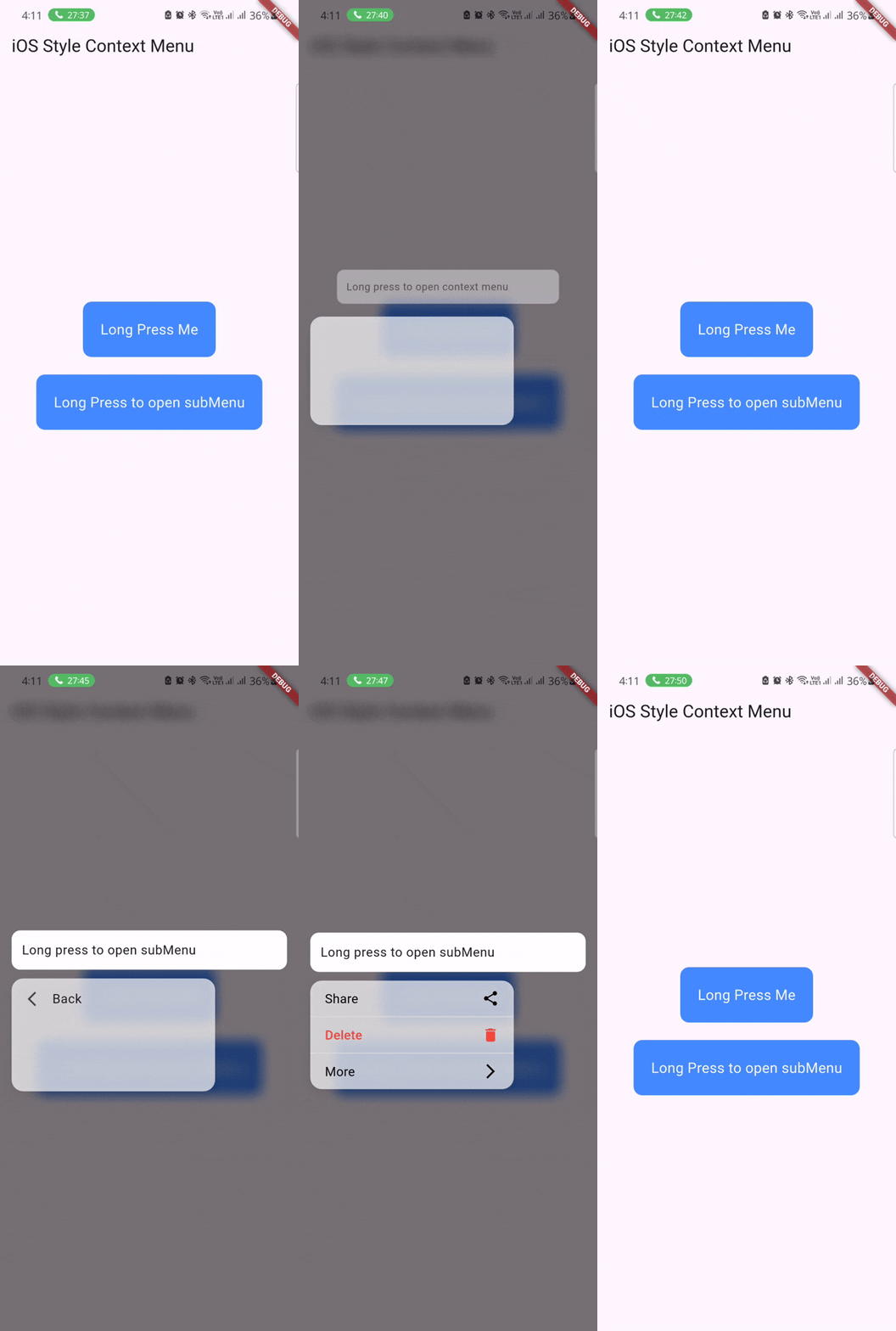
📸 Preview #
📦 Customization Options #
| Property | Description |
|---|---|
actions |
List of actions with icons and labels. |
backgroundColor |
Custom background color for the menu. |
iconColor |
Color for icons (auto detects red for delete). |
textStyle |
Custom text style for action labels. |
contentPadding |
Padding inside the action buttons. |
blurStrength |
Control blur level (if enabled). |
📄 License #
MIT License – see LICENSE file for details.
❤️ Author #
Developed by Omar Shawkey
Feel free to contribute, open issues, or suggest features!
Metadata
8
likes
0
points
283
downloads
Publisher
unverified uploader
Weekly Downloads
Metadata
A Flutter package that brings iOS-style context menu to Android.
Repository (GitHub)
View/report issues
License
 unknown (license)

