
colorist 0.0.2  colorist: ^0.0.2 copied to clipboard
 tarapogancev.com
Flutter code generator for custom-named color palettes.
Palette Generator and Theme Manager Plugin #
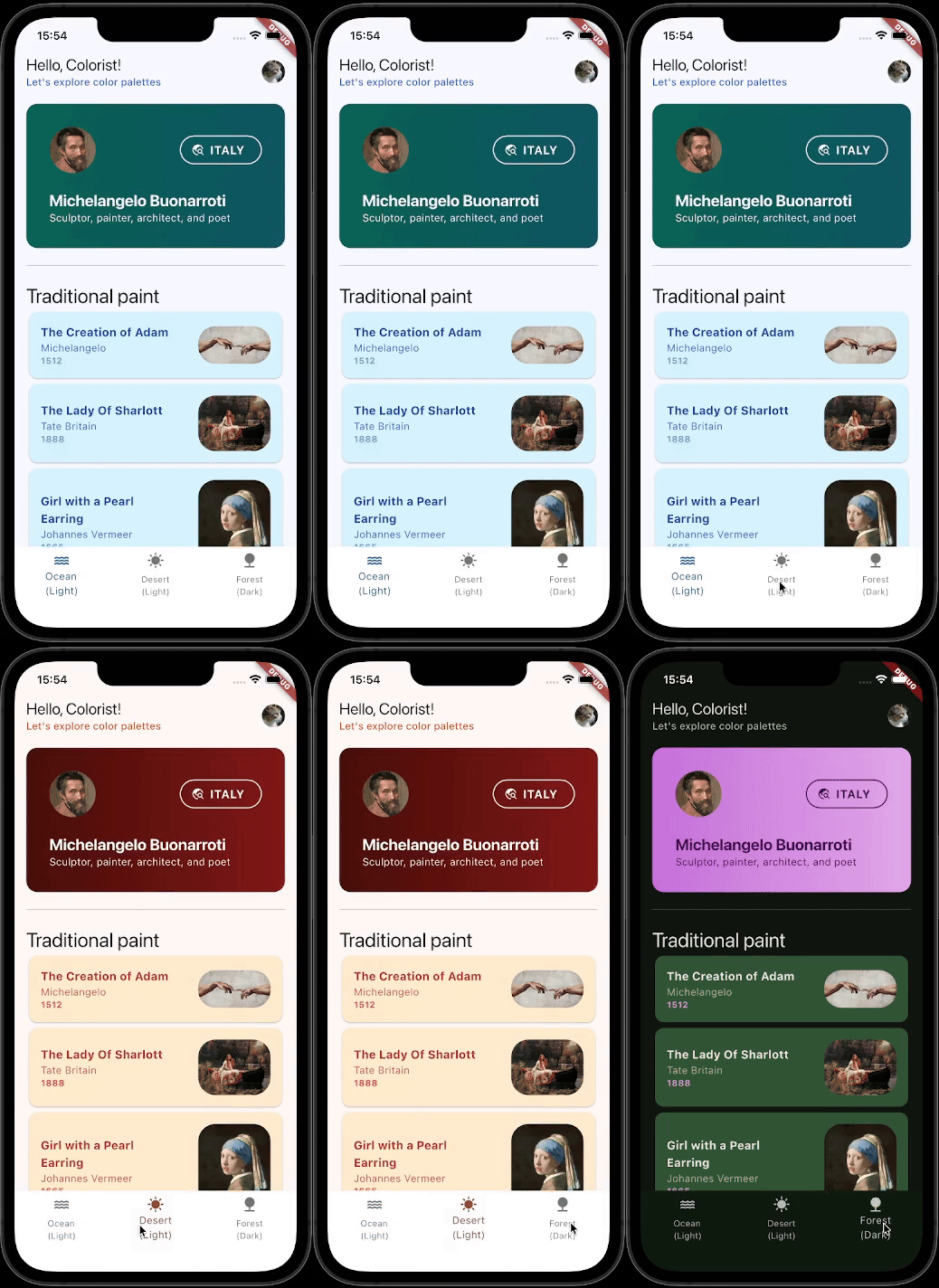
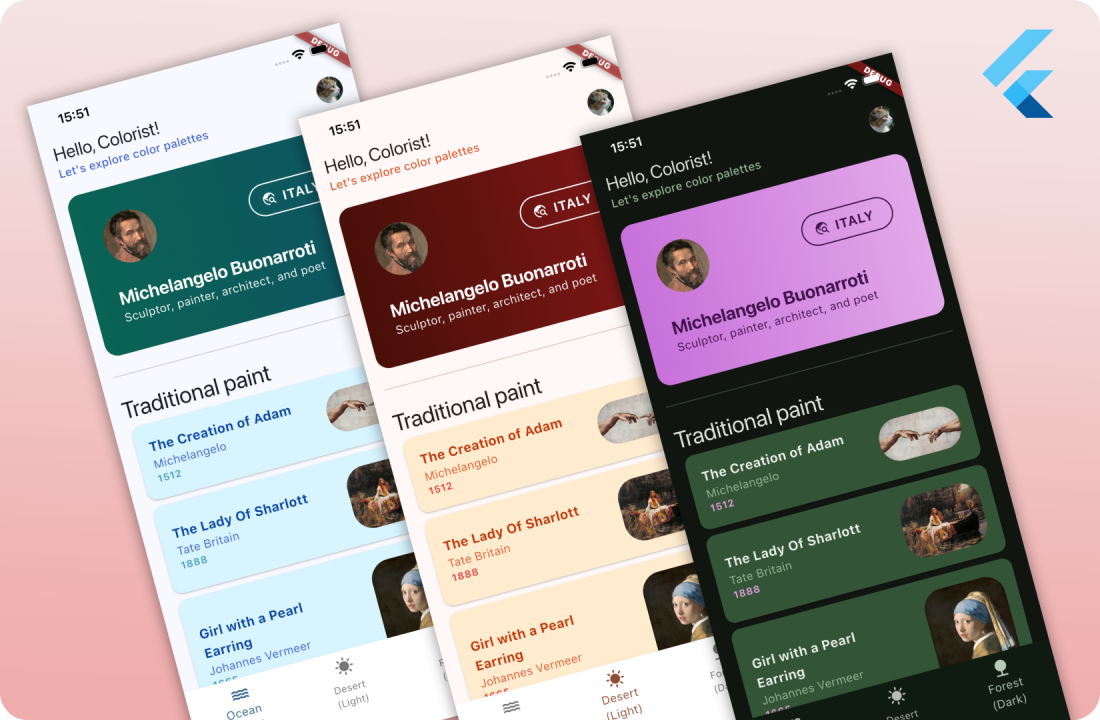
🎨👨🎨 Colorist is a simple Flutter package, helping you manage all your custom theming needs from one place. Colorist is most suitable for apps with high level of UI customization, where a range of custom-named colors is required for easy development and design management.
💡 Motivation #
I often build apps with custom designs, where relying on Material's provided colors isn't quite enough for the look I'm going for. Mapping custom colors to predefined ones is unnatural, and often messes up the look and behavior of default Material widgets. Custom solutions work nice, but have a lot of boilerplate, are difficult to scale up, or add variation in hue or brightness.
I wanted to solve this problem by creating a plugin that takes care of the hard part when implementing custom themes. Declare color names you find intuitive, define as many variations in colors and brightness as you like, and let Colorist do the heavy lifting via build runner!
|
|
📌 Features #
- Generate boilerplate code for your own color palettes (color schema), with custom color names
- Support multiple theme variations based on a custom-defined color schema
- Theme manager for integrated switching between themes and brightness modes
- Theme and brightness settings persistence
- UI components for changing selected theme and/or brightness
- Support for both Material and Cupertino apps
Getting started #
Plugin installation #
You will need to add colorist as a dependency, and colorist_builder and build_runner as a dev_dependency. The plugin uses build_runner for generating boilerplate code.
flutter pub add colorist
flutter pub add --dev build_runner colorist_builder
dependencies:
  colorist: latest

dev_dependencies:
  build_runner: latest
  colorist_builder: latest
1. Defining app's color theme #
Most likely, one color schema will be used by your project. This is where you can define all colors that will be used in it. This can always easily be expanded in the future.
This is an example of a ColorTheme defined for our app. If you are familiar with the Freezed package, you will find a likeness iin how the abstract class is defined. Feel free to copy this part of the code into your own app, and make changed to the constructor section.
import 'package:colorist/colorist.dart';
import 'package:flutter/material.dart';

part 'theme.colorist.g.dart';

@ColorTheme(name: 'Primary app theme schema')
abstract class AppColorTheme with _$AppColorTheme {
  const factory AppColorTheme({
    required Brightness brightness,
    required Color primary,
    required Color cardBackground,
    required Color cardGradientStart,
    required Color cardGradientEnd,
    required Color canvas,
    required Color text,
    required Color textSecondary,
    required Color textTernary,
    required Color white,
  }) = _AppColorTheme;

  // Implement if using MaterialApp, otherwise delete
  @override
  ThemeData get themeData => MaterialAppTheme.getForColorTheme(this);

  // Implement if using CupertinoApp, otherwise delete
  @override
  CupertinoThemeData get cupertinoThemeData => CupertinoAppTheme.getForColorTheme(this);
}
Consider using the
colorist snippetfor easily inserting this part of the code. The snippet is vailable on GitHub, in the.vscodefolder.
Define Material or Cupertino ThemeData
themeData and cupertinoThemeData are optional getters. If one or both are provided, the generated file will also create theme/context extensions for easier access to colors, via context.colors.
If your app uses both Cupertino and Material Themes (e.g. for OS-adaptive UI), two getters generated will be context.colors and context.cupertinoColors. Generation of getters can still be manually set by passing the colorsGetterGeneration parameter of the annotation itself. By default, it will decide automatically based on ThemeData getters providers.
ℹ️ It is important to implement at least one of these getters, according to your app's widget base (
MaterialApporCupertinoApp). The builder we use in the upcoming steps will require a relevant ThemeData be passed with the ColorTheme. Otherwise, your app will fail to run.There is no need to define both, unless your app uses both MaterialApp and CupertinoApp base widgets (for adaptive UI, like in the example).
Please refer to the example project to see how getForColorTheme(this) functions were implemented. Allthough it is just an example, any implementation approach will work.
ℹ️ If you implement Material ThemeData getter, it's very important you include
extensions: [theme.extensions]. The.colorsgetter will not work otherwise, as it considers itself an extension. 🙂 You can define all your extensions here as well (styling, typography, etc.).
ThemeData _getColoristThemeData(AppColorTheme theme) {
 return ThemeData(
   brightness: theme.brightness,
   colorSchemeSeed: theme.primary,
   extensions: [
     theme.themeExtension,
   ],
 );
}
2. Run build runner #
Colorist uses build runner for generating boilerplate code. Make sure colorist_builder and build_runner are added to pubspec.yaml.
flutter pub add colorist
flutter pub add --dev build_runner colorist_builder
Then run:
dart run build_runner watch -d
3. Define color theme variations #
You will need a simple way to access available theme variations. Any implementation will work. The provided example has a simple map:
final Map<String, AppColorTheme> appColorThemes = {
  'ocean': const AppColorTheme(
    brightness: Brightness.light,
    primary: Color(0xFF0277BD),
    cardBackground: Color(0xFFD7F4FF),
    cardGradientStart: Color(0xFF0A6354),
    cardGradientEnd: Color(0xFF0E5462),
    canvas: Color(0xFFFFFFFF),
    text: Color(0xFF0D47A1),
    textSecondary: Color(0xFF4162CD),
    textTernary: Color(0xFF4EA0B7),
    white: Colors.white,
  ),

  'dark_forest': const AppColorTheme(
    brightness: Brightness.dark,
    primary: Color(0xFF2F5D3E),
    cardBackground: Color(0xFF335436),
    cardGradientStart: Color(0xFFC771DA),
    cardGradientEnd: Color(0xFFE2A8E9),
    canvas: Color(0xFF0F1B10),
    text: Color(0xFFEBF0E8),
    textSecondary: Color(0xFF9DBA9D),
    textTernary: Color(0xFFE79CDA),
    white: Color(0xFF42114D),
  ),
  // ...
}
4. Setup Colorist theming in main.dart #
Make sure to add the two following lines in your main function, before running the app. This will ensure correct setup of the settings persistence.
void main() async {
  /// Allow async operations before runApp and ensure correct preferences initialization.
  WidgetsFlutterBinding.ensureInitialized();
  await ThemeManager.init();

  runApp(const MyApp());
}
This will require your main() function is marked as async. The code is very fast and will not impact your app's startup.
Finally, wrap your MaterialApp or CupertinoApp in a ThemeManager, providing themes defined in step 3. Initial theme and brightness are optional.
ThemeManager<AppColorTheme>(
            themes: appColorThemes.values.toList(),
            initialTheme: appColorThemes['ocean'],
            initialBrightness: ThemeBrightness.system,
            builder: (currentTheme) {
              /// Your [MaterialApp] widget should use the [ThemeData] `currentTheme` provided by [ThemeManager]'s builder
              /// Colors are made accesible via extensions on BuildContext -> `context.colors`
              return MaterialApp(
                title: 'Colorist Demo',
                theme: currentTheme,
                home: const DemoHomePage(),
              );
            },
          )
Consider completely restarting the app after this step.
That's it! 🎉 You can now easily access your colors and manage active theme!
Usage #
Accessing custom defined colors #
context.colors
To access colors defined for your app's ColorTheme, use the extension getter context.colors.
Colors accessed via context will automatically update when a theme or brightness change occurs.
Changing active theme #
final selectedTheme = context.themeManager.themes[index]
context.themeManager.setTheme(selectedTheme);
Selected brightness will follow the theme selected this way (if the active one doesn't match).
Changing brightness #
context.themeManager.setBrightness(ThemeBrightness.light);
context.themeManager.setBrightness(ThemeBrightness.dark);
context.themeManager.setBrightness(ThemeBrightness.system);
Using this function, the first applicable color theme will be selected.
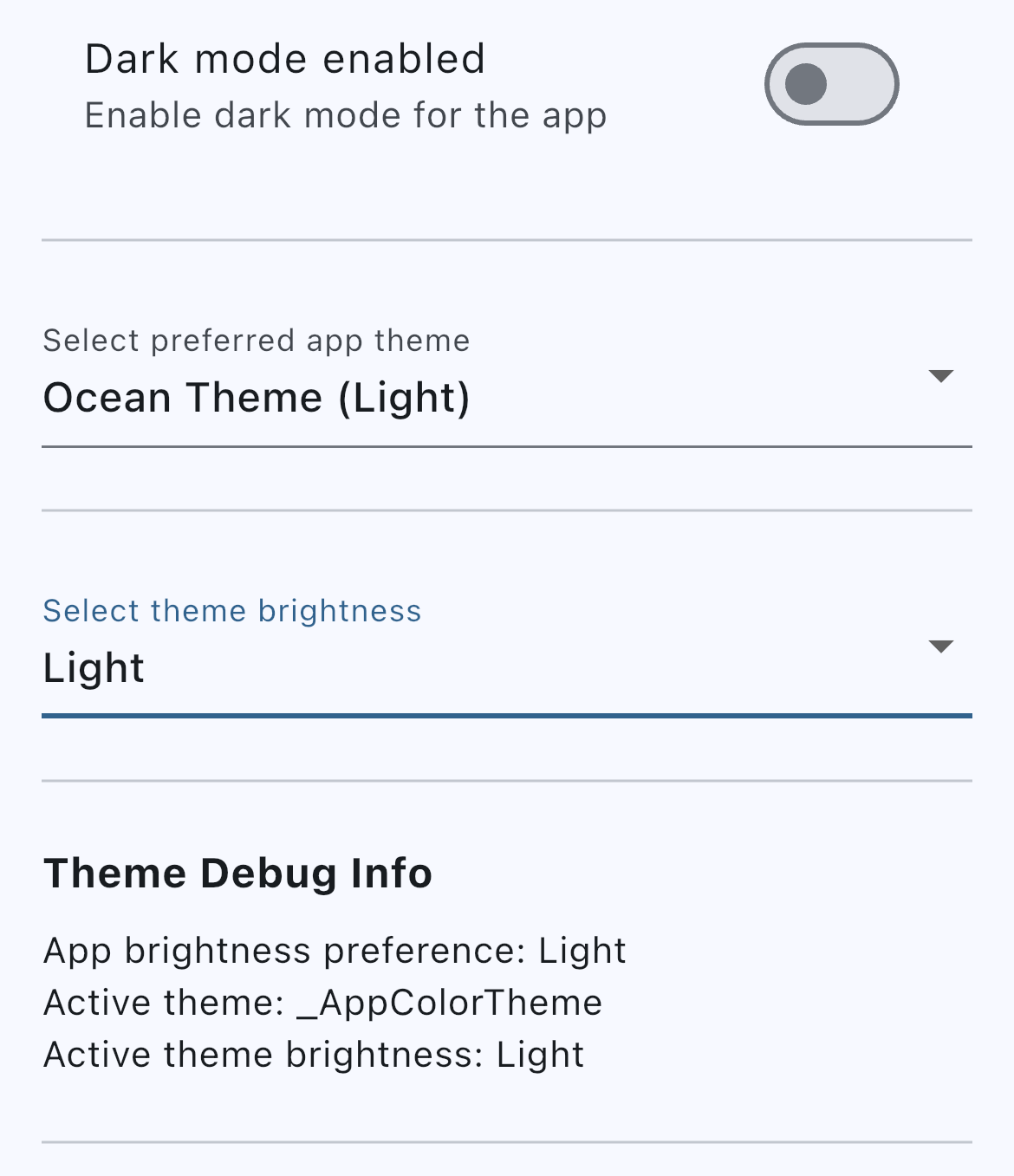
Using premade widgets #
All of these widget's will configure themselves based on the root ThemeManager's setup in main.dart. Their changes, as well as the changes by function calls, will persist accross app restarts.
You will find additional properties for these widgets, where you can customize labels and option naming to your liking and localization.
|
|
Additional information #
Tested OS #
| iOS | Android | Web | MacOS | Windows | Linux |
|---|---|---|---|---|---|
| ✅ | ✅ | ✅ | ✅ | ❓ | ❓ |
More examples #
For more examples, please refer to the example folder of the library's repository.
Metadata
Publisher
Weekly Downloads
Metadata
Flutter code generator for custom-named color palettes.
Repository (GitHub)
View/report issues
Documentation
License
 MIT (license)
Dependencies
collection, colorist_annotations, flutter, meta, shared_preferences

