
collection_picker 0.0.2+9  collection_picker: ^0.0.2+9 copied to clipboard
A Package contains selectable listview and gridview widgets with support for single, multi, and radio picker types.
Overview #
A Package contains selectable listview and gridview widgets with support for single, multi, and radio picker types.
Getting Started #
Add dependency to your pubspec.yaml
dependencies:
  collection_picker : "^version"
Import it in your dart code
import 'package:collection_picker/collection_picker.dart';
Usage #
We use sample data with model data and lists as real to make it easier for you to understand
The sample model data given is :
class CityModel {
  String province;
  String city;

  CityModel(this.province, this.city);
}
And the dummy data list is :
List<CityModel> dataCity = [
  CityModel('Jakarta', 'SCBD'),
  CityModel('Jakarta', 'Tebet'),
  CityModel('Jakarta', 'Gambir'),
  CityModel('Lampung', 'Bandar Lampung'),
  CityModel('Lampung', 'Pringsewu'),
  CityModel('Bandung', 'Setrasari'),
  CityModel('Bandung', 'Gedebage'),
  CityModel('Bandung', 'Cihanjuang'),
  CityModel('Yogyakarta', 'Bantul'),
  CityModel('Yogyakarta', 'Sleman'),
];
ListViewPicker #

ListViewPicker<CityModel>(
  type: PickerType.single,
  shrinkWrap: true,
  physics: const NeverScrollableScrollPhysics(),
  separator: const Divider(thickness: 1, height: 16),
  initialValue: dataCity.first,
  data: dataCity,
  itemBuilder: (PickerWrapper<CityModel> item) {
    return SizedBox(
      height: 20,
      child: Row(
        mainAxisAlignment: MainAxisAlignment.spaceBetween,
        children: [
          Text('${item.data?.city}'),
          (item.isSelected)
              ? const Icon(Icons.check)
              : const SizedBox.shrink()
        ],
      ),
    );
  },
  onChanged: (context, index, selectedItem, selectedListItem) {
    // when the type is single/radio, you should use this
    debugPrint('Selected item = ${selectedItem.city}');

    /// when the type is multiple, you should use this
    debugPrint('All selected item = ${selectedListItem.map((e) => e?.city)}');
  },
)
GridViewPicker #
Actually is same as Picker ListView but it is serves as GridView.
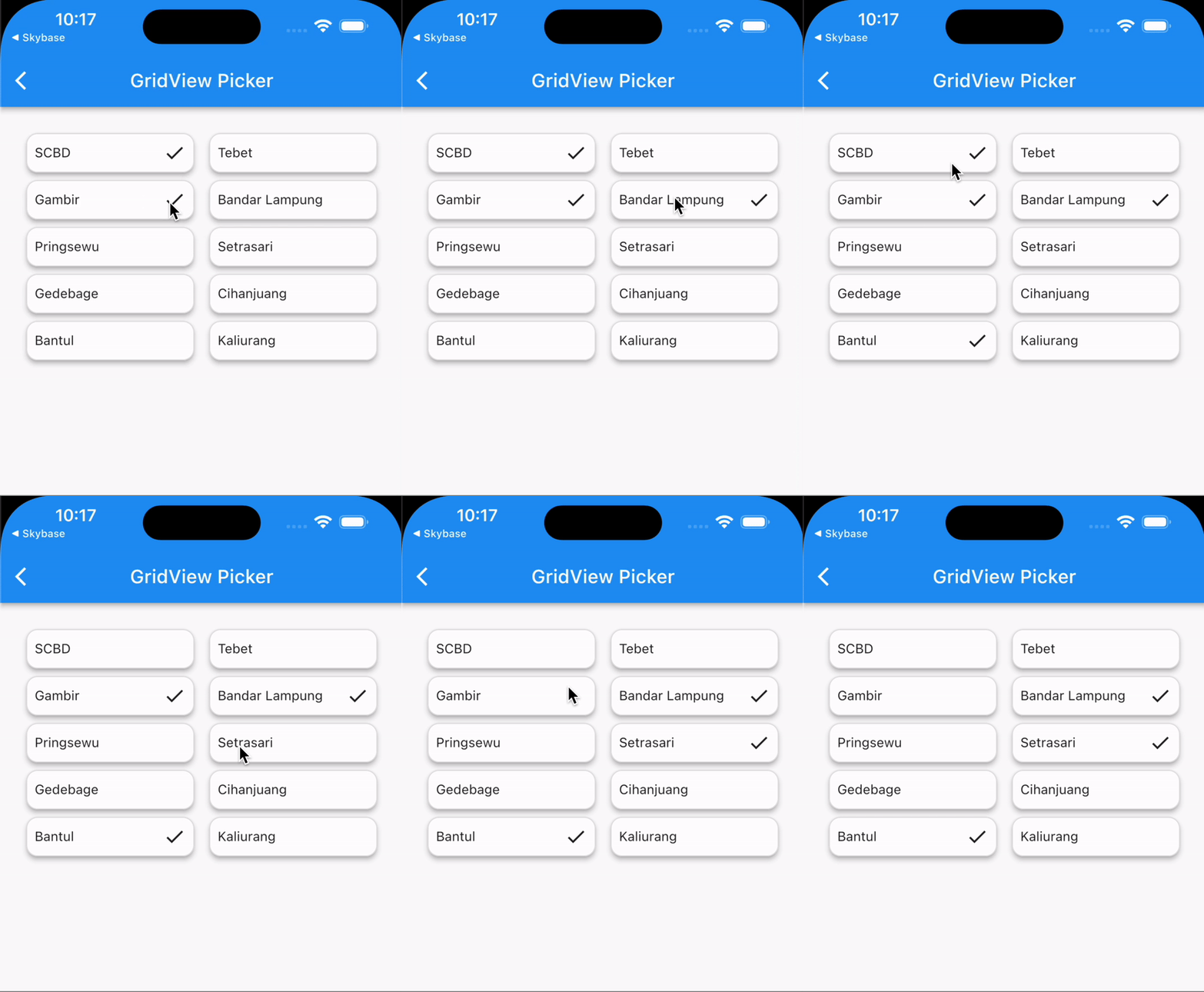
GridViewPicker(
  type: PickerType.multiple,
  shrinkWrap: true,
  initialValue: dataCity.first,
  data: dataCity,
  itemBuilder: (PickerWrapper<CityModel> item) {
    return Container(
      padding: const EdgeInsets.all(8),
      decoration: BoxDecoration(
        borderRadius: BorderRadius.circular(12),
        border: Border.all(color: Colors.grey.shade300),
      ),
      child: Row(
        mainAxisAlignment: MainAxisAlignment.spaceBetween,
        children: [
          Text('${item.data?.city}'),
          (item.isSelected)
              ? const Icon(Icons.check)
              : const SizedBox.shrink()
        ],
      ),
    );
  },
  onChanged: (context, index, selectedItem, selectedListItem) {
    // when the type is single/radio, you should use this
    debugPrint('selected item = ${selectedItem?.city}');

    /// when the type is multiple, you should use this
    debugPrint('All selected item = ${selectedListItem.map((e) => e?.city)}');
  },
)
Additional information #
Thank you. Hope this package can help you. Happy coding..
Metadata
Publisher
unverified uploader
Weekly Downloads
Metadata
A Package contains selectable listview and gridview widgets with support for single, multi, and radio picker types.
Repository (GitHub)
View/report issues
License
 unknown (license)

