
cmx_capsule_nav 0.0.3  cmx_capsule_nav: ^0.0.3 copied to clipboard
A beautiful, custom animated floating capsule-style navigation bar for Flutter.
cmx_capsule_nav #
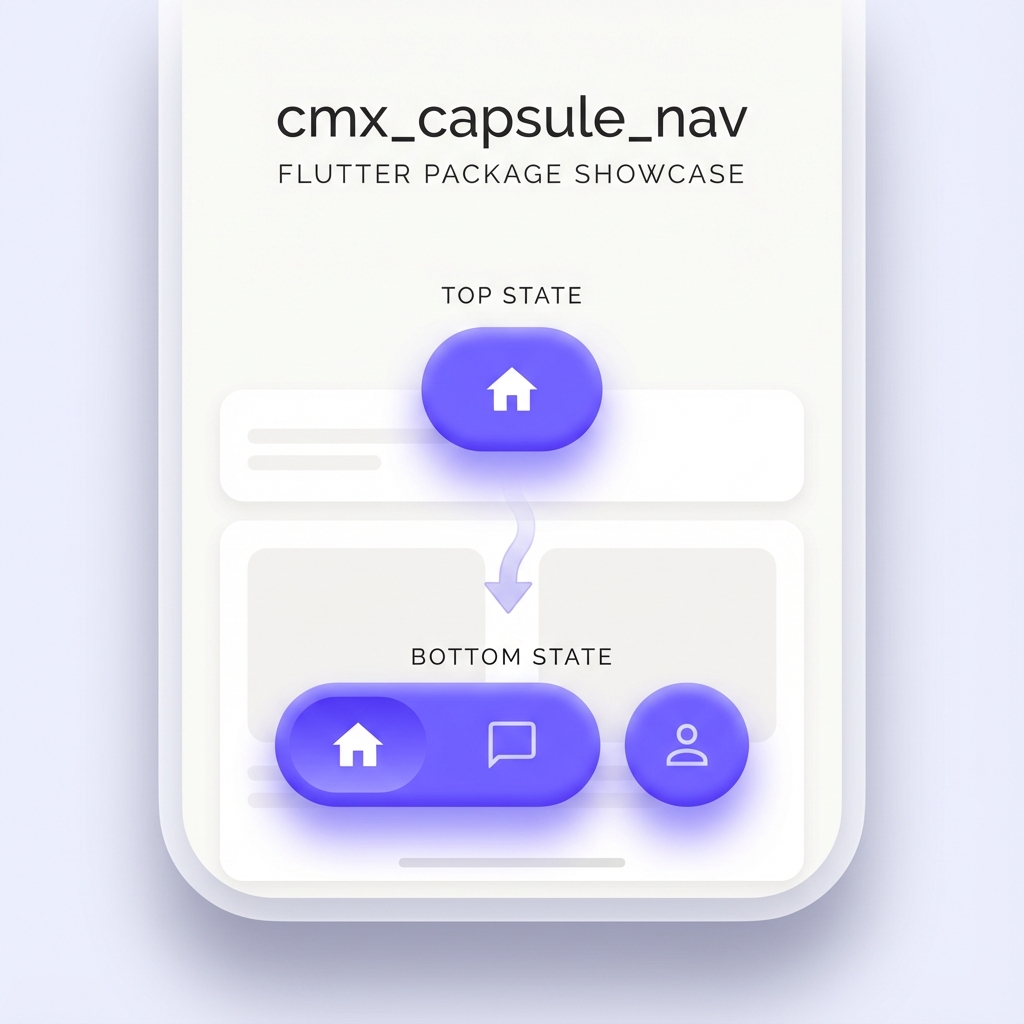

A premium, custom animated floating capsule-style navigation bar for Flutter. Designed for modern apps that crave a unique, fluid, and interactive navigation experience.
Why cmx_capsule_nav? #
Unlike traditional bottom navigation bars, cmx_capsule_nav features a dynamic morphing animation. When you switch between items, the active bubble fluidly expands or contracts, creating a "capsule" effect that feels alive and responsive.
Features #
- 🚀 Fluid Morphing: Smooth animations that transition between active and inactive states.
- 🎨 Fully Customizable: Control every aspect—colors, icons, shadows, animation curves, and durations.
- 📱 Floating Design: A modern, elevated look that stands out from standard UI components.
- 🛠️ Easy Integration: Built to work seamlessly with Flutter's
ThemeDataand standardIconData. - 📏 Responsive Layout: Automatically adjusts its width based on the number of items and your constraints.
Installation #
Add the dependency to your pubspec.yaml:
dependencies:
  cmx_capsule_nav: ^0.0.2
Then run:
flutter pub get
Usage #
Using CmxCapsuleNav is as simple as providing a list of items and a callback:
import 'package:cmx_capsule_nav/cmx_capsule_nav.dart';

CmxCapsuleNav(
  currentIndex: _selectedIndex,
  items: [
    CmxCapsuleNavItem(icon: Icons.home_outlined),
    CmxCapsuleNavItem(icon: Icons.chat_bubble_outline),
    CmxCapsuleNavItem(icon: Icons.person_outline),
  ],
  onTap: (index) {
    setState(() {
      _selectedIndex = index;
    });
  },
  theme: CmxCapsuleNavTheme.defaultTheme(context),
)
Customization #
You can fully customize the navigation bar using the CmxCapsuleNavTheme class. You can either use the defaultTheme factory or create your own:
CmxCapsuleNav(
  // ... other properties
  theme: CmxCapsuleNavTheme(
    activeColor: Colors.deepPurple,
    inactiveColor: Colors.deepPurple.withValues(alpha: 0.2),
    activeIconColor: Colors.white,
    inactiveIconColor: Colors.deepPurple,
    animationDuration: const Duration(milliseconds: 800),
    animationCurve: Curves.elasticOut,
    barHeight: 90.0,
    bubbleHeight: 70.0,
    activeWidth: 70.0,
    maxWidth: 250.0,
  ),
)
Theme Parameters #
| Parameter | Description | Default |
|---|---|---|
activeColor |
Background color of the active bubble | Color(0xFF7B7BFF) |
inactiveColor |
Background color of inactive capsules | Color(0xFF7B7BFF) |
activeIconColor |
Color of the active icon | Colors.white |
inactiveIconColor |
Color of inactive icons | Colors.white |
animationDuration |
Duration of the morphing animation | 600ms |
animationCurve |
Curve of the morphing animation | Curves.easeOutExpo |
barHeight |
Total height of the navigation bar container | 80.0 |
bubbleHeight |
Height of the individual capsules/bubbles | 60.0 |
activeWidth |
Width of the active item bubble | 60.0 |
maxWidth |
Maximum width of the entire navigation bar | 220.0 |
License #
This project is licensed under the MIT License - see the LICENSE file for details.
Metadata
Publisher
unverified uploader
Weekly Downloads
Metadata
A beautiful, custom animated floating capsule-style navigation bar for Flutter.
Repository (GitHub)
View/report issues
Documentation
License
 MIT (license)

