
clearable_dropdown 1.0.5  clearable_dropdown: ^1.0.5 copied to clipboard
DROP-DOWN MENU WITH BUTTON TO DELETE THE SELECTED VALUE
clearable_dropdown #
A custom Flutter widget that extends DropdownMenu, allowing for a clean selection reset and additional customization, ideal for forms.
Preview #
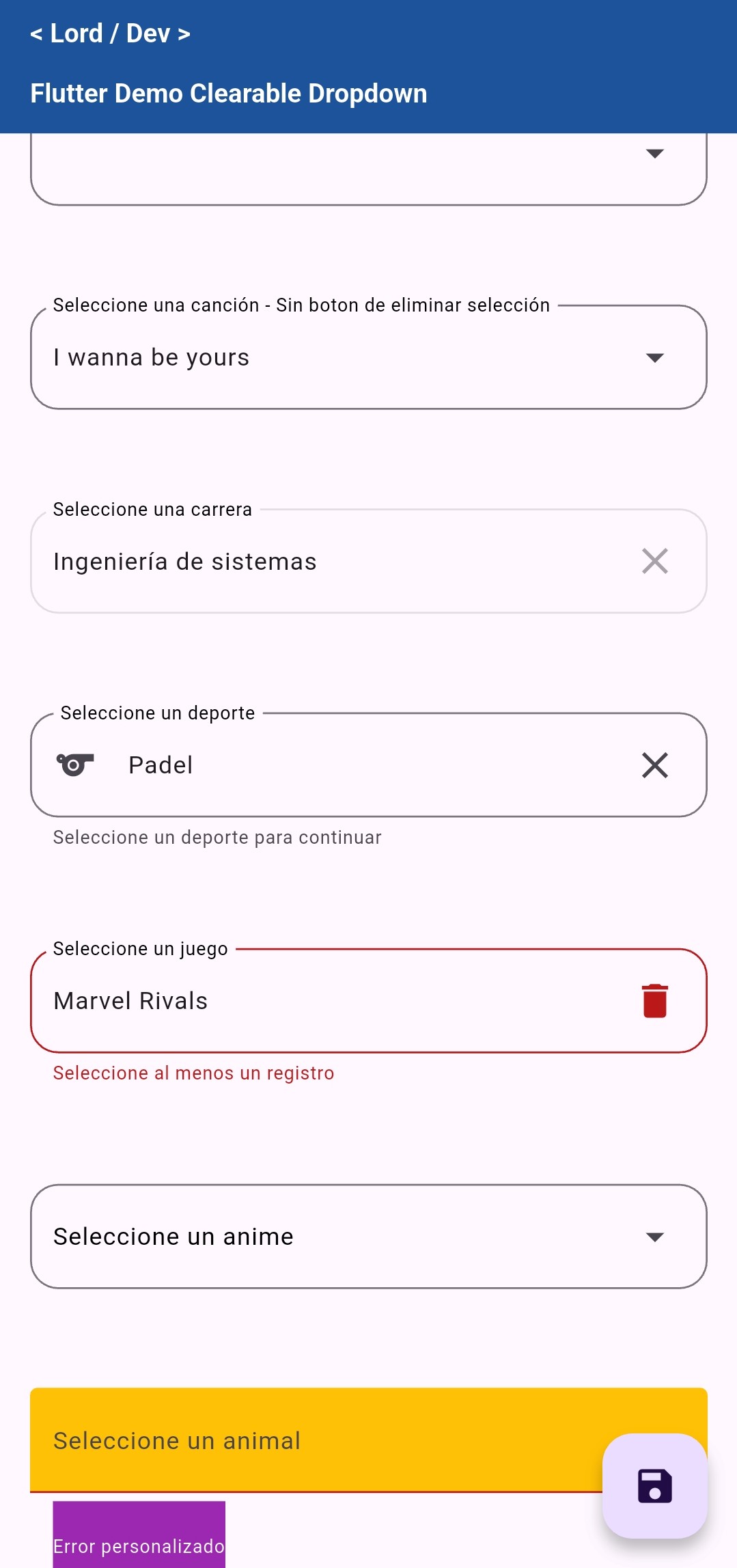
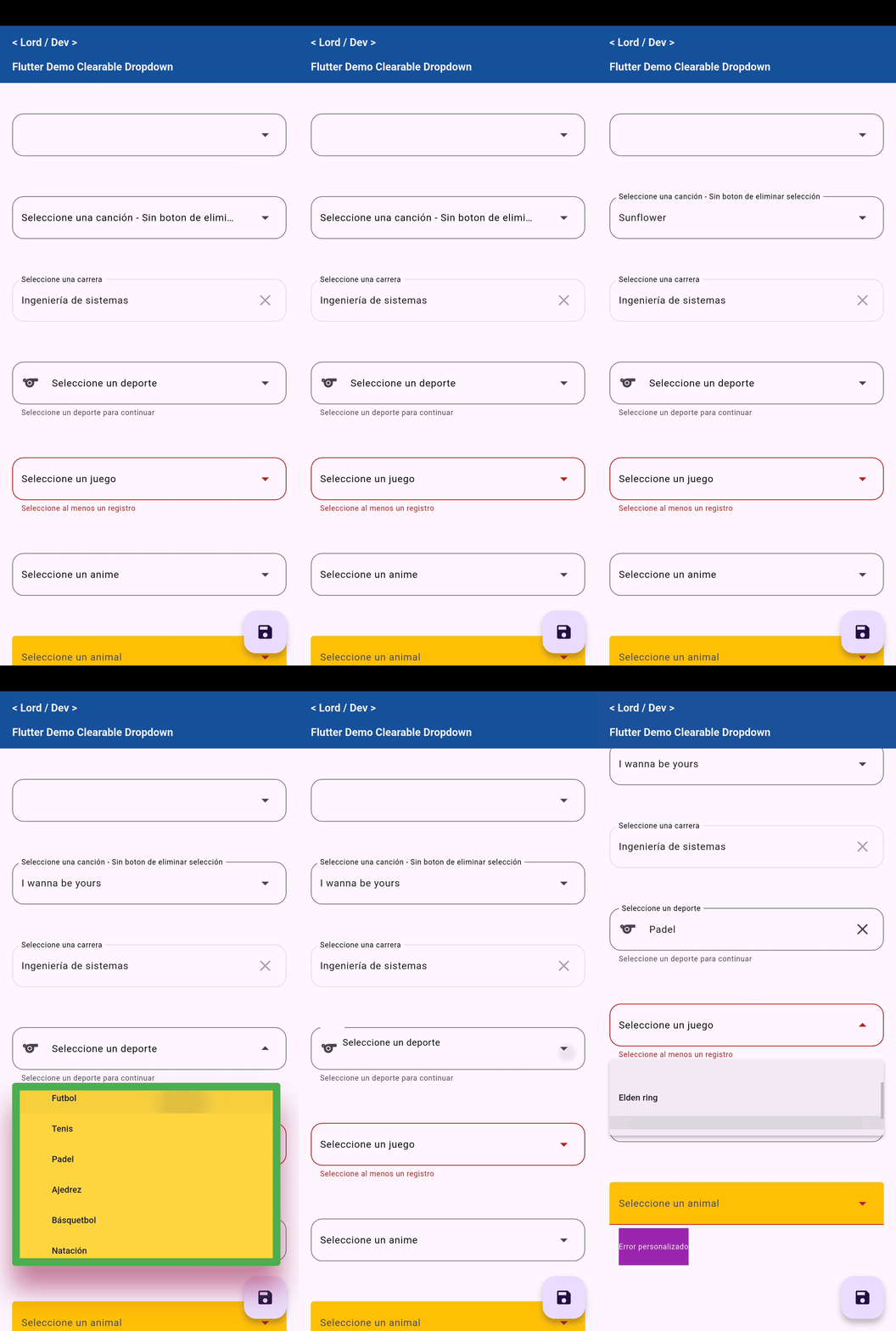
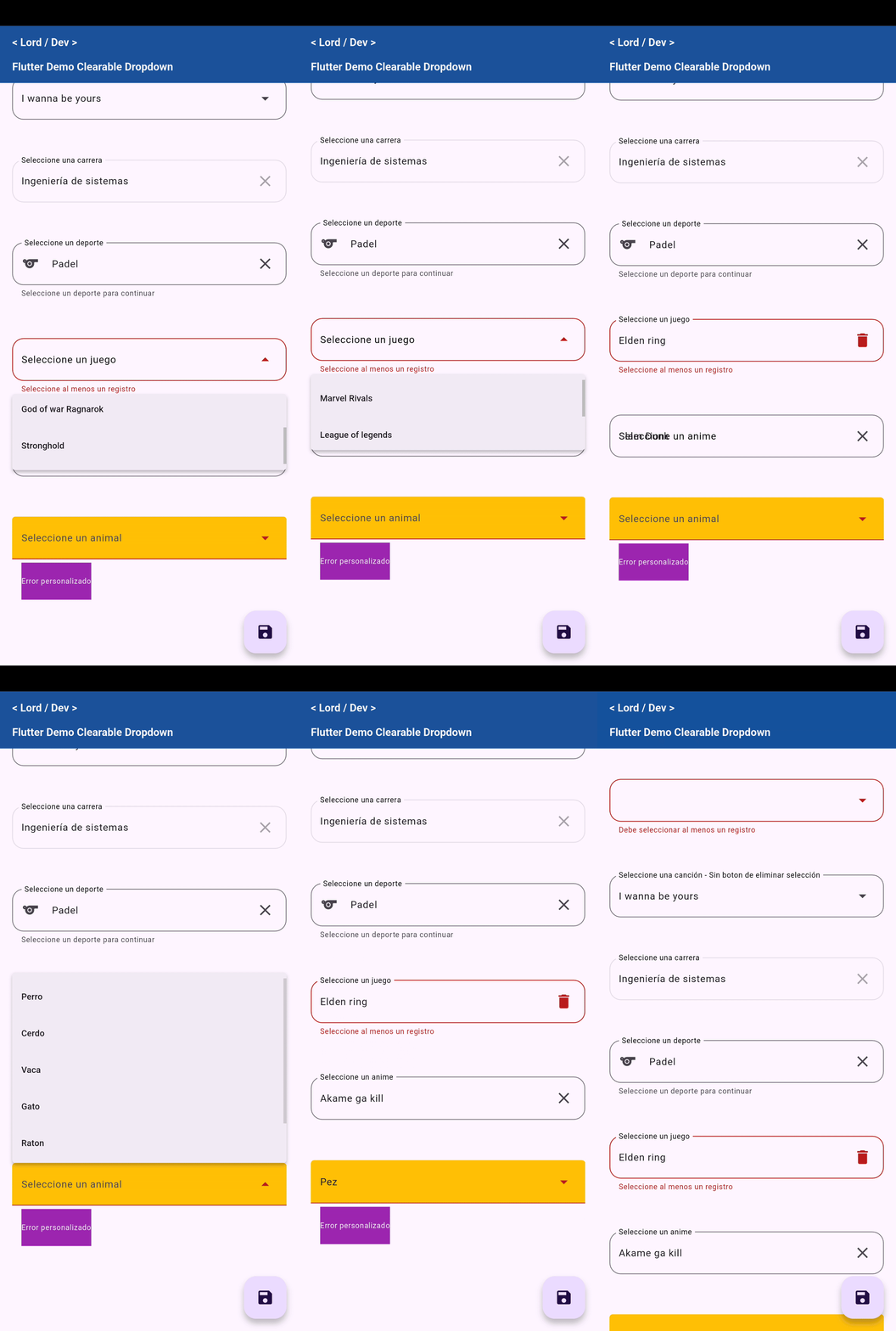
- Allows clearing the selection with a button (
onDeleteSelection) - Support for
FocusNode(useful for validations and navigation) - Style customization (
MenuStyle, icons, colors, margins, etc.) - Focus animation (optional)
- Easy to integrate and reuse
Installation | Usage | Features | Contributing
🚀 Installation #
Add this line to your pubspec.yaml file:
dependencies:
  clearable_dropdown: ^1.0.0
Then run:
flutter pub get
🧪 Basic Usage #
import 'package:clearable_dropdown/clearable_dropdown.dart';

SelectBox(
  listItems: [
    CatalogObject(id: 1, name: 'Manzana'),
    CatalogObject(id: 2, name: 'Naranja'),
  ],
  label: 'Fruta',
  onSelected: (value) {
    print('Seleccionaste $value');
  },
  onDeleteSelection: () {
    print('Selección eliminada');
  },
)
📂 Example #
You can find a complete example in the example/ folder.
🧩 Properties of ClearableDropdown #
| Property | Type | Description |
|---|---|---|
listItems |
List<CatalogObject> |
Required. List of items to be displayed in the dropdown. Each item must have an id and a name. |
label |
String? |
Optional label displayed above the field. |
hint |
String? |
Hint text displayed when no value is selected. |
valueInitial |
String? |
Initial selected value (should match one of the name values of the items). |
errorText |
String? |
Error text displayed below the field. |
helperText |
String? |
Helper text displayed below the field. |
enable |
bool? |
Defines if the dropdown is enabled or not. Defaults to true. |
focus |
FocusNode? |
Optional focus node to control the focus and trigger the scrolling animation. |
onSelected |
void Function(String?)? |
Callback triggered when an item is selected. Returns the id of the selected item as a string. |
onDeleteSelection |
void Function()? |
Callback triggered when the clear button is pressed. Also clears the field. |
margin |
EdgeInsetsGeometry? |
Outer margin of the container. Defaults to: EdgeInsets.only(left: 15, right: 15, bottom: 12.5). |
menuHeight |
double? |
Maximum height of the dropdown menu. Defaults to 250. |
inputDecorationTheme |
InputDecorationTheme? |
Decoration theme to customize the input field. |
colorLabel |
Color? |
Color of the label text. Defaults to Colors.black. |
leadingIcon |
Icon? |
Optional icon displayed at the beginning of the field. |
deleteIcon |
Icon? |
Custom icon for the clear button. Defaults to Icons.clear. |
menuStyle |
MenuStyle? |
Custom styles for the dropdown menu. |
🤝 Contributions #
Contributions are welcome! You can open issues or make pull requests if you want to propose improvements.
Metadata
4
likes
160
points
54
downloads

Publisher
unverified uploader
Weekly Downloads
Metadata
DROP-DOWN MENU WITH BUTTON TO DELETE THE SELECTED VALUE
Homepage
Repository (GitHub)
View/report issues
Documentation
License
 MIT (license)

