
bubble_label 5.1.0  bubble_label: ^5.1.0 copied to clipboard
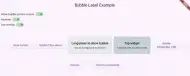
A small Flutter package that shows a floating bubble label anchored to a child widget, and optional background overlay + simple show/dismiss animations.
5.1.0 - 2026-01-06 #
Bug Fixes #
-
Fixed bubble positioning with ancestor transforms: Bubbles now correctly position themselves when the widget tree contains transforms such as
Transform.scale,ForcePhoneSizeOnWeb(fromflutter_web_frame), orFittedBox. Both the anchor position and visual size are now computed relative to the Overlay's coordinate system. -
Fixed bubble replacement during transforms: When showing a new bubble while one is already active, the Overlay's RenderBox reference is now correctly preserved (previously it was being cleared by the dismiss call before the new bubble was inserted).
-
Fixed crash when toggling transforms with active bubble: Added safety checks for
RenderBox.attachedto prevent "Assertion failed: attached is not true" errors when the widget tree is rebuilt (e.g., toggling Transform.scale mode) while a bubble is active.
Example App #
- Added
Transform.scaletoggle to demonstrate bubble positioning with scaled content. - Added
ForcePhoneSizeOnWebtoggle (viaflutter_web_frame) to demonstrate bubble positioning with phone-size simulation wrappers. - The two transform toggles are mutually exclusive to simplify testing.
5.0.0 - 2026-01-06 #
BREAKING CHANGES #
-
contextis now a required parameter inBubbleLabel.show(): This ensures reliable overlay detection in complex widget trees and eliminates assertion errors. -
anchorKeyis now optional: Thecontextwidget is used as the anchor by default. PassanchorKeyonly when you need to anchor the bubble to a different widget than the one callingshow().
New Features #
-
Simplified API — No more GlobalKey boilerplate!: For simple use cases, just pass
contextand the bubble automatically anchors to that widget. No need to create and manage GlobalKeys. -
Context-as-anchor: When no
anchorKeyorpositionOverrideis provided, the widget fromcontextbecomes the anchor. This dramatically simplifies common usage patterns.
Improvements #
-
Robust overlay lookup strategy: Now tries
Overlay.maybeOf(context, rootOverlay: true)first, then falls back torootOverlay: falsefor maximum compatibility with complex widget trees. -
Better error messages: Clearer guidance when overlay detection fails, with specific solutions and example code.
Migration from v4.x #
Simplest migration (add context parameter):
// Before (v4.x)
BubbleLabel.show(
  anchorKey: myKey,
  bubbleContent: BubbleLabelContent(...),
);

// After (v5.0.0) - just add context
BubbleLabel.show(
  context: context,
  anchorKey: myKey,  // Still works!
  bubbleContent: BubbleLabelContent(...),
);
Simplified usage (no GlobalKey needed):
// Before (v4.x) - required GlobalKey
final myKey = GlobalKey();
ElevatedButton(
  key: myKey,
  onPressed: () {
    BubbleLabel.show(
      anchorKey: myKey,
      bubbleContent: BubbleLabelContent(child: Text('Hello')),
    );
  },
  child: Text('Show'),
);

// After (v5.0.0) - no GlobalKey needed!
Builder(
  builder: (context) {
    return ElevatedButton(
      onPressed: () {
        BubbleLabel.show(
          context: context,  // Uses this button as anchor!
          bubbleContent: BubbleLabelContent(child: Text('Hello')),
        );
      },
      child: Text('Show'),
    );
  },
);
4.0.0 - 2025-12-12 #
BREAKING CHANGES #
-
Removed
BubbleLabelControllerwidget requirement: The package now uses Flutter's nativeOverlaysystem, eliminating the need to wrap your app withBubbleLabelController. Simply useMaterialApp,CupertinoApp, or any widget tree with anOverlay. -
Migrated from Stack-based to Overlay-based rendering: The bubble now uses native
OverlayEntryfor better performance and cleaner architecture. -
Moved
shouldIgnorePointerfromBubbleLabelControllertoBubbleLabelContent: Instead of settingshouldIgnorePointeron the controller widget, you now set it per-bubble inBubbleLabelContent. This allows different bubbles to have different pointer behaviors.
Migration from v3.x #
Before (v3.x):
BubbleLabelController(
  shouldIgnorePointer: false,
  child: MaterialApp(...),
);
After (v4.0.0):
MaterialApp(...); // No wrapper needed!

BubbleLabel.show(
  bubbleContent: BubbleLabelContent(
    child: Text('Hello'),
    shouldIgnorePointer: false, // Now set per-bubble
  ),
  anchorKey: myKey,
);
New Features #
-
shouldIgnorePointerproperty onBubbleLabelContent: Control whether the bubble content receives pointer events. Whentrue(default), taps pass through; whenfalse, interactive widgets inside the bubble (e.g., buttons) can be tapped. -
BubbleLabel.updateContent()method: Reactively update bubble properties while it's displayed without dismissing and re-showing. Useful for togglingshouldIgnorePointeror changing colors on the fly. -
BubbleLabel.tapRegionGroupId: Exposes the TapRegion group ID so external widgets can join the bubble's "inside" detection. Wrap widgets withTapRegion(groupId: BubbleLabel.tapRegionGroupId, child: ...)to prevent them from triggeringdismissOnBackgroundTap. -
onTapInsideandonTapOutsidecallbacks: Optional callbacks inBubbleLabelContentthat fire when taps are detected inside or outside the bubble. Useful for visual feedback, analytics, or custom logic.
Improvements #
-
Responsive bubble positioning: The bubble now dynamically tracks the anchor widget's position. When the layout changes (e.g., a snackbar appears and shifts content), the bubble follows its anchor widget instead of staying at the original position.
-
TapRegion inside/outside detection: Switched from
IgnorePointertoAbsorbPointerso TapRegion correctly detects whether taps are inside or outside the bubble even when pointer events are ignored. -
Cancellable dismiss timer: Replaced
await Future.delayed()with a cancellableTimerto prevent race conditions when multiple dismiss calls happen in quick succession. -
No BuildContext across async gaps: Overlay resolution now happens before any async operations to avoid lint warnings and potential issues with disposed widgets.
-
Removed debug prints: All
debugPrintstatements removed from the library for cleaner production logs. -
Hybrid validation system: Uses debug assertions in development mode and FlutterError in production for better overlay detection feedback.
Example App Updates #
- Updated to work without
BubbleLabelControllerwrapper. - Added visual feedback banner showing "Tap INSIDE" or "Tap OUTSIDE" when tapping bubbles with callbacks enabled.
- Toggle widgets are now wrapped with
TapRegionusing the bubble's group ID to demonstrate the feature. - Long-press bubble now demonstrates
onTapInsideandonTapOutsidecallbacks.
3.0.1 - 2025-12-05 #
- example.gif size reduced to pass Pub.dev score Documentation analysis
3.0.0 - 2025-12-05 #
Enhancements and BREAKING CHANGE for boilerplate reduction purposes #
- BoilerPlate reduction:
BubbleLabel.shownow automatically resolves the anchorRenderBoxwhen user passes ananchorKey, so manualcontext.findRenderObject()calls are no longer necessary. - Added stricter input validation: each call to
BubbleLabel.showmust provide exactly one anchor source—either supply ananchorKeyto derive the widget'sRenderBoxor give aBubbleLabelContent.positionOverride. Passing both at the same time is disallowed and will assert during development.
2.0.2 - 2025-11-30 #
Fixes #
- Documentation: Updated README to use relative image paths so pub.dev renders images inline.
- Pub.dev page: Added
screenshotstopubspec.yamlso the GIF appears in the Screenshots section; addedtopicsfor discoverability.
2.0.1 #
- updated pubspec.yaml and README files
2.0.0 - 2025-11-30 #
Highlights #
- Major API update: bubble content positioning now derives from a
RenderBoxor an explicitpositionOverriderather than passing screen coordinates. This simplifies usingBubbleLabelfrom Widgets where you have aBuildContextorRenderBoxrather than having to compute positions manually. - Breaking change: removed explicit
labelWidth/labelHeightandchildWidgetPosition/childWidgetSizeparameters. The bubble now adapts to the size of thechildautomatically and useschildWidgetRenderBox/positionOverridefor anchor positioning. - Added an
idtoBubbleLabelContent(a unique Xid) so callers can distinguish multiple activations when necessary. - Added
dismissOnBackgroundTapto allow background overlay taps to dismiss the bubble easily. - Updated tests and example app to demonstrate the new API and usage patterns.
Migration notes #
- If your code used the previous
childWidgetPosition/childWidgetSizefields, switch to providing aRenderBoxusingchildWidgetRenderBox(e.g., usingcontext.findRenderObject()in aBuilder), supply apositionOverride: Offset(x,y), or use the newanchorKeyoption onBubbleLabel.showto resolve the anchor automatically. - Remove any code that passed
labelWidth/labelHeight— the bubble automatically sizes to thechildcontent. UseContainer,SizedBox, or other layout widgets inside thechildto control the bubble size if you need explicit dimensions. - If needed, you can still horizontally/vertically offset the bubble via the
floatingVerticalPaddingparameter inBubbleLabelContent.
Other changes #
- Small animation improvements to opening/closing and fade durations.
- Clean-up: refactored internal state handling and simplified the public API surface.
1.0.1 Documentation and test improvements (2025-11-25) #
- Added comprehensive dartdoc comments for public API elements to improve discoverability and meet pub.dev documentation requirements.
- Enabled the
public_member_api_docslint rule inanalysis_options.yamlto help maintain documentation coverage. - Improved README formatting and clarified usage examples; ensured the
example/app demonstrates pointer, overlay, and animation toggles. - Confirmed unit tests cover the main behaviors and updated them where required to ensure stable tests for animation timings and immediate (non-animated) dismissals.
1.0.0 Initial stable release (2025-11-24) #
- Added
BubbleLabelControllerwhich provides a global overlay for the bubble label. - Implemented
BubbleLabel.show(...)andBubbleLabel.dismiss()to control the bubble presentation and animation. - Added
BubbleLabelContentto define bubble size, color, content and the anchor position/size. - Background overlay support with configurable opacity and show/hide animations.
- Added
example/app demonstrating basic usage (tap a button to show a bubble). - Updated
example/app to demonstrate advanced usage: long-press activation, disabling overlay, animation toggles and ignoring pointer behavior. - Improved tests to cover additional behaviors: overlay opacity, ignore pointer behavior, long-press activation, and animation timing.
- Updated
example/app to include UI dismissal options (immediate & animated) and toggles to control show/dismiss behavior.example/app demonstrates basic usage. Run with:cd example && flutter run.
0.0.1 Pre-release #
- Initial release and simple proof of concept.
Metadata

Publisher
unverified uploader
Weekly Downloads
Metadata
A small Flutter package that shows a floating bubble label anchored to a child widget, and optional background overlay + simple show/dismiss animations.
Repository (GitHub)
View/report issues
Topics
#ui #overlay #tooltip #bubble #widget
Documentation
License
 MIT (license)
Dependencies
assorted_layout_widgets, flutter, flutter_animate, sizer, soundsliced_dart_extensions, states_rebuilder_extended, xid

