
bounding_box 0.0.4  bounding_box: ^0.0.4 copied to clipboard
 saddamnur.xyz
Flutter widget that allows you to drag, resize, and rotate.
Flutter BoundingBox Widget #
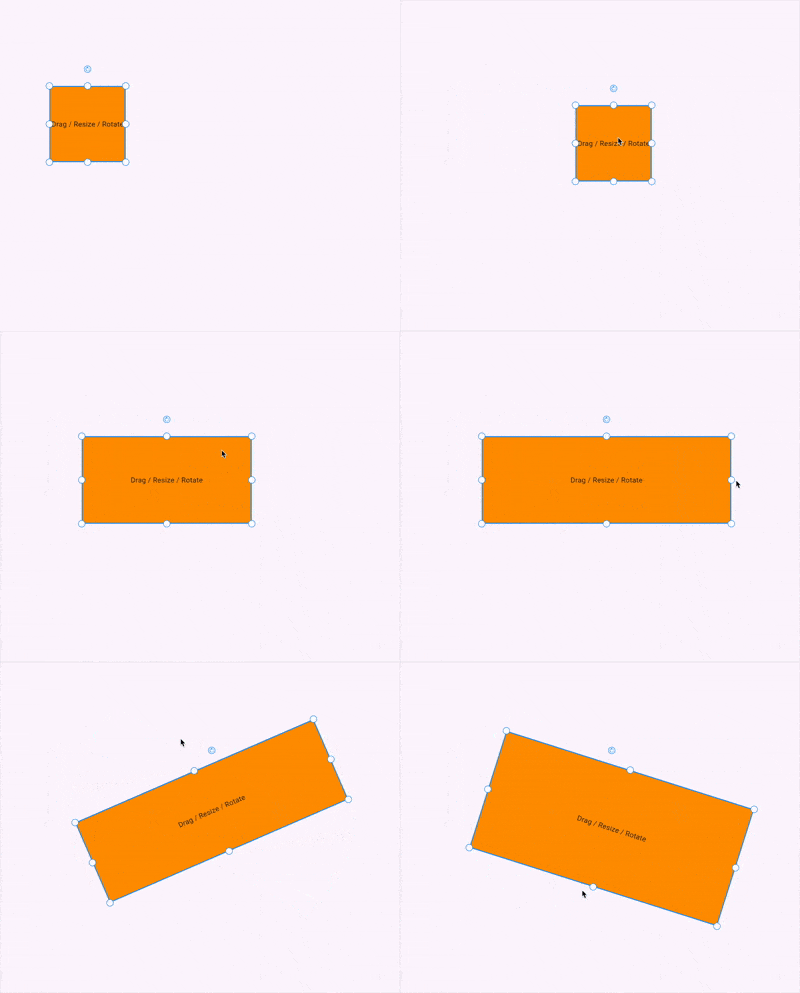
The BoundingBox is a custom Flutter widget that allows you to drag, resize, and rotate any widget with a bounding box overlay. It's useful for building design tools, image editors, diagram creators, and other interactive visual UIs.
✨ Features #
- Move (drag) any widget freely on the screen.
- Resize from 8 handles (top, bottom, sides, and corners).
- Rotate via a draggable rotate handle.
- Customizable handle appearance, stroke color, stroke width, etc.
- Optional custom widgets for resize and rotate handles.
- Optionally disable the interactive functionality.
🧩 Constructor Parameters #
BoundingBox({
  required Widget Function(Size size, Offset position, double rotation) builder,
  required Offset initialPosition,
  required Size initialSize,
  double? initialRotation,
  bool enable = true,
  double? handleResizeSize,
  double? handleRotateSize,
  Color? handleResizeBackgroundColor,
  Color? handleResizeStrokeColor,
  Color? handleRotateBackgroundColor,
  Color? handleRotateStrokeColor,
  Color? strokeColor,
  double? strokeWidth,
  double? handleResizeStrokeWidth,
  double? handleRotateStrokeWidth,
  Widget? rotateIcon,
  Widget? customHandleResize,
  Widget? customHandleRotate,
  double? handleRotatePosition,
  BoxDecoration? customDecoration,
})
📌 Required #
-
builder: A function that takes the currentSize,Position,Rotationand returns a widget. -
initialPosition: Starting position of the bounding box. -
initialSize: Starting size of the widget.
🧪 Example Usage #
import 'package:bounding_box/bounding_box.dart';
import 'package:flutter/material.dart';

void main() {
  runApp(const MyApp());
}

class MyApp extends StatelessWidget {
  const MyApp({super.key});

  @override
  Widget build(BuildContext context) {
    return MaterialApp(
      title: 'Flutter BoundingBox Demo',
      theme: ThemeData(
        colorScheme: ColorScheme.fromSeed(seedColor: Colors.deepPurple),
      ),
      home: BoundingBox(
        initialSize: const Size(150, 150),
        initialPosition: const Offset(150, 200),
        builder: (size, position, rotation) {
          return Container(
            width: size.width,
            height: size.height,
            color: Colors.orange,
            alignment: Alignment.center,
            child: const Text("Drag / Resize / Rotate"),
          );
        },
      ),
    );
  }
}
📐 Visual Handle Layout #
Handles are placed in 8 positions:
topLeft      topCenter      topRight

centerLeft                 centerRight

bottomLeft  bottomCenter  bottomRight
A rotate handle is positioned above topCenter.
🚫 Disabling Interactions #
You can disable all interactions using:
enable: false
This will render only the widget without any interactive overlay.
🧠 Final Thoughts #
This BoundingBox widget offers a lightweight and extensible way to add draggable, resizable, and rotatable components in Flutter, perfect for design apps, whiteboard tools, diagramming editors, and more.
Metadata
Publisher
Weekly Downloads
Metadata
Flutter widget that allows you to drag, resize, and rotate.
Documentation
License
 MIT (license)

