
auto_step 0.0.1  auto_step: ^0.0.1 copied to clipboard
 anggaaryas.my.id
Auto Step for Flutter. Useful for animating something

Auto Step for Flutter #
Auto Step is a Flutter widget that facilitates the animation of components by automatically stepping through a sequence of values. It is particularly useful for creating animations or transitions within your Flutter applications.
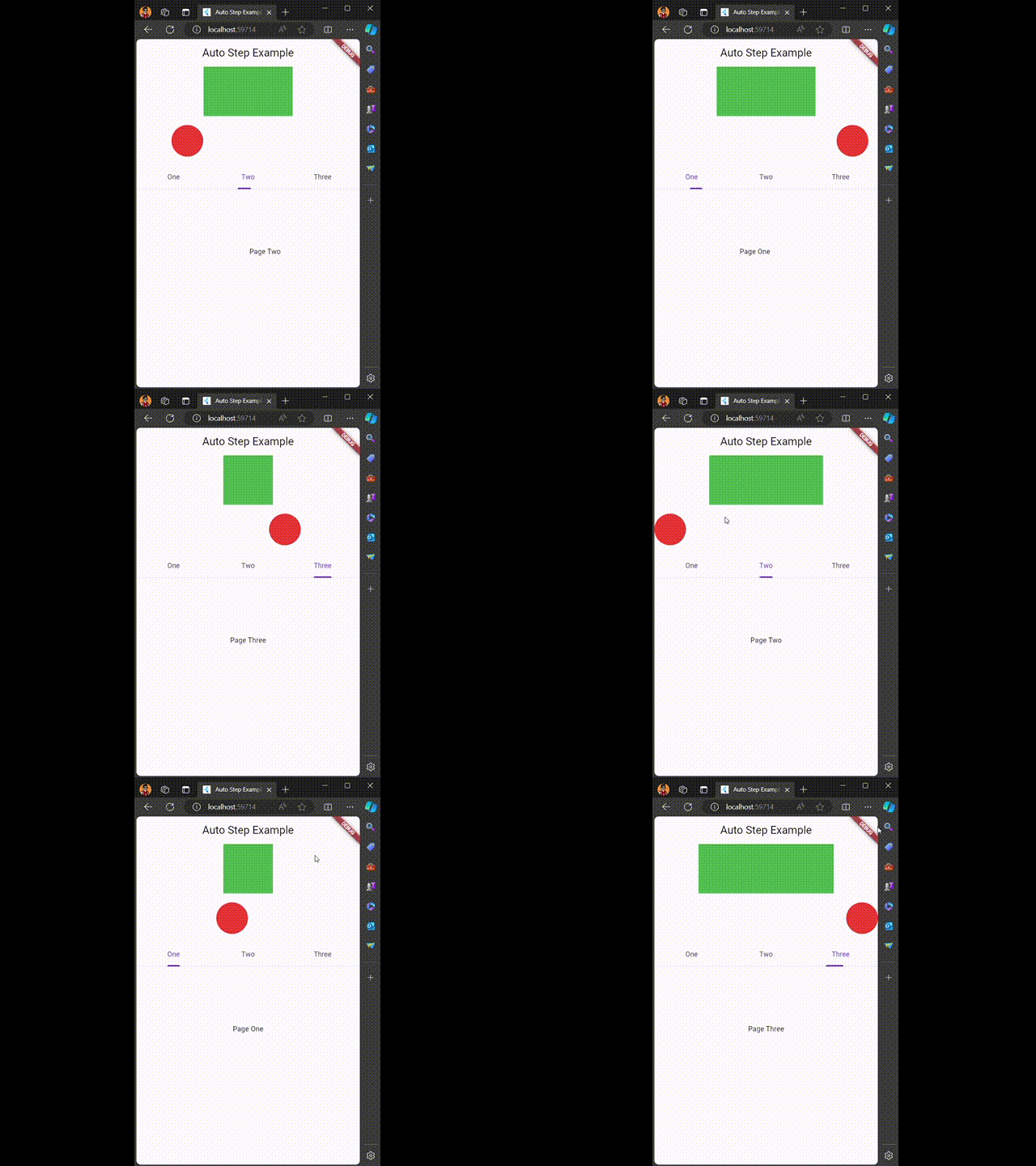
AutoStep Widget #
Usage #
AutoStep(
  total: 3,
  duration: Duration(milliseconds: 1000),
  builder: (step) => AnimatedContainer(
              duration: Duration(milliseconds: 500),
              width: 100.0 * step,
              height: 100,
              color: Colors.green,)
)
Parameters #
total: The total number of steps in the sequence.duration: The duration for each step in the sequence.builder: A function that builds the UI for each step based on the current step index.loop: (Optional) Indicates whether the sequence should loop back to the beginning after reaching the last step. Default istrue.
AutoStepSwitch Widget #
Usage #
AutoStepSwitch(
  duration: Duration(milliseconds: 3000),
  builder: (step) => AnimatedAlign(
      alignment: step
          ? Alignment.centerLeft
          : Alignment.centerRight,
      duration: Duration(milliseconds: 2000),
      child: Container(
          width: 64,
          height: 64,
          decoration: BoxDecoration(
              shape: BoxShape.circle,
              color: Colors.red
          ),
      ),
  )
)
Parameters #
duration: The duration for each step in the sequence.builder: A function that builds the UI for each step based on the current step status (true/false).loop: (Optional) Indicates whether the sequence should loop back to the beginning after reaching the last step. Default istrue.
Metadata
7
likes
0
points
141
downloads
Publisher
Weekly Downloads
Metadata
Auto Step for Flutter. Useful for animating something
Repository (GitHub)
View/report issues
License
 unknown (license)

