
audio_decode 1.3.3  audio_decode: ^1.3.3 copied to clipboard
 developeryusuf.com
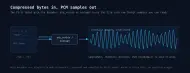
Decode MP3 and Ogg Vorbis to raw PCM in Dart, over FFI. Compiles stb_vorbis and minimp3 from source: self-contained, pure-Dart friendly, no platform plugins or prebuilt binaries.
audio_decode #


Why this instead of what you already have #
Instead of a pure-Dart decoder. There is no dart: route for this;
nothing in the SDK decodes MP3 or Ogg Vorbis. The nearest pure-Dart option,
glint_audio_pure, does export a real mp3Decode
(lib/src/mp3_decoder.dart:32), but its library file exports MP3 and WAV only
(lib/glint_audio_pure.dart), with no Ogg Vorbis anywhere in the package. On
the 7,589-byte fixture in this repo's tests, decoding took 206 µs here against
41.2 ms there, measured in both orderings so neither side paid VM warmup
alone. Their sample counts differed by exactly one MP3 frame, 94,464 against
92,160, which is the usual encoder-delay handling difference and not something
I chased down.
Instead of audio_decoder. It is the most-downloaded named option and it
routes to the platform codecs, which costs a hard dependency on Flutter: its
pubspec.yaml declares flutter: sdk: flutter alongside
flutter_web_plugins. A dart run process has no Flutter engine to host
those channels, so it cannot run in a CLI, a test, or a server at all. This
package is plain Dart and behaves the same way in all three.
Reach for it when
- You need PCM for waveform rendering, analysis, or ML preprocessing, not playback.
- You decode audio in a server, a CLI tool, or a unit test with no Flutter engine.
- You want Ogg Vorbis handled without shipping ffmpeg or hoping one is on
PATH.
Skip it if you need AAC, FLAC, or Opus, or you simply want to play a file: this package decodes MP3, Ogg Vorbis, and WAV, and a player package is the right tool for playback.
Native Ogg Vorbis and MP3 decoding to raw PCM for Dart, over FFI, plus WAV in pure Dart. The C decoders are compiled from source by a Dart build hook, which makes the package self-contained: no platform plugins, no bundled binary, and no system library to install beyond a C toolchain.
The same code path runs in pure Dart (command-line tools, servers, tests) and in Flutter. That makes it a good fit for waveform rendering, audio analysis, resampling, machine-learning preprocessing, servers and games.
Decoding is deterministic for a given build: the same bytes decode to the same samples every time, and the geometry (channel count, sample rate, frame count) is the same everywhere. Sample values are not bit-identical across CPU architectures, though. Both decoders compute in floating point, and a compiler is free to fuse a multiply and an add on arm64 where it does not on baseline x86-64, so the last rounding can land differently. Measured across this package's own fixtures, that is around 0.03% of samples differing by one least-significant bit: inaudible, but enough that a checksum of decoded PCM will not match across a mixed-architecture fleet.
It is built on two well-known public-domain single-file libraries:
- Ogg Vorbis: stb_vorbis by Sean Barrett.
- MP3: minimp3 by lieff.
What this is not #
This is a decoder, not a player. It turns encoded bytes into PCM samples; it does not open audio devices or handle playback, streaming or seeking. For playback, use a player package such as just_audio or flutter_sound.
Scope:
- Decodes Ogg Vorbis, MP3 and uncompressed WAV to interleaved signed 16-bit
PCM. WAV needs no native code and covers 8/16/24/32-bit integer and IEEE
float;
encodeWavoutput reads straight back. - Encodes PCM back to a 16-bit WAV file (
encodeWav), which lets decoded audio be saved or handed to other tools. - No encoding to Vorbis or MP3, and no other container or codec.
Quick start #
import 'dart:io';
import 'package:audio_decode/audio_decode.dart';

void main() {
  final bytes = File('clip.mp3').readAsBytesSync();

  // Auto-detects Ogg Vorbis, MP3 or WAV from the bytes.
  final pcm = decodeAudio(bytes);
  print('${pcm.sampleRate} Hz, ${pcm.channels} ch, ${pcm.duration}');
  print('${pcm.frameCount} frames, ${pcm.samples.length} interleaved samples');

  // Save the decoded audio as a WAV.
  File('clip.wav').writeAsBytesSync(encodeWav(pcm));
}
Decode a specific format directly when you already know it:
final ogg = decodeOgg(await File('clip.ogg').readAsBytes());
final mp3 = decodeMp3(await File('clip.mp3').readAsBytes());
API #
PcmAudioholds the result:sampleRate,channels, andsamples(anInt16Listof samples interleaved by channel). It exposesframeCountandduration, plustoFloat32(),channel(int)andtoMono()for the normalized and per-channel forms described below.decodeAudio(Uint8List)sniffs the format and dispatches.decodeOgg(Uint8List)anddecodeMp3(Uint8List)decode a known format.detectFormat(Uint8List)returnsAudioFormat.ogg,AudioFormat.mp3orAudioFormat.unknown.encodeWav(PcmAudio)returns a canonical 16-bit PCM WAV asUint8List.audioInfo(Uint8List)returns anAudioInfowithsampleRate,channels,frameCountanddurationwithout decoding to PCM;oggInfoandmp3Infodo the same for a known format. See below.
Empty input throws ArgumentError. Bytes that are not decodable audio throw
AudioDecodeException.
A truncated file mostly does not throw, in either format, and an earlier version of this section claimed otherwise. Measured across a sweep of truncation points on a committed fixture:
- Cut inside the header: throws
AudioDecodeException. Ogg gets this far because the header pages fail their checksum; there is nothing to decode. - Cut after the header: decodes the audio that arrived and returns it, no exception. Ogg has per-page checksums, but the pages that did arrive are intact, and nothing is detectably wrong. Detecting the missing tail needs the end-of-stream page flag, which this package does not check yet.
- Cut that yields no frames at all: throws, since 1.0.1. This used to
return success with
frameCount == 0, which meant an upload check that only looked for an exception accepted a file containing no audio.
MP3 is worse by construction: a bare sequence of frames with no length anywhere in it, which leaves a cut-off file indistinguishable from a shorter recording. A file truncated to a third of its length decodes to roughly a third of the audio.
So if you are decoding something that may be incomplete, a partial download or
a stream you cut, compare the duration you expected against PcmAudio.duration.
Do not rely on an exception.
Samples are copied out of native memory before each call returns, leaving no native buffer for the caller to manage.
Normalized and per-channel samples #
samples is raw interleaved Int16List, but FFT, machine-learning and
waveform code almost always wants floats in [-1.0, 1.0], and often one
channel at a time. PcmAudio provides those directly so you do not hand-roll a
divide-by-32768 loop:
final pcm = decodeAudio(bytes);

// All channels, interleaved, normalized to [-1.0, 1.0].
final Float32List f = pcm.toFloat32();

// One channel, deinterleaved and normalized. 0 is left, 1 is right.
final Float32List left = pcm.channel(0);

// Average the channels down to a single mono PcmAudio.
final PcmAudio mono = pcm.toMono();
Each 16-bit sample is divided by 32768: -32768 becomes -1.0 and 16384 becomes
0.5. toMono() returns the audio unchanged when it is already mono.
Duration without decoding #
Showing track lengths in a playlist, validating an upload, or picking which files to process only needs a file's shape, not its samples. Decoding for that is expensive: four minutes of 44.1 kHz stereo is 40 MB of PCM, and you throw all of it away to read one number.
audioInfo answers from the stream itself and allocates no PCM at all:
final info = audioInfo(await File('track.mp3').readAsBytes());
print('${info.duration} at ${info.sampleRate} Hz, ${info.channels} ch');
It reports exactly what a full decode would, which the tests check against
decodeAudio for every fixture. Measured on a one-second stereo fixture,
warmed up and averaged (Apple M-series):
| Format | audioInfo |
decodeAudio |
|---|---|---|
| Ogg Vorbis | 107 µs | 511 µs |
| MP3 | 0.9 µs | 217 µs |
The two formats differ because of what each has to do. Vorbis stores its length in the container, which stb_vorbis reads after opening the stream. MP3 has no total-length field, so the frame headers still have to be walked; what is skipped is the decoding and the PCM buffer, which is where the time goes.
Time is the smaller half. The PCM buffer is the other one, and it does not shrink with a faster machine:
file                                on disk   decoded   ratio
sine_44100_stereo_1s.ogg               7 KB    345 KB     52x
sine_44100_stereo_1s.mp3               7 KB    369 KB     50x
sine_48000_mono_halfsec.mp3            3 KB    104 KB     33x
Those are one-second tones. A three-minute track at 44.1 kHz stereo is about
30 MB of float samples and an album is most of a gigabyte — to print a running
time that is already in the header. dart run example/info_without_decoding.dart measures it on the fixtures in this
repository.
A note on MP3 length #
MP3 is a lossy frame format with built-in encoder and decoder delay, so a decoded MP3 is usually a little longer than the original audio, on the order of a thousand samples per channel. Ogg Vorbis decodes to a length very close to the source. If you need exact-length output, trim to the duration you expect.
Feeding a speech model #
Whisper, wav2vec 2.0 and the Vosk family all want the same input: 16 kHz mono 16-bit PCM. A decoded file is almost never that. 44.1 kHz stereo is the normal case, and something has to bridge the two.
Whether you have to is worth checking first, because the Dart wrappers differ and the answer decides whether this section is useful to you at all. Read from their own docs, at the versions current on 2026-08-08:
| Wrapper | Does it convert for you? |
|---|---|
whisper_ggml 2.6.0 |
On Android, iOS and macOS, yes: it bundles FFmpeg and converts non-WAV input. On Windows and Linux it does not bundle FFmpeg: it uses an ffmpeg on PATH when one is there, and its README says that otherwise "the input must already be a 16 kHz mono WAV". Its streaming entry point, transcribeLive, takes 16 kHz mono PCM16 on every platform. |
vosk_flutter 0.3.48 |
No. acceptWaveformBytes takes bytes as they are (its README labels them "PCM 16-bit mono format"), and you fix the rate when you build the recognizer. The package contains no resampling. |
So the gap is narrower than "everyone needs this", and real where it exists:
Windows and Linux desktop without ffmpeg installed, live PCM streams, and
wrappers that convert nothing. On macOS with whisper_ggml and a file on disk,
it is already handled and you can skip the step.
final pcm = decodeAudio(File('interview.mp3').readAsBytesSync());
final input = toSpeechPcm(pcm);   // 16 kHz, mono
// input.samples is Int16List, ready for the model
toSpeechPcm is resample(toMono(audio), 16000); both halves are public if
you want one without the other, and the rate is a parameter for a model that
wants 8 kHz.
Downsampling low-passes first, which is the part that is easy to skip and expensive to skip. Going from 44.1 kHz to 16 kHz without a filter folds everything above 8 kHz back into the band as a tone that was never recorded, and nothing downstream can remove it. Measured: a 12 kHz tone resampled to 16 kHz comes back at 4 kHz with under 5% of its original energy. With the filter removed, that alias is the loudest thing in the output. The test asserts exactly that, so the filter cannot be quietly dropped.
dart run example/speech_input.dart converts the stereo fixture, writes the
16 kHz mono WAV, and prints that comparison on your machine. On an Apple
M-series laptop the filtered path leaves 0.1% of the tone at 4 kHz against
88.3% for unfiltered decimation; the difference is visible rather than
asserted.
toMono averages the channels rather than keeping one, so a stereo recording
with a speaker on each side does not lose half its content.
What this is not: a mastering-grade resampler. It is linear interpolation over a filtered signal, which is right for speech features and analysis, and that is what callers do with PCM here. If you need a polyphase bank, this is not it.
Performance, or: why not just run ffmpeg? #
Shelling out to ffmpeg is the usual way to get PCM out of an encoded file
from Dart, and for an offline batch job it is a perfectly good answer. The
reason to decode in process is not that the codec here is faster. It is that
starting a process is not free, and you pay that cost once per file.

On an Apple M-series laptop, ffmpeg takes about 24.8 ms before it has decoded a single sample. That figure is measured rather than inferred: hand it a 0.05-second clip, where there is essentially nothing to decode, and 24.8 ms is what is left. It does not shrink for a short file: decoding a one-second clip through a subprocess spends 98% of its time not decoding.
The decoding itself is in the same class either way. Over thirty seconds of audio ffmpeg spends about 15.7 ms on the samples, against 12.9 ms here. So the difference is per file rather than per sample: a thousand short clips cost about 25 seconds of process startup that in-process decoding never pays, while one long file is close to a wash.
dart run bench/vs_ffmpeg.dart reproduces the chart on your machine. It checks
that both paths decode to the same samples before it reports any timing, which
means a number that looks too good has to survive that first. dart run bench/bench.dart
measures absolute throughput instead: the 30-second stereo 44100 Hz clip above
is 2.6M interleaved samples, or about 205 million samples per second. These are
synthetic-tone numbers; a dense music track decodes more slowly.
Shipping a standalone binary #
dart compile exe does not run build hooks, so a program that depends on this
package stops before it starts:
$ dart compile exe bin/my_cli.dart
'dart compile' does not support build hooks, use 'dart build' instead.
dart build cli runs the hook and lays the pieces out for you:
$ dart build cli
Generated: build/cli/<os>_<arch>/bundle/bin/my_cli
$ ls build/cli/macos_arm64/bundle/*
bin/  my_cli
lib/  libaudio_decode.dylib
Ship the whole bundle/ directory. The executable resolves its library through
a relative ../lib path, so a copy of the binary on its own fails at the first
call:
Failed to load dynamic library '../lib/libaudio_decode.dylib'
dart build cli takes no positional target. With one file under bin/ the bare
command is enough; with more than one, pass -t. dart run and dart test are
unaffected, since both run the hook already. The command is marked preview in
Dart 3.11.
Platforms #
The build hook compiles the vendored C with the toolchain that
package:native_toolchain_c drives (clang, gcc or MSVC). It targets the
platforms Dart's native build hooks support: Linux, macOS and Windows on the
Dart VM today, and Flutter as build-hook support there stabilises. Dart 3.10 or
newer is required.
dart compile exe does not carry the native library yet #
The compile step succeeds and the binary it produces then dies on the first
decode. Measured on Dart 3.11.0, macOS arm64. dart compile exe exits 0, the
binary exits 255:
Unhandled exception:
Invalid argument(s): Couldn't resolve native function 'ad_decode_vorbis' in 'package:audio_decode/src/bindings.dart' : No asset with id 'package:audio_decode/src/bindings.dart' found. No available native assets. Attempted to fallback to process lookup. dlsym(RTLD_DEFAULT, ad_decode_vorbis): symbol not found.
"No available native assets" is the runtime reporting an empty asset table: the
snapshot was written without the library the build hook produced. That is how
dart compile exe currently treats build-hook output, rather than something
this package can supply from its side. The same failure, with the same message
and a different symbol name, reproduces in an unrelated package whose native
code also comes from a build hook. dart run and dart test resolve the
library normally, so the constraint is on shipping a standalone AOT binary.
Credits and license #
- stb_vorbis by Sean Barrett, public domain.
- minimp3 by lieff, public domain (CC0).
This package's own code is under the license in LICENSE, which also reproduces the upstream dedications for the vendored decoders.
Metadata

Documentation
Publisher
Weekly Downloads
Metadata
Decode MP3 and Ogg Vorbis to raw PCM in Dart, over FFI. Compiles stb_vorbis and minimp3 from source: self-contained, pure-Dart friendly, no platform plugins or prebuilt binaries.
Repository (GitHub)
View/report issues
Topics
License
 MIT (license)
Dependencies
code_assets, ffi, hooks, native_toolchain_c