
app_tutorial 1.0.1  app_tutorial: ^1.0.1 copied to clipboard
 aikenahac.com
Package for creating tutorials for your app to explain the features of the app in a seamless ways to you users.
Flutter App Tutorial #
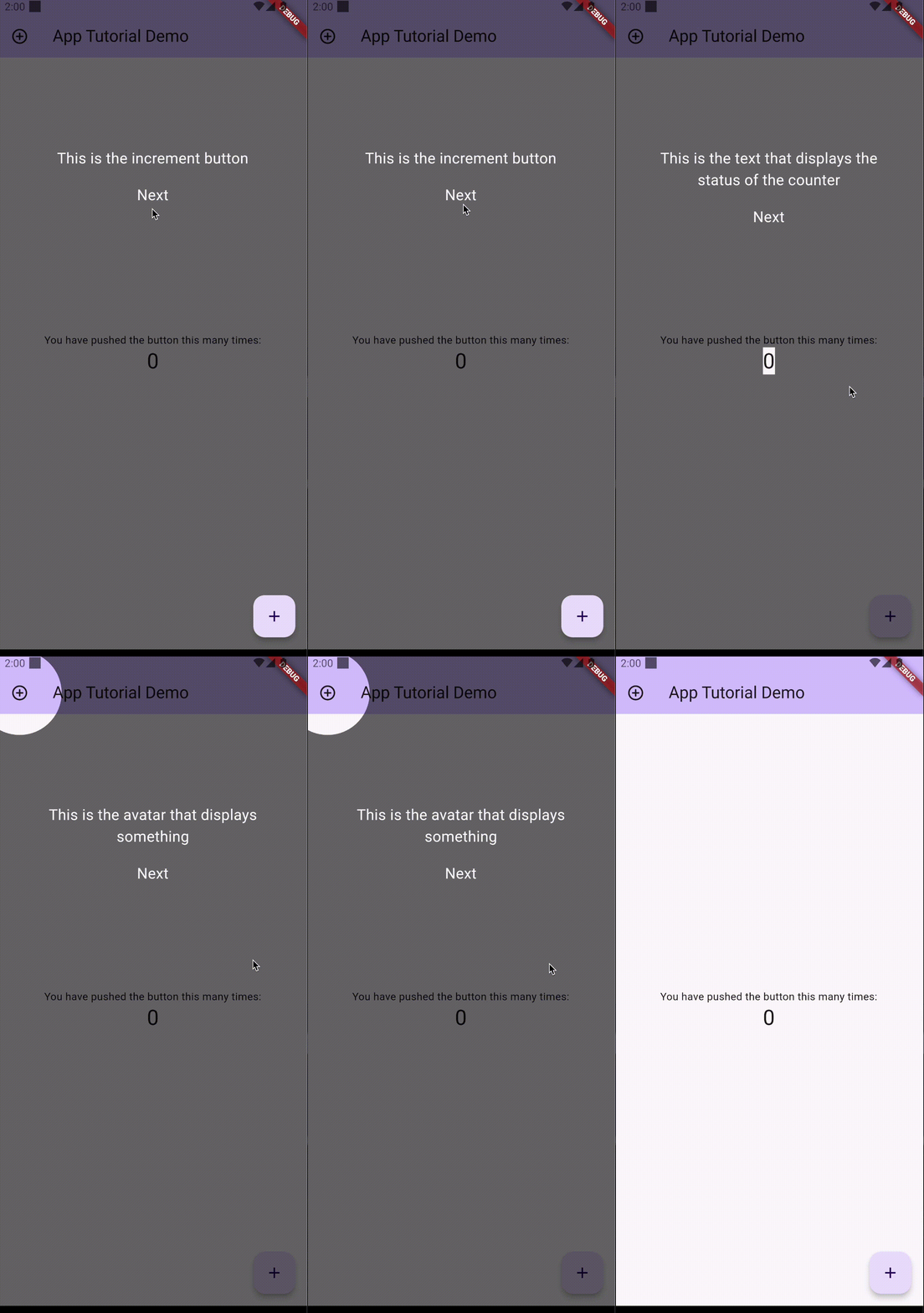
Usage #
Import the package into your pubspec.yaml
dependencies:
  app_tutorial: ^currentVersion
View the example project to see how to use the package.
Properties:
TutorialItem
| Property | Description | Type | Required |
|---|---|---|---|
| globalKey | The Global Key of the component you want to focus on | GlobalKey |
yes |
| children | List of widgets to show on the screen when this item is active | List<Widget> |
yes |
| top | Offset from the top | double |
no |
| left | Offset from the left | double |
no |
| bottom | Offset from the bottom | double |
no |
| right | Offset from the right | double |
no |
| color | Color of the overlay | Color |
no |
| borderRadius | Radius of the border of the higlighted item | Radius |
no |
| crossAxisAlignment | Alignment on the cross axis | CrossAxisAlignment |
no |
| mainAxisAlignment | Alignment on the main axis | MainAxisAlignment |
no |
| shapeFocus | Shape of the focus element | ShapeFocus.oval, ShapeFocus.square, ShapeFocus.roundedSquare |
no |
Tutorial.show(context,items)
show() - the show () method, receives two parameters, the context and the list of TutorialItems you created Now just run the Tutorial.show(context, items)
Tutorial.showTutorial(context, items);
This package is a fork of this package, that I reuploaded as a Flutter package due to the package maintainer not responding.
Metadata
49
likes
0
points
495
downloads
Publisher
Weekly Downloads
Metadata
Package for creating tutorials for your app to explain the features of the app in a seamless ways to you users.
Repository (GitHub)
View/report issues
License
 unknown (license)

