
animated_snack_bar 0.3.1  animated_snack_bar: ^0.3.1 copied to clipboard
Easily show beautiful snack bars directly using overlays. Create custom snack bars and show them with awesome animations.
AnimatedSnackBar #
A Flutter package to show beautiful animated snackbars directly using overlay.
Features #
- Material-UI
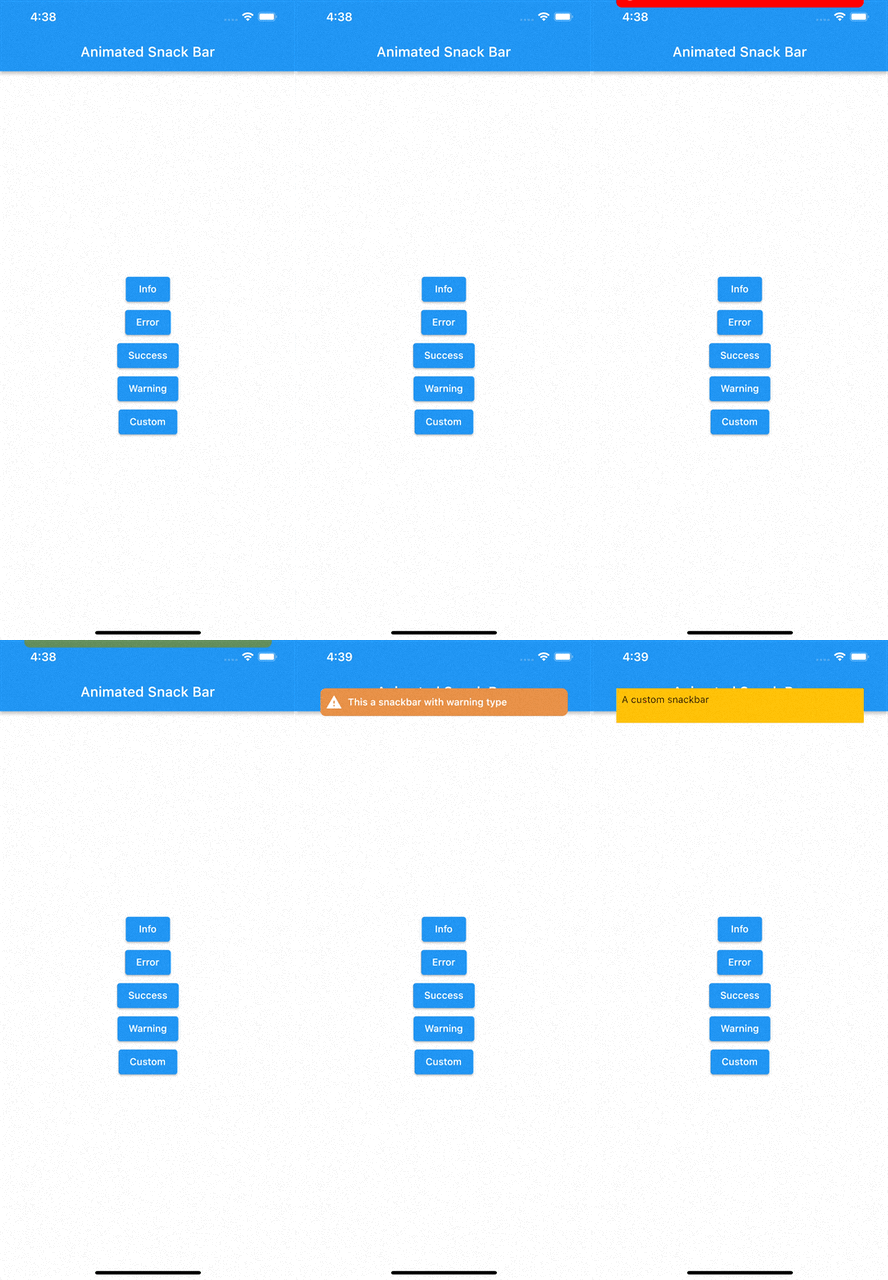


- Colorized rectangle


- Dark rectangle


Getting started #
Add package to pubspec.yaml
flutter pub add animated_snack_bar
Import the package
import 'package:animated_snack_bar/animated_snack_bar.dart';
Usage #
- Show material ui snackbar
AnimatedSnackBar.material(
    'This a snackbar with info type',
    type: AnimatedSnackBarType.info,
).show(context);
- Show colorized rectangle snackbar
AnimatedSnackBar.rectangle(
'Success',
  'This is a success snack bar',
  type: AnimatedSnackBarType.success,
  brightness: Brightness.light,
).show(
  context,
);
- Show dark rectangle snackbar
AnimatedSnackBar.rectangle(
'Success',
  'This is a success snack bar',
  type: AnimatedSnackBarType.success,
  brightness: Brightness.dark,
).show(context);
- Show a custom snackbar
AnimatedSnackBar(
    builder: ((context) {
        return Container(
            padding: const EdgeInsets.all(8),
            color: Colors.amber,
            height: 50,
            child: const Text('A custom snackbar'),
        );
    }),
).show(context);
- Changning snackbar pushing position
AnimatedSnackBar.material(
    'This a snackbar with info type',
    type: AnimatedSnackBarType.info,
    mobileSnackBarPosition: MobileSnackBarPosition.bottom, // Position of snackbar on mobile devices
    desktopSnackBarPosition: DesktopSnackBarPosition.topRight, // Position of snackbar on desktop devices
).show(context);
- Change snack bar position for mobile
AnimatedSnackBar.material(
    'This a snackbar with info type',
    type: AnimatedSnackBarType.info,
    mobilePositionSettings: const MobilePositionSettings(
      topOnAppearance: 100,
      // topOnDissapear: 50,
      // bottomOnAppearance: 100,
      // bottomOnDissapear: 50,
      // left: 20,
      // right: 70,
    ),
).show(context);
Multiple snack bars handling #
You can pass snackBarStrategy as a paramter to determine what should snack bar do
with snackbars which came before it.
- Should it be shown on them like column? use
ColumnSnackBarStrategy - Should it remove them? use
RemoveSnackBarStrategy - Should it just stack on them? use
StackSnackBarStrategy
Metadata
113
likes
150
points
5.73k
downloads
Publisher
unverified uploader
Weekly Downloads
Metadata
Easily show beautiful snack bars directly using overlays. Create custom snack bars and show them with awesome animations.
Homepage
Repository (GitHub)
View/report issues
Documentation
License
 GPL-3.0 (license)

