
alarm_plus 0.2.0  alarm_plus: ^0.2.0 copied to clipboard
Published 37 days ago •  mds.gen.in
mds.gen.inCross-platform alarm plugin with reliability-first Android exact alarms and iOS notification-based best-effort alarms.
0.2.0 #
Breaking changes #
- iOS minimum deployment target is now 15.0 (was 13.0).
- iOS 26+ schedules alarms through AlarmKit, with no local-notification fallback.
- Host apps must add
NSAlarmKitUsageDescriptiontoInfo.plist. Without it the app cannot get AlarmKit authorization, so no alarms can be scheduled on iOS 26+. schedule(),snooze()andtriggerNow()throw aPlatformExceptionwith codeERR_SCHEDULE_FAILED, and emit anerrorevent, unless AlarmKit authorization has been granted. CallrequestPermissions()before scheduling.requestPermissions()asks for AlarmKit authorization instead of notification authorization.getPermissionStatus()reports AlarmKit authorization innotificationsGranted, always returnsfalseforcriticalAlertsEligible, and addsplatformMeta['alarmKitAuthorization'](authorized,denied,notDetermined).- Only
titleandsoundAssetfromAlarmNotificationSettingsare applied.body, the action button texts, the large icon and big picture fields,vibrationSettingsandvolumeSettingsare ignored; the system owns the alert's sound and haptics. - The system alert offers Stop only. There is no Snooze action on the alert;
snooze()still works when called from Dart. onDidReceiveNotificationResponseandonDidReceiveBackgroundNotificationResponseare not called for AlarmKit alarms. Use theeventsstream (triggered,stopped), which delivers only while the app process is running.getLaunchAlarm()returns an alarm only if the app observed it while it was still alerting.
- Host apps must add
- The iOS Swift Package requires Flutter 3.44 or newer when Swift Package Manager is enabled.
Package.swiftdepends on theFlutterFrameworkpackage, which Flutter only generates from 3.44. Apps on older Flutter versions must keep Swift Package Manager disabled and use the CocoaPods podspec, which still works.
Changes #
- iOS: AlarmKit on iOS 26+ gives real system alarms, including the lock-screen alert. iOS 15-25 keep the existing
UNUserNotificationCenterbest-effort path with unchanged behavior. - iOS: restructured the plugin from the single
ios/Classes/AlarmPlusPlugin.swiftfile into a Swift Package underios/alarm_plus/Sources/alarm_plus/, split intoCore/,Services/,Models/andUtils/, adding Swift Package Manager support alongside the podspec. - Android:
requestPermissions()now opens the needed settings screens one at a time and completes only after the user returns from the last one, so the returned status and thepermissionChangedevent reflect what the user actually granted. Previously it opened every screen at once and completed immediately with the unchanged status. Without an attached activity it keeps the old behavior. - iOS: results, events and notification responses are now always delivered to Flutter on the main thread. They were previously sent from background threads, which Flutter reports as a cause of data loss or crashes.
- Example: moved the example app to Flutter 3.47 (AGP 9.3.2, Gradle 9.5, Kotlin 2.3.20, compileSdk 37) and to
package:material_ui. The plugin's Dart API and Android configuration are unchanged.
0.1.3 #
- Added Vibration and Volume customization:
- New
VibrationSettingsmodel with presets:strong,medium,light,heartbeat, and support for custom vibration patterns. - New
VolumeSettingsmodel with support for:- Direct volume level (0.0 to 1.0).
- Linear volume fading over a specific duration.
- Custom volume fade steps using
VolumeFadeStep. volumeEnforcedto prevent users from lowering volume during an alarm.
- Android: Implemented volume control, fading, and vibration using
MediaPlayerandVibrator. - iOS: Implemented volume control, fading, and vibration using
AVAudioPlayerandAudioServices.
- New
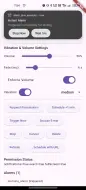
- Updated example app with UI controls for vibration and volume settings.
- Updated README with vibration and volume usage examples.
0.1.2 #
- refactoring the pubspec to properly bind the home page and issue tracker.
0.1.1 #
- Added URL-based image support for notifications:
AlarmNotificationSettings.largeIconUrlandbigPictureUrlfields- Android: Coil library for efficient image loading from URLs
- iOS: Synchronous download and caching for notification attachments
- Fallback to asset-based images if URL loading fails
- Updated example app with "Schedule with URL" button demonstrating URL images
- Updated README with URL usage examples and platform notes
0.1.0 #
- Introduced production-oriented
alarm_plusAPI:initializetriggerNow,schedule,cancel,stop,snooze,getAlldeleteevents,getLaunchAlarm,getPermissionStatus,requestPermissions
- Added flutter_local_notifications-style notification response callbacks:
- foreground callback via
onDidReceiveNotificationResponse - background callback isolate via
onDidReceiveBackgroundNotificationResponsewith@pragma('vm:entry-point')
- foreground callback via
- Added notification-response data model (
NotificationResponse,NotificationResponseType) and pending response delivery on app launch. - Added
AlarmModel,AlarmEvent, andAlarmPermissionStatusmodel layer. - Implemented Android reliability path:
AlarmManager.setExactAndAllowWhileIdle- trigger receiver + action receiver + boot receiver
- foreground ringing service with wake lock + looping audio
- full-screen notification intent path
- Room persistence and reboot/package/time-change rescheduling
- Implemented iOS best-effort notification path:
UNUserNotificationCenterscheduling- stop/snooze notification actions
- persisted local alarm state + event emission
- Added example app covering schedule/trigger/snooze/stop/cancel/list/events/permissions.
- Added pub.dev-ready README with platform behavior and troubleshooting details.
Metadata
1
likes
160
points
316
downloads

Documentation
Publisher
Weekly Downloads
Metadata
Cross-platform alarm plugin with reliability-first Android exact alarms and iOS notification-based best-effort alarms.
Repository (GitHub)
View/report issues
Topics
#alarm #fullscreen-alarm #alarm-events #notification
License
 MIT (license)
Dependencies
flutter, plugin_platform_interface
More
Packages that depend on alarm_plus
Packages that implement alarm_plus